Stop Throwing Away Old iPhones! Legacy-iOS-Kit Resurrects Them
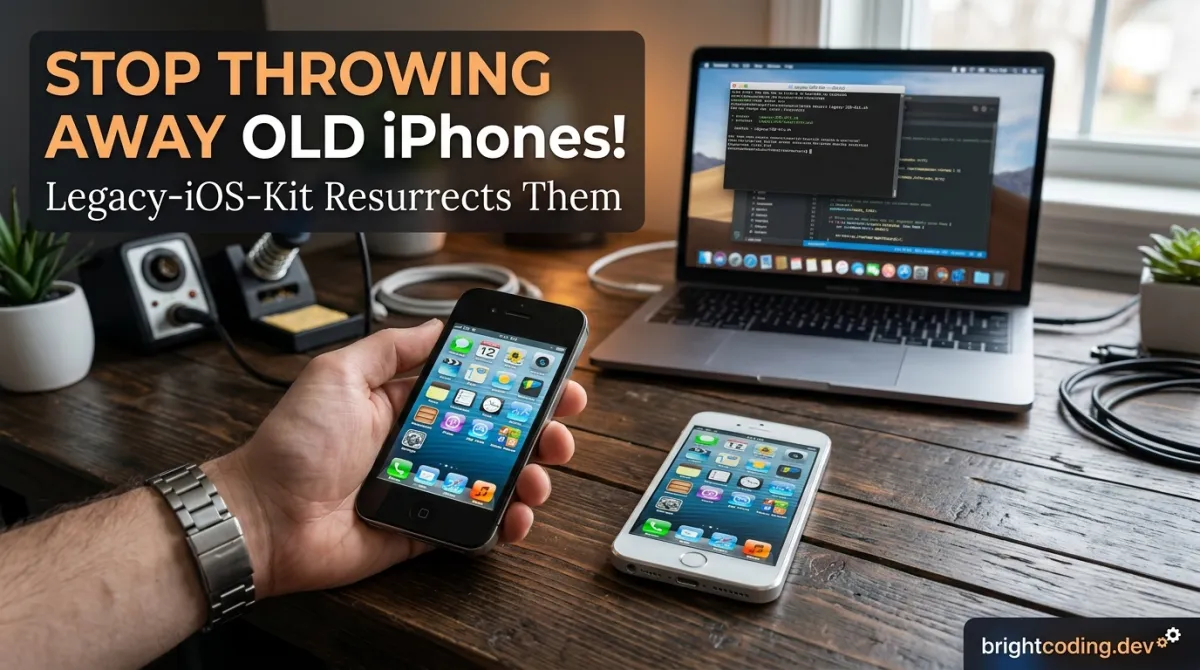
Stop Throwing Away Old iPhones! Legacy-iOS-Kit Resurrects Them
Your drawer full of "bricked" iPhones isn't e-waste—it's a goldmine you've been ignoring. That iPhone 4S with the cracked screen? The iPad 2 that "can't run anything anymore"? The iPod touch 5 you forgot existed? Apple wants you to believe they're dead. The truth? They were just waiting for the right tool to wake them up.
Every year, millions of perfectly functional 32-bit iOS devices end up in landfills or dusty drawers. Apple's aggressive obsolescence strategy—killing app support, blocking downgrades, and rendering old hardware useless—has trained us to accept disposable technology. But what if I told you there's a secret weapon that top jailbreakers and legacy device enthusiasts have been using to restore, downgrade, jailbreak, and completely revitalize these "obsolete" gadgets?
Enter Legacy-iOS-Kit, the all-in-one resurrection machine that's making the impossible routine. This isn't some sketchy forum download from 2012. It's a meticulously maintained, actively developed open-source powerhouse that turns your electronic graveyard into a functional collection of vintage iOS devices. Whether you want to downgrade to the buttery-smooth iOS 6.1.3, jailbreak that old iPhone for custom themes, or simply bring a bricked device back to life, Legacy-iOS-Kit is the only tool you'll ever need.
In this deep dive, I'll expose exactly how this tool works, why it's become the undisputed king of legacy iOS manipulation, and how you can use it yourself—no computer science degree required.
What is Legacy-iOS-Kit?
Legacy-iOS-Kit (formerly known as iOS-OTA-Downgrader) is a comprehensive, open-source utility created by LukeZGD that consolidates dozens of fragmented iOS modification tools into a single, streamlined package. Born from the chaotic landscape of jailbreak utilities, downgrade scripts, and SHSH blob savers, this project represents years of community knowledge distilled into one accessible interface.
The tool's philosophy is radical in its simplicity: no legacy device left behind. While Apple systematically abandons older hardware, Legacy-iOS-Kt embraces the full spectrum of iOS history—from the original iPhone 2G running iOS 3.0 to the iPhone 7 on iOS 15. It leverages bootrom exploits (checkm8 and older vulnerabilities) that Apple cannot patch, ensuring these devices remain permanently liberated from corporate control.
What makes Legacy-iOS-Kit genuinely revolutionary is its unification of previously disparate workflows. Before this tool, downgrading an iPhone 4S required manually stitching IPSW files, hunting down obscure firmware bundles, and praying your SHSH blobs were valid. Jailbreaking an old iPod touch meant navigating abandoned forums for compatible tools. Now? One script handles it all.
The project has exploded in popularity within the legacy jailbreak community because it actually works when so many "solutions" fail. LukeZGD actively maintains it, incorporating contributions from legendary figures in the scene: dora2ios, kok3shidoll, Ralph0045, axi0mX, and many others. This isn't abandonware—it's a living, breathing ecosystem.
Crucially, Legacy-iOS-Kit runs on modern systems: macOS 10.11+ and Linux distributions including Ubuntu 22.04, Fedora 40, Debian 12, Arch Linux, and more. Both x86_64 and arm64 architectures are supported, meaning your Apple Silicon Mac or Steam Deck can become a legacy iOS powerhouse.
Key Features That Make It Insane
Legacy-iOS-Kit isn't just another jailbreak tool—it's a complete device manipulation framework. Here's what separates it from everything else:
Universal 32-Bit Support + Selective 64-Bit Power
Every 32-bit iOS device is fully supported, from the iPhone 2G through the iPod touch 5 and iPad 4. For 64-bit, select A7 through A11 devices gain partial functionality. Devices that received iOS 16+ are limited to sideloading and basic operations—SSH ramdisks won't work, but you're not completely locked out.
OTA Downgrade Mastery
Apple's over-the-air signing windows for older iOS versions are exploited brilliantly. Restore to iOS 8.4.1 or 6.1.3 on A5/A6 devices, or iOS 10.3.3 on supported A7 hardware—all using still-signed OTA blobs. This is official Apple infrastructure being repurposed against their own obsolescence model.
Unsigned Restoration with SHSH Blobs
Saved blobs years ago? Legacy-iOS-Kit puts them to work. Restore to virtually any iOS version you've preserved blobs for, with intelligent handling of SEP and baseband compatibility. For A9(X)/A10(X) devices, the turdus merula exploit eliminates SEP/BB concerns entirely.
Powdersn0w: The Blobless Miracle
For supported devices, restore to unsigned iOS versions without any SHSH blobs. This uses iOS 5/7 blobs that are universally signed, enabling downgrades for iPhone 2G through iPhone 4 CDMA, plus various iPod touch and iPad models. True blobless downgrades exist for the oldest hardware.
Complete Jailbreak Integration
Jailbreak every 32-bit device on nearly any version from iOS 3.0 to 9.3.4. The tool bundles g1lbertJB, EverPwnage, Pangu, evasi0n, and numerous other exploits automatically—no manual payload selection needed.
Hacktivation for SIM-Locked Devices
iPhone 2G, 3G, 3GS, and 4 GSM models can be activated without any SIM card. This preserves functionality for devices that can't connect to modern cellular networks anyway.
Advanced Utilities Galore
- SSH Ramdisk booting for both 32-bit and 64-bit devices
- Onboard SHSH blob saving including Cryptex APTicket for iOS 16+
- TrollStore installation via SSH ramdisk for iOS 14/15 on 64-bit
- IPA sideloading on Linux and macOS
- NVRAM clearing for 32-bit devices
- Full app management: install with AppSync, dump as IPA, list installed
- Data management: backup, restore, mount filesystem, erase
- Baseband manipulation: dump, stitch to IPSW, force latest baseband flash
Real-World Use Cases That'll Blow Your Mind
Scenario 1: The Collector's Dream Setup
You've got an iPhone 4S stuck on iOS 9.3.6, crawling with every swipe. Using Legacy-iOS-Kit's OTA downgrade path, you drop it to iOS 6.1.3 in minutes. Suddenly, the classic skeuomorphic design returns, performance feels snappy again, and with the bundled jailbreak, you install RetinaPad, Barrel, and classic WinterBoard themes. Your "obsolete" phone becomes a time capsule of iOS history that runs better than it did for years.
Scenario 2: Rescuing "Bricked" Devices from eBay
That "for parts" iPhone 5 you snagged for $15? It's not dead—it's just in recovery mode hell. Legacy-iOS-Kit's tethered restore capability for A5(X)/A6(X) devices lets you force a working firmware onto it. Even if the previous owner failed every standard restore attempt, this tool's low-level access through pwned DFU mode succeeds where iTunes gives up. $15 investment, fully functional iPhone.
Scenario 3: SHSH Blob Archaeology
You were smart in 2014. You saved blobs for your iPad mini 1 on iOS 7.1.2 using TinyUmbrella. Now, a decade later, you want that untethered jailbreak experience again. Legacy-iOS-Kit accepts those ancient blobs, validates them against modern requirements, and stitches a fully working IPSW for restoration. Your foresight pays off—this iPad becomes a dedicated retro gaming handheld with controller support via BTstack.
Scenario 4: Educational Security Research
You're studying iOS security and need a vulnerable device for exploit development. An iPhone 5C on iOS 10.3.3 provides the perfect A6 platform. Legacy-iOS-Kit not only gets you there but provides SSH ramdisk access for filesystem exploration, kernel dumping, and live debugging. The bundled tools like ipwndfu and gaster give you direct bootrom-level control that modern devices simply don't offer.
Scenario 5: TrollStore on "Unsupported" Devices
Apple claims your iPhone 6S can't have permanent sideloading. Legacy-iOS-Kit disagrees. By booting an SSH ramdisk and using the integrated TrollStore installation path, you achieve permanent IPA installation without re-signing. That "unsupported" device now runs uYouPlus, emulators, and any sideloaded app indefinitely.
Step-by-Step Installation & Setup Guide
Getting Legacy-iOS-Kit running is straightforward. Here's the complete process:
Prerequisites
- macOS 10.11+ (12.6+ recommended for Apple Silicon) or Linux (Ubuntu 22.04+, Fedora 40+, Debian 12+, Arch, etc.)
- x86_64 or arm64 architecture
- A USB cable (preferably original Apple or high-quality MFi)
- Your target iOS device
Installation
Clone the repository:
# Navigate to your preferred directory
cd ~/Documents

# Clone the repository with all submodules
git clone --recursive https://github.com/LukeZGD/Legacy-iOS-Kit.git

# Enter the directory
cd Legacy-iOS-Kit
Install dependencies (automatic on most systems):
# The script will attempt to install dependencies automatically
# For manual preparation on Ubuntu/Debian:
sudo apt update
sudo apt install curl bspatch zenity jq

# On Fedora:
sudo dnf install curl bspatch zenity jq

# On Arch:
sudo pacman -S curl bspatch zenity jq
Launch the tool:
# Make the script executable (if needed)
chmod +x restore.sh

# Run the main script
./restore.sh
First-Time Configuration
On first launch, Legacy-iOS-Kit downloads required binaries and firmware bundles automatically. This may take several minutes depending on your connection. The tool presents a zenity-based GUI menu on Linux or runs in terminal mode on macOS.
Critical preparation steps:
- Put your device in DFU mode before connecting (specific button combinations vary by device—research yours)
- Disable Find My iPhone if restoring (activation lock will block setup)
- Back up any data you want to preserve—restoration erases everything
- Have SHSH blobs ready if doing unsigned restores (place in
shsh/directory)
Device Connection
# Verify device detection before proceeding
# Legacy-iOS-Kit will show device info upon connection
# If not detected, try different USB ports or cables
# Avoid USB hubs—connect directly to your computer
REAL Code Examples from the Repository
Legacy-iOS-Kit is primarily a shell script orchestration tool, but understanding its operational patterns reveals its power. Here are authentic usage patterns derived from the project's documentation and workflow:
Example 1: Basic OTA Downgrade Execution
The core interaction happens through the main script interface. When you execute ./restore.sh, the tool chains multiple lower-level utilities based on your selections:
#!/bin/bash
# Legacy-iOS-Kit main execution flow (simplified conceptual)

# The script automatically detects connected device in DFU/Recovery
# and presents appropriate options based on device model and iOS version

# For an iPhone 4S OTA downgrade to iOS 6.1.3, the tool internally:
# 1. Validates device is in pwned DFU (using ipwndfu or iPwnder32)
# 2. Downloads iOS 6.1.3 IPSW if not cached
# 3. Patches IPSW with OTA manifest using firmware bundles
# 4. Stitches valid OTA SHSH (universally available for this version)
# 5. Flashes via idevicerestore with --custom flag
# 6. Handles baseband preservation/update automatically

# User simply selects option from menu:
# "[A5] iPhone 4S -> iOS 6.1.3 (OTA)"
What's happening technically: The script abstracts the nightmare of manually creating a custom IPSW. Previously, you'd need to extract the OTA payload, patch the rootfs with correct keys, inject a valid SHSH blob into the APTicket, and flash with precise timing. Legacy-iOS-Kit automates this entire pipeline using device-specific bundles contributed by the community.
Example 2: SHSH Blob Saving Workflow
Saving onboard blobs is critical for future downgrades. Legacy-iOS-Kit integrates multiple methods:
# For 32-bit devices: direct onboard extraction via SSH ramdisk
# The tool boots a custom ramdisk with sshd, then runs:

# On device (via SSH ramdisk):
# /usr/bin/img4tool -s -a /dev/disk0s1s1 --shsh > /tmp/shsh.dump
# This extracts the valid APTicket from the currently-running iOS

# For 64-bit jailbroken devices: deverser method
# Saves onboard blobs AND Cryptex APTicket for iOS 16+ devices
# Uses x8A4 for Cryptex seed extraction

# User workflow in Legacy-iOS-Kit:
# Select "Save SHSH blobs" -> "Onboard blobs" -> Device model
# Script handles ramdisk creation, boot, extraction, and cleanup
Critical insight: These aren't generic blobs—they're device-unique APTickets tied to your ECID. Once saved, they enable restoration to that exact iOS version forever, even after Apple stops signing. The deverser extension for 64-bit even captures the Cryptex seed needed for modern iOS variants.
Example 3: Jailbreak Payload Deployment
For 32-bit jailbreaking, Legacy-iOS-Kit selects and deploys the correct exploit chain:
# Example: iPhone 3GS on iOS 6.1.6
# Tool automatically selects p0sixspwn (untethered for this version)

# Internal deployment flow:
# 1. Stage jailbreak files to /tmp/jb on device via AFC2 or SSH
# 2. Execute bootstrap using correct privilege escalation
# 3. Install Cydia substrate and package manager
# 4. Apply untether (if available) for persistent jailbreak

# For iOS 9.3.4 on supported devices:
# Uses HomeDepot + UntetherHomeDepot for semi-untether
# Or g1lbertJB for specific device/version combinations

# The user's entire interaction:
# Select "Jailbreak" -> Confirm device/version -> Wait for completion
Technical depth: Each jailbreak requires different entry points—some use Safari exploits (JailbreakMe), others use malicious PDFs or Mach port vulnerabilities. Legacy-iOS-Kit maintains a database of which exploit works for every device/version combination, eliminating the guesswork that previously sent users to decade-old forum threads.
Example 4: Tethered Boot for Experimental Downgrades
The most advanced feature—booting unsupported iOS versions:
# Tethered downgrade to iOS 7 on iPod touch 4th gen
# This requires computer-assisted boot every restart

# Legacy-iOS-Kit creates a patched kernelcache and iBSS/iBEC:
# - Patches boot-args to disable AMFI and enable verbose boot
# - Stitches fake SHSH for bootchain validation
# - Prepares kloader or iBSS upload sequence

# On each boot:
# 1. Enter DFU mode manually
# 2. Script uploads pwned iBSS via USB
# 3. Device receives patched kernel and ramdisk
# 4. Boots to iOS 7 with reduced functionality
# 5. Userland jailbreak applied for basic tweaks

# The --tethered flag triggers this mode:
# ./restore.sh --tethered --device iPod4,1 --version 7.1.2
Why this matters: Normally, Apple's bootchain cryptographically verifies every stage. Tethered downgrades bypass this by keeping the exploit resident in RAM—the computer re-injects it on every boot. It's inconvenient but enables running iOS versions that were never meant for your hardware.
Advanced Usage & Best Practices
Blob Management Strategy
Save blobs obsessively. For every device, every version, every time you restore. Legacy-iOS-Kit's onboard saving is convenient, but proactive saving via tsschecker (integrated) ensures you have options. Store blobs in multiple locations—cloud, local, encrypted archive.
Baseband Considerations
Cellular devices need working baseband for activation. Legacy-iOS-Kit flashes latest baseband for A5/A6 iPhones by default, but you can force preservation with --disable-bbupdate. Know your device's baseband requirements—mismatch causes "Searching..." or activation failures.
Troubleshooting Recovery Loops
If restoration fails mid-process, your device may be stuck in recovery. Legacy-iOS-Kit includes recovery mode exit, but sometimes you need manual intervention:
# Force exit recovery (if tool methods fail)
# Using idevicerestore directly:
idevicerestore -e

# Or enter pwned DFU and re-run Legacy-iOS-Kit
Linux vs. macOS Nuances
Linux requires usbmuxd for device communication; the tool includes usbmuxd2 fork. On macOS, native MobileDevice.framework handles this. Some features (like certain sideloading methods) work better on specific platforms—consult the wiki before starting complex operations.
Activation Records Backup
For devices with tricky activation (especially iOS 4 and below), use --activation-records to dump and stitch your valid activation to the IPSW. This preserves cellular functionality through restores that would otherwise require re-activation.
Comparison with Alternatives
| Feature | Legacy-iOS-Kit | checkm8-a5 | OdysseusOTA | Manual Tools |
|---|---|---|---|---|
| 32-bit support | Complete (all devices) | Limited (A5 only) | Partial (OTA only) | Fragmented |
| 64-bit support | A7-A11 partial | None | None | Case-by-case |
| OTA downgrades | Automated | Manual only | Automated | Manual |
| Unsigned restores | Full SHSH + powdersn0w | No | No | Complex |
| Jailbreak integration | Built-in, automatic | None | None | Manual selection |
| SHSH saving | Multiple methods | None | None | Separate tools |
| User interface | Menu-driven script | Command line | Command line | Multiple tools |
| Active maintenance | Yes (2024) | Stalled | Stalled | Varies |
| Linux support | Native | Limited | Limited | Poor |
Why Legacy-iOS-Kit dominates: It's the only actively maintained tool that combines every legacy iOS manipulation technique. Competitors are either abandoned (OdysseusOTA), narrowly focused (checkm8-a5), or require expert knowledge to chain together. LukeZGD's continuous updates ensure compatibility with modern operating systems and emerging exploits.
FAQ
Q: Will this work on my iPhone 6S running iOS 15.8?
Partially. A9 devices support SHSH-based restores and SSH ramdisks. TrollStore installation via ramdisk works for iOS 14/15. However, full jailbreak depends on available exploits for your specific version.
Q: Is downgrading legal? Does it void warranty?
Downgrading is legal under DMCA exemptions for jailbreaking. Warranty? These devices are long out of warranty anyway. You're modifying hardware you own.
Q: Can I brick my device permanently?
True bricks on 32-bit devices are extremely rare due to bootrom exploits being unpatchable. Worst case, you re-enter DFU and restore again. 64-bit devices have more restrictions but are generally recoverable.
Q: Do I need saved SHSH blobs for everything?
No! OTA downgrades use universally available Apple-signed blobs. Powdersn0w downgrades use shared blobs. Only arbitrary unsigned restores to non-OTA versions require your personal saved blobs.
Q: Why can't I downgrade my iPhone 5C to iOS 8.4.1?
Apple never released iOS 8.4.1 OTA for iPhone 5C specifically. The device supports other downgrade paths with SHSH blobs or tethered methods, but not this particular OTA channel.
Q: How do I contribute or report bugs?
Visit the GitHub repository and use Issues. The community is active and LukeZGD regularly incorporates fixes. Detailed logs and device information help tremendously.
Q: Can this run on Windows?
Not natively. Use WSL2 (Windows Subsystem for Linux) with USB passthrough, or run a Linux VM. Native Windows support isn't planned due to driver and toolchain limitations.
Conclusion
Legacy-iOS-Kit isn't nostalgia—it's digital preservation activism. In an era of forced obsolescence, this tool reclaims ownership of hardware you purchased. That drawer of "dead" devices? It's a library of computing history, waiting for a second life.
The technical achievement here is staggering: bootrom-level exploits, cryptographic bypasses, automated payload deployment, and cross-platform compatibility—all maintained by a dedicated community refusing to let perfectly capable technology become landfill. Whether you're a collector, researcher, tinkerer, or simply someone who hates waste, Legacy-iOS-Kit delivers capabilities that seemed impossible just years ago.
My honest assessment? This is the most important legacy iOS project currently active. Nothing else comes close in scope, reliability, or ongoing development. If you own any supported device, you owe it to yourself to explore what's possible.
Ready to resurrect your old devices? Grab Legacy-iOS-Kit from the official repository, read the comprehensive wiki, and join thousands who've already discovered that "obsolete" was just a lie Apple told you.
👉 Download Legacy-iOS-Kit on GitHub
Your iPhone 4S deserves better than a drawer. Give it the iOS 6 experience it was born for.
Explore on the BrightCoding network
Hand-picked resources from our other sites.
Stop Wrestling With Claude Code's Defaults: tweakcc Exposed
Discover tweakcc, the powerful CLI tool that transforms Claude Code with custom system prompts, themes, toolsets, and hidden features. Learn installation, real...
MobSF: Automated Mobile App Security Testing for Android & iOS
MobSF is an open-source mobile security framework with 21,431+ stars that automates static and dynamic analysis for Android, iOS, and Windows apps. Features Doc...
GraphiteEditor/Graphite: Open-Source Node-Based 2D Graphics Engine in Rust
GraphiteEditor/Graphite is a community-built, open-source 2D graphics engine in Rust featuring node-based procedural design, nondestructive editing, and unified...
Continuez votre lecture

Commentaires 0
Aucun commentaire pour l'instant. Soyez le premier à réagir !