Stop Typing on macOS: Voxt Makes Voice Input Effortless
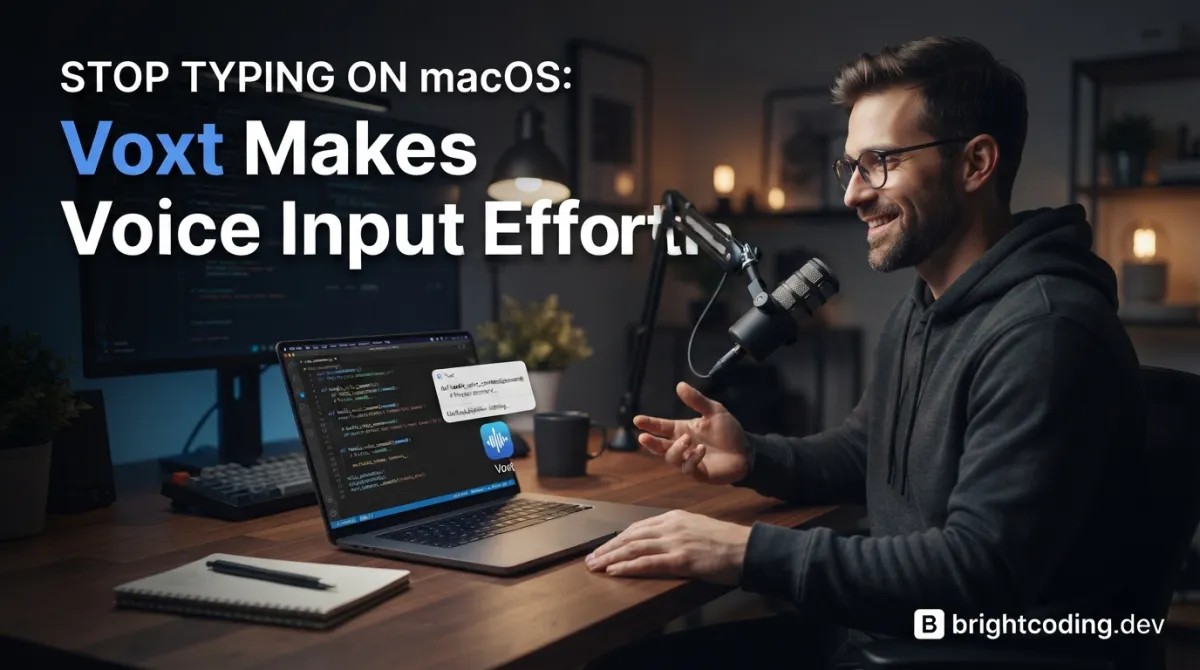
What if you never had to type another email, Slack message, or line of code again?
Picture this: It's 2 PM, your wrists are burning from eight hours of mechanical keyboard abuse, and you still have three more documentation pages to write. Your productivity is tanking. Your posture is ruined. And every "ergonomic" keyboard you've tried feels like a science experiment gone wrong. Here's the uncomfortable truth most developers refuse to accept: typing is a bottleneck we voluntarily endure.
But what if your voice could become your most powerful input device?
Enter Voxt — the macOS menu bar app that's quietly replacing keyboards for thousands of developers, writers, and multilingual professionals. Hold a key. Speak naturally. Release to paste perfectly formatted text anywhere. No cloud dependencies. No subscription traps. Just insane speed powered by Apple's MLX framework and local AI models that run entirely on your Mac.
This isn't another gimmicky dictation tool that butchers technical terms. Voxt is a precision instrument designed for people who actually ship code, write documentation, and communicate across languages daily. Ready to reclaim your productivity? Let's dissect why Voxt is becoming the secret weapon of top macOS developers.
What is Voxt?
Voxt is a native macOS menu bar application that transforms voice into intelligent, context-aware text input. Created by developer hehehai and released under the Apache 2.0 license, Voxt represents a fundamental shift in how we think about human-computer interaction on Apple Silicon Macs.
At its core, Voxt operates on a brilliantly simple interaction model: hold to speak, release to paste. But beneath this minimalist surface lies a sophisticated architecture that separates speech recognition (ASR) from language intelligence (LLM), allowing each component to be optimized independently.
The app emerged from a clear market gap. Existing voice solutions fell into two broken categories: cloud-dependent services that raised privacy red flags and sent your proprietary code to remote servers, or primitive system dictation that choked on technical vocabulary, mixed languages, and contextual nuance. Voxt bridges this divide by leveraging Apple's MLX machine learning framework to run state-of-the-art models locally — your voice data never leaves your machine unless you explicitly configure remote providers.
What makes Voxt genuinely trending now is its architectural maturity. Version releases show rapid iteration, the model catalog expands weekly, and the community around local AI on Apple Silicon has exploded. With macOS 15.0+ as its foundation, Voxt rides the wave of Apple's neural engine investments, turning your M-series Mac into a voice-powered productivity engine that feels almost telepathic.
Key Features That Separate Voxt from the Noise
Triple-Mode Voice Intelligence
Voxt doesn't just transcribe — it thinks in three distinct modes:
fn— Pure Transcription: Live speech-to-text with real-time preview, automatic filler word removal, intelligent punctuation insertion, and custom prompt enhancementfn+shift— Instant Translation: AI-powered translation immediately after transcription, with selected-text translation for existing contentfn+control— Voice-as-Prompt: Your speech becomes instructions for AI generation — "Make this shorter and smoother" or "Help me write a 200-word self-introduction"
App Branch: Context-Aware Intelligence (Beta)
This is where Voxt gets exposed as genuinely next-level. App Branch groups let different applications and URLs trigger different enhancement rules automatically. Coding in Xcode? Voxt biases toward technical terminology and command syntax. In Gmail? It switches to formal, complete sentences. On GitHub? Markdown↗ Smart Converter formatting and issue references get priority. URL-based matching means docs.google.com/* can maintain your team's style guide while github.com/* optimizes for technical precision.
Dual ASR Engine Architecture
Voxt separates MLX Audio local models from WhisperKit integration, treating them as independent engines with separate download flows, model catalogs, and runtime configurations. This isn't monolithic design — it's modular intelligence that lets you optimize for speed, accuracy, or specific language coverage.
Personal Dictionary with Auto-Correction
Technical terms, product names, internal acronyms — Voxt's dictionary injects exact terminology into prompts and optionally auto-corrects high-confidence near matches before output. The "One-Click Ingest" feature scans your recent history with AI to propose candidate terms, making dictionary building nearly autonomous.
Comprehensive Model Ecosystem
From Qwen3-ASR 0.6B (lightweight multilingual) to Whisper Large-v3 (3.09 GB accuracy monster), from Llama 3.2 1B (fastest local enhancement) to GLM-4 9B (Chinese-English rewriting powerhouse) — Voxt's model matrix covers every use case and hardware configuration.
Real-World Use Cases Where Voxt Destroys Traditional Input
1. The Multilingual Developer
You're switching between Chinese team standups, English documentation, and Japanese client emails. Voxt's smooth mixed-language input handles code-switching effortlessly, while fn+shift translates selected Slack messages without breaking flow. The separate model selection for translation means you can use a lightweight model for quick chats and a heavyweight for critical client communications.
2. The Documentation Writer
Writer's block hits hardest when staring at empty README files. With Voxt's fn+control, you simply speak your architectural decisions: "Explain how the authentication middleware validates JWT tokens and refreshes sessions." The AI generates structured technical prose that you refine by voice — "Make this more concise, add a code example placeholder."
3. The Accessibility-Focused Professional
Repetitive strain injury, carpal tunnel, or simply ergonomic consciousness — Voxt eliminates the typing tax entirely. The voice end command feature ("over", "end", "完毕", or custom triggers) enables true hands-free operation. Combined with "mute other media audio while recording," you can work in open offices without acoustic interference.
4. The Security-Conscious Engineer
Your code contains proprietary algorithms, unreleased product names, and internal API structures. Cloud dictation services? Absolutely not. Voxt's local MLX models run entirely on-device. Your voice never traverses a network unless you explicitly configure remote providers — and even then, you control which data flows where.
Step-by-Step Installation & Setup Guide
Prerequisites
- macOS 15.0 or later
- Apple Silicon Mac (M1/M2/M3/M4 series) for optimal local model performance
- Microphone access (required)
- Accessibility and Input Monitoring permissions (strongly recommended for auto-paste)
Installation via Homebrew (Recommended)
# Add the custom tap
brew tap hehehai/tap

# Install Voxt as a cask
brew install --cask voxt
This single command handles the entire installation. Homebrew manages updates automatically, and the cask format ensures proper macOS app bundle integration.
Manual Installation from GitHub Releases
# Visit the latest release page directly
open https://github.com/hehehai/voxt/releases/latest

# Download the .dmg or .zip for your architecture
# Drag Voxt to Applications folder
Initial Configuration
- Launch Voxt from Applications or Spotlight
- Grant Core Permissions when prompted:
- Microphone: Essential — without this, no recording pipeline functions
- Accessibility: Enables auto-paste into other applications
- Input Monitoring: Stabilizes
fn-based modifier shortcuts
- Select Your ASR Engine in the Model page:
- Quick start: Choose
Direct Dictation(Apple SFSpeechRecognizer, no downloads) - Privacy-first: Download
Qwen3-ASR 0.6B 4bitunder MLX Audio - Accuracy-first: Download
Whisper BaseorWhisper Small
- Quick start: Choose
- Configure Shortcuts — defaults use
fncombos, butcommandpresets or fully custom bindings are available - Set Model Storage Path (optional but recommended for large model collections):
General → Model Storage → Change Path
# Note: Existing models don't migrate automatically — plan this early
Development Build (For Contributors)
# Clone the repository
git clone https://github.com/hehehai/voxt.git
cd voxt

# Configure signing (shared defaults provided)
cp Config/Signing.local.xcconfig.example Config/Signing.local.xcconfig
# Edit Config/Signing.local.xcconfig with your VOXT_DEVELOPMENT_TEAM

# Build in Xcode or via xcodebuild
xcodebuild -scheme Voxt -configuration Debug
REAL Code Examples from the Repository
Example 1: Homebrew Installation Commands
The README provides the exact installation path for Homebrew users. These commands are production-tested and represent the fastest deployment method:
# Add the developer's custom Homebrew tap
# This makes Voxt available through the Homebrew package manager
brew tap hehehai/tap

# Install Voxt as a macOS application (cask)
# The --cask flag ensures proper .app bundle installation
brew install --cask voxt
Why this matters: The tap mechanism separates Voxt from the main Homebrew repository, allowing rapid updates without core Homebrew review delays. The cask installation handles app bundle signing, quarantine attributes, and proper /Applications placement automatically — no manual drag-and-drop required.
Example 2: Remote Provider Configuration Prompt
Voxt includes a sophisticated prompt engineering pattern for AI-assisted setup. This demonstrates the project's meta-level intelligence — using AI to configure AI:
https://raw.githubusercontent.com/hehehai/voxt/refs/heads/main/README.md
https://raw.githubusercontent.com/hehehai/voxt/refs/heads/main/docs/RemoteModel.md
How do I get started configuring remote ASR and LLM? I want to use Doubao ASR and Alibaba Cloud Bailian LLM. Please give me the full application and configuration workflow.

1. For every step that requires visiting a website, include the exact URL.
2. Point out the important notes and required configuration items.
3. Make the key steps more detailed.
Technical insight: This prompt leverages retrieval-augmented generation principles. By feeding the AI assistant live documentation URLs, you ensure answers reflect the latest codebase state rather than stale training data. The structured output requirements (exact URLs, important notes, detailed steps) produce actionable configuration guides without manual documentation hunting.
For Doubao ASR specifically, you'll need:
Access TokenandApp ID(not just an API key)- WebSocket endpoint configuration for realtime streaming
- GZIP handling awareness (known failure point documented in error states)
Example 3: App Branch URL Matching Pattern
While not explicit code, the App Branch configuration demonstrates powerful pattern matching for context-aware behavior:
# Browser URL patterns for automatic prompt switching
github.com/*        → Technical/code-optimized enhancement
docs.google.com/*   → Formal document formatting
mail.google.com/*   → Professional email tone
localhost:*         → Development/debug logging style
Implementation detail: URL matching requires Automation permission for browser scripting. The fallback chain is: browser automation → Accessibility API → global prompt. This graceful degradation ensures Voxt functions even in restricted permission environments, though with reduced context awareness.
Example 4: Model Configuration Structure
The MLX Audio integration shows sophisticated model management:
# Voxt's canonical model identifier system
# Example: Qwen3-ASR 0.6B with 4-bit quantization
Family: Qwen3-ASR 0.6B
Built-in Variants: 4bit, 6bit, 8bit, bf16
Storage Root: ~/Library/Application Support/Voxt/mlx-audio/
Migration Path: Auto-migrates legacy IDs on upgrade
Critical implementation note: Voxt explicitly rejects alignment-only repositories (Qwen3-ForcedAligner is blocked). The dependency pins to a specific commit (8ae0c745360b32c128c0ba6d4e46b27ee3214529) in a mirrored fork (hehehai/mlx-audio-swift), ensuring reproducible builds and controlled update cadence — essential for production stability.
Advanced Usage & Best Practices
Optimize for Your Hardware
- 8GB RAM Macs: Stick to
Qwen3-ASR 0.6B 4bit+Qwen2 1.5B Instructfor enhancement - 16GB RAM Macs: Run
Whisper Small+Qwen3 4B 4bitcomfortably - 32GB+ RAM Macs: Explore
Whisper Large-v3andGLM-4 9Bfor maximum quality
Master the Three-Shortcut Workflow
Build muscle memory for mode switching:
fnfor raw transcription → quick notes, code comments, search queriesfn+shiftfor cross-language → Slack with international teams, documentation translationfn+controlfor generative tasks → email composition, refactoring explanations, documentation generation
Dictionary Hygiene
Run "One-Click Ingest" weekly after heavy project work. This scans your recent transcription history and proposes domain-specific terms. For software teams, add: project codenames, internal service names, API endpoint patterns, and technology stack terms.
Voice End Command Strategy
Enable custom end commands for hands-free workflows. "Over and out" or "period end" work well in noisy environments where you can't reliably release keys. The ~1-second silence buffer prevents premature termination.
Proxy Configuration for Corporate Networks
If remote models fail with connection errors:
General → App Behavior → Proxy → Custom
# Supports HTTP, HTTPS, SOCKS5
# Note: Username/password stored but not auto-injected in all paths yet
Comparison with Alternatives
| Feature | Voxt | macOS Dictation | Whisper Desktop | Otter.ai | Superwhisper |
|---|---|---|---|---|---|
| Local Execution | ✅ Full MLX/Whisper | ✅ Limited | ✅ Whisper only | ❌ Cloud-only | ⚠️ Partial |
| Privacy | ✅ On-device default | ⚠️ Apple servers | ✅ On-device | ❌ Processed remotely | ⚠️ Hybrid |
| Translation | ✅ Built-in, multi-model | ❌ None | ❌ None | ⚠️ Limited | ⚠️ Basic |
| Context-Aware Prompts | ✅ App Branch (Beta) | ❌ None | ❌ None | ❌ None | ❌ None |
| Voice-as-Prompt | ✅ fn+control mode | ❌ None | ❌ None | ❌ None | ❌ None |
| Custom Dictionary | ✅ With auto-ingest | ⚠️ Basic | ❌ None | ⚠️ Manual | ⚠️ Basic |
| Model Selection | ✅ 20+ ASR/LLM options | ❌ Fixed | ⚠️ Whisper variants | ❌ Fixed | ⚠️ Limited |
| Open Source | ✅ Apache 2.0 | ❌ Proprietary | ✅ MIT (Whisper) | ❌ Proprietary | ❌ Proprietary |
| Cost | ✅ Free | ✅ Free | ✅ Free | 💰 Subscription | 💰 Subscription |
The verdict: Voxt uniquely combines local execution, translation, generative AI integration, and context-aware behavior in a free, open-source package. Competitors force you to choose: privacy OR features, local OR intelligent, free OR capable. Voxt delivers all three.
Frequently Asked Questions
Does Voxt work on Intel Macs?
Voxt requires macOS 15.0+ and is optimized for Apple Silicon. While some functionality may run on Intel via Rosetta, local MLX models specifically target the Neural Engine in M-series chips. For Intel Macs, remote ASR/LLM providers are strongly recommended.
Can I use Voxt without downloading any models?
Yes! Enable Direct Dictation (Apple SFSpeechRecognizer) in the Model page, or configure remote providers like OpenAI Transcribe, Doubao ASR, or Aliyun Bailian. However, local models provide superior privacy and work offline.
Why does Voxt need Accessibility permission?
This isn't for "accessibility features" in the traditional sense. Voxt uses the Accessibility API to write transcription results back into other applications automatically and read limited UI context for App Branch matching. Without it, results stay in clipboard for manual paste.
How do I fix "Speech Recognition permission is required for Direct Dictation"?
This error only affects Apple system dictation. Either grant Speech Recognition in System Settings → Privacy & Security, or switch to MLX Audio/Whisper/Remote ASR which don't require this permission.
Can Voxt transcribe meetings or long-form audio?
Voxt is designed for interactive voice input, not batch audio file processing. The recording pipeline optimizes for low-latency, real-time transcription with immediate paste. For meeting transcription, dedicated tools like Whisper's command-line interface are more appropriate.
What happens if my model download is interrupted?
Voxt now detects incomplete Whisper downloads and requires clean re-downloads rather than loading corrupted models. For MLX Audio, check canonical model identifiers — the app validates these before attempting to load.
Is my voice data sent to any server?
Only if you configure remote providers. The default local MLX and Whisper engines run entirely on-device. Remote ASR/LLM providers (OpenAI, Doubao, etc.) send audio/text to their respective endpoints — this is opt-in and clearly labeled in configuration.
Conclusion: Your Keyboard's Days Are Numbered
Voxt represents something rare in developer tools: genuine paradigm shift disguised as incremental improvement. The "hold to speak, release to paste" interaction feels obvious in retrospect, yet nobody executed it with this level of architectural sophistication until hehehai built it.
What separates Voxt from novelty is its respect for context. App Branch understands you're different people in Xcode and Gmail. The three-mode shortcut system recognizes that transcription, translation, and generation are distinct cognitive tasks. The model ecosystem acknowledges that one size never fits all — your 8GB MacBook Air and your colleague's M3 Max need different optimization targets.
For developers, writers, multilingual professionals, and anyone who values both privacy and capability, Voxt eliminates the false choice. Local MLX models keep sensitive voice data on silicon you control. Remote provider integration delivers cloud-scale intelligence when you need it. The entire spectrum is yours to configure.
The installation is two Homebrew commands. The learning curve is a single afternoon of shortcut muscle memory. The productivity dividend compounds daily.
Stop typing. Start speaking. Your wrists will thank you, your flow state will deepen, and your output quality will surprise you.
👉 Install Voxt from GitHub — star the repository, report issues, or contribute to the fastest-evolving voice interface in open source. The future of macOS input is voice-first, and Voxt is already there waiting for you.
Outils recommandés
Explore on the BrightCoding network
Hand-picked resources from our other sites.
mayneyao/eidos: Extensible SQLite-Based Personal Data Management
mayneyao/eidos is an AGPL-licensed, TypeScript-based framework that transforms SQLite into an extensible personal database with Notion-like documents, offline s...
Stop Leaking Voice Data! FireRedChat Changes Everything
Deploy fully self-hosted voice AI agents with FireRedChat. Zero API dependencies, complete privacy, full-duplex interaction with personalized VAD, accelerated T...
Stop Sending Your Data to AI Giants! IronClaw Changes Everything
IronClaw is a privacy-first Agent OS with WASM sandboxing, local encryption, and multi-channel AI assistance. Learn installation, security architecture, and why...
Continuez votre lecture

Why Alexandrie is the Ultimate Markdown Note-Taking App

Why CrossPaste is the Ultimate Game Changer for Clipboard Management

Why Chandra is the Ultimate OCR Tool for Handwriting and Tables

Stop Coding Alone: OPC-Skills Gives Your AI Agent Superpowers
Commentaires 0
Aucun commentaire pour l'instant. Soyez le premier à réagir !