Stop Using Basic Screenshots! ksnip Is the Annotation Secret Devs Hide
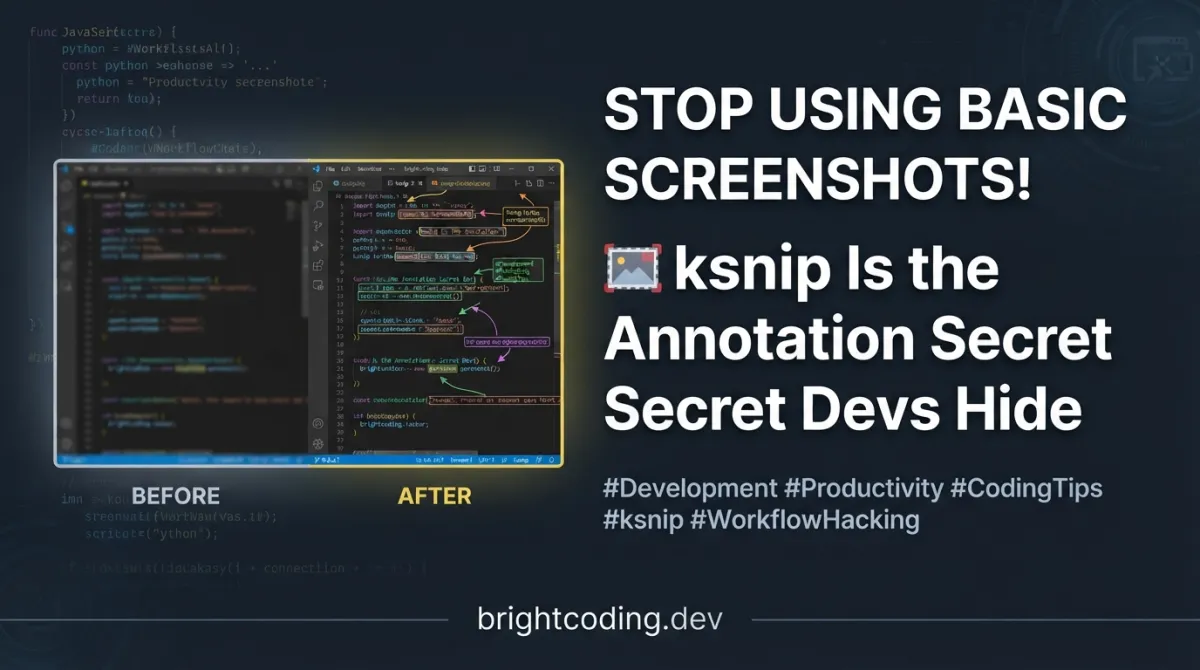
Let me paint you a painfully familiar picture. You're debugging a complex UI issue at 2 AM. You hit Print Screen, paste into MS Paint, draw a shaky red circle with your trackpad, and pray your team understands what you're pointing at. Three Slack messages later, you're still explaining. Sound familiar?
Here's the brutal truth: your screenshot workflow is bleeding productivity. Every minute spent wrestling with primitive tools is a minute stolen from shipping code. But what if I told you there's a tool that transforms screenshots from afterthoughts into precision communication weapons?
Enter ksnip — the cross-platform screenshot and annotation tool that top developers quietly adopted while everyone else was still cropping in Preview. Built on Qt and engineered for power users, ksnip doesn't just capture screens. It weaponizes them. With native support for Linux (X11, Wayland variants), Windows, and macOS, plus annotation capabilities that make professional designers jealous, this is the tool your workflow has been screaming for.
Ready to stop embarrassing yourself with amateur screenshots? Let's dive deep into why ksnip deserves your immediate attention.
What is ksnip? The Screenshot Tool That Finally Gets Developers
ksnip is a Qt-based cross-platform screenshot utility created by Damir Porobic and actively maintained by a passionate open-source community. Born from the frustration of platform-locked, feature-crippled screenshot tools, ksnip represents a fundamentally different philosophy: screenshots are communication artifacts, not raw dumps.
The project lives at github.com/ksnip/ksnip and has accumulated staggering download numbers across GitHub and SourceForge. Version 1.11.0 represents the current stable release, with continuous builds available for bleeding-edge testers.
What makes ksnip genuinely special? It's the rare intersection of accessibility and depth. Casual users get instant value from one-click captures and intuitive annotations. Power users unlock command-line automation, custom upload scripts, OCR plugins, and granular configuration that adapts to any workflow. The Qt foundation ensures native performance without Electron bloat — a critical distinction for developers who've suffered through sluggish "modern" apps.
The timing couldn't be better. With remote work normalized, visual communication dominates engineering workflows. Code reviews, bug reports, documentation, tutorials — every screenshot is a potential friction point or a polished professional signal. ksnip ensures you're sending the latter.
Key Features: Why ksnip Destroys the Competition
Multi-Platform Capture Mastery
ksnip doesn't do "porting" — it does native integration. On Linux, it speaks X11, Plasma Wayland, GNOME Wayland, and xdg-desktop-portal. Windows gets full feature parity. macOS integration is actively improving (they're fundraising for dedicated Mac hardware, which tells you everything about their commitment).
Precision Capture Options
Beyond basic full-screen grabs, ksnip offers surgical capture modes:
- Custom rectangular areas drawn with your cursor
- Last rectangular area — repeat captures without reselecting (game-changer for monitoring UI changes)
- Active window or window under cursor detection
- Screen containing cursor for multi-monitor setups
- Mouse cursor inclusion/exclusion — even capturing it as a movable annotation item
Annotation Arsenal
This is where ksnip transforms from utility to creative tool:
- Drawing tools: Pen, marker, rectangles, ellipses, lines, arrows
- Text annotations with customizable fonts and styling
- Stickers with custom sticker support (yes, really)
- Crop and slice operations — cut vertical/horizontal sections precisely
- Obfuscation tools: Blur and pixelate for sensitive information
- Visual effects: Drop shadows, grayscale, color inversion, borders
- Watermark application for branded screenshots
Automation & Integration
- Global hotkeys for instant capture (Windows and X11)
- Command-line interface for scripted workflows
- Direct uploads to Imgur, FTP, or custom scripts
- Filename wildcards with date/time/counter variables
- PDF/PS export and direct printing
- OCR plugin for text extraction (Windows and Linux/Unix)
- Tabbed interface for managing multiple captures
Developer-Centric Details
- Single-instance mode with CLI parameter forwarding
- Pin screenshots in frameless, always-on-top windows
- User-defined actions for screenshot post-processing
- Extensive configuration options without overwhelming defaults
Use Cases: Where ksnip Absolutely Shines
1. Technical Documentation & Tutorials
Writing docs? Stop describing UI elements and show them precisely. ksnip's annotation tools let you highlight specific buttons, add numbered callouts, blur sensitive configuration values, and export clean PNGs or PDFs. The watermark feature ensures your company's branding travels with every screenshot.
2. Bug Reports & Code Reviews
Ever received a bug report that reads "the button doesn't work"? With ksnip, you capture the exact state, annotate the problematic element with arrows and text, blur your API keys, and upload directly to your issue tracker. Your teammates get actionable visual context instead of detective work.
3. UI/UX Collaboration
Designers and developers speak different languages — until ksnip bridges the gap. Capture a staging environment, add measurement annotations, suggest changes with marker tools, and pin the result as a reference window while implementing. The always-on-top pinned screenshots eliminate constant alt-tabbing.
4. Security-Conscious Workflows
Handling production credentials or PII? ksnip's blur and pixelate obfuscation isn't an afterthought — it's a precision tool. Select regions granularly, apply consistent obfuscation, and rest assured your screenshots won't become security incidents.
5. Automated Screenshot Pipelines
Using ksnip's CLI, integrate screenshots into CI/CD documentation generation, automated testing evidence collection, or scheduled monitoring captures. The filename wildcards ($Y, $M, $D, $T, ### for zero-padded counters) enable organized archival without manual renaming.
Step-by-Step Installation & Setup Guide
Linux Installation
ksnip offers six distribution methods — choose your adventure:
AppImage (Universal, No Install Required)
# Make executable and run directly
$ chmod a+x ksnip*.AppImage
$ ./ksnip*.AppImage
Perfect for testing or portable usage across distributions.
DEB (Debian/Ubuntu)
# Modern Ubuntu (21.04+) and Debian 11+
$ sudo apt install ksnip

# Older Ubuntu via unofficial PPA
$ sudo add-apt-repository ppa:nemonein/ksnip
$ sudo apt update
$ sudo apt install ksnip

# Local DEB file
$ sudo apt install ./ksnip*.deb
$ ksnip
RPM (Fedora/RHEL/openSUSE)
$ rpm -Uvh ksnip*.rpm
$ ksnip
Arch Linux
# Official repository
$ sudo pacman -S ksnip

# Bleeding-edge from AUR
$ yay -S ksnip-git kimageannotator-git kcolorpicker-git
Snap
# Stable release
$ sudo snap install ksnip

# Continuous build
$ sudo snap install ksnip --edge

# Fix networking permissions
$ snap connect ksnip:network-observe
$ snap connect ksnip:network-manager-observe

# Enable removable media access
$ snap connect ksnip:removable-media
Flatpak
$ flatpak install flathub org.ksnip.ksnip
$ flatpak run org.ksnip.ksnip
Windows Installation
MSI Installer (Recommended)
Download the MSI from Releases for proper system integration.
Portable EXE
# Extract ZIP and run ksnip.exe directly
# No installation, perfect for USB drives or restricted environments
macOS Installation
Homebrew Cask
$ brew install --cask ksnip
Manual DMG
Open the DMG, drag ksnip.app to Applications, launch normally.
Building from Source
For developers wanting custom builds or the absolute latest commits:
Linux/Unix Source Build
# Clone repository
git clone https://github.com/ksnip/ksnip
cd ksnip

# Create build directory
mkdir build && cd build

# Default build (Qt6 preferred)
cmake ..
cmake --build .

# Explicit Qt5 build
cmake .. -DBUILD_WITH_QT6=OFF
cmake --build .

# Explicit Qt6 build
cmake .. -DBUILD_WITH_QT6=ON
cmake --build .
Dependencies required: CMake, C++17 compiler (GCC/Clang), Qt5 or Qt6 (Widgets, Network, Xml, PrintSupport, Svg, DBus), plus kImageAnnotator and kColorPicker matching your Qt version.
macOS Source Build with Submodules
# Initialize submodules for bundled dependencies
git submodule update --init --recursive

# Build with submodules
cmake .. -DBUILD_WITH_QT6=ON -DUSE_SUBMODULE_KCOLORPICKER=ON -DUSE_SUBMODULE_KIMAGEANNOTATOR=ON
cmake --build .
Windows Source Build (Visual Studio)
# Clone and configure with Visual Studio 2022
git clone https://github.com/ksnip/ksnip
cd ksnip
cmake -S . -B build -G "Visual Studio 17 2022" -A x64 -DBUILD_WITH_QT6=ON
cmake --build build --config Release
REAL Code Examples from the Repository
Example 1: AppImage Quick-Start
The simplest possible Linux deployment — no package manager conflicts, no dependency hell:
# Grant execution permission to the AppImage
$ chmod a+x ksnip*.AppImage

# Launch directly — no system modifications
$ ./ksnip*.AppImage
Why this matters: AppImages bundle all dependencies, making ksnip viable on older distributions, restricted corporate environments, or when you need multiple versions side-by-side. The chmod a+x is the only system interaction — everything else runs in user space.
Example 2: Ubuntu PPA Installation for Legacy Support
When you need newer ksnip versions on older LTS releases:
# Add the unofficial but well-maintained PPA
$ sudo add-apt-repository ppa:nemonein/ksnip

# Refresh package lists
$ sudo apt update

# Install with standard apt workflow
$ sudo apt install ksnip
Critical insight: The PPA bridges the gap for Ubuntu 18.04/20.04 LTS users who can't access the official packages starting with 21.04. This pattern — community PPAs for legacy support — is essential knowledge for Linux tooling decisions.
Example 3: Arch AUR Build with Dependencies
For bleeding-edge features and Git versions:
# Install git version with required annotation libraries
$ yay -S ksnip-git kimageannotator-git kcolorpicker-git
The technical story: ksnip's architecture separates concerns — kImageAnnotator handles the drawing canvas, kColorPicker provides the color selection widget. Building all three from Git ensures API compatibility. The -git suffix in AUR package names indicates VCS builds that update on every yay run.
Example 4: Windows Visual Studio Build with Qt6
Enterprise Windows development with modern Qt:
# Configure with explicit generator and architecture
cmake -S . -B build -G "Visual Studio 17 2022" -A x64 -DBUILD_WITH_QT6=ON

# Build Release configuration
cmake --build build --config Release
Deep dive: The -S . -B build syntax (source and build directories) is modern CMake best practice. Specifying the generator ensures MSVC toolchain selection, while -A x64 targets 64-bit explicitly. The Release config strips debug symbols and enables optimizations — critical for distribution builds.
Example 5: macOS Submodule Build for Self-Contained Development
When you don't want to manage separate dependency installations:
# Pull all submodules recursively
git submodule update --init --recursive

# Configure with internal dependencies and Qt6
cmake .. -DBUILD_WITH_QT6=ON -DUSE_SUBMODULE_KCOLORPICKER=ON -DUSE_SUBMODULE_KIMAGEANNOTATOR=ON

# Compile
cmake --build .
Strategic advantage: Submodule builds create reproducible environments. The -DUSE_SUBMODULE_* flags override the default system-library search, pulling kImageAnnotator and kColorPicker from the git submodule definitions. This eliminates "works on my machine" dependency version mismatches.
Advanced Usage & Best Practices
Master the Filename Wildcards
Stop manually renaming screenshots. ksnip supports powerful patterns:
$Y— 4-digit year (2024)$M— 2-digit month (01-12)$D— 2-digit day (01-31)$T— Time in HHMMSS format###— Zero-padded counter (001, 002...)
Example pattern: bug_$Y$M$D_$T_###.png generates bug_20240115_143022_001.png
Configure Global Hotkeys Strategically
On Windows and X11, bind capture modes you'll actually use:
Ctrl+Shift+1— Rectangular area (most common)Ctrl+Shift+2— Active windowCtrl+Shift+3— Full screen
Leverage the Pin Feature
Right-click any screenshot → "Pin" creates a frameless, always-on-top window. Essential for:
- Referencing design mockups while coding
- Keeping API documentation visible
- Comparing before/after states
Script Your Uploads
Beyond Imgur and FTP, ksnip executes custom scripts with the screenshot path as argument. Integrate with:
- Corporate image hosting
- CDN invalidation workflows
- Slack/Discord webhook notifications
OCR Plugin Setup
Install ksnip-plugin-ocr matching your Qt version and build type (DEBUG vs RELEASE). Access via Options > OCR after detection in Options > Settings > Plugins.
Comparison with Alternatives
| Feature | ksnip | ShareX (Windows) | Flameshot | macOS Screenshot | Greenshot |
|---|---|---|---|---|---|
| Cross-platform | ✅ Linux/Win/macOS | ❌ Windows only | ✅ Linux/Win/macOS | ❌ macOS only | ❌ Windows only |
| Wayland support | ✅ Native + Portal | N/A | ⚠️ Limited | N/A | N/A |
| Annotation tools | ⭐⭐⭐ Extensive | ⭐⭐⭐ Extensive | ⭐⭐ Good | ⭐ Basic | ⭐⭐ Good |
| OCR plugin | ✅ Yes | ✅ Yes | ❌ No | ❌ No | ❌ No |
| Open source | ✅ GPL | ❌ MS-PL | ✅ GPL | ❌ Proprietary | ❌ GPL (obsolete) |
| Qt-native performance | ✅ Yes | ❌ .NET | ✅ Yes | ✅ Yes | ❌ .NET |
| Custom upload scripts | ✅ Yes | ✅ Yes | ❌ No | ❌ No | ⚠️ Limited |
| Pin screenshots | ✅ Yes | ❌ No | ✅ Yes | ❌ No | ❌ No |
| Sticker support | ✅ Yes | ❌ No | ❌ No | ❌ No | ❌ No |
The verdict: ksnip uniquely combines true cross-platform support, open-source freedom, Qt performance, and annotation depth. ShareX wins on Windows-specific integrations but locks you to one OS. Flameshot is elegant but less feature-complete. macOS Screenshot and Greenshot are platform-prisoners with limited extensibility.
FAQ
Is ksnip completely free?
Yes, ksnip is GPL-licensed open source software. No feature paywalls, no subscription tiers. Donations support development but aren't required.
Why does Wayland have limited screenshot features?
Wayland's security architecture intentionally restricts screen capture. ksnip implements native protocols where possible (Plasma, older GNOME) and falls back to xdg-desktop-portal where required. This isn't a ksnip limitation — it's Wayland's design philosophy. The tradeoff is security versus convenience.
Can I use ksnip in commercial environments?
Absolutely. GPL allows commercial use. The donation model and open development actually make ksnip lower risk for enterprises than tools from startups that might vanish or pivot.
How do I fix "Could not create AF_NETLINK socket" in Snap?
Run the connection commands:
snap connect ksnip:network-observe
snap connect ksnip:network-manager-observe
This grants necessary network permissions that Snap doesn't auto-connect by default.
What's the difference between continuous builds and releases?
Releases are tested, versioned milestones. Continuous builds compile every commit — bleeding-edge features but potential instability. Use continuous builds for testing specific fixes, releases for daily work.
Why is macOS support improving slower than Linux/Windows?
The project has one primary developer and limited macOS hardware. They're actively fundraising for a MacBook specifically for ksnip development. Contributing or donating accelerates this directly.
Can I extend ksnip with my own plugins?
The plugin architecture supports detection in standard paths. Currently OCR is the primary plugin, but the infrastructure exists for community extensions. Plugin development requires matching Qt versions and build types.
Conclusion: Your Screenshots Deserve Better
Let's be brutally honest: in 2024, sending unannotated screenshots is like sending unformatted code. It works, but it screams amateur. Every blurry arrow drawn in Paint, every "see that thing there?" message, every back-and-forth clarification — that's technical debt in your communication.
ksnip eliminates this friction. It's not merely a screenshot tool; it's a visual communication platform engineered by developers who understand that precision matters. The cross-platform consistency means your workflow travels with you. The annotation depth means your meaning lands immediately. The open-source foundation means you're investing in a sustainable tool, not betting on a startup's survival.
The installation takes minutes. The learning curve is negligible. The productivity return is immediate and compounding.
Stop settling for screenshot mediocrity. Your teammates, your documentation, your future self — they all deserve better.
⭐ Star ksnip on GitHub | 📥 Download the Latest Release | 💬 Join the Discord Community
Install ksnip today. Your next screenshot will prove why you should have switched years ago.
Outils recommandés
Explore on the BrightCoding network
Hand-picked resources from our other sites.
K-Dense-AI/k-dense-byok: Self-Hosted AI Research Assistant for Scientists
K-Dense BYOK is a free, MIT-licensed, self-hosted AI research assistant with 149 scientific skills, 326 workflows, and 21 specialist sub-agents. Runs locally wi...
camelot-dev/excalibur: Web UI for PDF Table Extraction
camelot-dev/excalibur is a Python 3 web interface for extracting tables from text-based PDFs, powered by Camelot. Self-hosted with MIT licensing, it supports vi...
Stop Sending Your Data to AI Giants! IronClaw Changes Everything
IronClaw is a privacy-first Agent OS with WASM sandboxing, local encryption, and multi-channel AI assistance. Learn installation, security architecture, and why...
Continuez votre lecture

Why Alexandrie is the Ultimate Markdown Note-Taking App

Why CrossPaste is the Ultimate Game Changer for Clipboard Management

Why Chandra is the Ultimate OCR Tool for Handwriting and Tables

Stop Coding Alone: OPC-Skills Gives Your AI Agent Superpowers
Commentaires 0
Aucun commentaire pour l'instant. Soyez le premier à réagir !