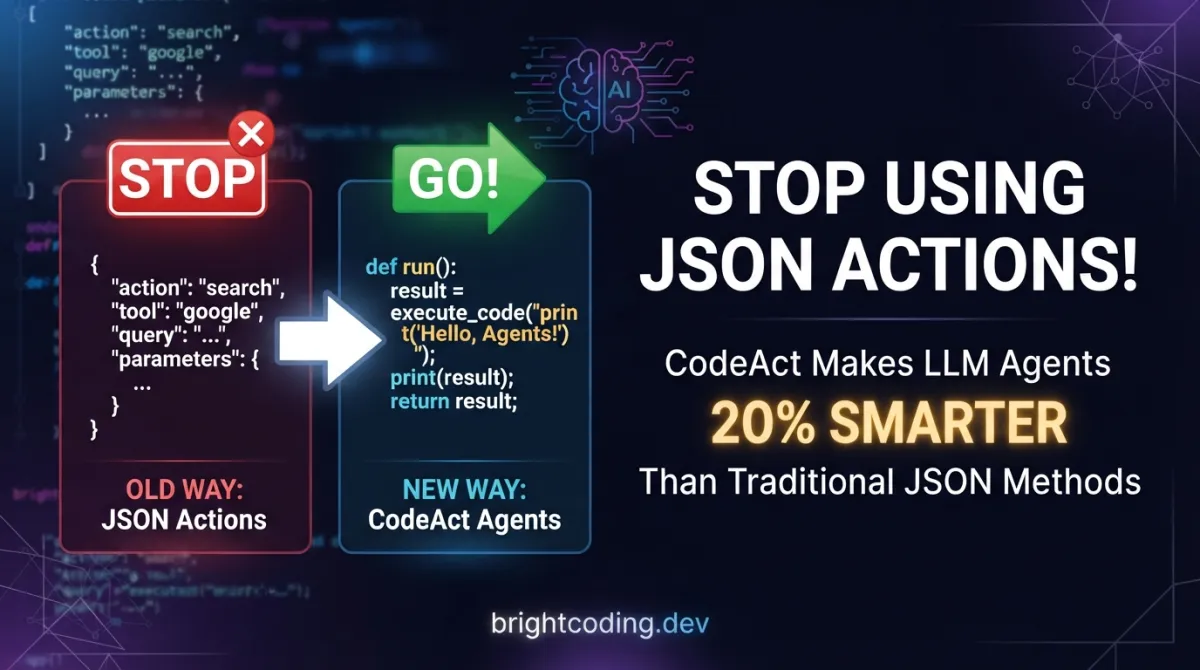
Stop Using JSON Actions! CodeAct Makes LLM Agents 20% Smarter
What if everything you thought about LLM agent design was backwards? For years, developers have wrestled with JSON-formatted action outputs, parsing brittle schemas, and debugging opaque "thought" chains that never actually execute. The result? Agents that hallucinate tool calls, fail on multi-step reasoning, and leave you staring at error logs at 2 AM wondering why your "intelligent" system can't even calculate a simple sum correctly.
Here's the uncomfortable truth: text and JSON actions are fundamentally broken for real-world agent tasks. They're static, non-compositional, and force LLMs to compress complex reasoning into rigid structures that were never designed for computation. Every time your agent needs to revise a previous calculation or chain multiple operations, you're fighting the format instead of solving the problem.
But what if your agent could simply... write code? Not pseudo-code. Not structured text. Actual executable Python↗ Bright Coding Blog that runs in a real interpreter, observes results, and dynamically adapts. That's the radical insight behind CodeAct, the ICML 2024 breakthrough that's making top ML engineers abandon JSON actions entirely. With up to 20% higher success rates on benchmark tasks, CodeAct isn't just an incremental improvement—it's a complete paradigm shift in how we build LLM agents.
Ready to understand why executable code actions are about to become the new standard? Let's dive deep.
What is CodeAct?
CodeAct (short for "Code Actions") is an open-source framework and research project from the paper "Executable Code Actions Elicit Better LLM Agents" by Xingyao Wang, Yangyi Chen, Lifan Yuan, Yizhe Zhang, Yunzhu Li, Hao Peng, and Heng Ji—accepted at ICML 2024. The repository lives at github.com/xingyaoww/code-act and represents one of the most significant advances in practical agent architecture this year.
The core proposition is deceptively simple: consolidate all LLM agent actions into a unified action space of executable Python code. Instead of emitting JSON blobs like {"action": "search", "query": "..."} or text commands that require fragile parsing, CodeAct agents write actual code snippets that get executed in a Python interpreter. The interpreter's output (success, error, return values) becomes the observation that drives the next turn of reasoning.
This creates a closed-loop system: the LLM writes code → code executes → results observed → LLM revises or continues. Multi-turn interactions become natural conversations between the model and the runtime environment, with each execution result informing subsequent actions.
The project has gained serious traction since its February 2024 release. The authors released CodeActInstruct (7K multi-turn interactions), two fine-tuned models (CodeActAgent-Mistral-7b-v0.1 with 32K context and CodeActAgent-Llama-2-7b with 4K context), and full Kubernetes deployment support. Notably, CodeActAgent-Mistral is now officially available via Ollama, making local deployment trivial for developers.
Why is this trending now? Because the agent ecosystem has hit a wall. Frameworks like ReAct↗ Bright Coding Blog and JSON-based tool use are showing their limitations on complex tasks requiring composition, iteration, and dynamic adaptation. CodeAct solves these pain points with a format LLMs already excel at generating: code.
Key Features That Separate CodeAct from the Pack
Unified Action Space Through Python. CodeAct's most powerful feature is eliminating the artificial distinction between "reasoning" and "acting." In traditional agents, you might have separate chains for thought generation, tool selection, and parameter filling. CodeAct collapses everything into Python code, where variables persist across turns, functions can be defined and reused, and the full expressiveness of a programming language is available.
Dynamic Action Revision. Here's where CodeAct gets genuinely clever. Because prior actions are executable code stored in conversation history, the agent can reference, modify, and extend previous computations. Made an error in turn 3? The agent can inspect the variable state, correct the specific line, and continue. Try doing that cleanly with a JSON action log.
Native Multi-Step Composition. Complex agent tasks require chaining operations: fetch data, process it, filter results, visualize findings. In JSON-based systems, each step needs explicit tool definitions and hand-engineered orchestration. CodeAct agents simply write sequential code. Need to loop until convergence? Use a while loop. Need conditional logic? Use if statements. It's programming, not prompt engineering.
Containerized Execution Safety. The reference implementation uses per-session Docker↗ Bright Coding Blog containers via JupyterKernelGateway. Each conversation gets an isolated execution environment that times out automatically. This means you can safely let agents execute arbitrary code without risking your host system—a critical requirement for production deployment.
OpenAI-Compatible API Layer. Whether you serve via vLLM (GPU-accelerated) or llama.cpp (laptop-friendly), CodeActAgent exposes a standard OpenAI-compatible API. Drop it into existing applications without rewriting your client code.
Full Kubernetes Orchestration. For production deployments, the project provides complete K8s manifests for LLM serving, code execution, MongoDB persistence, and the Chat-UI frontend. One command spins up the entire stack.
Real-World Use Cases Where CodeAct Dominates
Data Science & Analysis Workflows. Imagine an agent that receives a CSV file and needs to clean it, run statistical tests, and generate visualizations. With JSON actions, you'd need separate tools for load_csv, drop_na, run_ttest, plot_histogram—each with rigid schemas. With CodeAct, the agent writes pandas code directly, inspects intermediate DataFrame.shape, handles edge cases like mixed types dynamically, and produces publication-ready plots with matplotlib. The code is the tool.
Web API Orchestration & Integration. Building agents that interact with multiple APIs often requires chaining calls where later requests depend on earlier responses. CodeAct agents can define helper functions, store API keys in variables, parse JSON responses with standard Python, and build retry logic with exponential backoff—all in native code rather than through constrained tool definitions.
Mathematical & Algorithmic Reasoning. LLMs struggle with precise calculation when forced to output final answers directly. CodeAct delegates computation to the Python interpreter. The agent writes the formula, executes it, and observes the precise result. For optimization problems, it can implement gradient descent, iterate until convergence, and verify solution quality programmatically.
Interactive Debugging & Code Generation. Perhaps the most meta use case: CodeAct agents can write code to debug their own code. When a snippet fails, the agent receives the full traceback, can insert print statements for diagnosis, modify the problematic lines, and re-execute. This creates genuinely autonomous debugging loops impossible with static action formats.
Multi-Turn Conversational Agents with State. Unlike stateless tool calls, CodeAct maintains execution state across turns. Variables defined in turn 1 are available in turn 5. This enables sophisticated conversational applications where users progressively refine requests, and the agent builds upon prior context without starting from scratch.
Step-by-Step Installation & Setup Guide
Let's get your own CodeActAgent running. The project supports both high-performance GPU serving and laptop-friendly CPU inference.
Prerequisites
- Docker (for code execution engine and optional vLLM serving)
- NVIDIA Docker if using GPU (nvidia-docker)
- Git LFS for model downloads
- Python 3.10+ for llama.cpp path
Option 1: GPU-Accelerated Deployment with vLLM
First, clone the repository and download the recommended Mistral model:
# Clone the CodeAct repository
git clone https://github.com/xingyaoww/code-act
cd code-act

# Install Git LFS for large model files
git lfs install

# Download the recommended Mistral model (32K context window)
git clone https://huggingface.co/xingyaoww/CodeActAgent-Mistral-7b-v0.1
Start the vLLM serving container:
# Launch vLLM on port 8080 with CUDA device visibility
./scripts/chat/start_vllm.sh ./CodeActAgent-Mistral-7b-v0.1
Your model is now accessible at http://localhost:8080/v1 with full OpenAI API compatibility.
Option 2: Laptop Deployment with llama.cpp
For MacOS or CPU-only machines, llama.cpp provides efficient quantized inference:
# Clone llama.cpp repository
git clone https://github.com/ggerganov/llama.cpp.git
cd llama.cpp

# Create isolated Python environment
conda create -n llamacpp python=3.10
conda activate llamacpp

# Install build dependencies
pip install -r requirements.txt

# Build llama.cpp (refer to upstream docs for platform-specific flags)
make
Download the pre-converted quantized model (skip conversion):
# Download q8_0 quantized model directly (~8GB, much faster inference)
# Available at: https://huggingface.co/xingyaoww/CodeActAgent-Mistral-7b-v0.1.q8_0.gguf
# Place in your llama.cpp directory
Serve with OpenAI-compatible API:
# Start server with 8192 context window on port 8080
./server -m CodeActAgent-Mistral-7b-v0.1.q8_0.gguf -c 8192 --port 8080
Critical configuration note: When using llama.cpp, you must use model name CodeActAgent-Mistral-7b-v0.1.q8_0.gguf in all client configurations, not the base model name.
Start the Code Execution Engine
Every chat session needs an isolated execution environment:
# Start Jupyter kernel gateway on port 8081
./scripts/chat/code_execution/start_jupyter_server.sh 8081
This launches containerized Python interpreters—each conversation gets its own Docker container with automatic timeout cleanup.
Verify Your API
Test the complete pipeline:
# Send test request to verify OpenAI-compatible endpoint
curl -X POST 'http://localhost:8080/v1/chat/completions' -d '{
  "model": "CodeActAgent-Mistral-7b-v0.1.q8_0.gguf",
  "messages": [
      {"role": "system", "content": "You are a helpful assistant."},
      {"role": "user", "content": "How to build a website?"}
  ]
}'
Launch Interaction Interface
Quick command-line demo:
# Minimal setup for testing—replace with your actual host/port values
python3 scripts/chat/demo.py \
  --model_name xingyaoww/CodeActAgent-Mistral-7b-v0.1 \
  --openai_api_base http://localhost:8080/v1 \
  --jupyter_kernel_url http://localhost:8081/execute
Full Chat-UI (web interface):
# Optional: Start MongoDB for persistent chat history
./scripts/chat/start_mongodb.sh your_secure_password

# Configure environment from template
cp chat-ui/.env.template chat-ui/.env.local
# Edit .env.local: set JUPYTER_API_URL, model endpoint, MONGODB_URL

# Build and launch web interface
./scripts/chat/run_chat_ui.sh
# Access at http://localhost:5173
REAL Code Examples from CodeAct
Let's examine actual implementation patterns from the repository, with detailed explanations of how CodeAct works in practice.
Example 1: Model Serving with vLLM
The vLLM serving script demonstrates production-grade LLM deployment:
# Navigate to model directory and clone with LFS support
cd $YOUR_DIR_TO_DOWNLOADED_MISTRAL_MODEL
git lfs install  # Enable large file handling for model weights
git clone https://huggingface.co/xingyaoww/CodeActAgent-Mistral-7b-v0.1

# Launch vLLM serving container with explicit model path
./scripts/chat/start_vllm.sh $YOUR_DIR_TO_DOWNLOADED_MISTRAL_MODEL/CodeActAgent-Mistral-7b-v0.1
What's happening here? The start_vllm.sh script wraps vLLM's optimized serving engine, which uses PagedAttention for efficient KV-cache management. By setting CUDA_VISIBLE_DEVICES, you control GPU visibility. The server exposes an OpenAI-compatible /v1/chat/completions endpoint on port 8080. This means any code written for GPT-4 works unchanged with CodeActAgent—zero migration friction. The vLLM backend enables continuous batching, so multiple concurrent conversations share GPU memory efficiently.
Example 2: llama.cpp Quantized Serving
For resource-constrained environments, the llama.cpp path provides remarkable efficiency:
# Build llama.cpp from source (platform-optimized)
make

# Convert full-precision model to GGUF format
python convert.py ./CodeActAgent-Mistral-7b-v0.1 \
  --outtype f16 \
  --outfile CodeActAgent-Mistral-7b-v0.1.f16.gguf

# Quantize to Q8_0 for 8-bit inference (~50% size reduction, minimal quality loss)
./quantize CodeActAgent-Mistral-7b-v0.1.f16.gguf \
  CodeActAgent-Mistral-7b-v0.1.q8_0.gguf Q8_0

# Serve with 8192-token context (sufficient for most agent tasks)
./server -m CodeActAgent-Mistral-7b-v0.1.q8_0.gguf -c 8192 --port 8080
Why this matters: The Q8_0 quantization reduces model size from ~14GB to ~8GB while preserving nearly full precision. The -c 8192 flag sets context length—critical for multi-turn agent conversations where prior code and execution results accumulate. On an M2 Max MacBook Pro, this achieves interactive latency. The server exposes the same OpenAI API as vLLM, enabling seamless switching between deployment modes.
Example 3: Minimal Client Interaction
The demo script shows the complete agent loop:
python3 scripts/chat/demo.py \
  --model_name xingyaoww/CodeActAgent-Mistral-7b-v0.1 \
  --openai_api_base http://$YOUR_API_HOST:$YOUR_API_PORT/v1 \
  --jupyter_kernel_url http://$YOUR_CODE_EXEC_ENGINE_HOST:$YOUR_CODE_EXEC_ENGINE_PORT/execute
Architecture insight: This script implements the full CodeAct interaction loop. It sends user messages to the LLM server, receives code-formatted responses, forwards them to the Jupyter execution engine, and returns results as new observations. The $YOUR_API_HOST and port variables let you distribute components across machines—run the LLM on a GPU server, execution engine on a secure sandbox host, and client on your laptop.
Example 4: Containerized Execution Engine
The code execution service is where CodeAct's safety model shines:
# Launch Jupyter kernel gateway with explicit port binding
./scripts/chat/code_execution/start_jupyter_server.sh 8081
Security architecture: Each chat session spawns a fresh Docker container running JupyterKernelGateway. Code executes in isolation—no persistent filesystem access between sessions, network restrictions apply, and containers auto-terminate after timeout. The 8081 port receives execution requests with code payloads, runs them in the isolated Python environment, and returns stdout/stderr/results. This per-session isolation is non-negotiable for production: agents write arbitrary code, and containment prevents system compromise.
Example 5: Chat-UI Environment Configuration
Production web deployment requires proper environment setup:
# Create local configuration from template
cp chat-ui/.env.template chat-ui/.env.local

# Required modifications in .env.local:
# 1. JUPYTER_API_URL → points to your execution engine
# 2. OPENAI_BASE_URL (marked TODO_OPENAI_BASE_URL in template) → your vLLM/llama.cpp server
# 3. Model name: use CodeActAgent-Mistral-7b-v0.1.q8_0.gguf for llama.cpp deployments
# 4. MONGODB_URL → leave empty for ephemeral sessions, or set for persistence
Deployment pattern: This follows twelve-factor app principles—configuration via environment variables, no secrets in code. The .env.local file is gitignored by default. The Chat-UI is a SvelteKit application that proxies requests: user → Chat-UI → LLM server / execution engine. MongoDB stores conversation threads for multi-session continuity.
Advanced Usage & Best Practices
Context Window Management. CodeAct conversations accumulate code and execution results rapidly. With Mistral's 32K context, you have substantial headroom, but monitor token usage. For long-running sessions, consider summarization checkpoints or explicit reset commands that clear execution state while preserving high-level goals.
Execution Timeouts. The default Jupyter container timeout protects against infinite loops, but tune it for your domain. Data processing tasks need minutes; API calls may need retry logic. Modify the gateway configuration or implement agent-side timeout handling with signal.alarm.
Custom Environment Packages. The base execution container includes standard data science libraries. For specialized domains (biotools, finance packages), build a custom Dockerfile extending the provided base. Pre-install dependencies to avoid per-session installation overhead.
Hybrid Human-in-the-Loop. For high-stakes actions (database writes, deployments), implement approval gates. The agent generates code; human reviews before execution. CodeAct's code format makes review natural—it's readable Python, not opaque JSON.
Fine-Tuning on Private Data. The CodeActInstruct dataset generation pipeline is documented in docs/DATA_GENERATION.md. Adapt it for your domain-specific tasks, then fine-tune using the Megatron-LLM fork. Even 1K high-quality examples can significantly improve out-of-domain performance.
Comparison with Alternatives
| Dimension | CodeAct | ReAct (Text) | JSON Tool Use | Function Calling |
|---|---|---|---|---|
| Action Expressiveness | Full Python (Turing-complete) | Natural language (ambiguous) | Fixed schemas (rigid) | Pre-defined functions (limited) |
| State Persistence | Native variables across turns | Manual tracking required | No built-in state | Parameter passing only |
| Composition | Arbitrary code composition | Linear chain-of-thought | Sequential tool calls | Nested function calls |
| Error Recovery | Exception handling, retry loops | Restart from scratch | Fail and escalate | Fail and escalate |
| Execution Verification | Actual code execution | None (text only) | Schema validation only | Type checking |
| Multi-Step Iteration | Native loops, recursion | Explicit step enumeration | Manual orchestration | Callback complexity |
| Benchmark Success Rate | Highest (baseline) | -20% on M³ToolEval | -20% on M³ToolEval | Comparable to JSON |
| Developer Familiarity | Python (ubiquitous) | English (universal) | JSON (common) | API-specific |
| Safety Isolation | Containerized execution | N/A (no execution) | Varies by implementation | Varies by implementation |
The verdict: CodeAct dominates when tasks require computation, iteration, or complex state management. Text-based ReAct works for simple retrieval QA. JSON tool use suffices for single API calls with fixed parameters. But for agents that actually do things—process data, orchestrate services, perform calculations—CodeAct's executable approach is categorically superior.
FAQ
Is CodeAct safe for production use? Yes, with proper configuration. The reference implementation uses per-session Docker containers with automatic timeouts. Never execute agent-generated code directly on host systems. The containerized execution engine provides defense in depth.
Can I use CodeAct with my existing OpenAI-based application? Absolutely. Both vLLM and llama.cpp serving expose OpenAI-compatible APIs. Change your base_url and model name—no other code changes needed. The response format differs (code instead of text/JSON), but your transport layer remains identical.
How much GPU memory do I need? The Mistral-7B model requires ~14GB for full-precision inference, ~8GB for Q8_0 quantization, or ~4GB for Q4_K_M. The vLLM serving engine adds ~2GB overhead. For multi-GPU deployment, vLLM supports tensor parallelism.
Does CodeAct work with GPT-4 or Claude? The framework concept applies to any code-capable LLM. However, the released CodeActAgent models are specifically fine-tuned for this paradigm. You can prompt GPT-4 to use CodeAct-style responses, but the specialized models show superior consistency.
What if generated code has infinite loops? The execution engine enforces timeouts. By default, containers terminate after a configured period. Implement additional safeguards like CPU time limits (resource.setrlimit) for untrusted code.
Can agents access the internet? The default Docker container restricts network access. Configure outbound rules based on your security requirements. For web scraping tasks, whitelist specific domains or use proxy services.
How do I contribute or extend CodeAct? The repository welcomes contributions. Key extension points: custom execution environments (extend the Dockerfile), new evaluation benchmarks (see docs/EVALUATION.md), and additional model fine-tuning (Megatron-LLM pipeline documented).
Conclusion
CodeAct represents a genuine inflection point in LLM agent architecture. By replacing static action formats with executable Python, it solves fundamental problems that have plagued the field: composition, state management, error recovery, and verification. The 20% performance improvement on rigorous benchmarks isn't marketing—it's the inevitable result of giving agents the right tool for computational tasks.
The research team has done exceptional work making this practical: pre-trained models, multiple deployment paths (GPU via vLLM, laptop via llama.cpp, cloud via Kubernetes), and full open-source release including data generation pipelines. This isn't a paperware project—it's production-ready infrastructure.
If you're building agents that need to do more than retrieve and summarize, you owe it to yourself to evaluate CodeAct. The JSON action paradigm is a local maximum we've been stuck on for too long. Executable code actions are the path forward.
Get started today: Clone the repository at github.com/xingyaoww/code-act, download the Mistral model, and have your first code-executing agent running in under 30 minutes. The future of agent design is executable—and it's already here.
Outils recommandés
Explore on the BrightCoding network
Hand-picked resources from our other sites.
Why Top AI Labs Secretly Ditched Static Benchmarks for LiveBench
LiveBench is a contamination-free LLM benchmark with monthly question releases and objective scoring. Learn how to evaluate models honestly using this ICLR 2025...
cfregly/ai-performance-engineering: GPU Training & Inference Scaling Guide
Open-source companion to O'Reilly's AI Systems Performance Engineering book. GPU optimization, distributed training, and inference scaling with PyTorch, CUDA, a...
Stop Building Broken LLM Agents! This LangGraph Course Fixes Everything
Discover the hands-on LangGraph course 13K+ developers use to build production-grade LLM agents. Learn Agentic RAG, ReAct, and reflection workflows with commit-...
Continuez votre lecture

Why Alexandrie is the Ultimate Markdown Note-Taking App

Why CrossPaste is the Ultimate Game Changer for Clipboard Management

Why Chandra is the Ultimate OCR Tool for Handwriting and Tables

Stop Coding Alone: OPC-Skills Gives Your AI Agent Superpowers
Commentaires 0
Aucun commentaire pour l'instant. Soyez le premier à réagir !