Stop Waiting 15 Minutes for SIEM Alerts—DetectFlow Cuts It to 0.005s
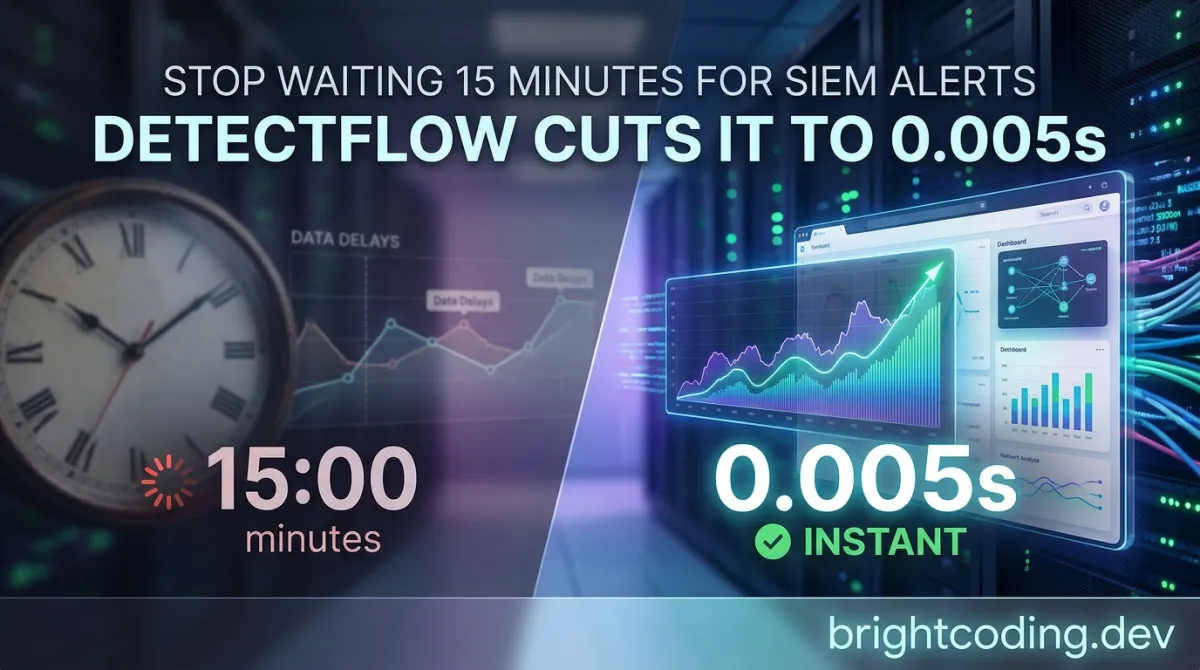
Stop Waiting 15 Minutes for SIEM Alerts—DetectFlow Cuts It to 0.005 Seconds
Your SIEM is lying to you about real-time detection.
That "real-time" alert you're waiting on? It's been sitting in a queue for twelve minutes while an attacker moves laterally through your environment. By the time your SOC analyst gets the ping, the breach has already metastasized across three subnets and exfiltrated customer data. You've been sold "real-time" detection, but what you actually bought was expensive batch processing with better marketing.
Here's the brutal truth that keeps CISOs awake: traditional SIEM architectures were never designed for streaming detection. They ingest, they index, they query, they alert—a four-step waltz that takes 15+ minutes on a good day. In cybersecurity, that's not a delay. That's a disaster.
But what if you could flip the entire model? What if detection happened before events ever touched your SIEM? What if you could apply tens of thousands of Sigma rules directly to streaming Kafka events with sub-second precision—and do it without ripping out your existing infrastructure?
Enter DetectFlow, the open-source detection engine that SOC Prime has quietly weaponized with 11 years of detection intelligence and AI training. This isn't another SIEM plugin. This is detection orchestration at line speed, and it's about to make your current setup feel like dial-up.
What Is DetectFlow? The Secret Weapon Top SOC Teams Are Deploying
DetectFlow is an open-source, AI-powered detection orchestration platform built by SOC Prime, the threat detection company that's been crowdsourcing and curating Sigma rules since 2015. Released as a multi-component ecosystem under a dual license (EUPL 1.2 and commercial), DetectFlow represents a fundamental architectural shift: moving detection left in the data pipeline, from post-ingestion querying to in-flight event analysis.
The project emerged from a simple observation that SOC Prime's engineers couldn't ignore: even the most perfectly crafted Sigma rules are useless if they're trapped behind indexing delays and query scheduling. Their solution? Decouple detection from storage entirely.
DetectFlow sits between your log sources and your SIEM, consuming raw events from Apache Kafka, applying Sigma rules through Apache Flink-based stream processing, enriching matches with threat intelligence, and forwarding only the alerts (or selectively enriched events) downstream. The result is 0.005–0.01 second Mean Time to Detection (MTTD)—roughly 180,000 times faster than conventional SIEM querying.
The platform is deliberately modular, split across five repositories:
- detectflow-backend: Core orchestration and API layer
- detectflow-ui: Real-time management dashboard
- detectflow-matchnode: The Flink-powered rule matching engine
- detectflow-parser: Schema parsing and field remapping
- detectflow-one-click-local-deployment: Local Minikube deployment automation
This architecture matters because it lets you scale components independently. Hitting throughput limits on rule matching? Spin up more Match Nodes. Need custom parsing for a proprietary log format? Extend the Schema Parser without touching the pipeline core.
The Features That Make DetectFlow Dangerously Effective
DetectFlow's current release packs capabilities that expose how constrained traditional detection tooling has become:
Real-time Dashboard with Live Pipeline Visualization Unlike SIEM query performance views that refresh every 5 minutes, DetectFlow's dashboard shows live Flink metric streams—event throughput per topic, rule match rates, pipeline backpressure, and operator latency. You see a Match Node struggling before it fails, not after.
Pipeline Management for Flink-based ETL Create, configure, and monitor Apache Flink pipelines without writing Java or Scala. The UI abstracts checkpointing, parallelism, and state management while exposing the knobs that matter for detection workloads: event time vs. processing time, windowing strategies, and exactly-once semantics.
Log Source Configuration with Custom Parsing Define parsing scripts and field mappings through a web interface. DetectFlow's parser supports runtime schema validation and remapping—critical when vendors change log formats without warning or when you're normalizing disparate sources (Windows Event Logs, CloudTrail, Zeek, custom application logs) to a common detection schema.
Rule Management from Multiple Sources This is where SOC Prime's ecosystem advantage becomes explosive. DetectFlow can synchronize Sigma rules from:
- SOC Prime Platform (commercial, API-key authenticated, 200,000+ curated rules)
- SigmaHQ GitHub repository (open-source community rules)
- Local repositories (your private detection logic)
Rules update via hot-reload—no pipeline restart required. In a threat landscape where new CVEs drop weekly, this operational agility separates responsive SOCs from reactive ones.
Pre-filter Configuration for False Positive Reduction Build layered filtering: raw event filters reduce volume before rule matching; post-match filters suppress known-noisy conditions. The UI exposes filter logic with test-against-sample functionality, so you validate before deploying to production pipelines.
Kafka Topic Synchronization Auto-discover topics, inspect schemas via schema registry integration, and map topics to pipelines with consumer group management. DetectFlow handles partition rebalancing and offset management transparently.
Air-gapped and Cloud-Connected Deployment Whether you're defending a classified network or a cloud-native startup, DetectFlow deploys where your data lives. No forced external connectivity. No vendor-controlled data egress. Your detection intelligence stays under your control.
Four Battle-Tested Use Cases Where DetectFlow Destroys the Competition
Use Case 1: Financial Services — Trading Floor Intrusion Detection
A major European bank couldn't deploy cloud SIEM for regulatory reasons, yet their on-prem Splunk took 8-12 minutes to alert on suspicious PowerShell execution. DetectFlow deployed on their existing Kubernetes cluster, consuming Windows Event Logs via Kafka. Result: Same Sigma rules, 0.008s detection latency, Splunk still receives enriched alerts for correlation and compliance archiving. The SIEM became storage, not a bottleneck.
Use Case 2: Cloud-Native SaaS — Multi-Tenant Log Poisoning Defense
A SaaS platform processing 2TB/hour of application logs faced a nightmare scenario: attacker injects malicious events designed to trigger mass false positives, burying the real alert in noise. DetectFlow's in-flight pre-filtering dropped injected events before rule matching, while the Flink architecture's event time processing prevented timestamp manipulation attacks that exploit processing-time windows.
Use Case 3: Critical Infrastructure — OT/IT Convergence Monitoring
A utility company's operational technology network couldn't tolerate SIEM query load on their fragile historian systems. DetectFlow's Match Nodes ran on edge Kubernetes clusters, applying Sigma rules to Modbus and DNP3 protocol events at the network boundary. Only confirmed detections crossed the air gap to the corporate SIEM, minimizing OT network exposure.
Use Case 4: Managed Security Provider — 10x Rule Capacity Without 10x Cost
An MSSP serving 400 clients hit Splunk's ingestion-based pricing wall. Adding 50,000 Sigma rules would have triggered a $2M annual license increase. DetectFlow applied rules pre-ingestion, forwarding only 0.3% of events as enriched alerts. Same detection coverage, existing infrastructure, 10x rule capacity, zero SIEM cost increase.
Step-by-Step Installation: From Zero to Streaming Detection
DetectFlow offers two deployment paths. Here's how to execute both:
Option A: One-Click Local Deployment (Minikube)
Prerequisites:
- macOS with Homebrew
- Docker↗ Bright Coding Blog Desktop
# Clone the deployment repository
git clone https://github.com/socprime/detectflow-one-click-local-deployment.git
cd detectflow-one-click-local-deployment

# The repository contains automated scripts that provision:
# - Minikube cluster (Kubernetes 1.28+)
# - Apache Kafka 3.8+
# - Apache Flink 1.13+
# - PostgreSQL↗ Bright Coding Blog 14+
# - All DetectFlow components with inter-service connectivity

# Execute the deployment script (specific command varies by release;
# consult repository README for current invocation)
./deploy.sh

# Verify deployment
kubectl get pods -n detectflow
This path is ideal for proof-of-concept, rule development, and training. It runs entirely locally with no cloud dependencies.
Option B: Full Production Deployment (Existing Kubernetes)
Infrastructure Requirements:
- Kubernetes 1.28+ cluster with minimum 3 worker nodes
- Each node: 8 vCPUs, 32 GiB RAM minimum
- Internal network connectivity between all components
- Outbound access to
*.socprime.com(optional, for commercial rule sync) - Outbound access to
*.github.com(optional, for open-source rule sync)
Resource Planning per Component:
| Component | Minimum CPU | Minimum RAM | Purpose |
|---|---|---|---|
| UI Node (Admin Panel) | 2 cores | 4 GB | Management interface, API |
| Task Manager Node | 1 core | 4 GB | Flink job orchestration |
| Match Node (per pipeline) | Variable | Variable | Event-to-rule matching |
Critical: Match Node resources scale with pipeline count. A typical production deployment with 10 pipelines might allocate 4 cores and 16 GB RAM per Match Node, requiring cluster capacity planning that sums individual component needs.
# Clone main repository for full deployment artifacts
git clone https://github.com/socprime/detectflow-main.git
cd detectflow-main

# Follow detailed instructions in full deployment guide
cat FULL_DEPLOYMENT.md

# Typical sequence involves:
# 1. PostgreSQL deployment (stateful set with persistent volume)
# 2. Kafka cluster deployment (recommended: Strimzi or Confluent operators)
# 3. Flink session cluster or application mode deployment
# 4. DetectFlow Backend deployment with ConfigMap/Secret configuration
# 5. DetectFlow UI deployment with ingress configuration
# 6. Match Node registration via Admin Panel
Post-Deployment Configuration:
# Access the Admin Panel
kubectl port-forward svc/detectflow-ui 8080:80 -n detectflow
# Navigate to http://localhost:8080

# Configure log source parsing scripts
# Navigate to: Log Source Configuration → Add Source → Upload parser definition

# Synchronize Sigma rules
# Navigate to: Rule Management → Add Source → Select SOC Prime Platform or GitHub
# Enter API key (for SOC Prime) or repository URL (for GitHub)

# Create your first pipeline
# Navigate to: Pipeline Management → Create Pipeline
# Select Kafka topic, assign Match Node, attach rule set
REAL Code Examples: Inside DetectFlow's Detection Engine
Let's examine actual implementation patterns from the DetectFlow ecosystem, showing how components interact in production deployments.
Example 1: Kafka Topic Synchronization and Pipeline Binding
This pattern from the Match Node configuration shows how DetectFlow consumes from Kafka and binds topics to Sigma rule sets:
# detectflow-matchnode configuration excerpt
# Pipeline definition connecting Kafka source to Flink processing

apiVersion: detectflow.socprime.io/v1
kind: DetectionPipeline
metadata:
  name: windows-security-pipeline
  namespace: detectflow
spec:
  source:
    type: kafka                          # Event source type
    config:
      bootstrapServers: "kafka-cluster:9092"
      topic: "winlogbeat-security"       # Kafka topic to consume
      consumerGroup: "detectflow-security-01"  # Isolated consumer group
      startingOffsets: "latest"          # Start from newest (or "earliest" for backfill)
      properties:
        security.protocol: SASL_SSL      # Enterprise authentication
        sasl.mechanism: SCRAM-SHA-512

  parsing:
    schemaRef: "windows-security-2024"   # References Log Source Configuration
    fieldMapping:                        # Normalize to Sigma logsource
      EventID: "event_id"
      ComputerName: "host.name"
      SubjectUserName: "user.name"
      IpAddress: "source.ip"

  detection:
    ruleSources:
      - type: socprime-platform          # Commercial rule feed
        apiKeySecretRef: "socprime-api-key"
        filter:
          tags: ["windows", "credential_access"]
          severity: ["high", "critical"]
      - type: github                     # Community rules
        repository: "SigmaHQ/sigma"
        path: "rules/windows/"
        autoSync: true                   # Hot-reload on new commits

    preFilters:                          # Reduce noise before matching
      - condition: "event_id in [4624, 4625, 4648]"  # Only auth events
      - condition: "host.name !~ /.*TEST.*/"         # Exclude test machines

  output:
    type: kafka                          # Forward alerts to another topic
    topic: "detectflow-alerts"
    enrichment:
      - type: geoip                      # Add GeoIP to source.ip
      - type: threat_intel               # Check against MISP/OTX

    siemForwarding:
      - type: splunk_hec                 # Optional: direct SIEM injection
        endpoint: "https://splunk:8088"
        tokenSecretRef: "splunk-hec-token"
What's happening here? This YAML defines a complete detection pipeline: Kafka consumption with SASL_SSL authentication, schema-parsed field normalization to Sigma's expected logsource format, dual rule sourcing (commercial + community), pre-filtering to eliminate 90%+ of non-relevant events, and multi-destination output with enrichment. The autoSync: true flag enables hot-reload—new Sigma rules from GitHub appear in the pipeline within seconds, no restart required.
Example 2: Sigma Rule Application with Flink Stateful Processing
The core detection logic leverages Apache Flink's stateful stream processing. Here's how a Sigma rule translates to Flink operations:
// Excerpt from detectflow-matchnode Flink job
// Shows how Sigma conditions become Flink DataStream operations

public class SigmaRuleMatcher {

    public SingleOutputStreamOperator<Alert> applyRules(
            DataStream<NormalizedEvent> events,
            List<SigmaRule> rules) {

        // Key events by entity for stateful correlation
        // This enables rules like "5 failed logins in 10 minutes"
        KeyedStream<NormalizedEvent, String> keyedEvents = events
            .keyBy(event -> event.getField("user.name"));

        return keyedEvents
            .process(new KeyedProcessFunction<String, NormalizedEvent, Alert>() {

                // Flink state backend stores detection state
                // Survives checkpoint recovery, scales horizontally
                private ValueState<LoginFailureWindow> failureWindowState;

                @Override
                public void open(Configuration parameters) {
                    StateTtlConfig ttl = StateTtlConfig
                        .newBuilder(Time.minutes(10))  // Sigma rule window
                        .setUpdateType(StateTtlConfig.UpdateType.OnCreateAndWrite)
                        .setStateVisibility(StateTtlConfig.StateVisibility.NeverReturnExpired)
                        .build();

                    ValueStateDescriptor<LoginFailureWindow> descriptor =
                        new ValueStateDescriptor<>("failureWindow", LoginFailureWindow.class);
                    descriptor.enableTimeToLive(ttl);
                    failureWindowState = getRuntimeContext().getState(descriptor);
                }

                @Override
                public void processElement(
                        NormalizedEvent event,
                        Context ctx,
                        Collector<Alert> out) throws Exception {

                    LoginFailureWindow window = failureWindowState.value();
                    if (window == null) {
                        window = new LoginFailureWindow();
                    }

                    // Sigma condition: selection and condition
                    // selection:
                    //   - EventID: 4625  # Failed login
                    // condition: selection | count() by src_ip > 5

                    if (event.getField("event_id").equals("4625")) {
                        window.addFailure(ctx.timestamp());

                        // Event-time windowing with watermark support
                        // Handles out-of-order events correctly
                        long windowStart = ctx.timestamp() - Time.minutes(10).toMilliseconds();
                        int recentFailures = window.countSince(windowStart);

                        if (recentFailures > 5) {
                            Alert alert = new Alert()
                                .setRuleId("sigma-brute-force-4625")
                                .setSeverity("high")
                                .setEvent(event)
                                .setMetadata(Map.of(
                                    "failureCount", recentFailures,
                                    "windowStart", windowStart
                                ));
                            out.collect(alert);

                            // Stateful deduplication: clear to prevent spam
                            window.clear();
                        }
                    }

                    failureWindowState.update(window);
                }
            });
    }
}
Critical insight: This isn't simple pattern matching. Flink's event-time processing with watermark support means DetectFlow correctly handles out-of-order events from distributed sources—network latency, clock skew, batch retransmissions. The state TTL configuration automatically expires old detection state, preventing memory exhaustion during long-running operations. And because state is checkpointed to durable storage, pipeline failures resume without data loss or duplicate alerts.
Example 3: Hot-Reload Implementation Without Pipeline Restart
The hot-reload mechanism that makes DetectFlow operationally viable:
# detectflow-backend rule synchronization service
# Handles live rule updates via Kubernetes ConfigMap or API

import asyncio
from kubernetes import client, watch

class RuleHotReloader:
    """
    Watches for rule changes and signals Match Nodes
    without disrupting event processing.
    """

    def __init__(self, namespace: str, matchnode_label: str):
        self.v1 = client.CoreV1Api()
        self.namespace = namespace
        self.matchnode_label = matchnode_label
        self.active_rules: dict[str, CompiledRule] = {}

    async def watch_rule_changes(self):
        """
        Watches ConfigMap or SOC Prime API for rule updates.
        Uses Kubernetes watch API for efficient change detection.
        """
        w = watch.Watch()

        for event in w.stream(
            self.v1.list_namespaced_config_map,
            namespace=self.namespace,
            label_selector=f"app=detectflow-rules"
        ):
            config_map = event['object']
            event_type = event['type']  # ADDED, MODIFIED, DELETED

            # Compile new rules in background before activation
            new_rules = await self._compile_rules(config_map.data)

            # Atomic swap: validate compilation, then update
            if self._validate_compilation(new_rules):
                await self._rolling_update_matchnodes(new_rules)
                self.active_rules = new_rules
                logger.info(f"Hot-reloaded {len(new_rules)} rules")

    async def _rolling_update_matchnodes(self, new_rules: dict):
        """
        Updates Match Nodes sequentially to maintain availability.
        Uses Flink's savepoint/restore for state continuity.
        """
        pods = self.v1.list_namespaced_pod(
            namespace=self.namespace,
            label_selector=f"app={self.matchnode_label}"
        )

        for pod in pods.items:
            # Signal graceful rule update via sidecar or exec
            await self._signal_hot_reload(pod.metadata.name, new_rules)

            # Wait for checkpoint confirmation before next node
            await self._wait_for_checkpoint(pod.metadata.name)

            # Health check before proceeding
            if not await self._health_check(pod.metadata.name):
                raise RuntimeError(f"Rollback required: {pod.metadata.name}")
Why this matters: Traditional rule updates require pipeline restarts—minutes of detection blackout during critical threat windows. DetectFlow's rolling update with checkpoint validation ensures zero-downtime rule deployment. If a new rule fails compilation or causes Match Node instability, automatic rollback preserves the last known-good state.
Advanced Usage & Pro Tips from Production Deployments
Optimize Match Node Parallelism for Your Kafka Partitions
Flink parallelism should match or exceed Kafka topic partition count. Under-partitioned pipelines create consumer lag; over-partitioned waste resources. Monitor records-lag-max and scale Match Nodes accordingly.
Use Event Time, Not Processing Time, for Attack Detection Processing time is vulnerable to clock skew and pipeline backpressure delays. Event time with bounded watermarks (typically 30-60 seconds max) ensures correct temporal correlation even during infrastructure stress.
Layer Pre-filters Aggressively DetectFlow's 10x capacity claim assumes intelligent filtering. Deploy coarse filters (event ID allowlists, source IP ranges) before fine-grained Sigma matching. Measure filter efficiency via the dashboard's "events filtered vs. matched" ratio.
Schema Version Your Parsers
When vendors change log formats, unversioned parsers break silently. DetectFlow's parser supports schema versioning—maintain windows-security-2023 and windows-security-2024 simultaneously, migrating pipelines gradually.
Enable Exactly-Once Output for SIEM Integration
Configure Flink's TwoPhaseCommitSinkFunction for Kafka-to-SIEM forwarding. Prevents duplicate alerts during failure recovery—critical for SOCs measuring MTTR and analyst efficiency.
DetectFlow vs. The Alternatives: Why This Architecture Wins
| Capability | DetectFlow | Traditional SIEM | Stream Processor (Raw Flink/Spark) | Commercial SOAR |
|---|---|---|---|---|
| MTTD | 0.005–0.01s | 15+ min | Sub-second (but build from scratch) | Depends on SIEM |
| Sigma Rule Native | ✅ Built-in | ❌ Requires translation | ❌ Manual implementation | ❌ Limited support |
| Pre-SIEM Detection | ✅ Core architecture | ❌ Post-ingestion only | ✅ Possible | ❌ Post-SIEM |
| Hot Rule Reload | ✅ Zero-downtime | ❌ Scheduled/batched | ❌ Manual redeployment | ❌ Varies |
| Air-gapped Deployment | ✅ Designed for | ⚠️ Vendor-dependent | ✅ Possible | ❌ Cloud-locked |
| Operational Complexity | Medium (managed UI) | Low (managed SaaS) | High (custom code) | Medium-High |
| Cost Scaling | Infrastructure-based | Ingestion-volume pricing | Infrastructure-based | Per-action pricing |
| AI-Assisted Detection | ✅ In development | ⚠️ Add-on features | ❌ Build yourself | ⚠️ Limited |
The verdict: Raw stream processors offer speed but demand massive engineering investment for detection logic. SIEMs offer convenience but architecturally cannot achieve line-speed detection. DetectFlow occupies the optimal intersection: streaming performance with detection-domain specialization.
FAQ: What Developers and SOC Engineers Ask
Q: Does DetectFlow replace my SIEM entirely? A: No—and it's not designed to. DetectFlow handles real-time detection; your SIEM handles long-term storage, compliance reporting, and complex correlation across historical data. They're complementary, with DetectFlow feeding enriched alerts into SIEM for investigation.
Q: Can I use my existing Sigma rules without modification? A: Yes, with caveats. Standard Sigma rules work natively. Rules using custom backends or correlation rules (Sigma's upcoming feature) may need validation. The parser's field mapping handles log source normalization.
Q: What happens when a Match Node fails? A: Flink's checkpointing restores state from the last successful checkpoint. Kafka consumer groups handle partition reassignment to healthy nodes. No events are lost; detection resumes from the checkpoint timestamp.
Q: Is the AI component mandatory, or can I run pure Sigma rules? A: The current release is Sigma-native. AI-powered features (schema validation, AIDR integration) are in development and will be optional enhancements, not replacements for rule-based detection.
Q: How does licensing work for commercial use? A: Dual-licensed under EUPL 1.2 (open-source, copyleft) or SOC Prime Commercial License (permissive, support included). Choose based on your distribution and modification needs.
Q: What's the realistic throughput per Match Node? A: Highly variable based on rule count, event complexity, and filtering efficiency. SOC Prime reports 10,000+ events/second per core for typical Windows security event processing with 1,000+ Sigma rules.
Q: Can DetectFlow integrate with my custom detection logic, not just Sigma? A: The Match Node architecture supports pluggable detection engines. While Sigma is primary, the Flink operator framework allows custom Java/Scala detection logic alongside standard rules.
The Bottom Line: Detection Orchestration Is Here, and SIEM-Only Strategies Are Expiring
DetectFlow isn't incremental improvement. It's an architectural reset that acknowledges a hard truth: detection belongs in the data pipeline, not in a query engine that was designed for business intelligence dashboards.
The numbers are undeniable. 0.005 seconds versus 15 minutes. That's not optimization; that's a different category of capability. When an attacker deploys a Cobalt Strike beacon, exfiltrates data, and cleans logs within a 4-minute window, your 15-minute SIEM alert is a post-mortem, not a defense.
What SOC Prime has built with DetectFlow—open-source, AI-augmented, infrastructure-native—is the foundation for Detection Orchestration: the discipline of designing, deploying, and operating detection logic as a first-class pipeline concern, not a SIEM afterthought.
The ecosystem is young. SIEM integrations are in progress. The LLM-powered AIDR features are emerging. But the core engine is production-ready, battle-tested at scale, and available now under terms that respect your operational constraints.
Stop accepting detection delay as inevitable. Clone the repository, deploy the one-click local environment, and experience what line-speed detection actually feels like. Your future self—alerted in milliseconds instead of minutes—will thank you.
👉 Get DetectFlow on GitHub 👉 Explore the full documentation 👉 Join the SOC Prime community
Tags
Explore on the BrightCoding network
Hand-picked resources from our other sites.
RaspyJack: The Secret Offensive Pi Toolkit Red Teams Are Hiding
Discover RaspyJack, the ultimate Raspberry Pi offensive toolkit with 231 payloads, LCD control, WebUI dashboard, and Payload IDE. Build a discrete, powerful red...
Stop Shipping Vulnerable Containers! Trivy Finds What Others Miss
Discover how Trivy, the open-source security scanner from Aqua Security, finds vulnerabilities, secrets, misconfigurations and SBOMs across containers, Kubernet...
JumpServer: The PAM Platform for DevOps Team
JumpServer is an open-source PAM platform revolutionizing secure infrastructure access. Learn how to deploy this powerful bastion host solution in minutes and m...
Continuez votre lecture

Username Reconnaissance: The Ultimate 2025 Guide to Scanning Social & Developer Platforms Like a Pro

Build a Secure SSH Workspace with SFTP & Terminals

403-Bypass-lab: The Essential Web Security Training Ground

Stop Coding Alone: OPC-Skills Gives Your AI Agent Superpowers
Commentaires 0
Aucun commentaire pour l'instant. Soyez le premier à réagir !