Stop Wasting Hours Fixing AI Pixel Art! Use Pixel Snapper Instead
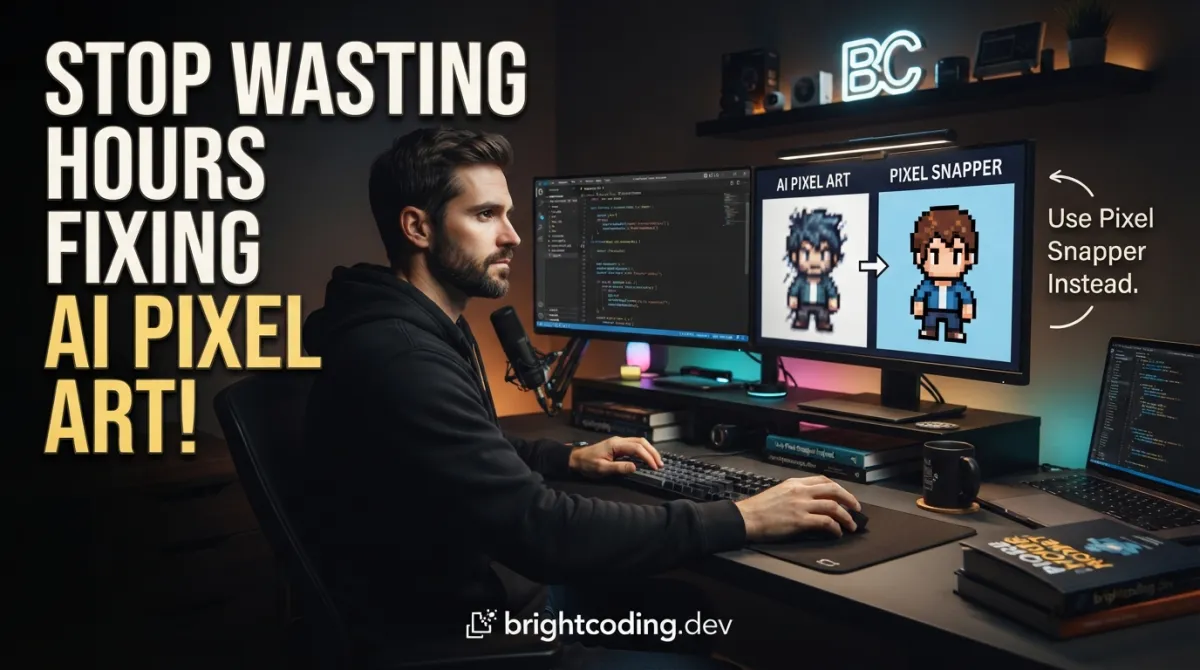
Your AI just spat out another "pixel art" abomination. You know the scene: uneven pixel blobs masquerading as characters, colors bleeding across imaginary boundaries, that telltale smear where the neural network "kind of" understood what a grid was supposed to look like. You've spent forty-five minutes in Aseprite manually recoloring, reshaping, and realigning—only to realize the grid resolution drifted halfway through. Again.
Here's the brutal truth nobody selling AI art tools wants to admit: current diffusion models fundamentally cannot comprehend grid-based pixel art. They weren't trained on constraints. They don't "think" in 8×8 blocks or 16-color palettes. They think in smooth gradients and anti-aliased edges—the antithesis of crisp, scalable pixel perfection.
But what if you could snap those chaotic pixels into disciplined submission in seconds? What if messy AI output could transform into production-ready game assets with a single command? Enter Sprite Fusion Pixel Snapper—the open-source Rust-powered tool that's making manual pixel cleanup obsolete. Built by Hugo Duprez of Sprite Fusion fame, this isn't another bloated graphics suite. It's a surgical instrument designed for one mission: forcing unruly pixels into perfect grid-based order. And game developers, pixel artists, and AI workflow hackers are already calling it their secret weapon.
Ready to reclaim your sanity? Let's dissect why Pixel Snapper deserves immediate real estate in your toolchain.
What is Sprite Fusion Pixel Snapper?
Sprite Fusion Pixel Snapper is a specialized image processing utility that automatically aligns pixels to a consistent grid structure while quantizing colors to a strict palette. Born from the creative labs of Sprite Fusion—the free web-based tilemap editor supporting Unity, Godot, Defold, and GB Studio—this tool addresses a genuinely underserved pain point in modern game development pipelines.
The project is authored by Hugo Duprez, a developer deeply embedded in the pixel art and game development ecosystem. Rather than building yet another general-purpose image editor, Duprez identified a critical gap: the explosion of AI-generated art assets had created a translation crisis. Artists and developers could generate concept imagery at unprecedented speed, but converting that output into technically valid pixel art remained a tedious manual bottleneck.
Pixel Snapper operates on a deceptively simple principle with profound implications. It analyzes input images, detects underlying grid structures (or accepts explicit override values), remaps every color to a quantized palette with configurable size, and outputs pristine pixel art that respects mathematical grid constraints. The tool ships in two flavors: a lightning-fast CLI for batch processing and automation workflows, and a WebAssembly (WASM) module for browser-based integration.
What makes Pixel Snapper genuinely trending now? The convergence of three forces: the mainstream adoption of AI image generators like Midjourney and Stable Diffusion for game asset prototyping; the resurgence of pixel art aesthetics in indie games (think Cult of the Lamb, Eastward, Haiku the Robot); and the Rust ecosystem's maturation for high-performance graphics tooling. Pixel Snapper sits precisely at this intersection—technical enough for engineers, accessible enough for artists.
Key Features That Make Pixel Snapper Essential
Let's dissect the technical capabilities that separate Pixel Snapper from generic image processors:
🔲 Intelligent Grid Detection & Snapping The core algorithm analyzes pixel distribution patterns to auto-detect the underlying grid resolution. No more guessing whether your AI output used 8×8 or 16×16 base units. The snapping engine remaps every pixel to its mathematically correct grid position, eliminating the "drift" that plagues AI-generated sprites.
🎨 Configurable Palette Quantization
Control color fidelity with the k-colors parameter. Pass 16 for strict retro console aesthetics, or let the algorithm auto-determine optimal palette size. This isn't naive color reduction—it's structural palette binding that ensures every output pixel references a defined color in the quantized set.
📐 Explicit Pixel Size Override
When auto-detection fails (admittedly rare), the --pixel-size flag provides surgical control. Acceptable values range from 1 to half the smallest image dimension, giving you granular authority over grid granularity. Critical for edge cases like mixed-resolution spritesheets.
⚡ Dual Runtime Architecture The CLI variant leverages Rust's zero-cost abstractions for native-speed batch processing. The WASM build compiles identical logic for browser deployment—no performance cliff, no feature divergence. Same codebase, two battlefields.
🔧 Detail Preservation Engine Unlike destructive downscaling that obliterates intentional dithering patterns, Pixel Snapper's remapping algorithm preserves texture details. Subtle noise gradients and artistic dither survive the grid-snap transformation—a crucial distinction for artists who actually care about their craft.
🌐 Zero-Dependency Web Integration The WASM module exports a clean JavaScript↗ Bright Coding Blog interface. Import, initialize, process. No webpack gymnastics, no massive runtime downloads. The compiled module integrates cleanly into modern build systems or vanilla HTML projects alike.
Real-World Use Cases Where Pixel Snapper Dominates
1. AI Art Pipeline Cleanup
You're using Stable Diffusion with a pixel art LoRA. The output looks right at thumbnail size, but zooming reveals pixel-size inconsistency, color bleeding, and that maddening half-pixel offset on the character's eye. Previously: 2 hours of manual cleanup in your sprite editor. With Pixel Snapper: one command, production-ready output. Batch-process hundreds of AI-generated variants and keep only the structurally valid survivors.
2. Procedural Generation Normalization
Your noise-based terrain generator creates beautiful organic patterns, but they don't align to your tilemap grid. Feeding procedural output through Pixel Snapper enforces grid compliance without destroying the underlying aesthetic. Perfect for roguelike dungeon tiles, isometric terrain, or autotile-compatible border regions.
3. 2D-to-"True-Pixel" Asset Conversion
Hand-painted textures at high resolution need downscaling for a retro project. Standard resampling creates muddy anti-aliasing. Pixel Snapper's grid-snapping + palette quantization produces crisp, integer-scaled assets that maintain readability at any zoom level. Essential for games targeting multiple resolutions without texture bleeding.
4. 3D Texture Pixelation
Your low-poly 3D model needs pixel-art textures, but painting UV-unwrapped textures manually is torturous. Generate concept textures with conventional tools, run through Pixel Snapper, and apply to your model. The quantized palette and grid alignment ensure texel consistency across UV islands—no more visible seams from inconsistent pixel densities.
Step-by-Step Installation & Setup Guide
Prerequisites
Pixel Snapper requires Rust installed on your system. If you haven't adopted Rust yet, this is your excuse—install via rustup:
curl --proto '=https' --tlsv1.2 -sSf https://sh.rustup.rs | sh
CLI Installation & Usage
Clone the repository and navigate into the project:
git clone https://github.com/Hugo-Dz/spritefusion-pixel-snapper.git
cd spritefusion-pixel-snapper
Basic processing—auto-detect grid and palette:
cargo run input.png output.png
Constrained palette—limit to 16 colors for authentic retro constraints:
cargo run input.png output.png 16
Manual grid override—force 8×8 pixel cells when auto-detection misbehaves:
cargo run input.png output.png --pixel-size 8
Critical constraint: The
--pixel-sizevalue must be between1and half the smallest image dimension. A 64×128 image accepts maximum--pixel-size 32.
WASM Build for Web Integration
Same clone, different build target:
git clone https://github.com/Hugo-Dz/spritefusion-pixel-snapper.git
cd spritefusion-pixel-snapper
wasm-pack build --target web --out-dir pkg --release
The --target web flag generates ES module-compatible output. The --release flag enables LLVM optimizations—don't skip this for production. Your pkg/ directory now contains the compiled .wasm binary and JavaScript glue code.
REAL Code Examples: From Repository to Reality
Let's examine actual implementation patterns using the repository's documented code, with detailed commentary for production integration.
Example 1: Basic CLI Batch Processing Script
Automate directory-wide cleanup with a shell wrapper around the cargo command:
#!/bin/bash
# batch_snap.sh - Process entire directory of AI-generated sprites

INPUT_DIR="./raw_ai_output"
OUTPUT_DIR="./production_ready"
K_COLORS=16
PIXEL_SIZE=8  # Explicit override for consistent 8x8 pixel art

mkdir -p "$OUTPUT_DIR"

for img in "$INPUT_DIR"/*.png; do
    filename=$(basename "$img")
    echo "Snapping: $filename"

    # Core Pixel Snapper invocation with palette constraint and grid lock
    cargo run "$img" "$OUTPUT_DIR/$filename" $K_COLORS --pixel-size $PIXEL_SIZE
done

echo "Batch complete. Output in $OUTPUT_DIR/"
Why this matters: AI workflows generate volume. Manual per-file processing doesn't scale. This script enforces consistent parameters across your entire asset library—identical grid resolution, identical palette depth. Your art director will thank you when every sprite obeys the same technical constraints.
Example 2: WASM Module Integration in Vanilla JavaScript
The repository's JavaScript example, production-hardened with error handling:
// pixelProcessor.js - Browser-based pixel art cleanup engine

import init, { process_image } from "./pkg/spritefusion_pixel_snapper.js";

class PixelSnapperEngine {
    constructor() {
        this.initialized = false;
    }

    async initialize() {
        // Initialize WASM runtime (downloads and instantiates .wasm binary)
        await init();
        this.initialized = true;
        console.log("Pixel Snapper WASM initialized");
    }

    async snapFile(fileBlob, options = {}) {
        if (!this.initialized) {
            throw new Error("Engine not initialized. Call initialize() first.");
        }

        // Convert File/Blob to Uint8Array for WASM consumption
        const inputBytes = new Uint8Array(await fileBlob.arrayBuffer());

        // Destructure options with sensible defaults
        const {
            kColors = null,        // null = auto-detect palette size
            pixelSizeOverride = null  // null = auto-detect grid
        } = options;

        // process_image(inputBytes, kColors?, pixelSizeOverride?)
        // Pass null for any parameter to use default behavior
        const outputBytes = process_image(inputBytes, kColors, pixelSizeOverride);

        // Reconstruct Blob for download or canvas rendering
        return new Blob([outputBytes], { type: "image/png" });
    }
}

// Usage: Drop-in file processor for web-based asset pipelines
const engine = new PixelSnapperEngine();
await engine.initialize();

const fileInput = document.getElementById("upload");
fileInput.addEventListener("change", async (e) => {
    const file = e.target.files[0];
    const snappedBlob = await engine.snapFile(file, {
        kColors: 16,           // Force 16-color palette
        pixelSizeOverride: 8   // Lock to 8x8 grid
    });

    // Trigger download or render to canvas
    const url = URL.createObjectURL(snappedBlob);
    window.open(url, "_blank");
});
Critical implementation note: The process_image function accepts nullable parameters. Passing null (or undefined in JS, coerced appropriately) preserves auto-detection behavior. This dual interface—explicit control or intelligent automation—mirrors the CLI's flexibility in a browser context.
Example 3: React↗ Bright Coding Blog Component Integration
Modern frontend integration leveraging the WASM module:
// PixelSnapper.jsx - React component for artist-friendly web tool

import { useState, useCallback, useEffect } from 'react';
import init, { process_image } from './pkg/spritefusion_pixel_snapper.js';

export default function PixelSnapper() {
    const [wasmReady, setWasmReady] = useState(false);
    const [processing, setProcessing] = useState(false);
    const [resultUrl, setResultUrl] = useState(null);

    useEffect(() => {
        // Lazy-load WASM on component mount
        init().then(() => setWasmReady(true));
    }, []);

    const handleFile = useCallback(async (event) => {
        const file = event.target.files?.[0];
        if (!file || !wasmReady) return;

        setProcessing(true);

        try {
            const bytes = new Uint8Array(await file.arrayBuffer());

            // Production config: 32 colors, auto-detected pixel size
            const processed = process_image(bytes, 32, null);

            const blob = new Blob([processed], { type: 'image/png' });
            setResultUrl(URL.createObjectURL(blob));
        } catch (err) {
            console.error("Pixel snap failed:", err);
        } finally {
            setProcessing(false);
        }
    }, [wasmReady]);

    return (
        <div className="pixel-snapper">
            <input
                type="file"
                accept="image/png,image/jpeg"
                onChange={handleFile}
                disabled={!wasmReady || processing}
            />
            {processing && <p>Snapping pixels to grid...</p>}
            {resultUrl && (
                <img
                    src={resultUrl}
                    alt="Processed pixel art"
                    style={{ imageRendering: 'pixelated', width: '100%' }}
                />
            )}
        </div>
    );
}
The imageRendering: 'pixelated' CSS property is non-negotiable when displaying output—without it, browsers apply bilinear smoothing that defeats the entire purpose of grid-snapped art.
Advanced Usage & Best Practices
🎯 Parameter Selection Strategy
Start with auto-detection (cargo run input.png output.png) for unknown sources. Only introduce k-colors and --pixel-size when output violates project constraints. This two-phase approach maximizes detail preservation while ensuring compliance.
⚙️ CI/CD Integration Add Pixel Snapper to your asset pipeline GitHub Action:
- name: Snap AI-generated assets
  run: |
    cd spritefusion-pixel-snapper
    for f in ../assets/raw/*.png; do
      cargo run "$f" "../assets/processed/$(basename $f)" 16
    done
🔍 Validation Workflow
Always visually inspect auto-detected outputs. AI art with extreme perspective distortion or heavy motion blur can confuse grid detection. The --pixel-size override exists precisely for these edge cases.
📦 WASM Bundle Optimization
For production web deployment, configure your bundler to handle .wasm files as assets. The wasm-pack output includes a package.json with correct module fields—respect them rather than manually pathing to the .wasm binary.
Comparison with Alternatives
| Feature | Pixel Snapper | ImageMagick convert |
Aseprite Manual | Photoshop "Nearest" |
|---|---|---|---|---|
| Grid-aware snapping | ✅ Native | ❌ None | ⚠️ Manual guides | ❌ None |
| Palette quantization | ✅ Configurable k |
⚠️ Basic posterize | ✅ Excellent | ⚠️ Limited |
| Batch processing | ✅ CLI + scriptable | ✅ Native | ❌ Per-file | ⚠️ Actions |
| Web integration | ✅ WASM module | ❌ Server-only | ❌ Desktop only | ❌ Desktop only |
| Detail preservation | ✅ Dithering kept | ❌ Smoothed | ✅ Full control | ⚠️ Artifacts |
| Open source | ✅ MIT | ✅ Apache 2.0 | ❌ Proprietary | ❌ Proprietary |
| Rust performance | ✅ Zero-cost | ⚠️ C baseline | ✅ Optimized C++ | ✅ Optimized C++ |
The verdict: ImageMagick handles generic transformations but lacks grid semantics. Aseprite offers supreme artistic control at the cost of manual labor. Photoshop's nearest-neighbor scaling is mathematically naive compared to structural grid snapping. Pixel Snapper occupies the unique position of automated, grid-aware, web-deployable pixel art correction—no competitor matches all three criteria.
Frequently Asked Questions
Q: Does Pixel Snapper work with JPEG inputs? A: The repository examples specify PNG, but Rust's image crate (likely dependency) handles multiple formats. Test your specific JPEG—be aware that JPEG compression artifacts may interfere with clean grid detection.
Q: Can I process animated spritesheets? A: Currently processes static images only. For animated sprites, slice your spritesheet into frames, batch-process, and recomposite. Frame-level processing ensures consistent grid alignment across animation states.
Q: Why Rust instead of Python↗ Bright Coding Blog or JavaScript? A: Performance-critical image processing benefits from Rust's memory safety without garbage collection pauses. The WASM compilation target enables web deployment impossible with Python's runtime requirements.
Q: Is the online version at spritefusion.com/pixel-snapper identical to the CLI? A: The web version uses the same core WASM module. Feature parity is maintained; the online tool offers convenience, while the repository enables automation and customization.
Q: How does auto-detection handle mixed-resolution images?
A: Auto-detection assumes uniform grid resolution. For deliberately mixed-resolution art (e.g., HUD elements at 2× character scale), pre-separate layers or use --pixel-size with region-specific processing.
Q: Can I contribute or fork for commercial use? A: MIT License permits virtually unrestricted use. Fork, modify, embed in commercial games—just retain the license attribution. Hugo Duprez explicitly encourages adoption.
Q: What image dimensions work best? A: Powers of two (32, 64, 128, 256, 512) with clean multiples of your target pixel size yield optimal results. Extreme aspect ratios (e.g., 2048×32) may stress auto-detection heuristics.
Conclusion: Your Pixel Art Pipeline Just Evolved
The AI art revolution promised infinite assets. It delivered infinite messy assets. Sprite Fusion Pixel Snapper bridges that chasm—transforming algorithmic chaos into grid-perfect, palette-bound, production-ready pixel art without the soul-crushing manual cleanup.
Whether you're batch-processing Stable Diffusion output, normalizing procedural generation, or building web-based asset tools, Pixel Snapper's dual CLI/WASM architecture meets you where you work. The Rust implementation isn't resume-driven development; it's a genuine performance and portability advantage. The MIT license isn't an afterthought; it's an invitation to embed this capability everywhere pixel art lives.
I've watched too many developers abandon promising AI-assisted workflows because the cleanup bottleneck killed their iteration speed. Pixel Snapper removes that bottleneck. Install it, script it, ship it. Your future self—staring at a directory of perfectly snapped, consistently gridded, legitimately usable pixel art—will wonder how you ever worked without it.
Grab the code, star the repository, and start snapping:
👉 github.com/Hugo-Dz/spritefusion-pixel-snapper
The grid is waiting. Your pixels belong on it.
Pixel Snapper is a Sprite Fusion project. Explore their free tilemap editor for Unity, Godot, Defold, and GB Studio workflows.
Explore on the BrightCoding network
Hand-picked resources from our other sites.
MedChaouch/Puzld.ai: Open-Source Multi-LLM Orchestration Framework
Puzld.ai is an open-source multi-LLM orchestration framework that wraps official CLIs to enable agentic execution, memory, collaboration modes, and DPO training...
sunface/rust-by-practice: Hands-On Rust Exercises from Beginner to Expert
sunface/rust-by-practice is a 14,653-star open-source Rust learning resource offering difficulty-graded exercises from easy to super hard. Built with mdBook and...
confident-ai/deepteam: Open-Source LLM Red Teaming with 50+ Vulnerabilities
DeepTeam is an open-source Python framework for red teaming LLMs and AI agents with 50+ vulnerabilities, 20+ adversarial attacks, and production guardrails. Bui...
Continuez votre lecture

Why Alexandrie is the Ultimate Markdown Note-Taking App

Why CrossPaste is the Ultimate Game Changer for Clipboard Management

Why Chandra is the Ultimate OCR Tool for Handwriting and Tables

Stop Coding Alone: OPC-Skills Gives Your AI Agent Superpowers
Commentaires 0
Aucun commentaire pour l'instant. Soyez le premier à réagir !