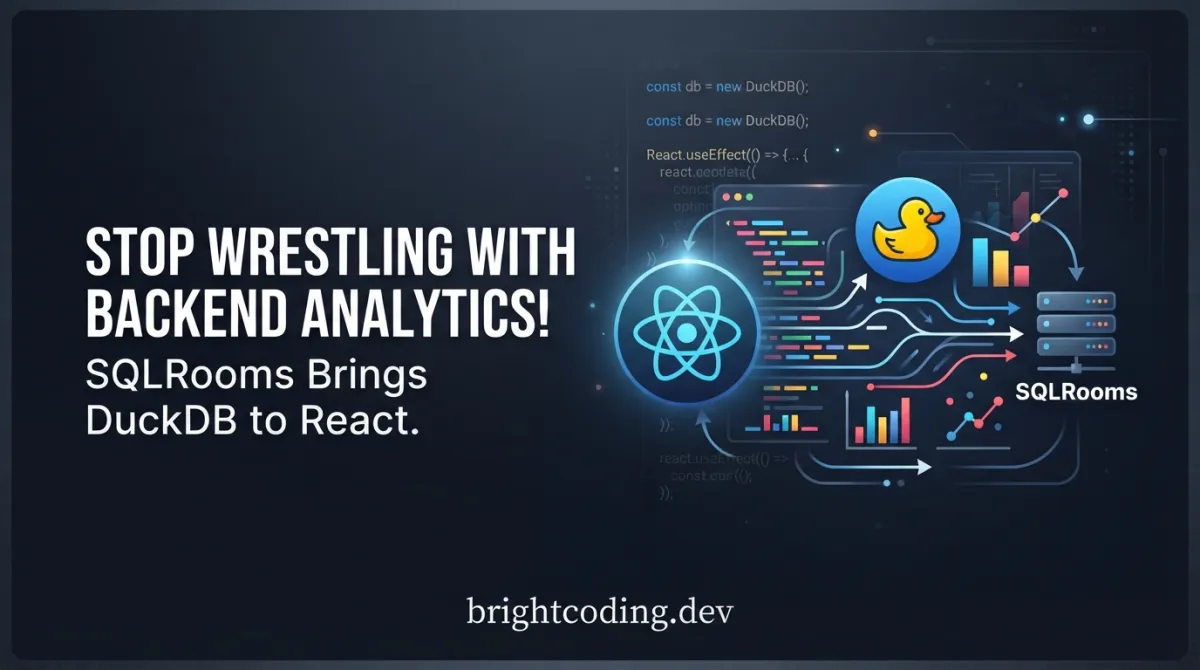
Stop Wrestling with Backend Analytics! SQLRooms Brings DuckDB to React
What if I told you that everything you hate about building data analytics applications could disappear overnight? The provisioning nightmares. The latency complaints. The privacy compliance spreadsheets that make your eyes bleed. Gone.
Here's the painful truth most developers refuse to admit: we've been architecting analytics backwards for a decade. We shuttle data across networks, pray our queries don't timeout, and architect elaborate backend pipelines for insights that users could compute themselves. The result? Slower apps, higher bills, and data that feels like it's trapped behind glass.
But what if your users' browsers became the analytics engine? What if every visitor got their own blazing-fast, columnar SQL database—no server required, no data leaving their device unless they chose?
Enter SQLRooms. This isn't another charting library or a thin wrapper around SQL. It's a complete reimagining of how browser-based analytics should work: React↗ Bright Coding Blog components powered by DuckDB-WASM, delivering server-grade query performance with zero backend dependency. The secret weapon top developers are already using to ship analytics features in days, not months.
Ready to see how deep this rabbit hole goes?
What is SQLRooms?
SQLRooms is an open-source React framework that provides building blocks for browser-native data analytics applications powered by DuckDB-WASM. Created by the team behind the SQLRooms organization, it represents a fundamental shift in how developers think about data tooling architecture.
At its philosophical core sits the concept of a Room — a self-contained workspace where data lives, analysis happens, and (soon) collaborators will meet. Think of it as a complete analytics operating system that runs inside your browser tab. Each Room combines a SQL query engine (DuckDB-WASM), data visualization tools, state management via Zustand, and production-ready UI components into one cohesive toolkit.
Why is this trending now? Three converging forces:
- WebAssembly maturation finally makes in-browser columnar databases practical
- Privacy regulations (GDPR, CCPA) make local-first data processing strategically vital
- AI integration demands require low-latency environments where agents can write and execute SQL without server roundtrips
SQLRooms isn't merely riding these trends — it's architected specifically to exploit them. The framework abstracts away DuckDB-WASM's complexity while exposing its full power through idiomatic React patterns. Whether you're building embedded analytics for SaaS, internal BI tools, or AI-assisted data exploration, SQLRooms provides the foundation that would otherwise require months of custom engineering.
Key Features That Separate SQLRooms from the Pack
🚀 Dedicated In-Browser DuckDB Instances
Every user receives their own DuckDB-WASM instance. This means columnar analytics speed with zero backend load. We're talking OLAP performance — aggregations, window functions, complex joins — executing at native speeds in the browser. No connection pooling. No query queues. No surprise AWS↗ Bright Coding Blog bills when your dashboard goes viral.
🧩 Truly Modular Architecture
SQLRooms employs a slice-based state management pattern using Zustand. Mix and match packages, combine state slices, include only features your application demands. Need just the query engine? Grab @sqlrooms/duckdb. Want the full layout system? Add @sqlrooms/room-shell. Building custom? The slice pattern lets you inject your own state logic seamlessly.
🤖 AI-Powered Analytics, Zero Server Roundtrips
This is where SQLRooms gets genuinely futuristic. Built-in support for AI agents that write and execute SQL queries directly in the browser. Your data never touches an external model provider's servers unless explicitly configured. The agent generates insights, suggests queries, and even explains results — all while your sensitive data stays local.
🎨 Composable React Components
The framework ships with production-ready UI primitives: RoomShell, LayoutComposer, Sidebar, CommandPalette, LoadingProgress. These aren't generic components — they're analytics-specific, with built-in awareness of database state, query lifecycle, and data source management. Compose them like LEGO blocks.
🔒 Local-First by Design
Drawing from Local-First principles, SQLRooms ensures users retain full data ownership. Files stay local. Queries run offline. Your application remains functional without internet connectivity. For industries with strict compliance requirements — healthcare, finance, legal — this isn't a nice-to-have. It's existential.
Real-World Scenarios Where SQLRooms Dominates
Scenario 1: Embedded SaaS Analytics
Your customers demand insights from their data, but you're not building a second Snowflake. With SQLRooms, embed a full analytics workspace directly in your React application. Customers upload CSVs, query with SQL, build visualizations — all without your backend ever seeing their raw data. Privacy compliance becomes a feature, not a liability.
Scenario 2: Secure Internal BI Tools
Financial analysts processing sensitive transaction data. Researchers analyzing patient records. Investigative journalists with confidential sources. SQLRooms keeps everything on-device. Build internal dashboards where data never leaves the building — because there is no "building," just the analyst's browser.
Scenario 3: Offline-Capable Field Analytics
Geologists in remote locations. Disaster response coordinators in connectivity dead zones. Sales teams on planes. SQLRooms supports full offline operation: load data before departure, query and visualize without any network connection, sync results when connectivity returns.
Scenario 4: AI-Assisted Data Exploration
Imagine onboarding non-technical users with an AI agent that translates natural language to SQL, executes queries instantly, and explains results conversationally. All happening locally, so proprietary datasets remain protected. SQLRooms makes this architecture trivial rather than theoretical.
Step-by-Step Installation & Setup Guide
Let's get you running in under five minutes. SQLRooms requires React 18+, Tailwind CSS↗ Bright Coding Blog, and Node.js ≥ 22.
Quick Start: Use the Minimal Example
The fastest path to seeing SQLRooms in action:
npx giget gh:sqlrooms/examples/minimal my-minimal-app/
cd my-minimal-app
npm install
npm run dev
This barebones Vite + React app demonstrates loading a CSV data source and running SQL queries with useSql().
Feature-Rich Starter Template
For a more complete application structure with panels and layout:
npx giget gh:sqlrooms/examples/get-started myapp/
cd myapp
npm install
npm run dev
Manual Installation
Install the core packages:
# npm
npm install @sqlrooms/room-shell @sqlrooms/duckdb @sqlrooms/ui

# pnpm
pnpm add @sqlrooms/room-shell @sqlrooms/duckdb @sqlrooms/ui

# yarn
yarn add @sqlrooms/room-shell @sqlrooms/duckdb @sqlrooms/ui
Install Tailwind CSS v4:
# npm
npm install -D tailwindcss@4

# pnpm
pnpm add -D tailwindcss@4

# yarn
yarn add -D tailwindcss@4
Import the SQLRooms Tailwind preset in your main CSS file:
@import '@sqlrooms/ui/tailwind-preset.css';
Critical note: SQLRooms uses Zustand for state management and Zod for schema validation internally — you don't install these separately.
REAL Code Examples from the Repository
Let's dissect production-ready patterns from the SQLRooms codebase. These aren't toy examples — they're the actual patterns powering real applications.
Example 1: Defining Your Application State Type
Before building components, you establish your state contract. SQLRooms uses TypeScript generics for type-safe state composition:
import {
  createRoomShellSlice,
  createRoomStore,
  RoomShellSliceState,
} from '@sqlrooms/room-shell';

/**
 * The whole app state.
 * Start with RoomShellSliceState as your foundation,
 * then intersect (&) additional slice types as your app grows.
 */
export type RoomState = RoomShellSliceState & {
  // Add your custom app state types here
  // When using additional slices, extend like:
  // & SqlEditorSliceState
  // & CustomVisualizationSliceState
};
Why this matters: The RoomShellSliceState provides the baseline — room configuration, database state, layout management. Your custom types layer on top without friction. This pattern scales from prototype to production without rewrites.
Example 2: Creating the Room Store with Configuration
Here's where SQLRooms' power becomes tangible. You're configuring data sources, layout structure, and panel composition in one declarative object:
import {DatabaseIcon} from 'lucide-react';
import {MainView} from './components/MainView';
import {DataSourcesPanel} from './components/DataSourcesPanel';

/**
 * Create the room store. The spread operator (...) merges
 * your custom state with SQLRooms' slice logic.
 * This is Zustand's pattern — SQLRooms adapts it for analytics-specific concerns.
 */
export const {roomStore, useRoomStore} = createRoomStore<RoomState>(
  (set, get, store) => ({
    ...createRoomShellSlice({
      config: {
        title: 'My SQLRooms App',
        // Data sources load automatically on room initialization
        dataSources: [
          {
            tableName: 'earthquakes',
            type: 'url',
            // Direct Parquet loading from HuggingFace datasets — no conversion needed
            url: 'https://huggingface.co/datasets/sqlrooms/earthquakes/resolve/main/earthquakes.parquet',
          },
        ],
      },
      // Layout configuration uses a recursive split pattern
      // Think VS Code's layout system, but declarative in JSON
      layout: {
        config: {
          type: 'split',
          direction: 'row',
          children: [
            {type: 'panel', id: 'data-sources', defaultSize: '30%'},
            'main', // String shorthand for panel reference
          ],
        },
        // Panel definitions map IDs to React components with metadata
        panels: {
          'data-sources': {
            title: 'Data Sources',
            icon: DatabaseIcon, // Lucide icons work out of the box
            component: DataSourcesPanel,
          },
          main: {
            title: 'Main view',
            icon: () => null, // Optional: no icon for clean aesthetic
            component: MainView,
          },
        },
      },
    })(set, get, store), // Pass Zustand's setters for slice integration

    // Additional slices compose here without nesting hell
    // ...createSqlEditorSlice()(set, get, store),
  }),
);
The insight most miss: That dataSources array isn't just configuration — it's a reactive data pipeline. SQLRooms automatically fetches, loads into DuckDB, and tracks loading state. You don't write fetch logic, error handling, or progress indicators for data ingestion.
Example 3: Adding Persistence with Zero Boilerplate
State persistence typically requires localStorage wrestling. SQLRooms provides persistSliceConfigs for selective, schema-validated persistence:
import {
  BaseRoomConfig,
  LayoutConfig,
  persistSliceConfigs,
} from '@sqlrooms/room-shell';

export const {roomStore, useRoomStore} = createRoomStore<RoomState>(
  persistSliceConfigs(
    {
      name: 'app-state-storage', // localStorage key
      // Zod schemas validate persisted data on load — corrupted state gets rejected gracefully
      sliceConfigSchemas: {
        room: BaseRoomConfig,
        layout: LayoutConfig,
        // Add other slice configs as your app grows
        // sqlEditor: SqlEditorSliceConfig,
      },
    },
    (set, get, store) => ({
      // Your store configuration from Example 2 goes here
      ...createRoomShellSlice({
        config: { title: 'My SQLRooms App', dataSources: [] },
        layout: {
          config: {
            type: 'split',
            direction: 'row',
            children: [
              {type: 'panel', id: 'data-sources', defaultSize: '30%'},
              'main',
            ],
          },
          panels: {
            // Panel definitions preserved from earlier
          },
        },
      })(set, get, store),
    }),
  ),
);
Critical advantage: Persistence is slice-selective. You might persist layout and room config, but not ephemeral query results or AI conversation history. The sliceConfigSchemas enforce type safety — no more JSON.parse surprises.
Example 4: The Complete RoomShell Integration
Your root component becomes remarkably concise. The RoomShell provider handles context propagation, theme management, and component orchestration:
import {RoomShell} from '@sqlrooms/room-shell';
import {ThemeProvider} from '@sqlrooms/ui';
import {roomStore} from './store';

export const Room = () => (
  // ThemeProvider handles light/dark/system preferences with localStorage persistence
  <ThemeProvider defaultTheme="light" storageKey="sqlrooms-ui-theme">
    {/* RoomShell injects the Zustand store context for all children */}
    <RoomShell className="h-screen" roomStore={roomStore}>
      <RoomShell.Sidebar />           {/* Collapsible navigation */}
      <RoomShell.LayoutComposer />    {/* Renders your configured layout tree */}
      <RoomShell.LoadingProgress />   {/* Global loading indicator for data sources */}
      <RoomShell.CommandPalette />    {/* Keyboard-driven command interface */}
    </RoomShell>
  </ThemeProvider>
);
Notice what's absent: no useEffect data fetching, no loading state management, no error boundary configuration for the database. The shell encapsulates these concerns.
Example 5: Querying with the useSql Hook
This is where SQLRooms' React integration shines. The useSql hook provides reactive, type-safe SQL execution with automatic re-querying on data changes:
import {useSql} from '@sqlrooms/duckdb';
import {useRoomStore} from './store';

function MainView() {
  // Reactive selector: component re-renders when table state changes
  const tableReady = useRoomStore((state) =>
    state.db.findTableByName('earthquakes'),
  );

  // useSql is the star: generic type parameter for result shape,
  // enabled flag prevents premature execution,
  // automatic re-run when dependencies change
  const {data, isLoading, error} = useSql<{
    count: number;
    maxMag: number;
  }>({
    query: `
      SELECT
        COUNT(*)::int AS count,
        max(Magnitude) AS maxMag
      FROM earthquakes
    `,
    enabled: Boolean(tableReady), // Don't run until data is loaded
  });

  // Loading and error states handled declaratively
  if (isLoading) return <div>Loading...</div>;
  if (error) return <div>Error: {error.message}</div>;

  // DuckDB-WASM returns Arrow tables; toArray() converts to plain objects
  const row = data?.toArray()[0];
  return (
    <div>
      <div>Total records: {row?.count}</div>
      <div>Max magnitude: {row?.maxMag}</div>
    </div>
  );
}
The magic: useSql subscribes to the database state. When a new data source loads, when a table gets updated, when the schema changes — your query re-executes automatically. You write SQL, not synchronization logic.
Advanced Usage & Best Practices
Slice Composition for Complex Applications
As your application grows, resist the temptation to monolith your store. SQLRooms' slice pattern rewards decomposition:
export type RoomState = RoomShellSliceState
  & SqlEditorSliceState
  & VisualizationSliceState
  & CustomBusinessLogicState;
Each slice manages its own concerns, tests independently, and composes without tight coupling.
Performance Optimization
DuckDB-WASM handles millions of rows, but browser memory isn't infinite. Use Parquet over CSV (columnar compression), implement pagination at the SQL level (LIMIT/OFFSET), and leverage DuckDB's query result caching. The useSql hook's enabled flag prevents unnecessary computation — use it aggressively.
Custom Panel Development
Panels are standard React components with access to useRoomStore. For performance, memoize selectors and use Zustand's shallow comparison:
const tables = useRoomStore((state) => state.db.tables, shallow);
AI Agent Integration Patterns
The local-first AI architecture means you can use smaller, specialized models (via Transformers.js or ONNX Runtime) for SQL generation without API costs or data exposure. The agent writes queries, useSql executes them, results feed back to the agent — a closed loop entirely in-browser.
Comparison with Alternatives
| Dimension | SQLRooms | Observable Plot | Apache Superset | Custom React + Backend |
|---|---|---|---|---|
| Backend Required | ❌ None | ❌ None (hosted) | ✅ Required | ✅ Required |
| React Integration | Native components | Embed via iframe | Embed via iframe | Custom build |
| SQL Engine | DuckDB-WASM (in-browser) | None (data transforms) | PostgreSQL↗ Bright Coding Blog/Presto/etc | Your choice |
| Privacy Model | Local-first, data stays device | Cloud-hosted | Server-processed | Depends on architecture |
| AI Integration | Built-in local agents | Limited | External APIs | Custom implementation |
| Offline Capability | ✅ Full support | ❌ Requires connection | ❌ Requires connection | ❌ Requires connection |
| Bundle Size | Modular, tree-shakeable | Lightweight (charts only) | Heavy (full application) | Varies |
| Customization | Full React component control | Limited styling | Theme/Plugin system | Unlimited (at cost) |
When to choose SQLRooms: You need embedded analytics in a React application, value data privacy, want AI features without API costs, or are building local-first software.
When alternatives win: You need collaborative editing (for now — SQLRooms plans this), require enterprise SSO/ACL systems, or your users genuinely need server-side computation for terabyte-scale data.
FAQ
Does SQLRooms replace my existing backend?
Not necessarily — it eliminates the backend for analytics computation. You might still use APIs for data ingestion, authentication, or persistent storage. But the query engine, visualization logic, and AI processing happen client-side.
How large can my datasets be?
DuckDB-WASM handles millions of rows comfortably in browser memory. For larger datasets, implement lazy loading patterns, use Parquet's column pruning, or stream from S3 with HTTP range requests. SQLRooms supports all these patterns.
Is React 19 supported?
Yes. SQLRooms explicitly supports React 18+ including React 19. The Zustand-based state management is React-version-agnostic.
Can I use SQLRooms without Tailwind CSS?
Technically possible, but not recommended. The @sqlrooms/ui package provides a Tailwind preset with design tokens that components depend on. Customizing beyond this requires significant override work.
How does AI work without sending data to OpenAI?
SQLRooms supports local model execution via WebGPU-accelerated inference. You can run quantized models (Q4, Q5, Q8) directly in the browser using ONNX Runtime or Transformers.js. The AI agent generates SQL, executes it via DuckDB-WASM, and never exposes raw data externally.
What about mobile browsers?
DuckDB-WASM runs on modern mobile browsers with WebAssembly support. Performance varies by device — high-end phones handle millions of rows; budget devices may need dataset subsetting. The useSql hook's enabled flag lets you detect capability and degrade gracefully.
Is SQLRooms production-ready?
The core packages (@sqlrooms/room-shell, @sqlrooms/duckdb, @sqlrooms/ui) are actively maintained with semantic versioning. The AI features are evolving rapidly. For production deployments, pin versions and follow the project's GitHub releases for breaking changes.
Conclusion
SQLRooms represents something rare in developer tooling: a genuine architectural shift that makes previously impossible applications trivial. By combining DuckDB-WASM's analytical power with React's component model and local-first privacy principles, it removes the backend bottleneck that's choked analytics development for years.
The framework isn't perfect — collaborative features are still emerging, and you'll need to embrace its slice-based state patterns. But for developers building embedded analytics, privacy-sensitive tools, or AI-assisted data exploration, the tradeoff overwhelmingly favors SQLRooms' approach.
My assessment? This is how browser analytics should have worked all along. The only question is whether you'll be early to adopt it, or late to catch up.
Star SQLRooms on GitHub — explore the examples, join the discussions, and start building analytics that actually respect your users' data. Your future self will thank you when that "simple dashboard" request doesn't explode into a six-month infrastructure project.
The browser is the new analytics server. SQLRooms just handed you the keys.
Outils recommandés
Explore on the BrightCoding network
Hand-picked resources from our other sites.
EutropicAI/Final2x: Cross-Platform Image Super-Resolution with Custom Model Support
EutropicAI/Final2x is a cross-platform image super-resolution desktop application with 7,213 GitHub stars. Version 4.0.0 introduces the cccv backend for custom...
Stop Writing SEO Content Manually! Use SEO Machine Instead
Discover SEO Machine, a specialized Claude Code workspace for creating long-form, SEO-optimized blog content. Built with custom commands, intelligent agents, an...
confident-ai/deepteam: Open-Source LLM Red Teaming with 50+ Vulnerabilities
DeepTeam is an open-source Python framework for red teaming LLMs and AI agents with 50+ vulnerabilities, 20+ adversarial attacks, and production guardrails. Bui...
Continuez votre lecture

Why Alexandrie is the Ultimate Markdown Note-Taking App

Why CrossPaste is the Ultimate Game Changer for Clipboard Management

Why Chandra is the Ultimate OCR Tool for Handwriting and Tables

Stop Coding Alone: OPC-Skills Gives Your AI Agent Superpowers
Commentaires 0
Aucun commentaire pour l'instant. Soyez le premier à réagir !