Stop Wrestling with GPU Drivers! NVIDIA GPU Operator Fixes Kubernetes
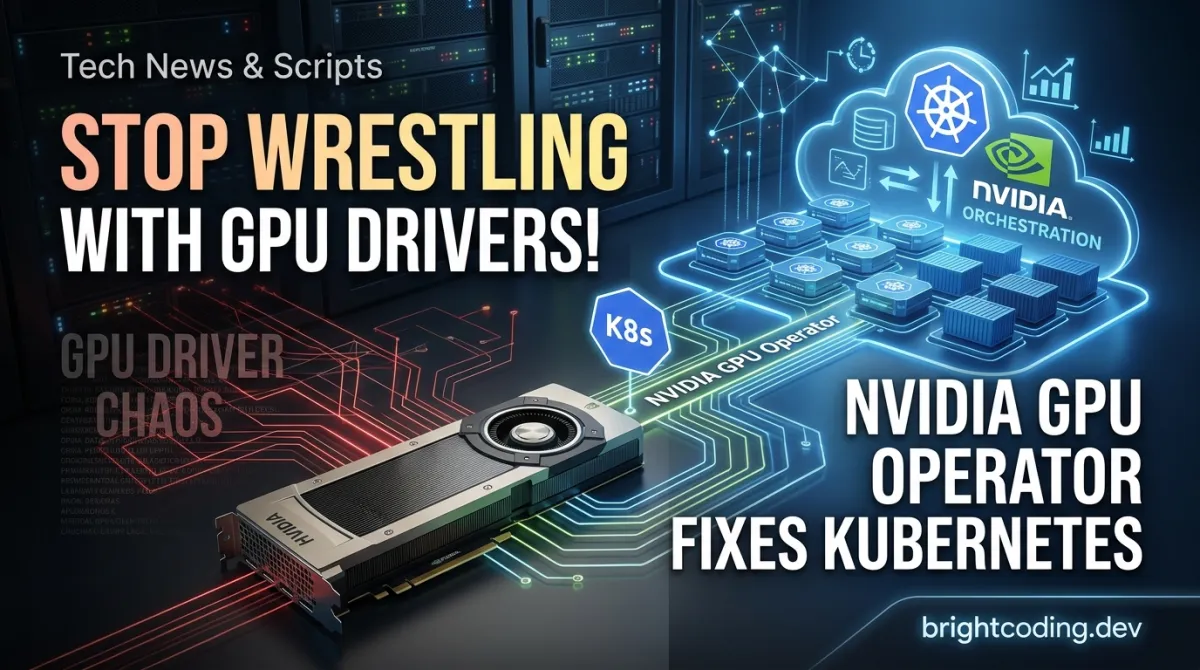
Stop Wrestling with GPU Drivers! NVIDIA GPU Operator Fixes Kubernetes
What if I told you that the average ML engineer wastes 40% of their first week on a single task? Not training models. Not optimizing hyperparameters. Not even debugging CUDA out-of-memory errors.
I'm talking about the soul-crushing, keyboard-smashing nightmare of manually configuring GPU nodes in Kubernetes.
You've been there. You provision a shiny new cluster for your training pipeline. You SSH into nodes at 2 AM. You blacklist Nouveau drivers. You hunt for the exact driver version that won't explode with your CUDA toolkit. You wrestle with container runtimes. You pray to the Kubernetes gods that your device plugin doesn't silently fail. And just when you think you've won? Your team scales to 50 GPU nodes, and you realize you're now the bottleneck for your entire organization's AI infrastructure.
Here's the brutal truth: manual GPU management doesn't scale. It doesn't scale for startups racing to ship models. It doesn't scale for enterprises juggling multi-cloud deployments. It certainly doesn't scale when your CEO asks why provisioning a GPU node takes longer than training the actual model.
But what if GPU nodes could be as effortless as CPU nodes? What if a single command could handle drivers, runtimes, monitoring, and auto-labeling—across hundreds of nodes?
Enter the NVIDIA GPU Operator. This isn't just another Kubernetes tool. It's the infrastructure automation secret that top ML platforms, cloud providers, and Fortune 500 companies are quietly deploying to turn GPU management from a week-long saga into a 5-minute Helm install.
Ready to never manually install an NVIDIA driver again? Let's dive in.
What Is the NVIDIA GPU Operator?
The NVIDIA GPU Operator is an open-source Kubernetes operator that automates the entire lifecycle of NVIDIA software components required to provision, configure, and manage GPUs in container orchestration environments. Built on the Operator Framework, it transforms GPU infrastructure from a bespoke artisanal process into a declarative, self-healing, cloud-native service.
Created and maintained by NVIDIA—the same company designing the GPUs powering modern AI—the GPU Operator represents a fundamental shift in how organizations approach GPU infrastructure. Rather than treating GPU nodes as special snowflakes requiring custom OS images and manual intervention, the operator enables administrators to use standard operating system images for both CPU and GPU nodes, with the GPU Operator dynamically provisioning everything else.
Why It's Trending Now
The timing isn't accidental. Three converging forces are driving explosive adoption:
- The AI infrastructure explosion: With generative AI workloads demanding 10-100x more GPU capacity, manual node configuration has become an existential bottleneck. Organizations can't afford weeks to provision GPU clusters.
- Kubernetes as the universal control plane: As Kubernetes subsumes traditional HPC schedulers and cloud-native ML platforms mature, GPU support must be as seamless as CPU support.
- The shift to dynamic, multi-tenant GPU clusters: Modern platforms like Run:ai, Volcano, and NVIDIA's own DRA (Dynamic Resource Allocation) require sophisticated GPU sharing and scheduling that depends on perfectly configured software stacks.
The GPU Operator's GitHub repository has become one of NVIDIA's most-starred Kubernetes projects, with active contributions from cloud providers integrating it into managed Kubernetes services. The project's roadmap reveals aggressive expansion: RHEL 10 support, KubeVirt integration for virtualized GPU workloads, and the promotion of the NVIDIADriver CRD to General Availability—signaling NVIDIA's commitment to making this the canonical way to run GPUs on Kubernetes.
Key Features That Eliminate GPU Pain
The NVIDIA GPU Operator doesn't just install a driver and call it a day. It orchestrates a complete, production-grade GPU software stack through Kubernetes-native primitives. Here's what actually gets deployed and why each component matters:
Automated NVIDIA Driver Management
The operator containerizes and manages NVIDIA drivers directly on GPU nodes. This means no more OS-level driver installations, no kernel version compatibility nightmares, and the ability to swap driver versions by simply updating a Custom Resource. Running everything as containers enables atomic upgrades and rollbacks—critical for production environments where a bad driver can take down an entire training fleet.
Kubernetes Device Plugin for GPUs
The NVIDIA Device Plugin advertises GPU resources to the Kubernetes scheduler, enabling pods to request nvidia.com/gpu resources just like CPU or memory. The operator ensures this plugin is always running, correctly configured, and aligned with your driver version.
NVIDIA Container Runtime Integration
GPU containers require special runtime handling to expose CUDA libraries and devices. The operator automatically configures the NVIDIA Container Runtime (or the newer NVIDIA Container Toolkit) as the runtime for GPU-enabled pods, eliminating the need for manual Docker↗ Bright Coding Blog/containerd configuration.
Automatic Node Labeling
The operator applies comprehensive labels to nodes—GPU product name, memory, compute capability, MIG (Multi-Instance GPU) configuration, and more. This enables sophisticated scheduling: direct 40GB A100 pods to A100 nodes, route lightweight inference to MIG partitions, or ensure training jobs land on nodes with NVLink.
DCGM-Based Monitoring
Through NVIDIA Data Center GPU Manager (DCGM), the operator exposes detailed GPU metrics: utilization, memory bandwidth, temperature, power draw, and even per-process GPU usage. These metrics feed into Prometheus/Grafana stacks for observability that actually matters for GPU workloads.
GPU Feature Discovery
Extends node labels with granular GPU capabilities, enabling advanced scheduling scenarios like targeting specific tensor core generations or ensuring compatibility with CUDA versions.
MIG Manager (for Ampere+ GPUs)
Automates the configuration of Multi-Instance GPU, allowing a single A100/H100 to be partitioned into up to seven independent GPU instances—dramatically improving utilization for inference and development workloads.
Real-World Use Cases Where GPU Operator Dominates
Use Case 1: Elastic AI Training Clusters
A research organization runs bursty training workloads—quiet for days, then suddenly needing 500 GPUs for a large language model experiment. With the GPU Operator, they autoscale GPU nodes on cloud instances using standard Ubuntu images. The operator provisions drivers, runtime, and monitoring automatically. Scale-up time: under 10 minutes. Previously: 2-3 days of manual configuration and validation.
Use Case 2: Multi-Tenant GPU Platforms
A financial services firm operates a shared Kubernetes platform where 20 teams run diverse workloads—some need CUDA 11.8, others require CUDA 12.x, some use MIG, others need full GPUs. The GPU Operator's NVIDIADriver CRD allows per-node-pool driver versions, while MIG Manager ensures secure partitioning between tenants. No more "GPU node reservation wars" or incompatible driver conflicts.
Use Case 3: Edge-to-Cloud GPU Inference
A retail company deploys computer vision models across thousands of edge locations with NVIDIA EGX platforms. The GPU Operator enables identical deployment patterns from cloud training clusters to edge inference nodes. Standard OS images, consistent monitoring, and automated lifecycle management reduce operational complexity by an order of magnitude.
Use Case 4: Virtualized GPU with KubeVirt
Organizations running virtualized workloads on Kubernetes can leverage the GPU Operator's forthcoming KubeVirt support. GPU passthrough and vGPU configurations become declarative, enabling ML workspaces and development environments with full GPU acceleration inside VMs—critical for regulated industries requiring strong isolation.
Use Case 5: Hybrid Cloud GPU Bursting
An automotive company maintains on-premise GPU clusters for steady-state workloads but bursts to cloud GPU instances for simulation spikes. The GPU Operator ensures identical software stacks across on-premise and cloud environments, eliminating the "it works on-prem but fails in cloud" debugging marathons.
Step-by-Step Installation & Setup Guide
Ready to deploy? The GPU Operator installs via Helm in minutes. Here's the complete process:
Prerequisites
Before installation, verify your environment meets NVIDIA's requirements:
- Kubernetes cluster (1.25+) with Helm 3.x installed
- GPU nodes with supported NVIDIA hardware (datacenter or select RTX/Quadro GPUs)
- Container runtime supporting the NVIDIA Container Runtime (containerd, CRI-O, or Docker)
- Network access to NVIDIA's container registry (nvcr.io) and Helm repository
- For OpenShift: specific cluster privileges and SecurityContextConstraints
Consult the platform support matrix for exact version compatibility—NVIDIA maintains rigorous testing across RHEL, Ubuntu, SLES, and managed Kubernetes distributions.
Step 1: Add the NVIDIA Helm Repository
# Add NVIDIA's official Helm chart repository and update local cache
helm repo add nvidia https://helm.ngc.nvidia.com/nvidia \
    && helm repo update
This registers the nvidia repository pointing to NVIDIA's NGC (NVIDIA GPU Cloud) Helm registry. The helm repo update fetches the latest chart index, ensuring you install the most recent GPU Operator version with all security patches and feature updates.
Step 2: Deploy the GPU Operator
# Install GPU Operator with automatic name generation, waiting for deployment completion
helm install --wait --generate-name \
    -n gpu-operator --create-namespace \
    nvidia/gpu-operator
Let's dissect this command:
--wait: Blocks until all pods are ready, preventing premature "success" messages--generate-name: Auto-generates a release name (e.g.,gpu-operator-1689123456)-n gpu-operator --create-namespace: Isolates all GPU Operator components in a dedicated namespacenvidia/gpu-operator: The chart reference from our added repository
After execution, verify deployment:
# Check all GPU Operator pods are running
kubectl get pods -n gpu-operator

# Verify GPU nodes are labeled and ready
kubectl get nodes -l nvidia.com/gpu.present=true

# Confirm device plugin registered GPUs
kubectl describe node <gpu-node-name> | grep -A 5 "nvidia.com/gpu"
OpenShift-Specific Deployment
For Red Hat OpenShift clusters, the installation path differs due to stricter security models. Follow NVIDIA's OpenShift-specific documentation which handles OperatorHub integration, SCC modifications, and monitoring stack integration.
Post-Installation Validation
Deploy a test pod to confirm end-to-end GPU access:
# Create a simple CUDA verification pod
cat <<EOF | kubectl apply -f -
apiVersion: v1
kind: Pod
metadata:
  name: cuda-vector-add
spec:
  restartPolicy: OnFailure
  containers:
    - name: cuda-vector-add
      image: "nvcr.io/nvidia/k8s/cuda-sample:vectoradd-cuda11.7.1-ubuntu20.04"
      resources:
        limits:
          nvidia.com/gpu: 1  # Request 1 GPU
EOF

# Check pod completion and logs
kubectl logs cuda-vector-add
Successful output shows Test PASSED, confirming the entire stack—driver, runtime, device plugin, and scheduling—is functional.
REAL Code Examples from the Repository
The NVIDIA GPU Operator's README provides battle-tested commands that form the foundation of production deployments. Let's examine each with deep technical context.
Example 1: Helm Repository Registration
# Add NVIDIA's official Helm repository and refresh local index
helm repo add nvidia https://helm.ngc.nvidia.com/nvidia \
    && helm repo update
Technical breakdown: This two-stage command first registers the nvidia repository alias pointing to https://helm.ngc.nvidia.com/nvidia—NVIDIA's authenticated Helm registry hosted on their NGC platform. The && ensures sequential execution: if repository addition fails (network issues, invalid URL), the update doesn't execute. The helm repo update downloads the index.yaml containing all available chart versions and their metadata. Production tip: Pin to specific chart versions using --version to prevent accidental upgrades during CI/CD pipelines.
Example 2: Core GPU Operator Deployment
# Install with wait flag, generated name, and dedicated namespace creation
helm install --wait --generate-name \
    -n gpu-operator --create-namespace \
    nvidia/gpu-operator
Technical breakdown: This is the canonical production deployment pattern. The --wait flag transforms Helm from fire-and-forget to synchronous deployment, polling until all pods reach Ready state or timeout (default 5 minutes, configurable via --timeout). The --generate-name eliminates release name collisions in shared clusters—critical for CI environments or multi-tenant platforms. The dedicated gpu-operator namespace provides RBAC isolation and simplifies log aggregation. Advanced pattern: For air-gapped environments, mirror the chart and container images to internal registries, then override image references in values.yaml.
Example 3: Customized Values Configuration
While the README shows the minimal install, production deployments require customization. Create a gpu-operator-values.yaml:
# Production-grade GPU Operator configuration
driver:
  enabled: true
  version: "535.104.05"  # Pin specific driver version for reproducibility

devicePlugin:
  enabled: true
  config:
    name: time-slicing-config  # Enable GPU time-slicing for sharing

dcgmExporter:
  enabled: true
  serviceMonitor:
    enabled: true  # Auto-create Prometheus ServiceMonitor

migManager:
  enabled: true
  config:
    name: default-mig-parted-config  # Enable MIG management

# Resource reservations for operator components
operator:
  resources:
    requests:
      cpu: 200m
      memory: 256Mi
    limits:
      cpu: 1000m
      memory: 512Mi
Deploy with custom values:
# Apply production configuration
helm install --wait gpu-operator-prod \
  -n gpu-operator --create-namespace \
  -f gpu-operator-values.yaml \
  nvidia/gpu-operator
Technical breakdown: This configuration demonstrates production hardening. Driver version pinning prevents automatic upgrades that could break CUDA compatibility. Time-slicing configuration enables oversubscription for inference workloads—critical for cost optimization. The ServiceMonitor integration assumes Prometheus Operator is installed, enabling metric scraping without manual configuration. Resource limits prevent operator components from starving under cluster pressure.
Example 4: GPU Workload Specification Pattern
apiVersion: v1
kind: Pod
metadata:
  name: gpu-training-job
spec:
  containers:
    - name: pytorch
      image: nvcr.io/nvidia/pytorch:23.10-py3
      resources:
        limits:
          nvidia.com/gpu: 4  # Request 4 GPUs for distributed training
      env:
        - name: NVIDIA_VISIBLE_DEVICES
          value: "all"
        - name: CUDA_CACHE_DISABLE
          value: "1"  # Disable CUDA JIT cache in container for reproducibility
      volumeMounts:
        - name: dshm
          mountPath: /dev/shm  # Shared memory for PyTorch DataLoader
  volumes:
    - name: dshm
      emptyDir:
        medium: Memory
        sizeLimit: 16Gi
  nodeSelector:
    nvidia.com/gpu.product: NVIDIA-A100-SXM4-80GB  # Target specific GPU
Technical breakdown: This production training pod leverages GPU Operator-managed infrastructure. The nvidia.com/gpu: 4 resource request triggers the device plugin to allocate 4 physical GPUs with proper isolation. The nodeSelector uses labels automatically applied by GPU Feature Discovery, ensuring the pod lands on nodes with 80GB A100s rather than 40GB variants. The /dev/shm mount as emptyDir with Memory medium prevents PyTorch's DataLoader from hitting the default 64MB Docker tmpfs limit—a common cause of training slowdowns. The CUDA_CACHE_DISABLE environment variable eliminates non-deterministic behavior from cached PTX compilations.
Advanced Usage & Best Practices
Driver Version Management Strategy
Treat GPU drivers like any other dependency. Pin versions in GitOps workflows, validate in staging clusters, and roll out via canary deployments. The NVIDIADriver CRD (currently Beta, moving to GA) enables declarative driver lifecycle management:
apiVersion: nvidia.com/v1alpha1
kind: NVIDIADriver
metadata:
  name: driver-535
spec:
  version: 535.104.05
  image: driver
  imagePullPolicy: IfNotPresent
MIG for Cost Optimization
A100/H100 GPUs cost $10,000-30,000 each. MIG partitioning can improve utilization from 30% to 80%+ for inference workloads. Configure profiles via ConfigMap:
apiVersion: v1
kind: ConfigMap
metadata:
  name: mig-parted-config
data:
  config.yaml: |
    version: v1
    mig-configs:
      all-1g.5gb:
        - devices: all
          mig-enabled: true
          mig-devices:
            "1g.5gb": 7  # Seven 1GB compute instances with 5GB memory each
Monitoring Stack Integration
The DCGM exporter exposes metrics at :9400/metrics. Configure Prometheus scraping and build Grafana dashboards for:
- GPU utilization vs. memory utilization mismatch (indicates memory-bound workloads)
- Power efficiency (TFLOPS/watt) for sustainability tracking
- Xid error rates for proactive hardware failure detection
Security Hardening
- Enable Pod Security Standards (restricted) and verify GPU Operator compatibility
- Use NetworkPolicies to restrict operator component communication
- Rotate NGC registry credentials via external secrets operators
- Enable audit logging for NVIDIADriver CRD modifications
Comparison with Alternatives
| Capability | NVIDIA GPU Operator | Manual Installation | Google GKE Autopilot | AWS↗ Bright Coding Blog EKS AMI | Raw Device Plugin |
|---|---|---|---|---|---|
| Driver Management | ✅ Automatic, containerized | ❌ Manual OS installation | ✅ Managed | ✅ Pre-installed | ❌ Manual |
| Runtime Configuration | ✅ Automatic | ❌ Manual containerd/Docker edit | ✅ Managed | ✅ Pre-configured | ❌ Manual |
| Device Plugin | ✅ Managed lifecycle | ❌ Manual DaemonSet | ✅ Managed | ✅ Included | ⚠️ Manual only |
| Node Labeling | ✅ Automatic, comprehensive | ❌ Manual scripts | ⚠️ Basic | ⚠️ Basic | ❌ None |
| GPU Monitoring | ✅ DCGM integrated | ❌ Separate setup | ⚠️ CloudWatch | ⚠️ CloudWatch | ❌ None |
| MIG Management | ✅ Declarative | ❌ Complex manual | ⚠️ Limited | ⚠️ Limited | ❌ None |
| Multi-Cloud Portability | ✅ Consistent across environments | ❌ Environment-specific | ❌ GKE only | ❌ EKS only | ⚠️ Partial |
| Open Source | ✅ Apache 2.0 | N/A | ❌ Proprietary | ❌ Proprietary | ✅ Apache 2.0 |
| Customization Depth | ✅ Full Helm values control | ✅ Unlimited | ❌ Limited | ❌ Limited | ⚠️ Manual only |
Verdict: Cloud-managed solutions (GKE Autopilot, EKS optimized AMIs) reduce operational burden but lock you into specific versions and cloud providers. Manual installation offers unlimited flexibility at extreme operational cost. The NVIDIA GPU Operator strikes the optimal balance: cloud-native automation with full customization, portable across any Kubernetes cluster, and maintained by the GPU vendor itself.
FAQ
Is the NVIDIA GPU Operator free to use?
Yes. The GPU Operator is open-source under Apache 2.0 license. However, note that some deployed components (like NVIDIA AI Enterprise features) may require commercial licenses depending on usage.
Can I use the GPU Operator with consumer GPUs (RTX 3090, 4090)?
Partially. The operator officially supports datacenter GPUs (A100, H100, A10, T4, etc.). Consumer GPUs work for basic functionality but lack validated driver paths and enterprise support. For homelab use, community configurations exist but aren't officially supported.
How does the GPU Operator handle driver upgrades?
Gracefully. The operator cordons the node, drains GPU workloads, upgrades the driver container, validates functionality, and uncordons the node. For zero-downtime clusters, configure PodDisruptionBudgets and run rolling updates across node pools.
What's the difference between GPU Operator and NVIDIA Device Plugin?
The Device Plugin is one component managed by the GPU Operator. The GPU Operator is the complete lifecycle manager handling drivers, runtime, device plugin, monitoring, and feature discovery. You need the operator for full automation; use the device plugin alone only if you manually manage all other components.
Does GPU Operator work with Kubernetes DRA (Dynamic Resource Allocation)?
It's coming. The roadmap explicitly lists integrating NVIDIA's DRA Driver for GPUs. DRA will enable more sophisticated GPU sharing models beyond time-slicing and MIG, including memory-based allocation and queue-based scheduling.
Can I run GPU Operator in air-gapped environments?
Yes. Mirror the Helm chart and all container images (driver, device plugin, DCGM exporter, etc.) to your internal registry. Override image references in Helm values. NVIDIA provides documentation for disconnected OpenShift deployments that translates to other environments.
What happens if the GPU Operator pod crashes?
The operator uses Kubernetes-native patterns: deployments with replicas, leader election, and self-healing. If the operator pod fails, existing GPU workloads continue running. Upon recovery, the operator reconciles desired state. Critical components like the device plugin run as DaemonSets independent of the operator's control loop.
Conclusion
The NVIDIA GPU Operator isn't merely convenient—it's a fundamental reframing of how GPU infrastructure should work in the Kubernetes era. By treating drivers, runtimes, and monitoring as declarative, containerized, self-healing resources, it eliminates the operational toil that has plagued GPU deployments since containers met CUDA.
For platform engineers, it means sleeping through the night instead of paging for driver failures. For ML engineers, it means requesting GPUs instead of filing tickets for node provisioning. For finance teams, it means higher utilization through MIG and faster scaling through automation.
The evidence is clear: manual GPU management belongs to the pre-Kubernetes past. The future is helm install and done.
Your next step: Head to the NVIDIA GPU Operator GitHub repository, star it for updates, and deploy it on your cluster today. Your future self—provisioning GPU nodes in minutes instead of days—will thank you.
Have questions or war stories from GPU operations? Open an issue on the repository. The NVIDIA team actively responds, and your feedback directly shapes the roadmap.
Explore on the BrightCoding network
Hand-picked resources from our other sites.
bunkerity/bunkerweb: NGINX-Based Open-Source WAF for Cloud-Native Security
bunkerity/bunkerweb is an open-source, NGINX-based Web Application Firewall with 10,721 GitHub stars. It integrates ModSecurity, OWASP CRS, and Let's Encrypt au...
opskat/opskat: AI-Powered Server Ops Workbench for SSH, SQL, Redis
opskat/opskat is a GPLv3-licensed, cross-platform desktop workbench that unifies SSH, databases, Redis, Kafka, Kubernetes, and remote desktop access. Optional A...
Stop Drawing Neural Networks by Hand! This Repo Has 20+ Tools
Discover 20+ tools to automatically visualize neural network architectures from code. Stop drawing diagrams by hand and explore curated solutions for Keras, PyT...
Continuez votre lecture

Commentaires 0
Aucun commentaire pour l'instant. Soyez le premier à réagir !