Stop Wrestling With One AI Model—Orchestrate Them All with PAL MCP
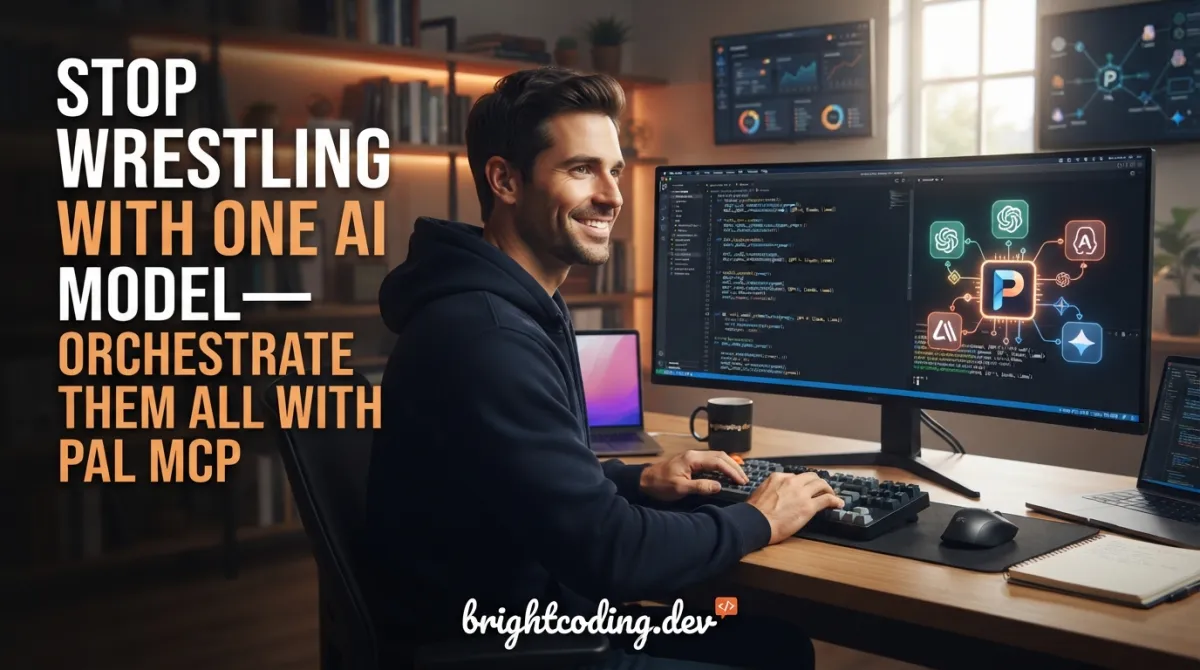
What if your AI coding assistant could suddenly become five times smarter—without you writing a single extra line of code?
Here's the brutal truth every developer is waking up to in 2025: no single AI model is good enough anymore. Claude Code nails architecture but chokes on massive codebases. Gemini Pro devours million-token contexts but misses subtle edge cases. GPT-5 reasons brilliantly yet hallucinates fresh API syntax. You're stuck in an endless game of model roulette—pasting code between ChatGPT, Claude, and Gemini like some digital refugee.
The context windows collapse. The conversation threads snap. Your "intelligent" coding session devolves into copy-paste chaos.
What if you could stop choosing—and start orchestrating?
Enter PAL MCP Server—the Provider Abstraction Layer that transforms your favorite CLI into a multi-model AI dev team. Claude Code becomes the conductor. Gemini Pro, GPT-5, O3, Grok, and your local Ollama models become the orchestra. And you? You become the puppet master who finally gets to think instead of wrestle with AI limitations.
This isn't another wrapper. This is super-glue for AI collaboration—and it's about to change how you build software forever.
What is PAL MCP Server?
PAL MCP Server is a Model Context Protocol (MCP) server built by Beehive Innovations that shatters the single-model bottleneck plaguing modern AI-assisted development. Originally launched as "Zen MCP," the project rebranded to reflect its core mission: being your AI's PAL—a Provider Abstraction Layer that makes multiple AI models work as one cohesive unit.
The repository sits at the intersection of two explosive trends: the MCP ecosystem (Anthropic's open protocol for AI tool integration) and the multi-model reality where no single provider dominates. While tools like Claude Code, Codex CLI, and Gemini CLI excel at agentic orchestration, they're historically shackled to their parent company's models. PAL MCP breaks those chains.
Why it's trending now:
- Context window anxiety is real — Developers hit Claude's limits mid-project and lose everything
- Model specialization matters — Gemini's 1M tokens for massive codebases, O3's reasoning for complex logic, Flash's speed for quick iterations
- The CLI wars are heating up — Claude Code, Codex CLI, Gemini CLI, Qwen Code CLI all competing for developer mindshare
- Enterprise lock-in fears — Teams want provider flexibility without workflow disruption
PAL MCP doesn't replace your CLI—it supercharges it. Your existing Claude Code installation suddenly gains the ability to delegate to Gemini Pro for deep analysis, consult O3 for mathematical reasoning, or spin up local Ollama instances for sensitive code—all within a single conversation thread where context flows seamlessly between models.
The killer insight: PAL isn't magic. It's architectural glue that preserves conversation state across model boundaries, making multi-AI workflows feel like talking to one impossibly capable assistant.
Key Features That Make PAL MCP Insane
True Conversation Continuity Across Models
This is where PAL MCP diverges from every other multi-model tool. When Claude's context resets (and it will), you don't restart—you revive. Ask to "continue with O3," and the other model's response magically reconstructs Claude's understanding without re-ingesting documents. Gemini remembers what O3 said ten steps ago. Context isn't just passed; it's evolved.
Auto-Model Selection with Override Control
PAL's intelligence scoring automatically routes tasks to optimal models—Gemini Pro for deep thinking, Flash for rapid iteration, local models for privacy. But you're never locked out: craft explicit prompts like "debug with o3 max thinking" or "get consensus from gpt-5 and gemini-pro" to override when you know better.
The clink CLI-to-CLI Bridge
The newest weapon in PAL's arsenal. clink (CLI + Link) doesn't just connect to external models—it spawns entire CLI subagents. Claude Code can launch isolated Codex instances for security audits. Codex can spin up Gemini CLI planners. Each subagent runs in fresh context, returns only final results, and preserves full conversation continuity. It's inception for AI coding tools.
Context Window Extension
MCP's 25K token limit becomes a suggestion, not a wall. PAL automatically shards large prompts, delegates massive codebases to Gemini's 1M-token context, and reconstructs responses without your CLI ever choking.
Vision & Multi-Modal Support
Screenshots, architecture diagrams, UI mockups—feed them to vision-enabled models through your existing CLI workflow. No context switching, no separate tools.
Professional Workflow Enforcement
PAL's guided tools prevent the "rush to implementation" that kills code quality. The codereview tool maintains confidence levels from exploring to certain. The planner tool enforces phased investigation. The challenge tool prevents sycophantic "you're absolutely right" responses that let bugs slide through.
Use Cases Where PAL MCP Destroys the Competition
1. The Impossible Codebase Review
You're inheriting a 500K-line legacy monolith. Single-model reviews either miss critical issues (Claude's context collapses) or lack depth (Gemini skims too fast). With PAL MCP:
"Perform a codereview using gemini pro and o3 and use planner to generate a detailed plan"
Claude orchestrates systematic file walking, delegates deep analysis to Gemini Pro's extended context, gets O3's reasoning on architectural flaws, synthesizes findings, and generates a phased remediation plan—all while tracking confidence levels so you know what's verified versus suspected.
2. The Context-Reset Recovery
Three hours into a complex debugging session, Claude's context evaporates. Normally? Start over. With PAL:
"Continue with o3"
O3 receives the conversation summary, reconstructs the debugging state, and continues investigation. Then "continue with gemini pro" for a fresh perspective. Your three hours aren't lost—they're distributed across models that never forget.
3. The Multi-Model Consensus Architecture Decision
Dark mode or offline support first? Don't guess—orchestrate debate:
"Use consensus with gpt-5 and gemini-pro to decide: dark mode or offline support next"
Models argue merits, expose each other's blind spots, and reach reasoned conclusions. Then immediately hand off:
"Continue with clink gemini - implement the recommended feature"
Gemini receives full debate context and starts coding with understood rationale.
4. The Security Audit with Fresh Eyes
Auth modules need paranoid review. But your main CLI session is cluttered with business logic context. Solution? Spawn an isolated subagent:
clink with codex codereviewer to audit auth module for security issues
Codex reviews in pristine context, returns only the security report, and your main session stays unpolluted. No context contamination, no missed vulnerabilities from attention drift.
5. The API Documentation Time Machine
AI training data rots. Ask about "the latest React↗ Bright Coding Blog pattern" and get 2023 advice. PAL's apilookup tool spawns subprocesses that fetch current-year documentation, preventing the silent failures that outdated API suggestions cause. It saves tokens in your main context window while guaranteeing fresh information.
Step-by-Step Installation & Setup Guide
Prerequisites
- Python↗ Bright Coding Blog 3.10+
- Git
- uv (modern Python package manager)
- API keys for at least one provider (recommend starting with OpenRouter for instant multi-model access)
Option A: Clone with Automatic Setup (Recommended)
This path handles everything—dependency installation, configuration file generation, and auto-detection of your installed CLIs (Claude Desktop, Claude Code, Gemini CLI, Codex CLI, Qwen CLI).
# Clone the repository
git clone https://github.com/BeehiveInnovations/pal-mcp-server.git
cd pal-mcp-server

# The magic script: setup, config, API key ingestion from environment
# Enables/disables tools based on .env settings
./run-server.sh
The script automatically:
- Installs Python dependencies via
uv - Creates
.envfrom.env.exampleif missing - Detects and configures connected CLI tools
- Sets up MCP server registration for detected clients
Option B: Instant Setup with uvx (Zero Clone)
For the impatient who want immediate gratification without repository clutter:
// Add to ~/.claude/settings.json or .mcp.json
// CRITICAL: Replace placeholder API keys with real values
{
  "mcpServers": {
    "pal": {
      "command": "bash",
      "args": [
        "-c",
        "for p in $(which uvx 2>/dev/null) $HOME/.local/bin/uvx /opt/homebrew/bin/uvx /usr/local/bin/uvx uvx; do [ -x \"$p\" ] && exec \"$p\" --from git+https://github.com/BeehiveInnovations/pal-mcp-server.git pal-mcp-server; done; echo 'uvx not found' >&2; exit 1"
      ],
      "env": {
        "PATH": "/usr/local/bin:/usr/bin:/bin:/opt/homebrew/bin:~/.local/bin",
        "GEMINI_API_KEY": "your-key-here",
        "DISABLED_TOOLS": "analyze,refactor,testgen,secaudit,docgen,tracer",
        "DEFAULT_MODEL": "auto"
      }
    }
  }
}
The uvx command breakdown:
--from git+https://...— Installs directly from GitHub without local clone- The shell loop finds
uvxacross common installation paths (Homebrew, pipx, manual) DISABLED_TOOLSoptimizes context window by loading only essential tools
Post-Installation Configuration
Edit .env or your MCP settings to customize:
# Provider activation (any with credentials auto-enables)
GEMINI_API_KEY=your-gemini-key
OPENAI_API_KEY=your-openai-key
OPENROUTER_API_KEY=your-openrouter-key
AZURE_OPENAI_KEY=your-azure-key
XAI_API_KEY=your-grok-key
OLLAMA_HOST=http://localhost:11434

# Tool tuning
DISABLED_TOOLS=refactor,testgen,secaudit,docgen,tracer  # Remove to enable
DEFAULT_MODEL=auto                                      # or "pro", "flash", "o3"
DEFAULT_THINKING_MODE_THINKDEEP=high

# Performance
CONVERSATION_TIMEOUT_HOURS=6
MAX_CONVERSATION_TURNS=50
LOG_LEVEL=INFO
Restart your CLI session after any configuration change. MCP servers load environment at startup only.
REAL Code Examples from the Repository
Example 1: The clink Subagent Spawn
The clink tool is PAL's most audacious feature—spawning entire CLI instances as subagents. Here's the exact usage pattern from the repository:
# Codex spawns Codex subagent for isolated code review in fresh context
clink with codex codereviewer to audit auth module for security issues
What's happening under the hood:
clink— Invokes the CLI-to-CLI bridge toolwith codex— Specifies the target CLI to spawn (could begemini,claude,codex)codereviewer— Applies a specialized system prompt role (predefined:planner,codereviewer, or custom)to audit auth module for security issues— Your natural language instruction passed to the subagent
The subagent receives only the task description and relevant file paths—not your main session's cluttered context. It performs directory traversal, file analysis, and returns a condensed final report. Your main CLI's context window remains pristine. This is context isolation as architecture, not afterthought.
Example 2: Consensus Building with Handoff
Multi-model debate followed by implementation continuity:
# Consensus from different AI models → Implementation handoff with full context preservation between tools
Use consensus with gpt-5 and gemini-pro to decide: dark mode or offline support next
Continue with clink gemini - implement the recommended feature
The technical magic:
consensustool triggers parallel queries to GPT-5 and Gemini Pro with stance steering (models are prompted to argue positions, not agree)- Responses are synthesized into a structured debate format with confidence scores
Continue with clink gemini— Thecontinuekeyword signals context revival; Gemini receives not just the decision, but the full reasoning trail—objections raised, counter-evidence, resolution logicclink geminispawns Gemini CLI with this rich context, enabling immediate implementation without re-explaining requirements
This isn't prompt chaining. It's conversation threading with distributed state.
Example 3: Tool Configuration via Environment
From the repository's configuration documentation, here's how to precisely control which tools load:
# Default configuration (from .env.example)
DISABLED_TOOLS=analyze,refactor,testgen,secaudit,docgen,tracer

# To enable specific tools, remove them from the list
# Example: Enable analyze tool for architecture understanding
DISABLED_TOOLS=refactor,testgen,secaudit,docgen,tracer

# To enable ALL tools (context window warning: each tool consumes prompt space)
DISABLED_TOOLS=
Why this matters architecturally:
Each PAL tool carries its multi-step workflow description, parameter schema, and usage examples into the MCP context window. Even unused tools consume precious tokens. The default disable list keeps core collaboration tools (chat, thinkdeep, planner, consensus) and essential quality tools (codereview, precommit, debug) active while deferring specialized tools until explicitly needed.
For MCP settings JSON configuration:
{
  "mcpServers": {
    "pal": {
      "env": {
        "DISABLED_TOOLS": "refactor,testgen,secaudit,docgen,tracer",
        "DEFAULT_MODEL": "pro",
        "DEFAULT_THINKING_MODE_THINKDEEP": "high",
        "GEMINI_API_KEY": "your-gemini-key",
        "OPENAI_API_KEY": "your-openai-key",
        "OPENROUTER_API_KEY": "your-openrouter-key",
        "LOG_LEVEL": "INFO",
        "CONVERSATION_TIMEOUT_HOURS": "6",
        "MAX_CONVERSATION_TURNS": "50"
      }
    }
  }
}
Example 4: The Complete Multi-Model Code Review Workflow
This is the repository's signature demonstration—a single natural language prompt triggering a 10-step orchestrated workflow:
"Perform a codereview using gemini pro and o3 and use planner to generate a detailed plan, implement the fixes and do a final precommit check by continuing from the previous codereview"
The executed workflow:
- Claude initiates
codereview— systematic file walking with confidence tracking (exploring→low→medium→high→certain) - Collects findings, notes issues, gathers relevant code snippets
- Delegates to Gemini Pro — shares files and findings for deep-dive second review
- Delegates to O3 — adds any new discoveries to prompt, gets reasoning-focused analysis
- Synthesizes unified report — Claude combines all feedback, resolves conflicts, identifies where it initially misunderstood
- Invokes
planner— if major refactor needed, breaks into structured actionable steps - Implements fixes — Claude performs actual code modifications
- Revives context with Gemini Pro —
continuekeyword preserves full review history - Runs
precommitreview — final validation with complete understanding of what was recommended and what was changed
Gemini Pro in step 9 knows what O3 recommended in step 4. This is the context continuity that makes PAL irreplaceable.
Advanced Usage & Best Practices
Optimize Your AI Stack Per CLI
| Your CLI | Orchestrator Model | Deep Thinking Model |
|---|---|---|
| Claude Code | Sonnet 4.5 | Gemini 3.0 Pro or GPT-5.2 Pro |
| Codex CLI | GPT-5.2 Codex Medium | Gemini 3.0 Pro or GPT-5.2-Pro |
| Gemini CLI | Gemini 3.0 Pro | GPT-5.2 or O3 |
Context Window Budgeting
Enable tools strategically. The analyze tool loads entire codebase architecture—essential for onboarding, expensive for quick tasks. Use DISABLED_TOOLS as a runtime performance lever, not just setup convenience.
Thinking Mode Calibration
The thinkdeep tool offers reasoning depth control. Use high for architectural decisions, medium for routine debugging, low for quick validation. Match thinking cost to decision consequence.
Subagent Role Specialization
Define custom roles in clink beyond built-in planner and codereviewer. Create security-paranoid, performance-obsessed, or legacy-compat roles with tailored system prompts. Spawn multiple subagents with conflicting priorities to surface hidden tradeoffs.
API Lookup Hygiene
Always prefix API questions with apilookup for current documentation. The tool's subprocess isolation prevents token waste while guaranteeing freshness. Critical for fast-moving ecosystems: React Server Components, Next.js↗ Bright Coding Blog App Router, Tailwind v4.
Comparison with Alternatives
| Feature | PAL MCP | Raw MCP | Single-Model CLI | API Gateway |
|---|---|---|---|---|
| Multi-model in one conversation | ✅ Native | ❌ Manual switching | ❌ Locked to provider | ⚠️ No context sharing |
| Conversation continuity across models | ✅ Automatic | ❌ None | N/A | ❌ Stateless |
| CLI-to-CLI subagent spawning | ✅ clink |
❌ Not possible | ❌ Isolated tools | ❌ Not applicable |
| Context revival after reset | ✅ Built-in | ❌ Restart required | ❌ Lost forever | ❌ No session state |
| Guided workflow enforcement | ✅ 12+ tools | ❌ Unstructured | ⚠️ Basic | ❌ None |
| Local model integration | ✅ Ollama native | ⚠️ Manual setup | ⚠️ Varies | ⚠️ Proxy only |
| MCP token limit bypass | ✅ Automatic | ❌ Hard limit | N/A | ❌ Pass-through |
| Setup complexity | 5 minutes | Hours of config | Minutes | Complex routing |
The verdict: Raw MCP gives you protocol compliance. API gateways give you routing. Single-model CLIs give you polish. PAL MCP gives you orchestrated intelligence—the emergent capability that appears when multiple specialized AIs collaborate with preserved context.
FAQ
Q: Does PAL MCP replace Claude Code or Codex CLI?
A: Absolutely not. PAL enhances your existing CLI. Claude Code remains the orchestrator—you gain the ability to delegate to other models, not lose Claude's agentic capabilities.
Q: How much does this cost compared to using one model?
A: You're trading model monopoly for task-optimized spending. A Gemini Pro deep-dive on a 500K codebase costs less than repeated Claude context reloads. Use local Ollama for sensitive code at zero API cost. The auto model selection minimizes unnecessary premium model calls.
Q: Is my code sent to multiple providers?
A: Only when you explicitly request multi-model workflows. Single-model tasks stay with your chosen provider. For paranoid scenarios, route everything through local Ollama or enterprise Azure deployments.
Q: What happens when models disagree?
A: The consensus tool surfaces disagreements with reasoning. The challenge tool prevents false agreement. You—the human—make final decisions with more information, not less.
Q: Can I use PAL with Cursor or VS Code extensions?
A: Yes. PAL MCP works with any MCP-compatible client, including Cursor and the Claude Dev VS Code extension. IDE integration instructions are in the getting started guide.
Q: Why are some tools disabled by default?
A: Each tool's description consumes MCP context window tokens. The default set optimizes for common workflows while keeping the door open for specialized needs. Enable secaudit before security reviews, testgen before coverage sprints.
Q: How stable is the clink CLI bridge?
A: It's the newest feature (marked as "Now with CLI-to-CLI Bridge"), so expect rapid iteration. The core MCP orchestration is battle-tested. Start with chat and consensus tools, graduate to clink subagents as you build confidence.
Conclusion
The era of AI model monogamy is dead. The developers shipping fastest in 2025 aren't praying their single model doesn't hallucinate—they're orchestrating specialized AIs like a conductor commands an orchestra, each playing their strength at precisely the right moment.
PAL MCP Server isn't just another tool in the AI arms race. It's the architectural realization that intelligence isn't about individual model size—it's about context preservation across specialized cognition. When Gemini remembers O3's insight from ten steps ago, when a subagent returns clean analysis without polluting your main thread, when your context reset becomes a revival instead of a restart—that's not convenience. That's compound intelligence.
The repository is Apache 2.0 licensed, actively maintained, and installs in five minutes. Whether you're wrestling with legacy monoliths, debating architecture decisions, or simply tired of AI context amnesia—stop wrestling with one model. Start orchestrating them all.
👉 Star PAL MCP Server on GitHub and join the multi-model revolution. Your future self—the one debugging at 2 AM with three AIs collaborating in perfect context harmony—will thank you.
You are the AI. Actually Intelligent.
Outils recommandés
Explore on the BrightCoding network
Hand-picked resources from our other sites.
team-attention/plugins-for-claude-natives: Extend Claude Code with 14 Plugins
14 MIT-licensed Claude Code plugins including multi-agent councils, YouTube digests with Korean translation, podcast generation, Gmail/Calendar integration, and...
alibaba-flyai/flyai-skill: Travel Search Inside Claude Code
FlyAI skill embeds real-time flight, hotel, and attraction search into Claude Code and OpenClaw via natural language commands. Zero-config startup, eight search...
mcpware/claude-code-organizer: Cross-Harness Dashboard for AI Coding Tools
Cross-Code Organizer (formerly Claude Code Organizer) is a cross-harness config dashboard for Claude Code, Codex CLI, and MCP servers. Features context budget a...
Continuez votre lecture

Why Alexandrie is the Ultimate Markdown Note-Taking App

Why CrossPaste is the Ultimate Game Changer for Clipboard Management

Why Chandra is the Ultimate OCR Tool for Handwriting and Tables

Stop Coding Alone: OPC-Skills Gives Your AI Agent Superpowers
Commentaires 0
Aucun commentaire pour l'instant. Soyez le premier à réagir !