Stop Wrestling with Postman! Scalar Is the OpenAPI Platform You Need
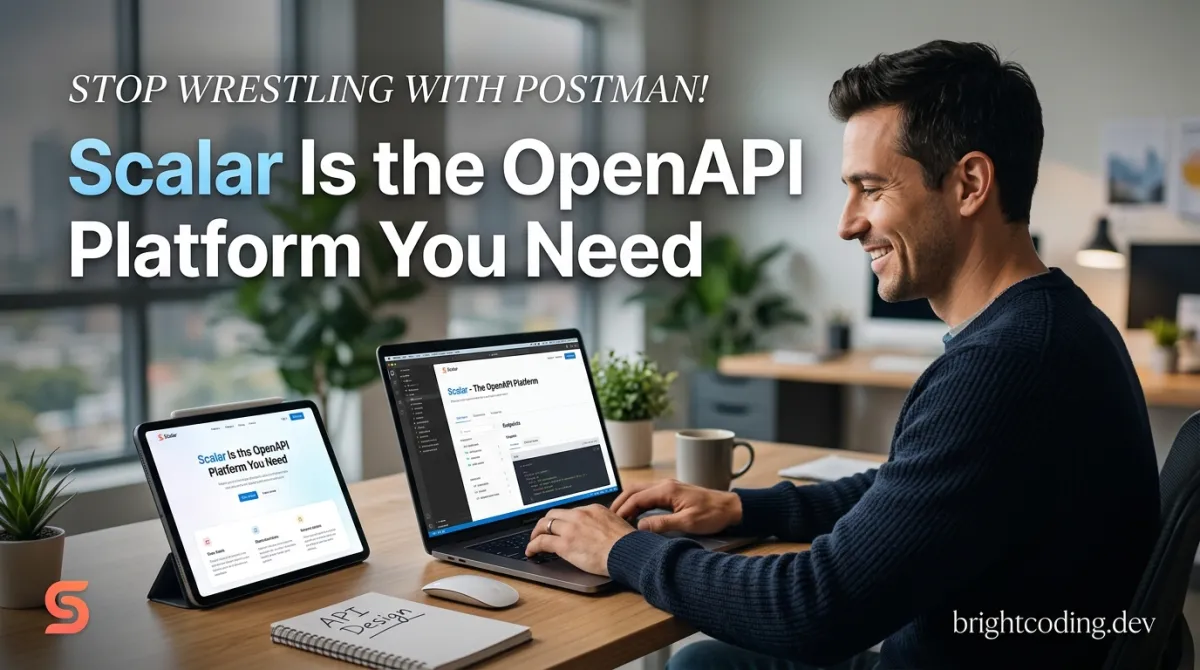
Stop Wrestling with Postman! Scalar Is the OpenAPI Platform You Need
Let me ask you something brutal: How many hours did you waste last month fighting your API tools?
You know the drill. You fire up Swagger UI, and suddenly you're transported back to 2011. That beige interface. The broken try-it-now buttons. The CORS errors that make you want to flip your desk. Or maybe you're shelling out for Postman, drowning in workspace limits, praying your team doesn't hit another collaboration wall.
Here's the dirty secret nobody talks about: Your API documentation is your product's front door. Yet most developers treat it like a forgotten closet. Clunky. Embarrassing. Barely functional.
What if I told you there's a tool that renders gorgeous API references from OpenAPI files, includes a built-in testing client, generates code examples in dozens of languages, and doesn't look like it was designed when Obama first took office?
Enter Scalar — the open-source API platform that's making developers actually excited about documentation again. Born from the frustration of ugly, limited tools, Scalar combines a modern REST API client, beautiful API references, and first-class OpenAPI/Swagger support into one seamless experience. And it's completely free.
Ready to see what you've been missing?
What Is Scalar? The Open-Source API Platform Built for Modern Developers
Scalar is an open-source API platform created by developers who were fed up with the status quo. It's not just another documentation generator or a Postman clone with a fresh coat of paint. It's a fundamentally reimagined approach to working with APIs — from how you document them to how you test them.
The project lives at github.com/scalar/scalar and has rapidly gained traction across the developer community. Why? Because it solves real problems with elegant solutions.
At its core, Scalar delivers three powerhouse capabilities:
- 🌐 Modern REST API Client — An offline-first, cross-platform API testing tool that rivals (and surpasses) expensive alternatives
- 📖 Beautiful API References — Stunning, interactive documentation generated directly from your OpenAPI/Swagger files
- ✨ First-Class OpenAPI/Swagger Support — Native, deep integration that actually works without configuration gymnastics
The platform is built with modern web technologies and designed to integrate with virtually every framework you already use. From Elysia and Hono to FastAPI, NestJS, Laravel↗ Bright Coding Blog, Django, Spring Boot, Ruby on Rails, and Go — Scalar plugs in effortlessly.
What's particularly impressive is the Watch Mode synchronization. Your API spec changes, your documentation updates instantly. No manual rebuilds. No deployment pipelines to trigger. It just works.
The project is actively maintained with a thriving community on Discord and strong CI/CD practices. With contributors like hanspagel, amritk, and marclave driving development, Scalar isn't a side project that'll vanish next quarter — it's infrastructure you can bet your API strategy on.
Key Features That Make Scalar Insanely Powerful
Let's dissect what makes Scalar genuinely different from the tools you've tolerated for years.
Interactive API Reference from OpenAPI/Swagger
Scalar doesn't just parse your OpenAPI spec — it brings it to life. The rendered documentation includes:
- Live API testing embedded directly in the reference
- Auto-generated code examples for dozens of languages and frameworks
- Modern, responsive design that doesn't induce design PTSD
- Framework-native integrations that feel like first-party features
Offline-First API Client
The Scalar API Client is where things get really interesting. Unlike browser-based tools that lose your work when you close a tab, Scalar is built for offline productivity:
- Free and open-source — no subscription tiers holding features hostage
- First-class OpenAPI/Swagger support — import specs seamlessly
- Environment variables and dynamic parameters — manage staging, production, and local configs effortlessly
- Cross-platform availability — Windows, macOS, Linux, and browser
- Watch Mode — sync with your server framework for real-time updates
Ecosystem Depth
Scalar isn't a single tool — it's a platform of interconnected projects:
| Project | Purpose |
|---|---|
| Scalar API Reference | Self-hosted documentation |
| Scalar API Client | Postman alternative |
| Agent Scalar | AI-powered API chat |
| Scalar Registry | OpenAPI document management |
| Scalar Docs | Hosted documentation platform |
| Scalar SDKs | Automatic SDK generation |
| Scalar CLI | Command-line interface |
| Scalar Mock Server | Mock APIs from OpenAPI specs |
| Scalar OpenAPI Parser | Parse and validate OpenAPI |
| Scalar OpenAPI to Markdown↗ Smart Converter | Convert specs to Markdown/HTML |
This ecosystem means you're not cobbling together five different tools. You're working within a unified platform that shares state, conventions, and design philosophy.
Real-World Use Cases Where Scalar Destroys the Competition
1. Startup Shipping Public APIs
You're launching a developer-facing API. First impressions matter. Swagger UI screams "we don't care about experience." Scalar's beautiful references signal professionalism and attention to detail. Your docs become a competitive advantage, not a liability.
2. Enterprise Microservices Architecture
Hundreds of internal services, each with its own documentation scattered across Confluence, GitHub repos, and who-knows-where. Scalar's Registry centralizes OpenAPI documents, while the API Client standardizes how teams test endpoints. The Watch Mode ensures docs never drift from implementation.
3. Agency Managing Multiple Client Projects
Context-switching between client APIs is brutal. Scalar's environment variables and dynamic parameters let you configure staging, production, and local environments per project. No more "wait, which token am I using?" moments at 2 AM.
4. Open-Source Project Maintainers
You need documentation that contributors can actually use. Scalar's single HTML file quickstart means zero infrastructure. Drop a file in your docs/ directory, point it at your OpenAPI spec, and you're done. The GitHub Sync feature on hosted plans even keeps everything version-controlled.
5. API-First Design Teams
Designing APIs before implementation? Scalar's Mock Server generates working endpoints from your OpenAPI spec. Frontend teams can start building against real (mocked) APIs while backend developers implement. Parallel workstreams, zero blockers.
Step-by-Step Installation & Setup Guide
Getting started with Scalar is embarrassingly simple. Here's how to deploy a production-ready API reference in under five minutes.
Option 1: Single HTML File (Fastest)
Create api-reference.html:
<!doctype html>
<html>
  <head>
    <title>Scalar API Reference</title>
    <meta charset="utf-8" />
    <meta
      name="viewport"
      content="width=device-width, initial-scale=1" />
  </head>

  <body>
    <div id="app"></div>

    <!-- Load the Scalar API Reference script from CDN -->
    <script src="https://cdn.jsdelivr.net/npm/@scalar/api-reference"></script>

    <!-- Initialize with your OpenAPI spec -->
    <script>
      Scalar.createApiReference('#app', {
        // URL of your OpenAPI/Swagger document
        url: 'https://registry.scalar.com/@scalar/apis/galaxy?format=json',
        // Proxy to avoid CORS headaches during testing
        proxyUrl: 'https://proxy.scalar.com',
      })
    </script>
  </body>
</html>
That's it. Serve this file from any static host — GitHub Pages, Vercel, S3, your grandmother's FTP server. It just works.
Option 2: Framework Integration
Scalar offers native integrations for 30+ frameworks. Here's a taste:
FastAPI (Python↗ Bright Coding Blog):
from fastapi import FastAPI
from scalar_fastapi import get_scalar_api_reference

app = FastAPI()

@app.get("/scalar", include_in_schema=False)
async def scalar_html():
    return get_scalar_api_reference(
        openapi_url=app.openapi_url,
        title=app.title,
    )
Express (Node.js):
const express = require('express');
const { apiReference } = require('@scalar/express-api-reference');

const app = express();

app.use('/reference', apiReference({
  spec: {
    url: '/openapi.json',
  },
}));
Hono (Edge-First):
import { Hono } from 'hono';
import { apiReference } from '@scalar/hono-api-reference';

const app = new Hono();

app.get('/docs', apiReference({
  spec: { url: '/doc' },
}));
Option 3: Download the Desktop Client
For the offline-first API Client, grab binaries for your platform:
- Web: client.scalar.com
- Desktop: scalar.com/download (Windows, macOS, Linux)
The desktop client supports environment variables, collection imports, and Watch Mode for real-time server synchronization.
REAL Code Examples from the Repository
Let's examine actual implementation patterns from Scalar's documentation, with detailed breakdowns of what each piece accomplishes.
Example 1: Basic HTML Quickstart (The Foundation)
This is the canonical example from the README — and it's more powerful than it first appears:
<!doctype html>
<html>
  <head>
    <title>Scalar API Reference</title>
    <meta charset="utf-8" />
    <meta
      name="viewport"
      content="width=device-width, initial-scale=1" />
  </head>

  <body>
    <div id="app"></div>

    <!-- Load the Script -->
    <script src="https://cdn.jsdelivr.net/npm/@scalar/api-reference"></script>

    <!-- Initialize the Scalar API Reference -->
    <script>
      Scalar.createApiReference('#app', {
        // The URL of the OpenAPI/Swagger document
        url: 'https://registry.scalar.com/@scalar/apis/galaxy?format=json',
        // Avoid CORS issues
        proxyUrl: 'https://proxy.scalar.com',
      })
    </script>
  </body>
</html>
What's happening here:
Scalar.createApiReference('#app', {...})mounts the entire interactive reference into the DOM element with idapp- The
urlparameter points to any valid OpenAPI 3.x or Swagger 2.0 JSON/YAML spec proxyUrlis the secret weapon — it routes API test requests through Scalar's CORS proxy, eliminating the "No 'Access-Control-Allow-Origin' header" errors that plague local development
Pro tip: Replace the Galaxy demo URL with your own spec endpoint. For local development, use http://localhost:3000/openapi.json.
Example 2: Custom Headers with CodePen Reference
The README points to an advanced CodePen example for custom headers. Here's the pattern it demonstrates:
Scalar.createApiReference('#app', {
  url: 'https://api.example.com/openapi.json',
  proxyUrl: 'https://proxy.scalar.com',
  // Custom headers applied to all API reference requests
  headers: [
    {
      name: 'Authorization',
      value: 'Bearer eyJhbGciOiJIUzI1NiIsInR5cCI6IkpXVCJ9...',
    },
    {
      name: 'X-API-Version',
      value: '2024-01-15',
    },
  ],
});
Critical insight: These headers are for the reference document fetch, not the API test calls. This distinction matters for authenticated specs — many teams gate their OpenAPI JSON behind the same auth as their API.
Example 3: Theming and Configuration Depth
Scalar's configuration object is surprisingly deep. From the documentation structure:
Scalar.createApiReference('#app', {
  url: 'https://api.example.com/openapi.json',

  // Theme configuration
  theme: 'moon', // 'default', 'moon', 'purple', 'solarized', etc.

  // Layout options
  layout: 'classic', // 'classic', 'modern'

  // Deep-linking behavior
  redirectUri: 'https://docs.example.com/oauth-callback',

  // Hide/show elements
  hideModels: false,
  hideDownloadButton: false,

  // Custom CSS injection for brand alignment
  customCss: `
    :root {
      --scalar-color-1: #ff6b6b;
      --scalar-color-2: #4ecdc4;
    }
  `,
});
Why this matters: Scalar doesn't force you into their visual identity. The CSS custom properties (--scalar-*) let you align the reference with your brand without forking or hacky overrides.
Example 4: Framework-Native Integration Pattern
Looking at the integration list, here's how Elysia (a rising Bun-first framework) uses Scalar natively:
import { Elysia } from 'elysia';
import { swagger } from '@elysiajs/swagger';

const app = new Elysia()
  .use(swagger({
    documentation: {
      info: {
        title: 'My API',
        version: '1.0.0',
      },
    },
    // Elysia uses Scalar as its default documentation UI
    scalarConfig: {
      theme: 'moon',
      layout: 'modern',
    },
  }))
  .get('/hello', () => 'Hello from Elysia + Scalar!')
  .listen(3000);
The significance: Elysia chose Scalar as its default OpenAPI UI. Not Swagger UI. Not ReDoc. Scalar. This signals where the ecosystem is heading.
Advanced Usage & Best Practices
Environment Strategy for Teams
The Scalar API Client supports sophisticated environment management:
- Create environments per stage:
development,staging,production - Use variables for secrets:
{{api_key}},{{base_url}} - Sync via team workspaces (hosted) or export/import (self-hosted)
Watch Mode for Live Development
Enable Watch Mode in the desktop client pointing at your local server:
# Your server emits OpenAPI on this endpoint
scalar --watch http://localhost:3000/openapi.json
As you modify your API implementation, the spec updates and Scalar refreshes automatically. No manual re-import. No context switching.
Performance Optimization for Large Specs
Massive OpenAPI files (>10MB) can slow rendering. Mitigate with:
- Lazy loading: Split into multiple specs linked via
$ref - Filtering: Use
tagsoroperationsconfig to show subsets - CDN caching: Host your spec on a CDN with proper cache headers
Security Considerations
- Never commit production API keys to your Scalar config
- Use proxyUrl for public docs to hide your actual API origin
- Enable authentication on your spec endpoint if it contains sensitive schemas
Comparison with Alternatives: Why Scalar Wins
| Feature | Scalar | Swagger UI | ReDoc | Postman |
|---|---|---|---|---|
| Open Source | ✅ Fully | ✅ Fully | ✅ Fully | ❌ Freemium |
| Modern Design | ✅ Stunning | ❌ Dated | ✅ Good | ⚠️ Cluttered |
| Built-in API Client | ✅ Native | ❌ No | ❌ No | ✅ Yes |
| Offline Support | ✅ Desktop apps | ❌ Browser only | ❌ Browser only | ⚠️ Limited free |
| Framework Integrations | ✅ 30+ | ⚠️ Manual | ⚠️ Manual | ❌ None |
| Code Generation | ✅ Multi-language | ⚠️ Limited | ⚠️ Limited | ✅ Yes |
| Watch Mode | ✅ Built-in | ❌ No | ❌ No | ❌ No |
| Self-hosted Cost | ✅ Free | ✅ Free | ✅ Free | ❌ Expensive |
| CORS Proxy | ✅ Included | ❌ Manual setup | ❌ Manual setup | ✅ Cloud only |
The verdict: Scalar combines the best of Swagger UI (standards compliance), ReDoc (beautiful rendering), and Postman (testing capabilities) while eliminating their individual weaknesses. And it does so without trapping you in a pricing tier.
FAQ: Your Burning Questions Answered
Is Scalar completely free?
Yes. The core platform is open-source under a permissive license. Paid tiers exist for managed hosting (Scalar Docs, Registry) and team collaboration features, but you can self-host everything indefinitely at zero cost.
Can I import my existing Postman collections?
Absolutely. Scalar's API Client supports importing Postman collections, OpenAPI specs, and cURL commands. Migration friction is minimal.
Does Scalar support OpenAPI 3.1?
Yes. Scalar has first-class support for OpenAPI 3.0.x and 3.1.x, plus backward compatibility with Swagger 2.0. The parser handles edge cases that break lesser tools.
How do I handle authentication in the API reference?
Scalar automatically renders OAuth 2.0, API key, and HTTP authentication schemes from your OpenAPI spec. Users can authenticate directly in the reference UI and test endpoints with their tokens.
Can I customize the look and feel?
Extensively. Through CSS custom properties, theme presets, layout options, and custom CSS injection. White-labeling is straightforward for enterprise deployments.
Is there an on-premise option?
Yes. Everything runs self-hosted. The API Reference is a static bundle. The API Client has desktop binaries. No cloud dependency required.
What about GraphQL or gRPC?
Currently, Scalar focuses on REST/OpenAPI. GraphQL and gRPC support are on the roadmap but not yet available. For those protocols, complementary tools remain necessary.
Conclusion: The API Tooling Revolution Is Here — Don't Get Left Behind
We've tolerated broken, ugly, expensive API tools for too long. Scalar represents a fundamental shift: documentation and testing that developers actually enjoy using, built on open standards, available without extractionary pricing.
The platform's trajectory is undeniable. Framework after framework — Elysia, Effect, Litestar, Platformatic — are choosing Scalar as their default. The contributor graph is accelerating. The feature set is expanding from references and clients into AI-powered assistance (Agent Scalar), SDK generation, and comprehensive registry management.
But here's what matters most: You can start using Scalar in the next 10 minutes.
One HTML file. Your OpenAPI spec. That's all it takes to transform how your team and your users interact with your APIs.
The future of API tooling isn't locked behind enterprise sales calls. It's open source. It's beautiful. It's Scalar.
👉 Star Scalar on GitHub and join thousands of developers who've already made the switch. Your APIs deserve better than 2011.
P.S. — Grab the desktop client at scalar.com/download and experience what offline-first API testing should feel like. You'll never look at Postman the same way.
Outils recommandés
Explore on the BrightCoding network
Hand-picked resources from our other sites.
Stop Building Form Backends From Scratch! Use FormBee Instead
Discover FormBee, the open-source form backend eliminating server-side form coding. Features PoW CAPTCHA, multi-channel plugins, domain whitelisting, and modula...
ttt30ga/awesome-product-design: Curated Resources for Digital Product Designers
ttt30ga/awesome-product-design is a CC0-licensed Awesome List curating 2,645+ starred resources across research, UX, UI, visual design, prototyping, and accessi...
buildermethods/design-os: Close the Gap Between Product Vision and Code
buildermethods/design-os is an MIT-licensed TypeScript tool that bridges product planning and implementation through a guided AI conversation workflow, exportin...
Continuez votre lecture
Why Alexandrie is the Ultimate Markdown Note-Taking App

Why CrossPaste is the Ultimate Game Changer for Clipboard Management
Why Chandra is the Ultimate OCR Tool for Handwriting and Tables
Stop Coding Alone: OPC-Skills Gives Your AI Agent Superpowers
Commentaires 0
Aucun commentaire pour l'instant. Soyez le premier à réagir !