Stop Wrestling with Scientific Python! 135 AI Skills That Just Work
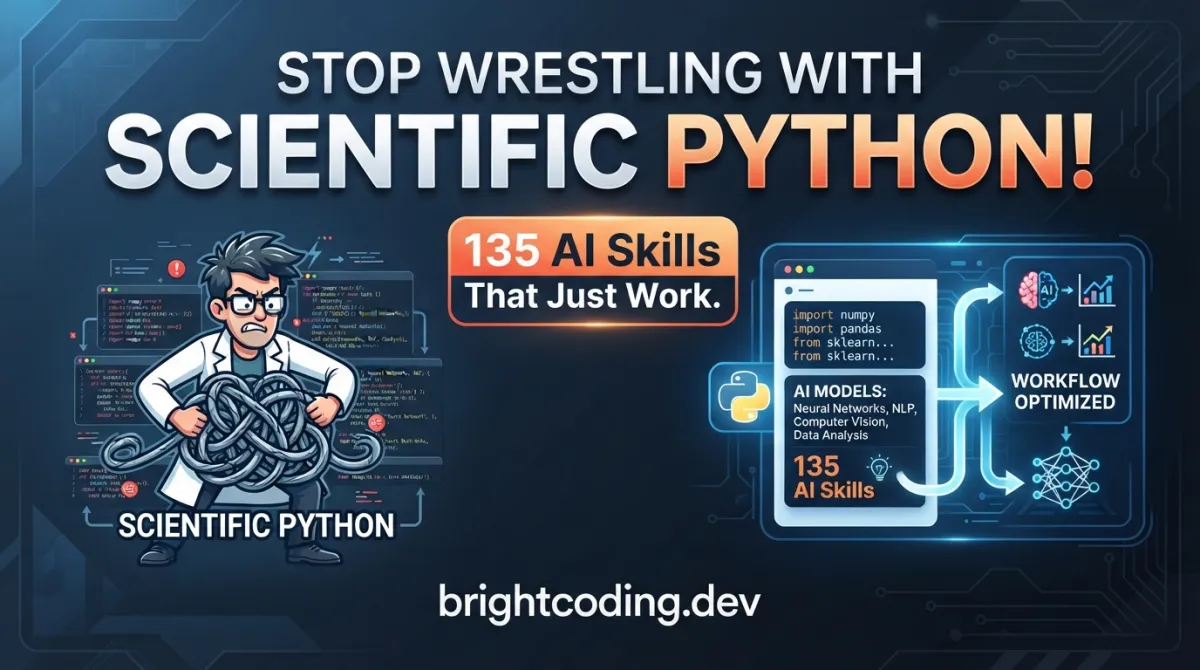
Stop Wrestling with Scientific Python↗ Bright Coding Blog! 135 AI Skills That Just Work
How many hours have you lost this month to dependency hell? If you're a researcher, scientist, or engineer working with Python, I already know the answer: too many. You've battled conda environments that refuse to resolve. You've pip-installed RDKit only to discover it conflicts with your PyTorch CUDA version. You've spent three days configuring Scanpy for single-cell analysis when you should have been analyzing actual cells.
Here's the brutal truth: the scientific Python ecosystem is a minefield of incompatible dependencies, outdated documentation, and tribal knowledge scattered across GitHub issues. Every new project feels like starting from scratch. Every collaboration becomes a negotiation over whose environment works.
But what if your AI coding assistant already knew how to navigate this labyrinth? What if it came pre-equipped with 135 battle-tested scientific skills, complete with curated documentation, working code examples, and best practices for everything from cancer genomics to molecular dynamics?
Welcome to Scientific Agent Skills — the open-source project that's turning AI agents from code generators into genuine research collaborators. Originally built for Claude (as "Claude Scientific Skills"), this collection now works with any AI agent supporting the open Agent Skills standard — Cursor, Claude Code, Codex, Gemini CLI, and beyond.
This isn't another package manager. This isn't another environment solver. This is a fundamental reimagining of how scientific computing should work in the age of AI.
What Is Scientific Agent Skills?
Scientific Agent Skills is a comprehensive collection of 135 ready-to-use skills created by K-Dense, an AI research infrastructure company. Each skill packages domain expertise, working code patterns, and integration know-how into a format that AI agents can understand and execute autonomously.
The project evolved from "Claude Scientific Skills" into its current form to embrace the open Agent Skills standard — a specification that any AI agent can implement. This means you're not locked into any single platform. Use Cursor for your IDE integration, switch to Claude Code for terminal workflows, or experiment with Codex — your scientific skills travel with you.
Why is this trending now? Three converging forces:
- AI agents are becoming capable enough to execute multi-step scientific workflows, but they lack domain-specific knowledge
- The scientific Python stack has grown explosively complex — no human can master all the tools
- Researchers are desperate for reproducibility — shared, tested skill definitions solve this
The repository covers 17 major scientific domains with explicit skills for 70+ Python packages, 100+ databases, and 9 scientific platform integrations. But here's the crucial part: these aren't just API wrappers. Each skill includes comprehensive SKILL.md documentation, practical code examples, use cases, integration guides, and reference materials. Your AI agent doesn't just know that RDKit exists — it understands when to use it, how to avoid common pitfalls, and what the alternatives are.
For those wanting a complete desktop research environment without setup friction, K-Dense also offers K-Dense BYOK — a free, open-source "AI co-scientist" with web search, file handling, 100+ scientific databases, and all 135 skills, running locally with your own API keys.
Key Features That Separate Amateurs from Pros
135 Curated, Not Catalogued
Anyone can list packages. Scientific Agent Skills curates them. Each skill is tested, documented, and optimized for AI agent consumption. The difference? A listed package might have broken examples. A curated skill has working patterns your agent can execute immediately.
100+ Database Unified Access
Stop writing bespoke API clients for every database. The unified Database Lookup skill provides REST API access to 78 public databases spanning chemistry (PubChem, ChEMBL), genomics (UniProt, NCBI Entrez), clinical (ClinicalTrials.gov, ClinVar), pathways (KEGG, Reactome), patents (USPTO), and economics (FRED, SEC EDGAR). Multi-database packages like BioServices (~40 bioinformatics services), BioPython (38 NCBI sub-databases), and gget (20+ genomics databases) extend this even further.
70+ Optimized Python Package Skills
Explicitly defined skills for RDKit, Scanpy, PyTorch Lightning, scikit-learn, BioPython, pyzotero, BioServices, PennyLane, Qiskit, OpenMM, MDAnalysis, scVelo, TimesFM and more. Critical note: your agent can use any Python package without a dedicated skill. These 70+ simply provide stronger, more reliable performance through curated documentation and examples.
9 Scientific Platform Integrations
Direct skills for Benchling, DNAnexus, LatchBio, OMERO, Protocols.io, Open Notebook, and more. Again, your agent isn't limited to these — any API reachable from Python works. These are simply the optimized, pre-documented paths.
30+ Analysis & Communication Tools
From literature review and peer review to scientific writing, poster generation, slide creation, schematics, infographics, and Mermaid diagrams. Your agent becomes a full research collaborator, not just a coder.
10+ Research & Clinical Tools
Hypothesis generation, grant writing, clinical decision support, treatment plans, regulatory compliance, scenario analysis — the full research lifecycle covered.
Enterprise-Grade Security
All skills are scanned with Cisco AI Defense Skill Scanner for prompt injection, data exfiltration, and malicious code patterns. Weekly rescans with published results. You can (and should) run the scanner locally before installing third-party skills.
Real-World Scenarios Where This Changes Everything
Scenario 1: The Impossible Drug Discovery Pipeline
You're tasked with finding novel EGFR inhibitors for lung cancer treatment. Traditionally, this means: query ChEMBL manually, export data, write RDKit scripts for SAR analysis, figure out DiffDock installation (good luck with the CUDA requirements), search PubMed separately, check COSMIC for mutations, then somehow combine everything into a report.
With Scientific Agent Skills, you type one prompt and your agent orchestrates the entire pipeline:
Use available skills you have access to whenever possible. Query ChEMBL for EGFR inhibitors (IC50 < 50nM), analyze structure-activity relationships
with RDKit, generate improved analogs with datamol, perform virtual screening with DiffDock
against AlphaFold EGFR structure, search PubMed for resistance mechanisms, check COSMIC for
mutations, and create visualizations and a comprehensive report.
Skills activated: ChEMBL, RDKit, datamol, DiffDock, AlphaFold DB, PubMed, COSMIC, scientific visualization. Time saved: 3-5 days of setup and scripting.
Scenario 2: Single-Cell Analysis Without the Configuration Nightmare
10X Genomics data analysis with public data integration typically requires: Scanpy installation (which pulls in half of scipy), Cellxgene Census API wrangling, marker gene lookup across three databases, differential expression tools that conflict with your existing numpy version.
The skill-powered approach:
Use available skills you have access to whenever possible. Load 10X dataset with Scanpy, perform QC and doublet removal, integrate with Cellxgene
Census data, identify cell types using NCBI Gene markers, run differential expression with
PyDESeq2, infer gene regulatory networks with Arboreto, enrich pathways via Reactome/KEGG,
and identify therapeutic targets with Open Targets.
Skills activated: Scanpy, Cellxgene Census, NCBI Gene, PyDESeq2, Arboreto, Reactome, KEGG, Open Targets. The agent handles dependency conflicts automatically through uv-managed environments.
Scenario 3: Multi-Omics Biomarker Discovery
Integrating RNA-seq, proteomics, and metabolomics data with clinical outcome prediction used to require a team of bioinformaticians. Now:
Use available skills you have access to whenever possible. Analyze RNA-seq with PyDESeq2, process mass spec with pyOpenMS, integrate metabolites from
HMDB/Metabolomics Workbench, map proteins to pathways (UniProt/KEGG), find interactions via
STRING, correlate omics layers with statsmodels, build predictive model with scikit-learn,
and search ClinicalTrials.gov for relevant trials.
Skills activated: PyDESeq2, pyOpenMS, HMDB, Metabolomics Workbench, UniProt, KEGG, STRING, statsmodels, scikit-learn, ClinicalTrials.gov. What was a months-long project becomes an afternoon's work.
Scenario 4: Clinical Variant Interpretation for Precision Medicine
Analyzing a VCF file for hereditary cancer risk assessment requires parsing, annotation, database queries across multiple systems, literature review, and report generation. Without skills, you're writing custom pipelines for each step.
The streamlined workflow:
Use available skills you have access to whenever possible. Parse VCF with pysam, annotate variants with Ensembl VEP, query ClinVar for pathogenicity,
check COSMIC for cancer mutations, retrieve gene info from NCBI Gene, analyze protein impact
with UniProt, search PubMed for case reports, check ClinPGx for pharmacogenomics, generate
clinical report with document processing tools, and find matching trials on ClinicalTrials.gov.
Skills activated: pysam, Ensembl, ClinVar, COSMIC, NCBI Gene, UniProt, PubMed, ClinPGx, Document Skills, ClinicalTrials.gov. From raw VCF to clinical report in one continuous workflow.
Step-by-Step Installation & Setup Guide
Prerequisites
Before installing skills, ensure you have:
- Python 3.11+ (3.12+ recommended for best compatibility)
- uv: The Python package manager that handles skill dependencies
- Any Agent Skills-compatible client: Cursor, Claude Code, Codex, Gemini CLI, etc.
- macOS, Linux, or Windows with WSL2
Installing uv (Required)
The skills use uv for fast, reliable dependency management:
# macOS and Linux
curl -LsSf https://astral.sh/uv/install.sh | sh

# Windows
powershell -ExecutionPolicy ByPass -c "irm https://astral.sh/uv/install.ps1 | iex"

# Alternative via pip
pip install uv

# Verify installation
uv --version
Option 1: Install with npx (Recommended — All Platforms)
The simplest, most universal approach:
npx skills add K-Dense-AI/scientific-agent-skills
This works across all platforms — Claude Code, Claude Cowork, Codex, Gemini CLI, Cursor, and any future Agent Skills-compatible agent.
Option 2: Install with GitHub CLI
If you have GitHub CLI v2.90.0+:
# Browse and install interactively
gh skill install K-Dense-AI/scientific-agent-skills

# Install a specific skill directly
gh skill install K-Dense-AI/scientific-agent-skills scanpy

# Target specific agent hosts
gh skill install K-Dense-AI/scientific-agent-skills --agent cursor
gh skill install K-Dense-AI/scientific-agent-skills --agent claude-code
gh skill install K-Dense-AI/scientific-agent-skills --agent codex
gh skill install K-Dense-AI/scientific-agent-skills --agent gemini
Version pinning for reproducibility:
# Pin to a release tag
gh skill install K-Dense-AI/scientific-agent-skills --pin v1.0.0

# Pin to a commit SHA
gh skill install K-Dense-AI/scientific-agent-skills --pin abc123def
Keeping skills updated:
# Check for updates interactively
gh skill update

# Update all installed skills
gh skill update --all
Post-Installation Verification
After installation, your agent automatically discovers available skills. You can verify by:
- Restarting your agent/IDE
- In Cursor: Check Settings → Rules to confirm skill discovery
- Mention any skill name in your prompt to invoke it directly
That's it. No environment configuration. No dependency resolution. No version conflicts. Your agent now has access to 135 scientific skills.
REAL Code Examples from the Repository
The power of Scientific Agent Skills isn't in abstract promises — it's in concrete, executable workflows. Here are actual examples from the repository, with detailed explanations of what makes each pattern work.
Example 1: Drug Discovery Pipeline — EGFR Inhibitor Search
This is the complete prompt for a multi-step drug discovery workflow, exactly as documented:
Use available skills you have access to whenever possible. Query ChEMBL for EGFR inhibitors (IC50 < 50nM), analyze structure-activity relationships
with RDKit, generate improved analogs with datamol, perform virtual screening with DiffDock
against AlphaFold EGFR structure, search PubMed for resistance mechanisms, check COSMIC for
mutations, and create visualizations and a comprehensive report.
What's happening under the hood?
The phrase "Use available skills you have access to whenever possible" is the critical activation phrase. It instructs your agent to consult its skill inventory before attempting generic solutions. Without this, the agent might write naive API calls or reimplement functionality.
The workflow then chains 8 distinct skills in dependency order:
- ChEMBL skill handles the bioactivity query with proper IC50 filtering, returning structured compound data
- RDKit skill performs molecular fingerprinting, similarity calculations, and SAR table generation
- datamol skill applies generative molecular design to propose analogs with improved properties
- DiffDock skill manages the complex CUDA-enabled docking environment (the skill handles installation if needed)
- AlphaFold DB skill retrieves the correct EGFR structure with proper chain selection
- PubMed skill executes structured literature queries for resistance mechanisms
- COSMIC skill queries cancer mutation frequencies and functional impacts
- Scientific visualization skill generates publication-ready figures combining all results
The "and create visualizations and a comprehensive report" finale triggers the document processing and visualization skills to synthesize everything into coherent outputs.
Example 2: Single-Cell RNA-seq with Public Data Integration
This example demonstrates how skills handle the complexity of integrating private and public datasets:
Use available skills you have access to whenever possible. Load 10X dataset with Scanpy, perform QC and doublet removal, integrate with Cellxgene
Census data, identify cell types using NCBI Gene markers, run differential expression with
PyDESeq2, infer gene regulatory networks with Arboreto, enrich pathways via Reactome/KEGG,
and identify therapeutic targets with Open Targets.
Technical breakdown:
The Scanpy skill doesn't just import scanpy — it knows the exact QC thresholds for 10X data (mitochondrial percentage <5%, doublet scores from scrublet or scDblFinder), the correct AnnData structure conventions, and the proper normalization workflow (log1p, highly variable genes, scaling).
The Cellxgene Census skill handles the tiledb-soma backend, which most researchers struggle to install. It knows the correct census version, organism selection, and the optimal query patterns for cell metadata.
The NCBI Gene skill bridges gene symbols to NCBI Gene IDs, then retrieves official names, synonyms, and functional descriptions — critical for accurate cell type annotation.
PyDESeq2 (note: actually typically used for bulk, but the skill knows when pseudobulk approaches are appropriate) and Arboreto for GRN inference represent specialized tools that would take hours to learn independently.
The Reactome/KEGG and Open Targets skills complete the therapeutic relevance assessment — all without you writing a single import statement.
Example 3: Multi-Omics Integration for Biomarker Discovery
This is the most complex workflow example, showing how skills handle data type integration:
Use available skills you have access to whenever possible. Analyze RNA-seq with PyDESeq2, process mass spec with pyOpenMS, integrate metabolites from
HMDB/Metabolomics Workbench, map proteins to pathways (UniProt/KEGG), find interactions via
STRING, correlate omics layers with statsmodels, build predictive model with scikit-learn,
and search ClinicalTrials.gov for relevant trials.
Why this matters technically:
Multi-omics integration fails most often at data harmonization — matching identifiers across gene, protein, and metabolite spaces. The skills handle this automatically:
- PyDESeq2 skill outputs results with Ensembl IDs, gene symbols, and Entrez IDs where possible
- pyOpenMS skill maps peptides to proteins via UniProt accessions
- HMDB/Metabolomics Workbench skills provide metabolite mappings to KEGG compounds and PubChem CIDs
- UniProt skill serves as the central bridge, with its comprehensive cross-reference database
- STRING skill accepts multiple identifier types and returns consistent interaction networks
The statsmodels skill knows appropriate correlation methods for multi-omics (sparse canonical correlation analysis, partial least squares, or simpler approaches depending on sample size), while scikit-learn skill handles the cross-validation strategy for small-sample biomarker discovery.
ClinicalTrials.gov skill provides the final translation step — connecting molecular findings to actionable therapeutic contexts.
Example 4: Security Scanning Before Installation
The repository includes explicit security tooling. Here's how to verify skills before trusting them:
# Install the security scanner
uv pip install cisco-ai-skill-scanner

# Scan a skill before installation
skill-scanner scan /path/to/skill --use-behavioral
Why this pattern is essential:
Agent Skills can execute arbitrary code, install packages, make network requests, and modify files. The --use-behavioral flag runs dynamic analysis to detect prompt injection attempts, data exfiltration patterns, and other malicious behaviors that static analysis misses.
This isn't paranoia — it's defense in depth. The K-Dense team runs this scanner weekly on all skills, but recommends users scan community contributions locally before installation.
Advanced Usage & Best Practices
Selective Installation for Security
The repository explicitly warns: "Do not install everything at once." While K-Dense-authored skills undergo thorough review, community contributions may not. Install only skills you need, read each SKILL.md before installation, and check contribution history.
Version Pinning for Reproducible Research
Science demands reproducibility. Use gh skill install --pin to lock to specific versions:
# Pin to exact release for published methods
gh skill install K-Dense-AI/scientific-agent-skills --pin v1.0.0
Document pinned versions in your methods section for reproducible publications.
Skill Composition for Novel Workflows
The real power emerges when you compose skills creatively. The repository's examples are starting points, not boundaries. Combine geospatial analysis with clinical epidemiology. Merge materials science with drug discovery. The skills are designed for interdisciplinary bridging.
Local vs. Cloud Execution
Heavy workloads (DiffDock screening, large-scale MD simulations) need GPU resources. The repository integrates with Modal for cloud compute scaling, or you can use K-Dense Web for zero-setup cloud execution with publication-ready outputs.
Custom Skill Development
Follow the Agent Skills Specification for creating your own. Key requirements: valid SKILL.md frontmatter, consistent directory structure, tested code examples, and security scanning before submission.
Comparison with Alternatives
| Feature | Scientific Agent Skills | Manual Package Installation | Jupyter AI | Commercial Platforms |
|---|---|---|---|---|
| Setup time | Seconds (one command) | Hours to days | Minutes | Minutes |
| Domain coverage | 135 skills, 17 domains | Whatever you install | Generic coding | Varies by vendor |
| AI agent compatibility | Cursor, Claude Code, Codex, Gemini CLI | None (manual only) | Jupyter only | Proprietary only |
| Database access | 100+ unified | Manual API integration | None built-in | Varies |
| Reproducibility | Version-pinned skills | Environment files (fragile) | Cell outputs | Locked to platform |
| Security scanning | Cisco AI Defense weekly | None | None | Opaque |
| Cost | Free (MIT) | Free (your time) | Free | $50-500/month |
| Customizability | Full open source | Full | Limited | Limited |
| Offline capable | Yes (after install) | Yes | Yes | No |
| Enterprise support | Available via K-Dense | None | None | Varies |
The decisive advantage: Scientific Agent Skills combines the freedom of open source with the convenience of managed platforms — without the lock-in or cost.
FAQ: What Developers Actually Ask
Q: Is this really free for commercial use?
A: The repository is MIT licensed, permitting any use. However, each individual skill has its own license specified in its SKILL.md metadata. Review these before commercial deployment — most are permissive, but some scientific packages have academic-only restrictions.
Q: Can my AI agent use packages without dedicated skills?
A: Absolutely yes. The 70+ optimized package skills are accelerators, not gates. Your agent can install and use any Python package via standard pip/uv commands. The skills simply provide stronger performance for common workflows through curated documentation.
Q: How do I know which skills are trustworthy?
A: Check three things: (1) Author — K-Dense-authored skills (K-Dense-AI) have internal review; (2) SKILL.md documentation — read what it does and what it accesses; (3) Security scan results — run skill-scanner locally or check SECURITY.md for weekly scan summaries.
Q: What if I need a skill that doesn't exist?
A: Contribute it! The project welcomes community contributions. Follow the Agent Skills Specification, include comprehensive SKILL.md documentation, test your examples, and submit a pull request. Or request it via GitHub Issues.
Q: Do skills work with my existing Python environment?
A: Skills use uv for isolated dependency management. They won't corrupt your existing conda/pip environments. Each skill can specify its own Python version and package set.
Q: How is this different from just using ChatGPT/Claude for coding?
A: Generic AI assistants hallucinate APIs, suggest deprecated syntax, and lack domain-specific best practices. Scientific Agent Skills provides tested, versioned, documented capabilities that your agent invokes reliably — not guesses about.
Q: Can I use this for regulated environments (GLP, GxP)?
A: The ISO 13485 Certification skill addresses medical device standards. For full GxP compliance, you'll need validated processes beyond the open-source repository. K-Dense offers enterprise support for regulated deployments.
Conclusion: The Future of Scientific Computing Is Agent-Powered
I've watched researchers spend entire grant cycles wrestling with tooling instead of doing science. I've seen brilliant hypotheses die in dependency hell. Scientific Agent Skills represents a fundamental shift — from humans serving tools to tools serving science, orchestrated by capable AI agents.
The 135 skills in this repository aren't just convenience features. They're institutional knowledge encoded for execution — the accumulated wisdom of how to actually make scientific Python work, distilled into forms that AI agents can deploy reliably.
Yes, you should review what you install. Yes, you should understand what your agent is doing. But the alternative — continuing to reinvent scientific computing infrastructure for every project — is no longer acceptable when research timelines compress and data volumes explode.
My recommendation? Install it today. Start with one domain relevant to your work. Experience what it's like when your AI assistant actually understands scientific workflows. Then expand.
The repository is at github.com/K-Dense-AI/scientific-agent-skills. Star it, fork it, contribute to it. The future of open scientific computing depends on community investment in shared infrastructure.
Stop configuring. Start discovering. Your next breakthrough shouldn't wait for pip to resolve.
Want a complete desktop research environment with zero setup? Check out K-Dense BYOK — the free, open-source AI co-scientist running all 135 skills locally with your own API keys.
Outils recommandés
Explore on the BrightCoding network
Hand-picked resources from our other sites.
ZCF Exposed: The Zero-Config Setup Claude Code Users Are Switching To
Discover ZCF (Zero-Config Code Flow), the intelligent agent system that eliminates Claude Code and Codex setup friction. One command replaces hours of manual co...
buildermethods/design-os: Close the Gap Between Product Vision and Code
buildermethods/design-os is an MIT-licensed TypeScript tool that bridges product planning and implementation through a guided AI conversation workflow, exportin...
Stop Losing SSH Sessions on iOS: Clauntty Exposed
Discover Clauntty, the open-source iOS terminal with automatic session persistence via rtach and GPU-accelerated Metal rendering from Ghostty. Complete build gu...
Continuez votre lecture

Why Alexandrie is the Ultimate Markdown Note-Taking App

Why CrossPaste is the Ultimate Game Changer for Clipboard Management

Why Chandra is the Ultimate OCR Tool for Handwriting and Tables

Stop Coding Alone: OPC-Skills Gives Your AI Agent Superpowers
Commentaires 0
Aucun commentaire pour l'instant. Soyez le premier à réagir !