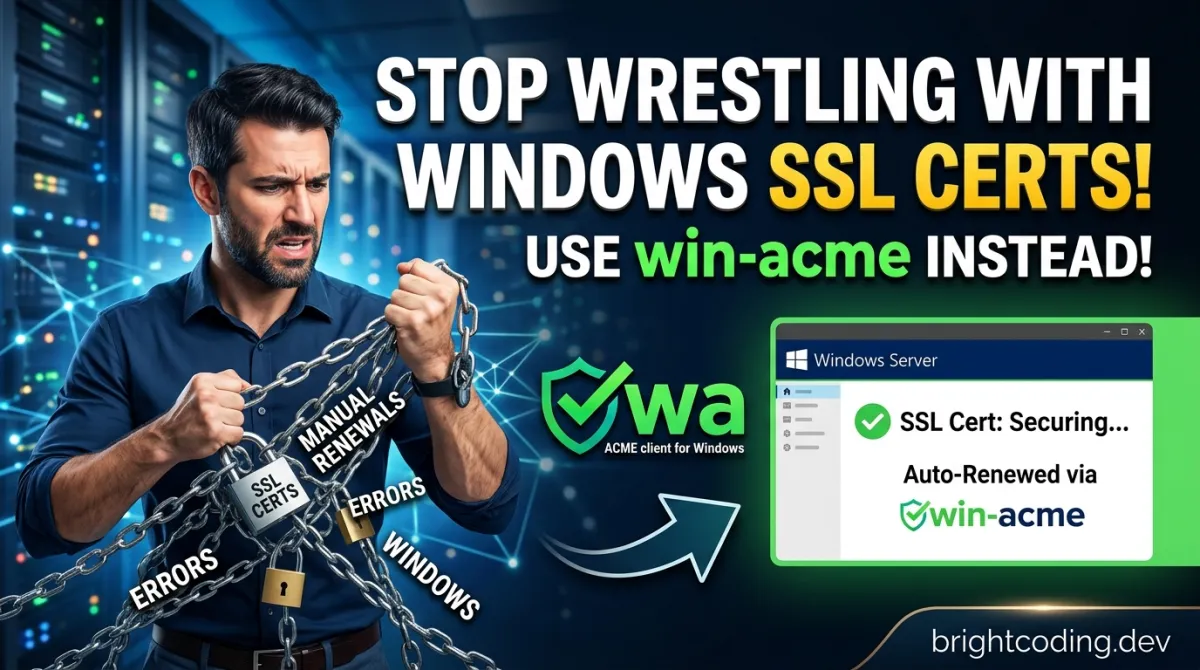
Stop Wrestling with Windows SSL Certs! Use win-acme Instead
Stop Wrestling with Windows SSL Certs! Use win-acme Instead
What if your SSL certificates could renew themselves while you sleep? No more calendar reminders. No more panicked 3 AM deployments because Let's Encrypt expired. No more PowerShell scripts that break every six months. This isn't a fantasy—it's what thousands of Windows administrators already experience daily, and they've been keeping it suspiciously quiet.
Here's the brutal truth: SSL certificate management on Windows is a productivity killer. IIS managers waste hours manually importing .pfx files. Exchange admins juggle complicated cmdlets. DevOps↗ Bright Coding Blog engineers cobble together fragile automation that fails at the worst possible moment. The cost isn't just time—it's security incidents, downtime, and that creeping dread when you realize a cert expired yesterday and nobody noticed.
But what if I told you there's a tool so elegantly simple that you'll have your first automated certificate in under five minutes? A tool powerful enough to handle wildcards, international domain names, and enterprise validation methods—yet intuitive enough for a junior admin? Meet win-acme, the ACMEv2 client that's secretly becoming the standard for Windows SSL automation. Officially maintained by ZeroSSL, this open-source powerhouse has already solved the exact problems keeping you awake at night. And by the end of this article, you'll wonder why you ever did this manually.
What is win-acme?
win-acme is a battle-tested ACMEv2 client specifically engineered for Windows environments. Born from the frustration of certificate management complexity, it bridges the gap between Let's Encrypt's Linux-centric tooling and the real-world needs of Windows infrastructure. The project is now officially maintained by ZeroSSL, a major certificate authority, which speaks volumes about its enterprise credibility.
ACME (Automatic Certificate Management Environment) is the protocol that powers free certificate authorities like Let's Encrypt. While Linux users have enjoyed seamless ACME integration for years, Windows administrators historically faced a tooling desert. win-acme fills this gap with native Windows sensibilities—scheduled tasks, IIS integration, PowerShell extensibility, and registry-aware configuration.
Why is it trending now? Three forces are converging:
- Certificate lifespans are shrinking. Let's Encrypt's 90-day certs demand true automation, not just "remember to renew" workflows.
- ZeroSSL's acquisition signals enterprise trust. When a commercial CA maintains an open-source tool, it validates the project's roadmap and stability.
- Windows Server 2025 and modern IIS versions increasingly expect automated certificate lifecycle management as a baseline requirement.
Unlike certbot (Linux-focused, requires WSL hacks on Windows) or commercial tools with per-certificate pricing, win-acme occupies a sweet spot: completely free, aggressively open-source, yet professionally maintained. It's the tool that grows with you—from your first IIS site to a thousand-server Exchange deployment.
Key Features That Make win-acme Irresistible
Let's dissect what makes this tool special. These aren't bullet points from a marketing page; they're capabilities that solve actual operational pain.
🔒 Dual-Mode Operation: Simple AND Advanced
The genius of win-acme is its progressive disclosure interface. New users run wacs.exe and get guided prompts for basic IIS certificates. Power users bypass the UI entirely with command-line switches, JSON configuration files, and custom C# plugins. You're never locked into "beginner mode" or forced to learn complexity before you need it.
🔄 Truly Automatic Renewals
win-acme doesn't just create certificates—it owns their entire lifecycle. During first run, it automatically generates a Windows Scheduled Task that handles renewal without human intervention. The task runs with appropriate privileges, handles failures gracefully, and logs comprehensively. This isn't a cron job kludge; it's native Windows task scheduler integration that respects your security model.
🌍 Wildcards and International Domain Support
Need *.example.com? Covered. Running services in China with 证书.example.com? Handled. The tool properly encodes internationalized domain names and supports wildcard SAN certificates through DNS validation. The OCSP Must Staple extension—crucial for security-hardened deployments—is available as an optional flag.
🔐 Cryptographic Flexibility
Enterprise security teams will appreciate: EC (Elliptic Curve) cryptography support for modern performance, private key reuse for DANE (DNS-based Authentication of Named Entities) deployments, and the ability to import your own Certificate Signing Request (CSR). You're not forced into the tool's cryptographic preferences.
🌐 Validation Method Arsenal
HTTP validation? Of course. But also: DNS validation via Azure DNS, AWS↗ Bright Coding Blog Route53, Cloudflare, acme-dns, and more. TLS-ALPN-01 for port 443-only servers. Even SFTP/FTPS deployment for distributed web farms. The validation plugins are modular and extensible.
📦 Flexible Certificate Storage
Store certificates exactly where your infrastructure expects them: Windows Certificate Store, IIS Central Certificate Store (shared hosting environments), PEM files (for nginx/Apache on Windows), password-protected PFX files, or Azure KeyVault. No post-processing scripts required.
🏢 Multi-CA Compatibility
While Let's Encrypt popularized free certificates, win-acme plays nicely with all major ACME providers: ZeroSSL, DigiCert, Sectigo, Buypass, Keyon, and others. This future-proofs your automation against CA policy changes or rate limit issues.
Real-World Use Cases Where win-acme Dominates
Use Case 1: The Overworked IIS Administrator
Sarah manages 47 IIS sites across three servers. Before win-acme, she maintained a spreadsheet of expiration dates and performed manual imports monthly. Now? She ran wacs.exe once per site, selected "IIS site" from the menu, and chose automatic renewal. The scheduled task handles everything. Her monthly certificate ritual became a five-minute annual audit.
Use Case 2: The Exchange Server Nightmare
Exchange Server certificates are notoriously finicky—wrong thumbprint in IIS, broken autodiscover, mail flow failures. win-acme's Exchange plugin targets the exact services that need certificates (IIS, SMTP, IMAP, POP), applies them correctly, and renews without disrupting mail flow. No more Exchange certificate panic on Friday evenings.
Use Case 3: The Wildcard CDN Challenge
A SaaS company serves customer subdomains via *.platform.example.com behind Cloudflare. Manual wildcard certificates were impossible to maintain across edge locations. win-acme's Cloudflare DNS plugin automates the _acme-challenge TXT record creation, obtains the wildcard cert, and deploys to their Windows origin servers. Subdomain provisioning became fully automated.
Use Case 4: The Compliance-Conscious Enterprise
A financial services firm requires certificates from a specific CA (Sectigo), with EC P-256 keys, stored in Azure KeyVault for HSM-backed security, with audit logging to Splunk. win-acme's plugin architecture makes this possible: Sectigo CA configuration, EC crypto selection, Azure KeyVault storage plugin, and PowerShell post-installation scripts for Splunk notification. Compliance requirements met without commercial certificate management costs.
Step-by-Step Installation & Setup Guide
Ready to escape certificate hell? Here's your complete path to automation.
Method 1: Portable Installation (Recommended for Most Users)
This approach requires no prerequisites and keeps everything self-contained:
# Download the latest release from GitHub
# Visit: https://github.com/win-acme/win-acme/releases
# Download: win-acme.v2.x.x.x.x64.pluggable.zip

# Extract to a permanent location (NOT Downloads or Temp)
Expand-Archive -Path "win-acme.v2.x.x.x.x64.pluggable.zip" -DestinationPath "C:\tools\win-acme"

# Navigate and run
Set-Location "C:\tools\win-acme"
.\wacs.exe
The first launch presents an interactive menu. For a basic IIS certificate:
 [INFO] A simple Windows ACMEv2 client (WACS)
 [INFO] Software version 2.x.x.x (RELEASE, PLUGGABLE, 64-bit)
 [INFO] Connecting to https://acme-v02.api.letsencrypt.org/...

 N: Create certificate (default settings)
 M: Create certificate (full options)
 R: Run renewals
 A: Manage renewals
 O: More options...
 Q: Quit

 Please choose from the menu: N
Select N for the fastest path, or M for granular control over every parameter.
Method 2: .NET Tool Installation (For Developer Workstations)
If you have .NET Core SDK installed:
# Install globally as a dotnet tool
dotnet tool install win-acme --global

# Run from anywhere
wacs.exe
Important: The .NET tool installation is convenient for interactive use, but the portable version often works better for server deployments where you want explicit version control.
Post-Installation: Verify Scheduled Task
win-acme automatically creates a scheduled task. Verify it exists:
# Check the scheduled task
Get-ScheduledTask -TaskName "win-acme*" | Select-Object TaskName, State, NextRunTime

# Expected output shows a task like "win-acme renew (acme-v02.api.letsencrypt.org)"
# State: Ready
# NextRunTime: [tomorrow morning, typically 9:00 AM]
The default renewal check runs daily. Certificates only renew when approaching expiration (typically 30 days before), so don't worry about unnecessary API calls.
Firewall and Network Considerations
For HTTP validation, ensure port 80 is accessible from the internet. For DNS validation, ensure outbound HTTPS (443) to your DNS provider's API. The tool itself needs outbound 443 to the ACME server.
# Quick test of ACME connectivity
Test-NetConnection -ComputerName acme-v02.api.letsencrypt.org -Port 443
REAL Code Examples from win-acme
Let's examine actual patterns from the win-acme ecosystem. These aren't toy examples—they're production-ready implementations.
Example 1: Unattended IIS Certificate Creation
The true power emerges when you automate beyond interactive mode. This command creates a certificate for an IIS site without any user interaction:
# Completely unattended certificate creation for IIS
# Perfect for CI/CD pipelines or initial server provisioning

C:\tools\win-acme\wacs.exe `
    --source iis `
    --siteid 1 `
    --commonname "www.example.com" `
    --store certificatestore `
    --installation iis `
    --emailaddress "admin@example.com" `
    --accepttos `
    --notaskscheduler  # Omit this to auto-create the renewal task
What's happening here? --source iis tells win-acme to discover bindings from IIS site ID 1. --store certificatestore places the result in the Windows Certificate Store. --installation iis updates the site's SSL binding automatically. The --accepttos flag agrees to Let's Encrypt's terms programmatically. This single line replaces an entire manual workflow.
Example 2: Wildcard Certificate with Cloudflare DNS
Wildcards require DNS validation. Here's how to automate the DNS challenge with Cloudflare:
# Wildcard certificate using Cloudflare DNS validation
# Requires Cloudflare API token with Zone:Edit permissions

C:\tools\win-acme\wacs.exe `
    --source manual `
    --host "*.example.com,example.com" `
    --validation dns `
    --dnssystem cloudflare `
    --cloudflareapitoken "your-api-token-here" `
    --store pemfiles `
    --pemfilespath "C:\certs" `
    --installation script `
    --script "C:\scripts\deploy-cert.ps1" `
    --scriptparameters "{CertThumbprint}"
Critical insight: The --host parameter includes both *.example.com AND example.com because wildcard certs don't cover the naked domain. The --dnssystem cloudflare plugin automatically creates and deletes the _acme-challenge TXT record. The --store pemfiles output generates separate .pem files—ideal for nginx, Apache, or container workloads on Windows.
Example 3: Advanced JSON-Based Automation
For infrastructure-as-code deployments, win-acme supports JSON configuration files that define complete certificate lifecycles:
{
  "Client": {
    "EmailAddress": "admin@example.com",
    "AcceptTos": true,
    "RegistrationTermsOfServiceUri": "https://letsencrypt.org/documents/LE-SA-v1.3-September-21-2022.pdf"
  },
  "Target": {
    "Plugin": "iis",
    "SiteId": 1,
    "CommonName": "api.example.com"
  },
  "Validation": {
    "Plugin": "selfhosting",
    "Port": 80
  },
  "Store": {
    "Plugin": "centralssl",
    "Path": "\\\\fileserver\\certstore$",
    "PfxPassword": "secure-password-here"
  },
  "Installation": {
    "Plugin": "iis",
    "SiteId": 1
  }
}
Save this as api-cert.json, then execute:
# Apply JSON configuration non-interactively
.\wacs.exe --import api-cert.json
Why this matters: JSON configurations become version-controlled infrastructure definitions. Review changes in pull requests, deploy via Azure DevOps or GitHub Actions, and maintain audit trails impossible with point-and-click certificate management.
Example 4: PowerShell Post-Processing Hook
win-acme can trigger custom PowerShell scripts after certificate installation. This example reloads an application that monitors the Windows Certificate Store:
# deploy-cert.ps1 - Called by win-acme after certificate installation
# Receives parameters automatically from win-acme

param(
    [Parameter(Mandatory=$true)]
    [string]$CertThumbprint,    # New certificate thumbprint

    [Parameter(Mandatory=$true)]
    [string]$StorePath,          # Where certificate was stored

    [Parameter(Mandatory=$false)]
    [string]$PreviousThumbprint  # Previous cert, if renewing
)

# Log the renewal event for monitoring
Write-EventLog -LogName Application -Source "win-acme" -EventId 1000 -EntryType Information `
    -Message "Certificate renewed. New thumbprint: $CertThumbprint"

# Restart dependent service to pick up new certificate
Restart-Service -Name "MyCustomWebService" -Force

# Notify monitoring system (example: PagerDuty webhook)
Invoke-RestMethod -Uri "https://events.pagerduty.com/v2/enqueue" `
    -Method POST `
    -Headers @{"Authorization"="Token token=your-token"} `
    -Body (@{
        routing_key = "your-routing-key"
        event_action = "trigger"
        payload = @{
            summary = "SSL certificate renewed for $(hostname)"
            severity = "info"
            custom_details = @{
                thumbprint = $CertThumbprint
                previous = $PreviousThumbprint
            }
        }
    } | ConvertTo-Json)
Register this script in your win-acme configuration, and every renewal becomes a fully observable, integrated event in your operational toolchain.
Advanced Usage & Best Practices
Separate Staging and Production Configurations
Let's Encrypt's staging environment has generous rate limits for testing. Always validate your automation there first:
# Use staging server for testing (no rate limit worries)
.\wacs.exe --baseuri "https://acme-staging-v02.api.letsencrypt.org/directory" ...
Certificate Transparency Monitoring
win-acme certificates appear in Certificate Transparency logs. Monitor these logs (via crt.sh or Facebook's monitoring tool) to detect unauthorized certificates for your domains—an early warning of DNS compromise or CA misissuance.
Backup Your Configuration
The %ProgramData%\win-acme directory contains account keys, renewal configurations, and historical data. Include this in your backup strategy—losing it means re-authorizing all domains.
Test Renewals Proactively
Don't wait for expiration. Force a renewal test:
# Force immediate renewal (useful for testing)
.\wacs.exe --renew --force --baseuri "https://acme-staging-v02.api.letsencrypt.org/directory"
Monitor Renewal Failures
The scheduled task logs to Windows Event Log. Configure alerting on Event ID errors, or add a PowerShell notification script to your renewal configuration.
Comparison with Alternatives
| Feature | win-acme | certbot (Windows) | Certify The Web | Posh-ACME |
|---|---|---|---|---|
| Cost | Free (Open Source) | Free (Open Source) | Free tier / Paid | Free (Open Source) |
| IIS Integration | Native, seamless | Requires manual binding | Excellent | Manual scripting |
| Exchange Support | Built-in plugin | None | Available | Manual scripting |
| Wildcard Support | Full DNS automation | Limited on Windows | Full | Full |
| Scheduled Renewals | Auto-created, native | Manual cron/WSL hack | Built-in | Manual Task Scheduler |
| Enterprise CA Support | All ACME CAs | All ACME CAs | All ACME CAs | All ACME CAs |
| Custom Plugins | C# SDK | Python↗ Bright Coding Blog plugins | Limited | PowerShell modules |
| Maintenance Status | Actively maintained (ZeroSSL) | Active (EFF) | Active | Active |
| Learning Curve | Gentle slope, deep power | Linux-centric, steep on Windows | GUI-first, limited CLI | PowerShell expertise required |
Verdict: certbot is the standard for Linux but feels alien on Windows. Certify The Web has a polished GUI but costs money for advanced features. Posh-ACME offers PowerShell purity but demands more scripting. win-acme hits the sweet spot: free, powerful, and natively Windows.
FAQ: Your Burning Questions Answered
Q: Does win-acme work with Windows Server Core (no GUI)?
Absolutely. The interactive menu runs in any console, including remote PowerShell sessions. For fully headless operation, use command-line parameters or JSON configuration files.
Q: Can I use win-acme with my own internal ACME server?
Yes. Specify any ACMEv2-compatible endpoint with --baseuri. This includes smallstep, Boulder, and other private CA implementations.
Q: What happens if renewal fails?
The scheduled task retries with exponential backoff. win-acme sends notifications (if configured) and logs detailed errors. Certificates typically renew 30 days before expiration, providing ample troubleshooting time.
Q: Is win-acme secure for production environments?
ZeroSSL's official maintenance provides commercial-grade assurance. The codebase is open for audit, uses standard Windows cryptography APIs, and supports HSM-backed keys via Azure KeyVault. Thousands of production sites depend on it.
Q: Can I migrate existing certificates to win-acme?
win-acme manages its own certificate lifecycle. For existing certificates, simply run win-acme to obtain replacements—it will install and configure bindings automatically. There's no direct "import" of external certificates for renewal.
Q: Does it support multi-server deployments?
For true high availability, combine win-acme with shared storage (IIS Central Certificate Store, Azure KeyVault, or DFS). Each server can run win-acme, or a single server can obtain certificates and distribute them via your preferred mechanism.
Q: What about ACME account key management?
win-acme automatically creates and protects ACME account keys in %ProgramData%\win-acme. For disaster recovery, back up this directory. You can also specify custom account key locations if your security policy requires it.
Conclusion: Your Certificate Automation Starts Now
Manual SSL certificate management is a solved problem that too many teams still suffer through. Every hour spent importing certificates, updating bindings, or frantically renewing expired certs is an hour stolen from work that actually moves your business forward.
win-acme represents the rare combination of simplicity and depth: five minutes to your first automated certificate, yet powerful enough for the most demanding enterprise scenarios. With ZeroSSL's backing, active development, and a plugin ecosystem that grows monthly, it's the safest long-term bet for Windows SSL automation.
The question isn't whether you can afford to adopt win-acme. It's whether you can afford not to.
Download the latest release, run wacs.exe, and join the thousands of administrators who've already reclaimed their time. Your future self—calmly sleeping through certificate renewals instead of panic-deploying at 2 AM—will thank you.
⭐ Star the repository | 📥 Download Latest Release | 📖 Read the Full Manual
Found this guide valuable? Share it with your fellow Windows administrators still wrestling with manual certificate management. The automation revolution is one wacs.exe away.
Outils recommandés
Explore on the BrightCoding network
Hand-picked resources from our other sites.
warp-tech/warpgate: Clientless Bastion Host for SSH, HTTPS and Databases
warp-tech/warpgate is a clientless, Rust-based bastion host supporting SSH, HTTPS, Kubernetes, databases, RDP and VNC with built-in 2FA, SSO, and full session r...
alexta69/metube: Self-Hosted yt-dlp Web UI for Video Downloads
alexta69/metube is a self-hosted web UI for yt-dlp with 14,133 GitHub stars. It enables browser-based video, audio, and playlist downloads from YouTube and doze...
tramcar/awesome-job-boards: Curated Niche Job Boards for Developers
tramcar/awesome-job-boards is a curated Awesome List of 100+ niche job boards for specialized tech roles in AI, blockchain, programming languages, remote work,...
Continuez votre lecture

Extracting Text from Images & QR Codes: Free Tools, Safety Secrets, and Game-Changing Use Cases
Protect Privacy Like a Pro: The Ultimate Guide to Face Anonymization in Videos & Photos (2026 Edition)

Self-Hosted AI Notes with RAG: The Ultimate Privacy-First Knowledge Management Revolution (2026 Guide)
Stop Coding Alone: OPC-Skills Gives Your AI Agent Superpowers
Commentaires 0
Aucun commentaire pour l'instant. Soyez le premier à réagir !