Stop Writing API Wrappers by Hand! api2cli Does It Instantly
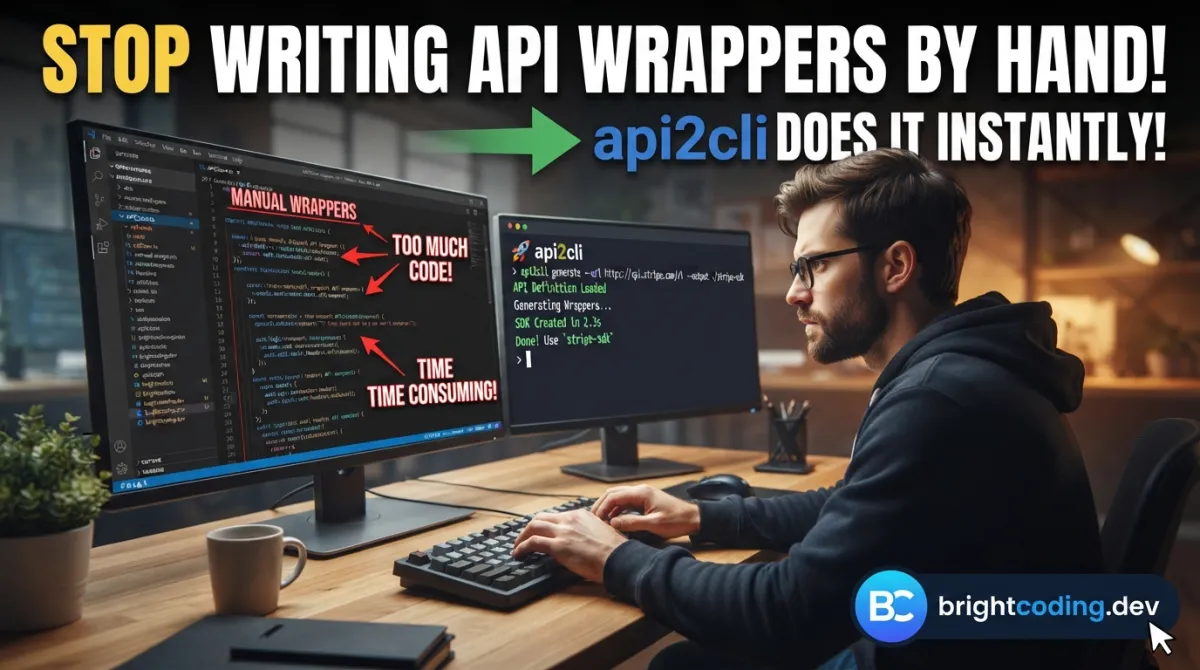
Stop Writing API Wrappers by Hand! api2cli Does It Instantly
What if every API you touched this year came with a perfectly crafted CLI—no boilerplate, no documentation rabbit holes, no weekend sacrificed to wrangling HTTP clients? Here's the painful truth most developers won't admit: we've been building API wrappers wrong for decades. We read docs, we write clients, we debug auth headers at 2 AM, and we pray our brittle scripts survive the next API version bump. It's tedious. It's error-prone. And it's completely unnecessary now.
Enter api2cli, the Claude Code skill that's making senior engineers quietly abandon their hand-rolled API clients. Created by Alex Hillman, this isn't just another code generator—it's a dual-audience architecture that serves both humans and AI agents from a single codebase. Point it at API docs, a live endpoint, or a network capture, and watch it discover endpoints, build a Commander.js CLI with intelligent output routing, and wrap everything in a Claude Code skill that future AI sessions can use without reading a single line of your code.
Sound like magic? It's not. It's better—it's pattern-based automation with serious technical depth. And if you're still writing curl wrappers by hand in 2025, you need to read this before your next sprint starts.
What is api2cli?
api2cli is a Claude Code skill that transforms any API into a production-ready CLI, then automatically generates a Claude Code skill so your AI agent can operate that CLI in perpetuity. Born from Alex Hillman's frustration with giving AI agents access to applications, it embodies a radical insight: AI agents love CLIs. They're deterministic, composable, and pipe-friendly. The problem was never the interface—it was the creation of that interface.
The repository lives at alexknowshtml/api2cli and represents a new category of audience-aware CLI patterns for Node.js + Commander.js. Unlike traditional API client generators that spit out static SDKs, api2cli creates living tools that adapt their output based on who's consuming them. Human in the terminal? Get beautiful tables and progress indicators. AI agent piping your output? Receive structured JSON with HATEOAS-style next_actions suggesting follow-up commands.
This dual-mode architecture is why api2cli is trending among developers building agentic workflows. As AI coding assistants become standard in engineering teams, the boundary between "tool for humans" and "tool for machines" is dissolving. api2cli doesn't just bridge that gap—it eliminates the distinction entirely, generating a single artifact that serves both audiences optimally.
The skill requires Claude Code to function—it's not a standalone CLI tool. Claude handles the discovery, generation, and wiring, leveraging its context window to parse documentation, probe endpoints, and synthesize working code. This human-in-the-loop approach means you review the endpoint catalog before generation, catching edge cases that fully automated tools miss.
Key Features That Separate api2cli from the Pack
Intelligent Endpoint Discovery
api2cli doesn't demand OpenAPI specs or GraphQL schemas. It employs three complementary discovery strategies: docs parsing for public APIs with documentation pages, active probing when you have a base URL and credentials, and peek-api capture for reverse-engineering internal APIs from network traffic. This triple-method approach means you're never blocked by missing documentation.
Dual-Mode Output Architecture
The generated CLI automatically detects its execution context. Running interactively in a terminal? Output is human-optimized with tables, colors, and concise summaries. Piped to another process or captured by an agent? The same command emits a JSON envelope containing ok status, structured results, and next_actions—HATEOAS-style suggestions for subsequent operations. No flags to remember, no --json switches to forget.
Production-Grade API Client Foundation
Every generated CLI includes a full-featured client handling the gritty realities of real-world APIs: authentication management, pagination traversal, exponential backoff retry, rate limit compliance, and intelligent caching. These aren't afterthoughts—they're core to the template, ensuring your CLI works reliably against production services.
Self-Documenting Command Structure
Run the CLI with no arguments, and it returns a complete command catalog as JSON. This isn't --help text—it's machine-parseable metadata that agents use for tool discovery. Combined with the generated SKILL.md, your API becomes self-describing to both humans and AI systems.
Agent-First Error Handling
When things break, api2cli-generated CLIs don't just dump stack traces. They return structured errors with fix suggestions—actionable next steps that Claude can execute automatically. This transforms error conditions from dead ends into recovery workflows.
One-Shot Skill Generation
The .claude/skills/{service}/SKILL.md output isn't documentation—it's executable knowledge. Future Claude sessions auto-activate this skill when your conversation touches relevant domains, with zero code review required. The skill includes trigger phrases, common workflows, and auth setup instructions.
Real-World Scenarios Where api2cli Dominates
Scenario 1: Rapid API Integration for Microservices
Your platform integrates with fifteen third-party services. Traditionally, you'd maintain fifteen SDKs or hand-rolled clients, each diverging from upstream APIs at different rates. With api2cli, you regenerate CLIs on demand, keeping pace with API evolution without dedicated maintenance sprints. The generated skills mean new team members interact with services through Claude's natural language interface, not by reading stale READMEs.
Scenario 2: Internal API Democratization
Your organization has undocumented internal services—the "tribal knowledge" APIs that only three engineers understand. Using peek-api captures from browser sessions, api2cli reverse-engineers these endpoints into proper CLIs with skills. Suddenly, product managers can query service status through Claude, and new hires discover capabilities through conversation, not archaeology.
Scenario 3: AI-Native DevOps↗ Bright Coding Blog Pipelines
You're building autonomous infrastructure management where Claude diagnoses issues and executes remediations. api2cli-generated CLIs become the actuators in this system—reliable, deterministic interfaces that Claude can invoke with confidence. The JSON envelope with next_actions enables Claude to chain operations: "List domains, identify unverified, trigger verification, confirm status"—all without human intervention.
Scenario 4: Multi-Tenant SaaS Administration
You operate a SaaS platform with per-customer API instances. api2cli generates white-label CLIs for each customer's endpoints, with skills scoped to their specific resources. Your support team uses natural language through Claude to investigate customer issues, while power users get the same CLI directly. Both audiences, one generation pipeline.
Step-by-Step Installation & Setup Guide
Getting api2cli operational requires Claude Code and a few simple setup steps. Here's the complete path from zero to generated CLI:
Prerequisites
- Claude Code installed and authenticated
- Node.js 18+ with
npxavailable - A project directory where you want skills stored
Installation
Clone the repository and copy the skill into your project:
# Clone the api2cli repository
git clone https://github.com/alexknowshtml/api2cli.git

# Copy the skill into your Claude Code project's skills directory
# This path varies based on your project structure
cp -r api2cli/skill/ /path/to/your/project/.claude/skills/api2cli/
The skill/ directory contains the core intelligence:
skill/
  SKILL.md                                # Main skill instructions for Claude
  references/
    discovery-strategies.md               # How to find endpoints in the wild
    api-client-template.md                # Production client with resilience patterns
    agent-first-patterns.md               # JSON envelope, HATEOAS, context-safe output
    commander-patterns.md                 # Commander.js advanced patterns
Configuration
No global configuration needed—the skill operates within Claude Code's context. However, ensure your project has:
- TypeScript support — generated CLIs use
.tsextension withtsxexecution - Commander.js available — install if not present:
npm install commander - API credentials ready — you'll provide these during generation
Verification
Launch Claude Code in your project and test the skill:
# Navigate to your project
cd /path/to/your/project

# Start Claude Code
claude
Then prompt: "Build me a CLI for the Resend API" — if Claude responds with discovery questions, your installation is functional.
REAL Code Examples from the Repository
Let's examine actual patterns from api2cli's documentation, with detailed explanations of why each matters.
Example 1: Generated CLI Structure (Resend API)
The Resend API example demonstrates the complete output. First, the discovery phase:
# You say to Claude:
# "Build me a CLI for the Resend API. Here are the docs: https://resend.com/docs/api-reference"

# Claude discovers and presents:
Found 15 endpoints across 5 resources:
  emails (3 endpoints): send, get, batch
  domains (4 endpoints): list, get, create, delete
  api-keys (3 endpoints): list, create, delete
  audiences (3 endpoints): list, get, create
  contacts (2 endpoints): list, create

Ready to generate the CLI?
Why this matters: The discovery output isn't a blob of endpoints—it's hierarchically organized by resource, with operation names that map directly to CLI subcommands. This structure emerges from analyzing REST patterns in the documentation, creating an intuitive resource action command structure (resend emails send, not resend sendEmail).
Example 2: Self-Documenting Root Command
# See all commands — run with no arguments
$ npx tsx scripts/resend.ts
{
  "ok": true,
  "command": "resend",
  "result": {
    "description": "Resend email API CLI",
    "commands": [
      { "command": "resend emails send", "description": "Send an email" },
      { "command": "resend emails get <id>", "description": "Get email by ID" },
      { "command": "resend domains list", "description": "List all domains" }
      # ... additional commands
    ]
  }
}
Critical insight: This JSON response when run without arguments is agent-discoverable. Claude doesn't need to parse --help text or read source code—it receives structured metadata about available operations. The ok: true pattern provides immediate success confirmation, while the nested result object separates metadata from payload. This is API design applied to CLI design.
Example 3: Human-Readable Terminal Output
# List domains — human-readable in terminal
$ npx tsx scripts/resend.ts domains list
ID          Domain              Status
re_abc123   example.com         verified
re_def456   staging.example.com pending
The technique: This uses process.stdout.isTTY detection (or equivalent) to format tabular output. The columnar layout with fixed-width spacing leverages terminal capabilities for scannable data. No JSON noise, no bracket blindness—just information density optimized for human pattern recognition.
Example 4: Agent-First JSON Envelope (Piped Output)
# Same command piped — auto-detects, returns JSON
$ npx tsx scripts/resend.ts domains list | cat
{
  "ok": true,
  "command": "resend domains list",
  "result": { "domains": [...], "count": 2 },
  "next_actions": [
    { "command": "resend domains get re_abc123", "description": "View domain details" },
    { "command": "resend emails send --from noreply@example.com", "description": "Send from verified domain" }
  ]
}
This is the secret sauce. The next_actions array implements HATEOAS for CLIs—Hypermedia as the Engine of Application State. Just as REST APIs provide links to related resources, api2cli-generated tools suggest logical next operations. Claude receives this JSON and can autonomously decide: "Domain verified? Proceed to send email from that domain." The | cat pipe triggers detection, but in practice, any non-TTY consumer (another process, a file redirect, an agent capture) receives this structured format.
Example 5: Generated SKILL.md
---
name: resend
description: Interact with the Resend email API via CLI. Use when user wants to
  send emails, manage domains, create API keys, manage audiences and contacts.
  Commands: resend emails send, resend domains list, resend contacts create.
---

# Resend CLI

## Setup
export RESEND_API_KEY=re_your_key_here

## Commands
### emails send --to <email> --subject <text> --html <html>
### domains list | get <id> | create --name <domain>
### contacts list --audience-id <id> | create --email <email>
Why this format wins: The YAML frontmatter uses Claude's skill activation system. The description field contains trigger phrases that Claude matches against your conversation intent. When you mention "send email" or "manage domains," this skill auto-activates without explicit invocation. The command documentation uses pipe-separated alternatives (list | get <id> | create) for compact readability, while the setup section ensures auth configuration is explicit.
Advanced Usage & Best Practices
Compose with peek-api for Shadow APIs
Internal tools often lack documentation entirely. Capture their network traffic with peek-api, then feed those captures to api2cli. The combination reverse-engineers endpoints, parameters, and auth patterns from real requests.
Version Your Generated CLIs
Treat generated code as build artifacts, not source. Commit the SKILL.md and a generation manifest (API version, discovery method, timestamp), but regenerate CLIs when APIs update. This "generation-as-build-step" pattern keeps wrappers synchronized without manual drift.
Extend the Templates
The references/ directory contains markdown↗ Smart Converter templates that Claude uses for generation. Customize api-client-template.md to inject your organization's standard retry policies, or modify agent-first-patterns.md to include custom next_actions logic for your domain.
Chain Skills for Complex Workflows
Multiple api2cli-generated skills can coordinate through Claude's context. A "deploy" skill might invoke your "Resend" skill to notify stakeholders, then your "Vercel" skill to promote builds. The CLI boundary becomes a composable service interface.
Secure Credential Handling
Generated CLIs read API keys from environment variables—never hardcode them. For team deployments, integrate with your secret management (1Password CLI, AWS↗ Bright Coding Blog Secrets Manager, etc.) and have the generated CLI shell out for credential retrieval.
Comparison with Alternatives
| Tool | Approach | AI-Aware | Discovery | Maintenance |
|---|---|---|---|---|
| api2cli | Claude Code skill generating dual-mode CLIs | Native — JSON envelope + next_actions | Docs, probing, peek-api captures | Regenerate on demand |
| OpenAPI Generator | Static SDK generation from specs | No — traditional code libraries | Requires OpenAPI spec | Manual version bumps |
| Postman Collections | GUI + runner for APIs | Limited — Newman for CI | Manual collection building | Manual updates |
| curl + jq | Hand-rolled shell scripts | Fragile parsing | None | Complete manual |
| Insomnia/HTTPie | Interactive HTTP clients | No structured output | None | N/A (no generation) |
| LangChain Tools | Framework-specific wrappers | Yes — LLM-native | Manual implementation | Code-level maintenance |
Why api2cli wins: It's the only solution that treats both human and AI audiences as first-class citizens from generation through execution. OpenAPI Generator produces static code; api2cli produces living interfaces. LangChain tools require framework lock-in; api2cli outputs standard Commander.js that runs anywhere. Postman excels at exploration but fails at automation; api2cli bridges both modes.
FAQ: What Developers Ask About api2cli
Does api2cli work without Claude Code?
No—it's explicitly a Claude Code skill. Claude handles the natural language understanding, endpoint discovery heuristics, and code generation. The skill architecture leverages Claude's context window and reasoning capabilities.
What APIs can it handle?
Any REST-ish API with discoverable endpoints. The three discovery methods cover public docs, live endpoints you can probe, and network captures from browser sessions. GraphQL and gRPC aren't primary targets yet.
How do I update a CLI when the API changes?
Re-run the generation prompt with Claude. The skill will re-discover endpoints, diff against existing commands, and regenerate. Version your SKILL.md and treat regeneration as a build step.
Is the generated code production-ready?
The templates include production concerns (retry, caching, rate limits), but you should review generated code before deploying to critical paths. Claude presents the endpoint catalog for review precisely for this reason.
Can I customize the output style?
Yes—modify the template files in references/ before generation, or edit generated code post-generation. The dual-mode pattern (human vs. agent output) is core to the architecture and should be preserved.
How does authentication work?
Generated CLIs read credentials from environment variables. The SKILL.md documents required variables, and you provide values during setup. No secrets are embedded in generated code.
What about error handling?
Agent-first errors include structured fix suggestions. Human-facing errors are concise with actionable next steps. Both modes use the same underlying error classification.
Conclusion: The CLI Renaissance Is Here—Don't Miss It
We've spent years forcing humans to adapt to machine interfaces, then years more forcing machines to parse human-oriented output. api2cli ends that conflict by generating interfaces that serve both audiences natively, from a single source of truth, with minimal human effort.
The pattern is bigger than one tool. As AI agents become standard coworkers, every CLI you build should ask: "How will an agent use this?" api2cli bakes that question into its DNA, producing tools that feel magical whether you're typing in a terminal or conversing with Claude.
Alex Hillman's creation isn't just a time-saver—it's a paradigm shift in how we think about API abstraction layers. The future isn't SDKs that lag behind APIs. It's generated, adaptive interfaces that evolve as fast as the services they touch.
Ready to stop writing API wrappers by hand? Head to the api2cli repository, clone the skill, and watch your next API integration take minutes instead of days. Your future self—and your AI agent—will thank you.
Found this deep dive valuable? Star the repo, share with your team, and let's build the next generation of AI-native tools together.
Outils recommandés
Explore on the BrightCoding network
Hand-picked resources from our other sites.
Stop Paying for AI Agents You Can't Control: Blink Exposed
Discover Blink, the self-hosted AI agent platform from Coder that lets you build and run custom agents in Slack, GitHub, and web UI. Complete setup guide, real...
AIPexStudio/AIPex: Open-Source Browser Automation Without Migration
AIPexStudio/AIPex is an MIT-licensed browser automation agent that runs as a Chrome/Edge extension with zero migration, BYOK privacy, and MCP support for AI cod...
MadAppGang/claude-code: Production AI Workflows for Claude Code
MadAppGang/claude-code is a MIT-licensed plugin marketplace for Claude Code with production-ready workflows for frontend, backend, code analysis, and multi-agen...
Continuez votre lecture

Why Alexandrie is the Ultimate Markdown Note-Taking App

Why CrossPaste is the Ultimate Game Changer for Clipboard Management

Why Chandra is the Ultimate OCR Tool for Handwriting and Tables

Stop Coding Alone: OPC-Skills Gives Your AI Agent Superpowers
Commentaires 0
Aucun commentaire pour l'instant. Soyez le premier à réagir !