Stop Writing Brittle XPath Scripts! Use Skyvern AI Instead
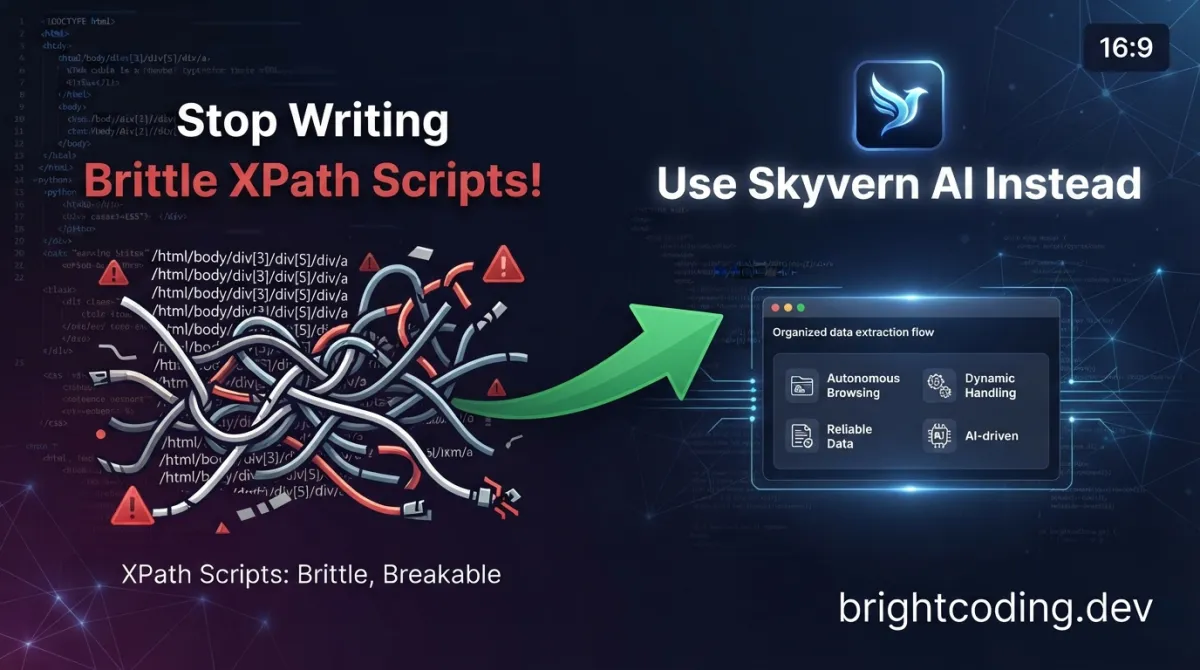
Stop Writing Brittle XPath Scripts! Use Skyvern AI Instead
How many hours have you wasted this month fixing broken automation scripts? You know the drill: your perfectly crafted Selenium pipeline was humming along, scraping leads, processing invoices, filling forms—until the dev team pushed a minor CSS update. Suddenly every //div[@class='btn-primary'] selector is pointing into the void, and your "reliable" automation is throwing exceptions at 3 AM.
Here's the dirty secret nobody talks about: traditional browser automation is fundamentally broken. We've been duct-taping XPath expressions and CSS selectors onto websites that change daily, pretending this fragile house of cards won't collapse. The industry has normalized this pain. We've accepted "maintenance overhead" as just another line item.
But what if you could automate any website—even ones you've never seen before—using nothing but plain English instructions? What if your automation agent could actually see the page, reason about it like a human, and adapt when layouts shift?
Enter Skyvern AI, the open-source browser automation framework that's making traditional RPA tools look like relics from another era. Built by a team obsessed with eliminating brittle selectors, Skyvern leverages vision-capable large language models and computer vision to navigate the web the way humans do: by looking, understanding, and acting.
This isn't incremental improvement. It's a complete paradigm shift. And in this deep dive, I'll show you exactly why developers are abandoning their old automation stacks—and how you can join them before your competitors do.
What is Skyvern AI?
Skyvern (GitHub: Skyvern-AI/skyvern) is an open-source browser automation framework that replaces fragile DOM-based interactions with AI-powered visual reasoning. Created by a team that cut their teeth on autonomous agent architectures like BabyAGI and AutoGPT, Skyvern adds a critical missing ingredient to the autonomous agent recipe: real browser interaction through Playwright.
The project exploded onto the scene with a simple but radical proposition: instead of telling your automation where to click ("find element #submit-btn"), tell it what to accomplish ("complete the checkout process for John Snow") and let the AI figure out the rest.
Skyvern's architecture centers on a swarm of specialized agents that collaborate to comprehend, plan, and execute web workflows:
- Comprehension agents analyze the visual structure of pages using screenshot-based computer vision
- Planning agents break high-level goals into concrete, sequenced browser actions
- Execution agents translate plans into Playwright commands, handling clicks, fills, navigation, and data extraction
This multi-agent design isn't architectural over-engineering—it's what enables Skyvern's signature capabilities. The system achieved 85.8% accuracy on WebVoyager eval and 64.4% on WebBench, with particularly dominant performance on WRITE tasks (form filling, logins, file downloads) that power real-world RPA scenarios.
The project is licensed under AGPL-3.0, with a managed cloud offering (Skyvern Cloud) for teams that need anti-bot protection, proxy networks, and CAPTCHA solving without infrastructure headaches.
Key Features That Make Skyvern AI Insane
🎯 Vision-First Element Interaction
Skyvern's killer feature: it doesn't need selectors. By feeding page screenshots to vision-capable LLMs (GPT-4.1, Claude 4.6 Sonnet, Gemini 2.5 Pro), Skyvern identifies interactive elements semantically. A "green Submit button" is recognized by its appearance and context, not by a fragile CSS class that could change tomorrow.
🧠 Three Interaction Modes for Maximum Flexibility
| Mode | Use Case | Example |
|---|---|---|
| Traditional | Stable, unchanging sites | await page.click("#submit-btn") |
| AI-Powered | Dynamic or unfamiliar sites | await page.click(prompt="Click the green Submit button") |
| AI Fallback | Best of both worlds | await page.click("#submit-btn", prompt="Click Submit button") |
This hybrid approach means you can migrate incrementally. Keep your proven selectors where they work; let AI handle the chaos everywhere else.
🔧 Playwright-Compatible SDK
Skyvern isn't a Playwright replacement—it's a superpowered extension. Every standard Playwright action (click, fill, select_option, upload_file) gains an optional prompt parameter. Your existing Playwright knowledge transfers directly; the AI capabilities layer on transparently.
🏗️ No-Code Workflow Builder
For teams with mixed technical skills, Skyvern provides a visual workflow composer. Chain tasks, add loops, parse files, send emails, execute custom code blocks—all without writing Python↗ Bright Coding Blog. The same engine powers both SDK and UI workflows.
🔐 Enterprise-Grade Authentication
- Password manager integrations: Bitwarden (live), 1Password and LastPass (roadmap)
- 2FA/TOTP support: QR-based authenticators, email 2FA, SMS 2FA
- Custom credential services: HTTP API for proprietary identity systems
- Local browser control: Connect to your existing Chrome with all cookies and extensions intact
🌐 Universal Model Support
Skyvern is model-agnostic. Plug in OpenAI, Anthropic, Azure, AWS↗ Bright Coding Blog Bedrock, Gemini, Ollama for local execution, OpenRouter for access to niche models, or any OpenAI-compatible endpoint via liteLLM.
Use Cases Where Skyvern AI Absolutely Dominates
1. Invoice Processing Across Hundreds of Vendor Portals
Every enterprise finance team faces this nightmare: hundreds of suppliers, each with a unique vendor portal, different login flows, varying invoice formats. Traditional RPA requires custom scripts per portal—maintainability hell.
Skyvern solution: One natural language instruction: "Download all invoices newer than January 1st." Skyvern navigates each portal autonomously, handles authentication via stored credentials, filters date ranges, and downloads files to block storage. The same workflow runs against completely different site architectures without modification.
2. Government Form Automation
Government websites are notorious for inconsistent markup, accessibility violations, and frequent redesigns. Automating DMV registrations, tax filings, or permit applications with traditional tools is a maintenance contract waiting to happen.
Skyvern solution: The vision model sees the form fields as rendered, not as broken HTML. Field labels, help text, and visual grouping provide semantic context that DOM parsing misses. When California's EDD site redesigns (again), your automation keeps working.
3. Insurance Quote Aggregation
Comparing insurance quotes requires navigating multiple carrier sites, each with multi-step quote flows, varying question sequences, and dynamic pricing displays. Building scrapers for each carrier is economically unfeasible for smaller brokers.
Skyvern solution: A single parameterized workflow: "Get a comprehensive auto insurance quote for [driver_profile]." Skyvern adapts to each carrier's unique flow, extracts structured quote data via schema validation, and returns comparable results. The demo includes Spanish-language carrier BCI Seguros—Skyvern handles multilingual interfaces without special configuration.
4. Job Application at Scale
High-volume recruiting means filling out the same candidate information across dozens of applicant tracking systems. Workday, Greenhouse, Lever—each with different field mappings and validation rules.
Skyvern solution: Store candidate profiles once. The AI agent navigates to each application, maps your standard fields to whatever labels the ATS uses, handles file uploads for resumes, and tracks submission confirmations. Recruiters reclaim hours per day.
Step-by-Step Installation & Setup Guide
Prerequisites
| Component | Version | Notes |
|---|---|---|
| Python | 3.11.x or 3.12 | 3.13 not yet supported |
| Node.js & npm | Latest LTS | Required for UI components |
| Rust + VS C++ tools | Latest | Windows only |
Option A: pip install (Recommended for Development)
Step 1: Install Skyvern package
# Install from PyPI
pip install skyvern
Step 2: Launch everything with one command
# Starts API server + UI + initializes SQLite database
skyvern quickstart
Navigate to http://localhost:8080—your local Skyvern instance is live.
Database note: As of Skyvern 1.0.31+,
skyvern run serverdefaults to SQLite at~/.skyvern/data.dbfor zero-config startup. For production workloads, setDATABASE_STRINGin.envor pass--database-stringto use PostgreSQL↗ Bright Coding Blog.
Option B: Docker↗ Bright Coding Blog Compose (Recommended for Teams)
Step 1: Install Docker Desktop
Download from docker.com/products/docker-desktop
Step 2: Clone and configure
# Clone the repository
git clone https://github.com/skyvern-ai/skyvern.git && cd skyvern

# Create environment file from template
cp .env.example .env

# Edit .env to add your LLM API key (OpenAI, Anthropic, etc.)
# Required: OPENAI_API_KEY or equivalent for your chosen provider
nano .env
Step 3: Start all services
# Launches Postgres, API server, and UI in detached containers
docker compose up -d
Step 4: Access the interface
Open http://localhost:8080 in your browser.
Troubleshooting Common Issues
SQLite table already exists error (v1.0.31):
rm ~/.skyvern/data.db          # Remove corrupted database
pip install --upgrade skyvern  # Upgrade to 1.0.32+ with fix
skyvern quickstart
Dependency resolution failures:
# Use uv for reliable resolution
uv pip install skyvern
Service Management Commands
skyvern run server    # API only
skyvern run ui        # UI only
skyvern run all       # Both (same as quickstart)
skyvern status        # Check health
skyvern stop all      # Shutdown everything
REAL Code Examples from Skyvern AI
The following examples are adapted directly from Skyvern's official documentation and SDK reference. Each demonstrates production-ready patterns you can use immediately.
Example 1: Basic Task Execution with Structured Output
The simplest possible Skyvern workflow—natural language instruction with schema-validated results:
from skyvern import Skyvern

# Initialize local instance (no API key needed for self-hosted)
skyvern = Skyvern()

# Execute task with enforced output structure
task = await skyvern.run_task(
    prompt="Find the top post on hackernews today",
    # Schema ensures consistent, parseable output
    data_extraction_schema={
        "type": "object",
        "properties": {
            "title": {
                "type": "string",
                "description": "The title of the top post"
            },
            "url": {
                "type": "string",
                "description": "The URL of the top post"
            },
            "points": {
                "type": "integer",
                "description": "Number of points the post has received"
            }
        }
    }
)

print(task)  # Guaranteed to contain title, url, points fields
Why this matters: Without data_extraction_schema, LLM outputs can vary unpredictably—sometimes returning markdown↗ Smart Converter, sometimes JSON, sometimes plain text. The schema forces consistent structure, making downstream processing reliable. This is essential for production pipelines where the next step expects specific fields.
Example 2: Hybrid Playwright + AI SDK Pattern
This example demonstrates Skyvern's core value proposition: seamless mixing of traditional Playwright precision with AI-powered flexibility:
from skyvern import Skyvern

# Connect to Skyvern Cloud for managed infrastructure
skyvern = Skyvern(api_key="your-api-key")

# Launch cloud-hosted browser (anti-bot, proxy, CAPTCHA solving included)
browser = await skyvern.launch_cloud_browser()
page = await browser.get_working_page()

# === THREE INTERACTION MODES IN ONE WORKFLOW ===

# 1. TRADITIONAL: Use when selector is stable and reliable
# Fastest execution, zero LLM cost
await page.goto("https://example.com")
await page.click("#login-button")

# 2. AI-POWERED: Use when selectors are unreliable or unknown
# Natural language handles dynamic content, A/B tests, redesigns
await page.agent.login(
    credential_type="skyvern",      # Use Skyvern's credential vault
    credential_id="cred_123"         # Pre-stored username/password
)
await page.click(prompt="Add first item to cart")  # Finds button visually

# 3. AI TASK: High-level goal, agent plans and executes
# Handles multi-step sequences: cart review, shipping, payment, confirmation
await page.agent.run_task(
    "Complete checkout with: John Snow, 12345"
)

await browser.close()
The pattern: Start with traditional Playwright for known-good paths. Escalate to AI-powered actions for unstable elements. Delegate full sequences to page.agent.run_task when the goal is clear but the steps are complex or variable.
Example 3: Core AI Commands Deep Dive
Skyvern's four fundamental AI commands, shown with realistic use cases:
# act: Perform arbitrary actions via natural language
# The AI plans and executes multi-step interactions
await page.act("Click the login button and wait for the dashboard to load")
# Behind the scenes: identifies login button visually, clicks, waits for
# navigation event or specific element appearance

# extract: Structured data extraction with optional JSON schema
# Without schema: returns free-form text (useful for exploration)
result = await page.extract("Get the product name and price")

# With schema: guaranteed structure for database insertion
result = await page.extract(
    prompt="Extract order details",
    schema={
        "order_id": "string",
        "total": "number",
        "items": "array",
        "shipping_address": {
            "street": "string",
            "city": "string",
            "zip": "string"
        }
    }
)
# Result is parseable JSON matching schema shape

# validate: Boolean page state checks
# Critical for workflow branching and error handling
is_logged_in = await page.validate("Check if the user is logged in")
if not is_logged_in:
    await page.agent.login("skyvern", credential_id="primary")

# prompt: Direct LLM access with page context
# For custom reasoning not covered by other commands
summary = await page.prompt("Summarize what's on this page")
competitor_analysis = await page.prompt(
    "What are the main value propositions listed? Categorize by target audience."
)
Performance insight: act and extract are optimized for common patterns with built-in retry logic. prompt gives maximum flexibility but incurs higher latency—use sparingly in hot paths.
Example 4: Connecting to Your Local Chrome (Advanced)
For sites where you're already authenticated or behind corporate VPN:
from skyvern import Skyvern

# Connect to existing Chrome with remote debugging enabled
# Setup: chrome://inspect/#remote-debugging → Enable → 127.0.0.1:9222
skyvern = Skyvern(
    base_url="http://localhost:8000",      # Local Skyvern API
    api_key="YOUR_API_KEY",                # Even local needs auth
    browser_address="http://127.0.0.1:9222" # Your Chrome instance
)

# Task runs in YOUR browser with YOUR cookies, YOUR extensions, YOUR VPN
task = await skyvern.run_task(
    prompt="Download the latest invoice from my account",
)
Security warning: When exposing via tunnel (skyvern browser serve --tunnel), always use --api-key. Without authentication, anyone with the tunnel URL has full browser control.
Advanced Usage & Best Practices
Cost Optimization Strategy
LLM API calls are your primary cost driver. Minimize them with this hierarchy:
- Traditional selectors for stable elements (zero LLM cost)
- AI fallback mode (
selector + prompt)—only pays for AI on failure - Full AI mode for truly dynamic content
- Task-level delegation (
page.agent.run_task) for complex sequences—often cheaper than multiple individual AI calls due to batched reasoning
Reliability Patterns
# Always validate critical state transitions
await page.act("Submit the application form")
success = await page.validate("Confirm the application was submitted successfully")
if not success:
    # Implement your retry or alert logic
    await notify_ops_team(task_id)
Schema Design for Extraction
Be explicit in descriptions—they guide the LLM's attention:
# Weak: ambiguous field meaning
{"total": "number"}

# Strong: clear context for accurate extraction
{"total": {
    "type": "number",
    "description": "Final charged amount including tax, excluding shipping estimate"
}}
Monitoring and Debugging
Enable livestreaming to observe agent behavior in real-time. The visual feed reveals when the AI misidentifies elements or gets stuck in loops—essential for refining prompts.
Comparison with Alternatives
| Feature | Skyvern AI | Selenium/Playwright | Traditional RPA (UiPath, AA) | Scrapy + ML |
|---|---|---|---|---|
| Selector fragility | ✅ Vision-based, immune to CSS changes | ❌ Breaks on layout updates | ❌ Requires re-recording | ⚠️ Custom ML per site |
| Unseen websites | ✅ Operates zero-shot | ❌ Requires manual scripting | ❌ Requires training | ❌ Requires retraining |
| Natural language | ✅ Native prompt interface | ❌ Code only | ⚠️ Limited NLP addons | ❌ Code only |
| Open source | ✅ AGPL-3.0 | ✅ Apache 2.0 | ❌ Proprietary | ✅ BSD |
| Self-hostable | ✅ Full local deployment | ✅ | ⚠️ Enterprise only | ✅ |
| Playwright compat | ✅ Extension layer | ✅ Native | ❌ Different paradigm | ❌ |
| No-code option | ✅ Visual workflow builder | ❌ | ✅ Mature | ❌ |
| Cost model | LLM usage + optional cloud | Infrastructure only | Per-bot licensing | Infrastructure + ML dev |
| Setup complexity | Low (pip install) | Low | High (enterprise IT) | High (ML expertise) |
When to choose Skyvern: Dynamic websites, rapid prototyping, mixed technical teams, scenarios requiring human-like adaptability.
When to stick with traditional: Ultra-high-volume scraping of static sites where millisecond latency matters and LLM costs would dominate.
FAQ
Is Skyvern AI free to use?
The core framework is open-source under AGPL-3.0 and free to self-host. You pay only for LLM API usage (OpenAI, Anthropic, etc.). Skyvern Cloud offers managed infrastructure with additional features starting at a paid tier.
What LLM providers work with Skyvern?
OpenAI, Anthropic, Azure OpenAI, AWS Bedrock, Gemini, Ollama (local), OpenRouter, and any OpenAI-compatible endpoint via liteLLM. See the supported LLMs table for specific model versions.
Can Skyvern handle CAPTCHAs and anti-bot protection?
Self-hosted Skyvern relies on your proxy and solving infrastructure. Skyvern Cloud includes built-in anti-bot detection evasion, proxy rotation, and CAPTCHA solving as managed services.
How does Skyvern compare to browser-use or Stagehand?
Skyvern differentiates through its Playwright-compatible SDK (incremental adoption), swarm-based multi-agent architecture, and mature workflow builder. The hybrid interaction modes (traditional + AI + fallback) are unique to Skyvern.
Is my data sent to third parties?
Self-hosted Skyvern sends page screenshots to your configured LLM provider only. No data flows to Skyvern's servers. Skyvern Cloud processes data on managed infrastructure with standard SaaS security practices.
Can I run Skyvern without coding?
Yes—the visual workflow builder at http://localhost:8080 (or Skyvern Cloud) supports full no-code automation. Technical users can extend workflows with custom code blocks.
What Python versions are supported?
Python 3.11.x and 3.12. Python 3.13 support is in development. Node.js is required for the UI components.
Conclusion: The Future of Browser Automation Is Here
We've tolerated brittle automation for too long. The industry built entire career paths around maintaining XPath expressions and updating selectors after every frontend deploy. That era is ending—not gradually, but right now, with tools like Skyvern AI proving that vision-based, LLM-powered automation isn't experimental; it's production-ready and economically superior.
The numbers don't lie: 85.8% on WebVoyager, dominant WRITE task performance, real enterprises processing real invoices across hundreds of unique portals. This isn't a research demo. It's infrastructure you can deploy today.
My recommendation? Don't migrate everything overnight. Start with your most painful maintenance burden—that vendor portal script that breaks monthly, that government form that redesigned last quarter. Run them side by side: your legacy automation versus Skyvern's natural language approach. Measure the maintenance hours. Count the 3 AM pages you don't receive.
The Skyvern repository is actively maintained, well-documented, and welcoming contributions. The Discord community is responsive. The cloud offering removes infrastructure friction if you need to move fast.
Stop writing scripts that fight the web. Start instructing agents that understand it.
Star the repo. Run the quickstart. Automate something that used to break.
Ready to eliminate brittle browser automation? Clone Skyvern AI on GitHub and run skyvern quickstart in the next 10 minutes.
Outils recommandés
Explore on the BrightCoding network
Hand-picked resources from our other sites.
gokapso/whatsapp-cloud-inbox: Open-Source WhatsApp Inbox for Cloud API
gokapso/whatsapp-cloud-inbox is an open-source WhatsApp inbox built with Next.js and TypeScript. It provides a WhatsApp Web-style UI for the Cloud API via Kapso...
Stop Losing Video Knowledge Forever: transcribee Builds Your Brain
transcribee is an open-source macOS tool that auto-transcribes YouTube, TikTok, Instagram and local media into a self-organizing, LLM-ready knowledge base with...
thedaviddias/skill-check: Lint and Score AI Agent Skills
skill-check is a TypeScript CLI tool that validates AI agent skill files with diagnostics, auto-fixes, 0-100 quality scoring, and integrated security scanning v...
Continuez votre lecture

Why Alexandrie is the Ultimate Markdown Note-Taking App

Why CrossPaste is the Ultimate Game Changer for Clipboard Management

Why Chandra is the Ultimate OCR Tool for Handwriting and Tables

Stop Coding Alone: OPC-Skills Gives Your AI Agent Superpowers
Commentaires 0
Aucun commentaire pour l'instant. Soyez le premier à réagir !