Teracrawl Just Dethroned Firecrawl: #1 Benchmark Exposed
Teracrawl Just Dethroned Firecrawl: #1 Benchmark Exposed
What if your web scraper was silently sabotaging your LLM's intelligence?
Here's a brutal truth most AI developers won't admit: 80% of your RAG pipeline's failures start at the scraping layer. You've built the perfect prompt engineering stack. You've fine-tuned your embeddings. You've spent thousands on vector databases. Yet your LLM still hallucinates, still cites broken sources, still chokes on JavaScript↗ Bright Coding Blog-heavy sites.
The culprit? Your scraper is stuck in 2019.
While the world moved to SPAs, anti-bot systems, and dynamic rendering, most crawling tools kept serving raw HTML soup stuffed with navbars, ads, and base64 image blobs. Your context window? Wasted. Your token budget? Burned. Your accuracy? Compromised.
Enter Teracrawl — the high-performance web crawler API that just achieved #1 coverage on the industry's most rigorous scraping benchmark.
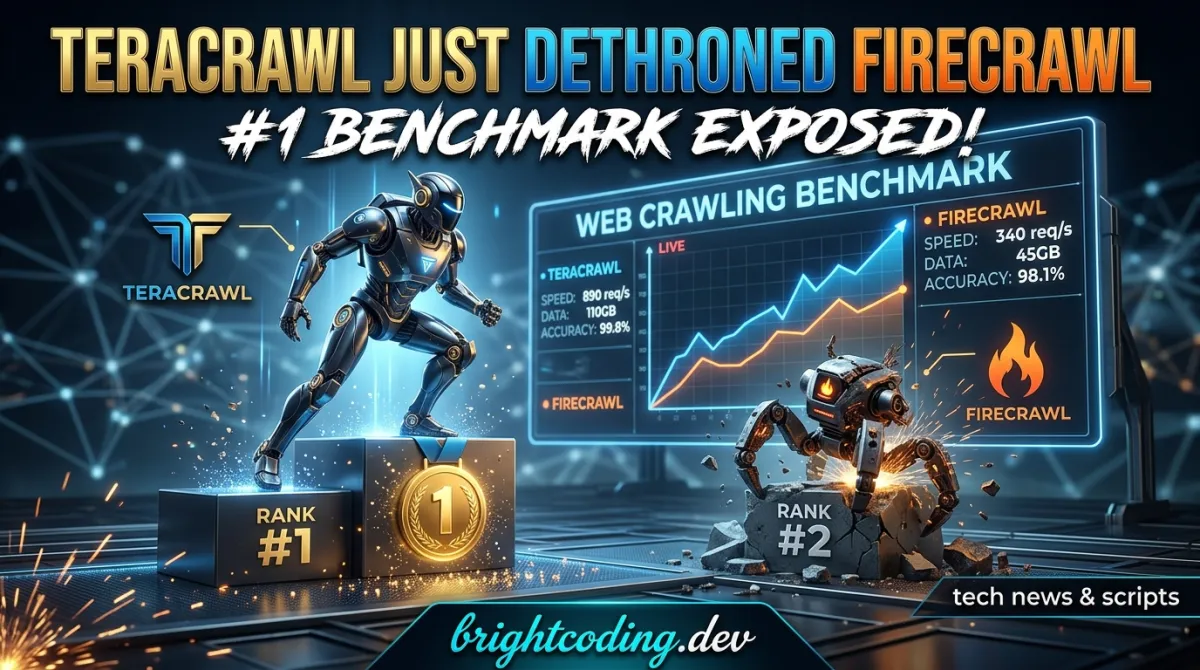
Not hype. Hard numbers: 84.2% coverage across 1,000 diverse URLs on the open scrape-evals framework. That's not just winning — that's dominating 14 competing providers including the tool everyone thought was untouchable.
Ready to understand why top AI engineers are quietly migrating their infrastructure? Let's dissect what makes Teracrawl the new standard for LLM data ingestion.
What is Teracrawl?
Teracrawl is a production-ready, open-source API that transforms any website into clean, semantic Markdown↗ Smart Converter optimized for Large Language Models. Built by the team behind Browser.cash, it leverages managed remote Chrome browsers to handle the full complexity of modern web rendering — JavaScript hydration, anti-bot challenges, dynamic content loading — then distills the noise into LLM-perfect structured text.
The project emerged from a simple observation: existing scraping tools were built for humans reading websites, not AI systems consuming content. Firecrawl pioneered the "URL-to-Markdown" concept, but Teracrawl pushes the paradigm further with intelligent two-phase crawling, aggressive content purification, and benchmark-proven reliability.
Why it's trending now:
- Benchmark validation: That 84.2% coverage score isn't marketing — it's independently verified against 1,000 real-world URLs spanning static blogs, e-commerce SPAs, documentation sites, and JavaScript-heavy applications.
- Remote browser architecture: Unlike headless Chromium running on your server, Teracrawl distributes execution across Browser.cash's managed infrastructure, eliminating local resource bottlenecks and detection footprints.
- Firecrawl compatibility: Drop-in API patterns mean migration takes hours, not weeks.
The repository is actively maintained with TypeScript 5.6, Node.js 18+ support, and a MIT license that removes enterprise adoption friction.
Key Features That Crush the Competition
Teracrawl's architecture reveals why benchmark dominance wasn't luck — it was engineering discipline applied to every layer of the scraping stack.
🤖 LLM-Optimized Markdown Generation
The output isn't just "HTML with tags stripped." Teracrawl's content extractor intelligently identifies semantic regions (<article>, <main>, role-based landmarks) and surgically removes clutter: navigation bars, cookie banners, advertisement iframes, social widgets, and inline scripts. The result? Markdown that preserves information hierarchy without wasting tokens on chrome.
⚡ Smart Two-Phase Crawling Engine
This is where Teracrawl diverges from simplistic approaches:
- Fast Mode: For static and server-side rendered pages, it reuses browser contexts aggressively, blocks heavy assets (images, videos, fonts), and races to content extraction. Sub-second response times for simple targets.
- Dynamic Mode: Automatic fallback when Fast Mode detects insufficient content. Waits for JavaScript hydration, handles React↗ Bright Coding Blog/Vue/Angular rendering cycles, and extends timeouts intelligently. No configuration guessing.
The mode selection happens transparently — you don't manage complexity, you get results.
🔍 Integrated Search + Scrape Pipeline
A single API call queries Google and parallel-scrapes top results. This isn't sequential execution; it's orchestrated concurrency through a robust browser session pool. Your "research agent" just went from prototype to production with one endpoint.
🛡️ Anti-Detection & Performance Hardening
- Ad/tracker/analytics blocking at the network layer
- Base64 image stripping (massive token savings)
- Automatic timeout handling with graceful degradation
- Jittered request spacing to prevent thundering herd patterns
🐳 Production Deployment Ready
Docker↗ Bright Coding Blog containerization with compose orchestration, environment-based configuration, and health check endpoints. Run it on a $5 VPS or scale across Kubernetes — the architecture doesn't care.
Real-World Use Cases Where Teracrawl Dominates
1. RAG Pipeline Data Ingestion
Your retrieval-augmented generation system is only as good as its source material. Teracrawl ensures your vector database receives clean, structured, relevant text instead of navigation menus repeated across 10,000 pages. The 200-character minimum content threshold (CRAWL_MIN_CONTENT_LENGTH) automatically filters out useless stub pages.
2. Autonomous Research Agents
Building an AI that needs to "go read about X on the internet"? The /crawl endpoint transforms vague research directives into structured knowledge: query Google, scrape top N results, return unified Markdown corpus. Your agent gets source URLs, titles, and content — not hallucinated summaries.
3. Competitive Intelligence at Scale
Monitor competitor pricing, documentation changes, or content strategies across hundreds of URLs. The session pool handles concurrency without overwhelming targets, while jitter configuration prevents IP-based blocking. Dynamic mode ensures even React-based dashboards render correctly.
4. Content Migration & Archival
Legacy CMS to modern platform? Teracrawl extracts semantic content structure (headings, lists, tables) that preserves document hierarchy in Markdown. Manual cleanup that used to take weeks becomes automated pipeline output.
5. LLM Fine-Tuning Dataset Construction
Quality training data requires quality source extraction. Teracrawl's benchmark-proven coverage means fewer "empty document" failures in your dataset, less noise in your fine-tuning runs, and ultimately better model performance.
Step-by-Step Installation & Setup Guide
Getting Teracrawl operational takes under 10 minutes. Here's the complete path from zero to scraping.
Prerequisites
- Node.js 18+ (verify with
node --version) - A Browser.cash API Key — the engine powering remote browser execution
- Optional: browser-serp running on port 8080 (only for
/crawlsearch functionality)
Clone and Install
# Clone the repository
git clone https://github.com/BrowserCash/teracrawl.git
cd teracrawl

# Install dependencies
npm install
Environment Configuration
# Copy example environment file
cp .env.example .env
Edit .env with your credentials:
# Required: Your Browser.cash API key for remote browser access
BROWSER_API_KEY=your_browser_cash_api_key_here

# Server configuration
PORT=8085
HOST=0.0.0.0

# Optional: SERP service for search integration
SERP_SERVICE_URL=http://localhost:8080

# Performance tuning
POOL_SIZE=1
CRAWL_TABS_PER_SESSION=8
Start the Server
# Development mode with hot reload
npm run dev

# Production: build and start
npm run build
npm start
Verify at http://localhost:8085/health:
curl http://localhost:8085/health
# Expected: {"ok":true}
Docker Deployment (Recommended for Production)
# Build container
docker build -t teracrawl .

# Run with environment file
docker run -p 8085:8085 --env-file .env teracrawl
Full stack↗ Bright Coding Blog with search capability via Docker Compose:
version: "3.8"
services:
  teracrawl:
    build: .
    ports:
      - "8085:8085"
    environment:
      - BROWSER_API_KEY=${BROWSER_API_KEY}
      - SERP_SERVICE_URL=http://serp:8080
    depends_on:
      - serp

  serp:
    image: ghcr.io/mega-tera/browser-serp:latest
    ports:
      - "8080:8080"
Deploy with docker-compose up -d and both services orchestrate automatically.
REAL Code Examples from the Repository
Let's examine actual API patterns from Teracrawl's documentation, with detailed breakdowns of what happens under the hood.
Example 1: Search and Parallel Scrape
This is Teracrawl's signature capability — combining SERP querying with concurrent content extraction:
# POST to /crawl with search query and result count
curl -X POST http://localhost:8085/crawl \
  -H "Content-Type: application/json" \
  -d '{
    "q": "What is the capital of France?",
    "count": 3
  }'
What happens internally: The request proxies to your configured SERP service (browser-serp), retrieves Google results, then fans out scraping jobs across the browser session pool. Fast Mode attempts each page first; failures automatically retry in Dynamic Mode with extended timeouts.
Expected response structure:
{
  "query": "What is the capital of France?",
  "results": [
    {
      "url": "https://en.wikipedia.org/wiki/Paris",
      "title": "Paris - Wikipedia",
      "markdown": "# Paris\n\nParis is the capital and most populous city of France...",
      "status": "success"
    },
    {
      "url": "https://...",
      "status": "error",
      "error": "Timeout exceeded"
    }
  ]
}
Notice the graceful degradation — partial success returns valid data alongside error details. Your pipeline doesn't collapse because one site misbehaved.
Example 2: Direct URL Scraping
For known targets, bypass search entirely:
# Scrape specific URL directly via /scrape endpoint
curl -X POST http://localhost:8085/scrape \
  -H "Content-Type: application/json" \
  -d '{
    "url": "https://example.com/blog/post-1"
  }'
Response:
{
  "url": "https://example.com/blog/post-1",
  "title": "My Blog Post",
  "markdown": "# My Blog Post\n\nContent of the post...",
  "status": "success"
}
This endpoint skips SERP dependency entirely — ideal for scheduled monitoring, sitemap traversal, or batch processing known URL lists. The smart content extractor automatically identifies the main content region, strips scripts/styles, and converts heading hierarchy to Markdown ATX syntax (#, ##, etc.).
Example 3: SERP-Only Querying
When you need search metadata without scraping overhead:
# Query search results without content extraction
curl -X POST http://localhost:8085/serp/search \
  -H "Content-Type: application/json" \
  -d '{
    "q": "browser automation",
    "count": 5
  }'
Response:
{
  "results": [
    {
      "url": "https://...",
      "title": "Result Title",
      "description": "Result description..."
    }
  ]
}
Use this for URL discovery phases, checking result availability before committing scrape resources, or building search analytics dashboards.
Example 4: Health Monitoring
Production reliability requires simple health checks:
# Lightweight endpoint for load balancers and monitoring
curl http://localhost:8085/health
Response: {"ok":true}
Integrate with Kubernetes liveness probes, UptimeRobot, or your APM stack. The sub-millisecond response confirms API availability without triggering browser operations.
Advanced Usage & Best Practices
Tune for Your Content Targets
Adjust CRAWL_NAVIGATION_TIMEOUT_MS (default 10s) and CRAWL_SLOW_TIMEOUT_MS (default 20s) based on your target site's complexity. Documentation sites rarely need 20 seconds; heavy SPAs might. Profile first, optimize second.
Scale with Session Pools
POOL_SIZE controls browser session parallelism. Increase cautiously — each session consumes Browser.cash API quota. Start at 1, measure throughput, scale until marginal gains diminish.
Implement Jitter for Politeness
Set CRAWL_JITTER_MS to 500-2000 when scraping single domains repeatedly. Randomized delays between requests prevent rate limiting and demonstrate good web citizenship.
Content Length Validation
The default CRAWL_MIN_CONTENT_LENGTH=200 catches paywalls, bot challenges, and empty renders. Lower for micro-content (tweet archives), raise for article-length guarantees.
Debug Strategically
Enable DEBUG_LOG=true only during development. Verbose logging exposes request internals but impacts performance and log storage costs.
Comparison with Alternatives
| Capability | Teracrawl | Firecrawl | Simple Scrapers |
|---|---|---|---|
| Benchmark Coverage | 84.2% (#1) | Lower | N/A (no standard) |
| Remote Browser Infrastructure | Managed (Browser.cash) | Self-hosted/managed | None (raw HTTP) |
| JavaScript Rendering | Full Chrome with auto-fallback | Yes | No |
| Two-Phase Crawling | Smart auto-selection | Single mode | N/A |
| Integrated Search + Scrape | Single endpoint | Separate operations | N/A |
| Base64 Image Stripping | Yes | Varies | No |
| Open Source | MIT License | Mixed | Varies |
| Self-Hostable | Docker-ready | Yes | Yes |
| Token Optimization | Aggressive content cleaning | Moderate | None |
The verdict: Firecrawl remains capable for basic use cases, but Teracrawl's benchmark dominance, intelligent crawling architecture, and aggressive LLM optimization make it the superior choice for production AI pipelines. Simple scrapers? They're not even playing the same sport.
FAQ
Is Teracrawl free to use?
The code is MIT-licensed and free. Browser.cash API usage for remote browsers requires an API key with associated costs — comparable to other managed browser services, with volume tiers available.
Do I need browser-serp for all features?
Only the /crawl search-and-scrape endpoint requires browser-serp. Direct /scrape and /health endpoints function independently.
How does Teracrawl handle anti-bot protection?
By using real Chrome browsers through Browser.cash's distributed infrastructure, Teracrawl presents genuine browser fingerprints. Combined with request jitter and context reuse, detection rates remain minimal.
Can I run this without Docker?
Absolutely. Native Node.js execution is fully supported — Docker simply streamlines dependency management and deployment consistency.
What content types work best?
Articles, documentation, blog posts, and structured content see highest fidelity. Heavy multimedia pages (video galleries, complex dashboards) may require Dynamic Mode and extended timeouts.
Is there a hosted/cloud version?
Currently self-hosted via the open-source repository. Cloud-hosted options may emerge — follow the project for updates.
How do I contribute?
Fork, branch, commit, pull request. The team actively reviews contributions. See the repository's contributing section for branch naming conventions.
Conclusion
Teracrawl didn't just win a benchmark — it exposed what LLM-optimized scraping should look like in 2024. The combination of 84.2% coverage validation, intelligent two-phase crawling, and aggressive content purification addresses failures that silently poison most AI data pipelines.
If you're building RAG systems, research agents, or any infrastructure where "website goes in, clean knowledge comes out" matters, the migration cost from alternatives is minimal. The cost of not migrating? Wasted tokens, hallucinated outputs, and systems that fail precisely when you need reliable data most.
The repository is waiting. The benchmark is public. Your move.
👉 Clone Teracrawl on GitHub and deploy your first production-grade scraping endpoint in the next 10 minutes.
Follow @aibrowsers on X and join the Discord for implementation support and feature announcements.
Outils recommandés
Explore on the BrightCoding network
Hand-picked resources from our other sites.
Stop Rewriting Code! Fine-Tune LLMs on Mac with mlx-tune
Fine-tune LLMs, vision, audio & OCR models natively on Apple Silicon with mlx-tune's Unsloth-compatible API. Write once on Mac, deploy unchanged to CUDA cluster...
leomoon-studios/wiki-go: A Databaseless Flat-File Wiki in Go
leomoon-studios/wiki-go is a databaseless flat-file wiki built with Go, offering full-text search, user management, version history, and Kanban boards without r...
Stop Guessing User Behavior! Simulate It with TinyTroupe Instead
Microsoft's TinyTroupe enables LLM-powered multiagent persona simulation for business insights. Learn how to simulate realistic users, validate ads, and acceler...
Continuez votre lecture
Why Alexandrie is the Ultimate Markdown Note-Taking App
Why CrossPaste is the Ultimate Game Changer for Clipboard Management
Why Chandra is the Ultimate OCR Tool for Handwriting and Tables
Stop Coding Alone: OPC-Skills Gives Your AI Agent Superpowers
Commentaires 0
Aucun commentaire pour l'instant. Soyez le premier à réagir !