travmiller/paper-console: Self-Hosted Thermal Printer for Daily Updates
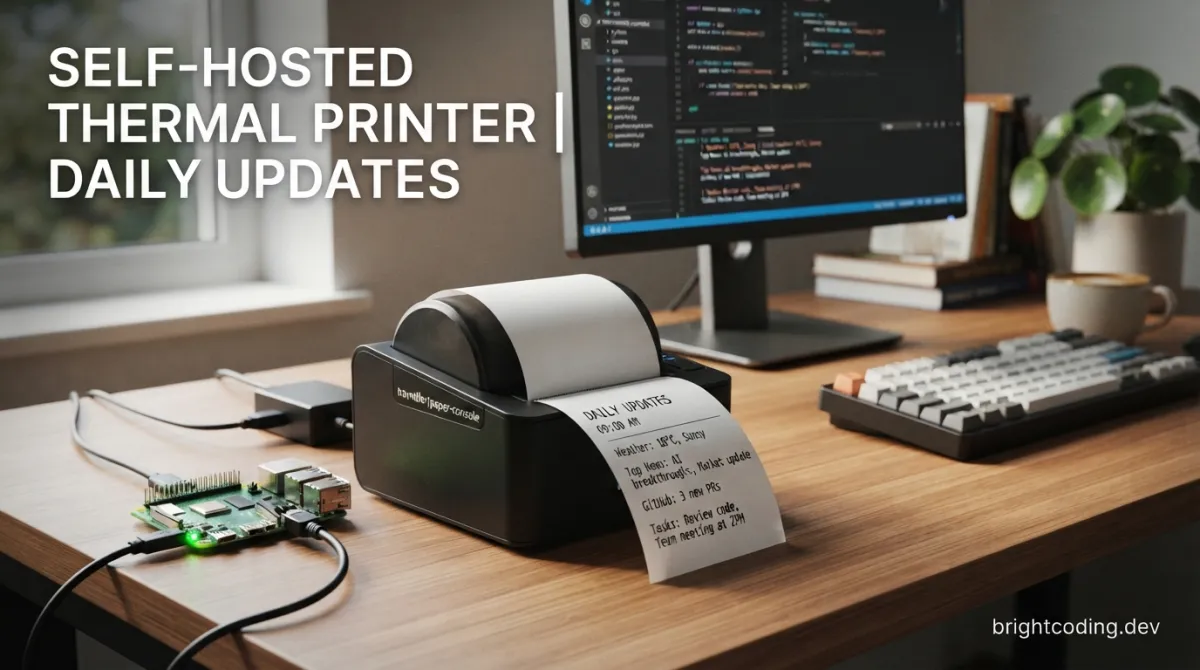
travmiller/paper-console: Self-Hosted Thermal Printer for Daily Updates
Most developer side projects never leave the breadboard. Travis Miller's travmiller/paper-console did—and it's one of the more thoughtfully engineered hardware-software integrations you'll find in the open-source ecosystem. This is a small, self-hosted thermal printer that outputs news, weather, puzzles, email, and more onto physical paper. No screens, no subscriptions, no cloud lock-in. Just a walnut-and-brass box that prints what you configure, when you want it.
The project sits at an interesting intersection: it's part IoT device, part personal information radiator, and part reaction against the always-on glowing rectangle. For developers who want tangible output from their digital lives—or who simply enjoy building things that physically exist—travmiller/paper-console offers a complete, documented, and extensible platform.
What is travmiller/paper-console?
travmiller/paper-console (also referred to as PC-1) is an open-source hardware and software project maintained by Travis Miller. As of the last commit on 2026-06-27, the repository has accumulated 305 stars and 18 forks, with Python↗ Bright Coding Blog as its primary language under the MIT License.
The system consists of three integrated layers:
- Hardware: A custom enclosure built from walnut, brass, and archival-grade paper, housing a Raspberry Pi Zero 2 W, a 58mm TTL thermal printer, a 1-pole 8-position rotary switch, and a momentary push button
- Backend: Python 3.12 with FastAPI, handling print orchestration, channel scheduling, WiFi setup, and module execution
- Frontend: A React↗ Bright Coding Blog + Vite + Tailwind CSS↗ Bright Coding Blog v4 settings UI for configuration
The device operates entirely on user-owned API keys or local algorithms—there are no subscription fees or vendor dependencies. Output is physical thermal paper. Configuration happens through a web UI at http://pc-1.local or via the printed interface itself.
The project is relevant now because it demonstrates how modern web frameworks (FastAPI, React) can power embedded hardware experiences without sacrificing developer ergonomics. It's also a rare example of a hardware project with genuinely complete documentation—from wiring tables to Docker↗ Bright Coding Blog mock environments to OTA update infrastructure.
Key Features
Physical-First Output: The core premise is deliberately screenless. All information consumption happens through printed thermal paper, creating a calmer, more intentional interaction model than checking a phone.
18 Configurable Modules: The rotary dial selects from 8 channel positions, each containing one or more modules. Available modules include News API, RSS Feeds, Weather (via Open-Meteo), Email Inbox (IMAP), Sudoku, Maze, Adventure (interactive CYOA using dial + button), Astronomy, Calendar (iCal), Webhook, Print Endpoint, QR Code, Text/Note with rich formatting, Quotes, Journal Prompt, History ("on this day"), System Monitor, and Word of the Day.
Modular Channel System: Channels are containers—multiple modules can stack within a single dial position. A channel might print news, then weather, then a sudoku puzzle in sequence. Reordering happens through the web UI with arrow controls.
Scheduled Printing: Any channel can be scheduled for automatic printing at specific times, turning the device into a quiet morning newspaper replacement.
Self-Hosted & Offline-Capable: Core modules (Quotes, Journal Prompts, History, Sudoku, Maze, Word Search, Crossword) work without internet. Internet-dependent modules use your own API keys—no middleman service.
Development-Friendly Mock Mode: The entire system runs on any PC without hardware, outputting "prints" to the terminal. Docker support enables testing without Raspberry Pi dependencies.
Production Hardening: Includes systemd service configuration, Nginx proxy, mDNS (Avahi), captive portal WiFi setup, OTA update infrastructure, storage guard timers, and bounded journald logging to protect SD card lifespan.
Use Cases
Morning Information Digest: Configure a channel with News API headlines, weather, and calendar events. Schedule it for 7 AM. Wake up to a printed sheet at your desk—no phone pickup required.
Family Command Center: Place in a kitchen or entryway. One dial position prints the day's calendar from shared iCal feeds. Another prints a QR code for the grocery list. A third outputs a maze or sudoku for kids.
Server Room / Workshop Status Display: The System Monitor module prints hostname, IP, WiFi status, disk/memory usage, uptime, load, and CPU temperature. For environments where you want physical log output without adding another screen.
Interactive Story Device: The Adventure module uses the rotary dial and button for choose-your-own-adventure narratives. It's a genuinely novel interaction pattern—physical controls, physical output, no screen fatigue.
Email Triage Without Screens: Configure IMAP access with app-specific passwords. The device prints unread message summaries, letting you decide what needs immediate attention without opening your inbox.
Installation & Setup
The project supports three deployment modes: software-only development, Docker mock printer, and full Raspberry Pi hardware.
Development Environment (No Hardware)
Requires a Unix-like shell (Linux, macOS, or WSL on Windows):
# Create virtual environment
python3 -m venv .venv
./.venv/bin/python -m pip install -r requirements-dev.txt
cd web && npm install
Run the backend:
./run.sh
# Or directly:
uvicorn app.main:app --host 0.0.0.0 --port 8000 --reload
The API docs appear at http://localhost:8000/docs. Terminal output serves as the "printer."
Run the frontend:
cd web
npm install
npm run dev
Access at http://localhost:5173.
Run tests:
./testing/run_tests.sh
Docker (Mock Printer)
# Build image
docker buildx build -t local/pc-1 .

# Run container
docker run --rm -it -p 8000:8000 local/pc-1
Visit http://localhost:8000. Check container logs for the device password in the STEP 1: CONNECT TO WIFI section. Print output appears in the terminal.
Raspberry Pi Deployment
# Install Pi-specific dependencies (includes GPIO packages)
./.venv/bin/python -m pip install -r requirements-pi.txt

# Run setup script
cd ~/paper-console
chmod +x scripts/setup_pi.sh
sudo scripts/setup_pi.sh
The script configures hostname (default: pc-1), Nginx, Avahi mDNS, systemd service, and printer serial access. Access the device at http://pc-1.local.
Critical power warning: Use a 5V 5A supply split to both Pi GPIO pins (2/6) and printer directly. Do not power the printer from Pi GPIO—the printer draws up to 4A and will crash the board.
Real Code Examples
Example 1: First-Boot Setup Receipt
When powered on for the first time, PC-1 automatically prints onboarding instructions:
Setup SSID: PC-1-Setup-XXXX
Device Password: [printed]
WiFi QR code: [printed]
Setup URL: http://10.42.0.1 (and http://pc-1.local)
This is implemented in the hardware initialization flow within app/main.py. The device starts a captive portal access point, generates a unique password, and outputs all connection details to paper. Users scan the QR code with their phone, connect to the setup network, and configure home WiFi through the web UI. On success, PC-1 prints a confirmation receipt and joins the home network.
Example 2: Backend Entry Point
The FastAPI application entry point with auto-reload for development:
uvicorn app.main:app --host 0.0.0.0 --port 8000 --reload
The app/main.py module contains the dial/button loop, print orchestration, and FastAPI application factory. Running via ./run.sh adds automatic port conflict resolution—useful when developing alongside existing services.
Example 3: Release Build for Production Units
For non-git production deployments, build versioned artifacts:
./.venv/bin/python scripts/release_build.py --version v1.2.3 --build-web
This compiles the frontend and packages the backend for OTA distribution. Devices can opt into beta builds from General Settings → Updates → Beta Releases. The scripts/RELEASE.md document details the main and beta branch lanes and hotfix procedures.
Example 4: Environment-Based Configuration
Production deployments use environment variables rather than manual config:
# Override unified device password (used for WiFi, settings, SSH)
export PC1_DEVICE_PASSWORD="your-secure-password"

# CORS origins for web UI access
export PC1_CORS_ORIGINS="https://your-domain.com,http://localhost:5173"

# Enable verbose logging for debugging
export PC1_LOG_LEVEL=INFO
export UVICORN_ACCESS_LOG=1
The PC1_DEVICE_PASSWORD flows through setup WiFi, settings login (with optional HttpOnly session cookies), printed instructions, and SSH access. For scripted API access, clients may send header X-PC1-Device-Password.
Advanced Usage & Best Practices
Development Without Hardware: The mock printer driver (app/drivers/printer_mock.py) and mock GPIO implementations let you develop modules on any machine. Use ./testing/render_all_prints.py to generate snapshot galleries of all module outputs for visual regression testing.
Storage Longevity on Pi: The setup script configures journald in RAM with 16MB cap and installs a storage guard timer. For long-running deployments, this matters—SD cards fail with excessive writes. The configuration disables core dumps entirely.
Module Development: New modules register via @register_module decorator in app/module_registry.py. Each module is an independent instance with its own Pydantic configuration model. Study existing modules like app/modules/text.py (TipTap JSON rich text) or app/modules/webhook.py (configurable GET/POST with JSON path extraction) for patterns.
WiFi Resilience: If home WiFi setup fails, the device automatically returns to setup mode. For headless recovery, hold the button ~15 seconds for factory reset. The Quick Actions menu (hold button ~5 seconds) provides reprint setup instructions without full reset.
Security Posture: The unified password model trades some isolation for usability. For network-exposed deployments, consider firewall rules restricting pc-1.local to your LAN. The project does not implement TLS termination—Nginx configuration for reverse proxy with valid certificates is left to the operator.
Comparison with Alternatives
| Feature | travmiller/paper-console | Little Printer (Berg/BERG Cloud) | Generic IoT Display (e.g., Dakboard) |
|---|---|---|---|
| Hosting | Fully self-hosted | Discontinued cloud service | Cloud-dependent or self-hosted screen |
| Output | Thermal paper | Thermal paper | LCD/e-ink screen |
| Subscriptions | None (own API keys) | Required (service dead) | Often subscription tiers |
| Hardware | Open BOM, buildable | Proprietary, unavailable | Proprietary or generic Pi + screen |
| Extensibility | 18 modules, add your own | Limited to Berg's ecosystem | Widget-based, less custom code |
| Maintenance | Active (2026-06-27 last commit) | Defunct since 2014 | Varies by vendor |
Little Printer pioneered the connected thermal printer concept but died with its cloud service. travmiller/paper-console is the spiritual successor for the self-hosting era—no dependencies that can vanish, complete source control, and hardware you can repair or modify. Screen-based dashboards like Dakboard offer richer visuals but reintroduce the attention demands this project deliberately avoids.
FAQ
What Raspberry Pi models are supported? The documentation specifies Raspberry Pi Zero 2 W. Other Pi models may work but aren't tested.
Can I use a different thermal printer? The wiring tables reference QR204/CSN-A2 or compatible 58mm TTL printers. Other models would require driver modifications.
Is there a kit or pre-built unit available? The README doesn't mention commercial availability. It's a DIY project with complete BOM and build photos at travismiller.design/paper-console.
What license covers the project? MIT License. Free for personal and commercial use with attribution.
How do I update the device?
OTA updates via GitHub releases. Configure PC1_UPDATE_GITHUB_REPO or use default travmiller/paper-console. Beta channel available in settings.
Does it work without internet? Partially. Offline modules (Quotes, Journal Prompt, History, puzzles) work. News, Weather, Email require connectivity and your API keys.
Why is my printer not printing?
Most common causes: insufficient power supply (need 5A), wrong serial configuration, or user not in dialout group. See the troubleshooting section in the README.
Conclusion
travmiller/paper-console is a rare hardware project that matches its aesthetic ambition with technical completeness. The 305-star repository contains not just working code but a genuinely usable product—from the captive portal WiFi setup to the OTA update infrastructure to the storage-guard timers protecting your SD card.
It's best suited for developers comfortable with Raspberry Pi, basic soldering, and Python who want a tangible, calmer information interface. The learning curve is real: you'll source hardware, follow wiring tables, and potentially debug serial connections. The reward is a device that exists in physical space, operates on your terms, and prints something genuinely useful each morning.
If you've built enough software that lives only on screens, this project offers a satisfying departure. Explore the source, examine the build photos, and start with the mock printer mode to test the module system before committing to hardware.
→ Get the code: https://github.com/travmiller/paper-console
Outils recommandés
Explore on the BrightCoding network
Hand-picked resources from our other sites.
Lissy93/domain-locker: Self-Hosted Domain Portfolio Management
Lissy93/domain-locker is an open-source, MIT-licensed domain portfolio management platform built with TypeScript and Angular. It offers automated domain intelli...
MadAppGang/claude-code: Production AI Workflows for Claude Code
MadAppGang/claude-code is a MIT-licensed plugin marketplace for Claude Code with production-ready workflows for frontend, backend, code analysis, and multi-agen...
0xchamin/mcptube: YouTube Knowledge Engine with Vision + Wiki
mcptube transforms YouTube videos into a persistent, compounding knowledge base using transcripts, vision analysis, and a wiki engine. Built as an MCP server fo...
Continuez votre lecture

Why Alexandrie is the Ultimate Markdown Note-Taking App

Why CrossPaste is the Ultimate Game Changer for Clipboard Management

Why Chandra is the Ultimate OCR Tool for Handwriting and Tables

Stop Coding Alone: OPC-Skills Gives Your AI Agent Superpowers
Commentaires 0
Aucun commentaire pour l'instant. Soyez le premier à réagir !