UltraShape-1.0: Why 3D Artists Are Ditching Traditional Mesh Workflows
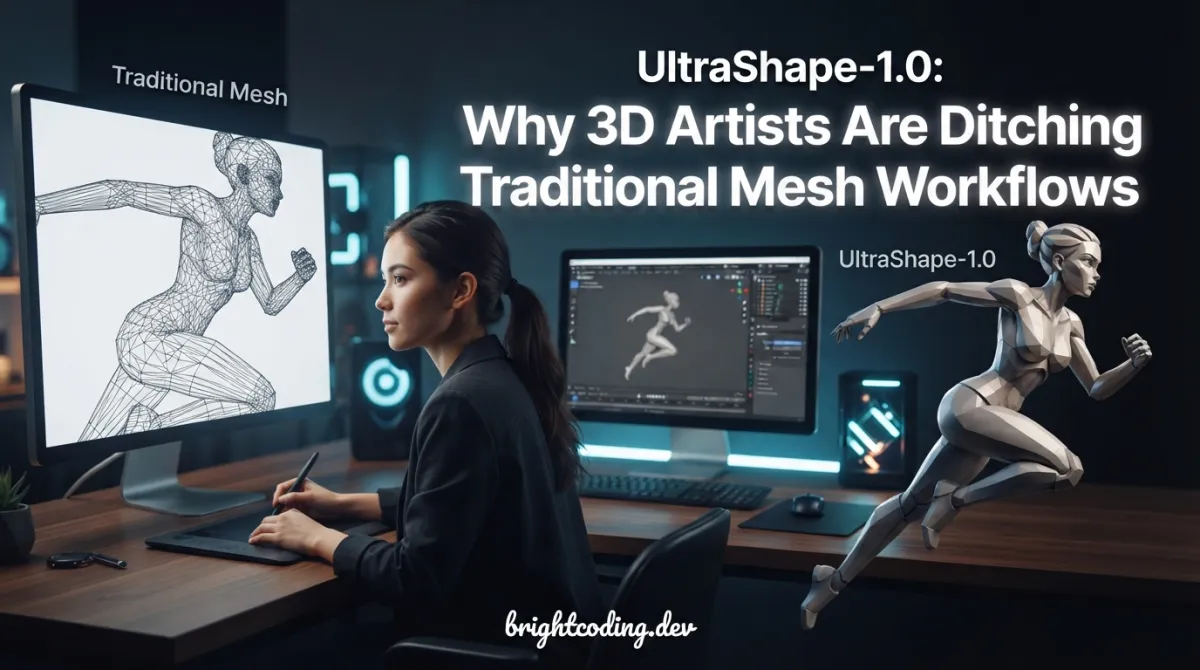
Your mesh pipeline is broken. Here's the fix.
Every 3D creator knows the soul-crushing cycle: sketch a concept, block out coarse geometry, then spend hours—sometimes days manually sculpting details, fixing topology holes, and praying your decimated mesh doesn't collapse into geometric nightmare fuel. The gap between "rough idea" and "production-ready asset" has always been a chasm of tedious manual labor.
But what if you could automate that refinement? What if a diffusion model could take your chunky, low-detail mesh and transform it into watertight, high-fidelity geometry with the same ease as generating an image from a text prompt?
Enter UltraShape-1.0—the scalable 3D diffusion framework from PKU-YuanGroup that's making waves across the computer graphics and AI communities. Released in late December 2025, this isn't another research demo that barely works on cherry-picked examples. It's a production-viable two-stage pipeline that decouples spatial structure from geometric detail synthesis, leveraging voxel-based refinement with Rotary Position Embedding (RoPE) to achieve results that compete with—and often surpass—existing open-source methods.
In this deep dive, I'll walk you through exactly how UltraShape-1.0 works, why its data processing pipeline is secretly its superpower, and how you can get it running on your own machine today. Whether you're building game assets, prototyping product designs, or pushing the boundaries of generative 3D, this tool deserves your attention.
What is UltraShape-1.0?
UltraShape-1.0 is a scalable 3D diffusion framework developed by researchers at Peking University's Yuan Group, specifically designed for high-fidelity 3D geometry generation through geometric refinement. The project was introduced in a technical report published on arXiv (2512.21185) and has rapidly gained traction since its code and model weights were open-sourced in late December 2025.
At its core, UltraShape-1.0 addresses a fundamental limitation in current 3D generative models: the quality ceiling of single-pass generation. Most existing approaches attempt to generate detailed geometry in one shot, which inevitably leads to either coarse outputs or unstable training dynamics. UltraShape-1.0's breakthrough is its deliberate two-stage architecture:
- Coarse Global Structure Synthesis: Generate or provide a basic mesh that captures overall shape and topology
- Fine-Grained Geometric Refinement: Apply diffusion-based refinement that adds detail while preserving structural integrity
What makes this approach particularly powerful is how the refinement stage is architected. The team decouples spatial localization from geometric detail synthesis—meaning the model doesn't waste capacity trying to figure out where details should go. Instead, voxel queries derived from the coarse geometry provide explicit positional anchors encoded via RoPE (Rotary Position Embedding), allowing the diffusion model to focus entirely on what local geometric details should exist within a constrained, structured solution space.
The framework also ships with a comprehensive data processing pipeline that includes novel watertight processing methods and aggressive quality filtering. This isn't an afterthought—it's the foundation that enables reliable training on real-world 3D datasets. The pipeline removes low-quality samples, fills holes, thickens thin structures, and preserves fine-grained details that would otherwise be lost.
With pre-trained models available on Hugging Face and full training code released, UltraShape-1.0 represents a significant step toward practical, scalable 3D generation.
Key Features That Set UltraShape-1.0 Apart
Two-Stage Diffusion Architecture
The coarse-to-fine paradigm isn't just conceptual—it's implemented through distinct, composable stages. You can generate coarse meshes with Hunyuan3D-2.1 (or any compatible method), then feed them into UltraShape's refinement diffusion transformer (DiT). This modularity means you're not locked into a single generative approach for both stages.
Voxel-Based Refinement with RoPE
Here's where the technical sophistication shines. The refinement process operates on fixed spatial locations using voxel queries, with coarse geometry providing explicit positional anchors. These anchors are encoded via Rotary Position Embedding (RoPE), a technique borrowed from large language models that encodes relative positions through rotation matrices. In 3D space, this allows the model to maintain precise spatial relationships while focusing its representational capacity on geometric detail synthesis.
Watertight Processing Pipeline
The included data processing isn't generic mesh cleanup. The team developed specialized watertight processing that:
- Fills holes without destroying surface detail
- Thickens thin structures that would fail in physical simulation
- Removes geometric artifacts and low-quality samples
- Preserves fine-grained details through careful filtering thresholds
This pipeline improved the geometric quality of publicly available datasets substantially—a critical but often overlooked contribution.
Scalable Training Infrastructure
UltraShape-1.0 supports multi-node distributed training with configurable VAE and DiT stages. The training scripts handle complex dependencies including PyTorch3D for differentiable rendering and torch_cluster for geometric operations.
Low VRAM Optimization
Not everyone has an A100 cluster. The framework includes explicit optimizations for memory-constrained environments:
- Configurable
num_latents(try 8192 for low VRAM) - Adjustable
chunk_size(2048 recommended for constrained GPUs) - Dedicated
--low_vramflag in both Gradio app and inference scripts
Interactive Gradio Interface
Beyond command-line scripts, UltraShape-1.0 provides a Gradio-based web UI for interactive refinement. This dramatically lowers the barrier for artists and designers who need visual feedback loops.
Real-World Use Cases Where UltraShape-1.0 Dominates
Game Asset Prototyping
Indie game developers face a brutal tradeoff: detailed assets take forever to create, but procedural generation looks generic. UltraShape-1.0 bridges this gap by letting artists quickly block out shapes, then automatically refine them to production quality. The watertight output meshes are immediately usable for collision detection and physics simulation.
Product Design Iteration
Industrial designers can sketch rough 3D concepts, generate coarse meshes from images, and use UltraShape-1.0 to produce refined prototypes for 3D printing or client presentations. The preservation of fine geometric details means thread patterns, surface textures, and ergonomic features emerge naturally from the refinement process.
Synthetic Training Data Generation
Computer vision researchers need massive datasets of diverse 3D objects. UltraShape-1.0's scalable pipeline enables high-quality synthetic data generation with controllable variation. The two-stage approach means you can generate structural diversity at the coarse stage and geometric diversity at the refinement stage—independently controllable, exponentially combinable.
Architectural Visualization
Architectural elements—ornate facades, furniture, decorative objects—often combine clear structural logic with intricate surface detail. UltraShape-1.0's decoupled approach handles this naturally: coarse meshes establish proportions and connectivity, while diffusion refinement adds the ornamental complexity that makes visualizations compelling.
VR/AR Content Creation
Immersive experiences demand optimized yet detailed geometry. UltraShape-1.0's output can be integrated into standard mesh optimization pipelines, providing a better starting point than manually sculpted or procedurally generated base meshes. The hole-free, structurally sound output is particularly valuable for real-time rendering engines.
Step-by-Step Installation & Setup Guide
Getting UltraShape-1.0 running requires attention to dependency versions, but the process is straightforward. Here's the complete workflow:
1. Clone and Environment Setup
# Clone the repository
git clone https://github.com/PKU-YuanGroup/UltraShape-1.0.git
cd UltraShape-1.0

# Create isolated conda environment
conda create -n ultrashape python↗ Bright Coding Blog=3.10
conda activate ultrashape
Critical: Python 3.10 is specified for compatibility with the PyTorch ecosystem versions used in this project.
2. Install PyTorch with CUDA 12.1
# Install PyTorch 2.5.1 with CUDA 12.1 support
pip install torch==2.5.1 torchvision==0.20.1 torchaudio==2.5.1 --index-url https://download.pytorch.org/whl/cu121
CUDA 12.1 is the recommended and tested configuration. Other versions may work but aren't guaranteed.
3. Install Core Dependencies
# Install requirements from project specification
pip install -r requirements.txt
4. Install cubvh for Marching Cubes Acceleration
# Required for accelerated mesh extraction
cubvh provides CUDA-accelerated bounding volume hierarchies
pip install git+https://github.com/ashawkey/cubvh --no-build-isolation
The --no-build-isolation flag is essential here—it ensures cubvh compiles against your active PyTorch installation rather than creating an isolated build environment with potentially incompatible versions.
5. Optional: Training & Advanced Sampling Dependencies
# PyTorch3D for differentiable mesh operations
pip install --no-build-isolation "git+https://github.com/facebookresearch/pytorch3d.git@stable"

# torch_cluster for geometric deep learning operations
pip install https://data.pyg.org/whl/torch-2.5.0%2Bcu121/torch_cluster-1.6.3%2Bpt25cu121-cp310-cp310-linux_x86_64.whl
These are only needed if you're training models or using advanced sampling features. For basic inference, steps 1-4 suffice.
6. Download Pre-trained Weights
Visit infinith/UltraShape on Hugging Face and download the checkpoint files. Place them in your local checkpoint directory:
mkdir -p ./checkpoints
# Move downloaded .pt or .safetensors files to ./checkpoints/
7. Generate Coarse Mesh with Hunyuan3D-2.1
UltraShape-1.0 requires a coarse input mesh. The recommended source is Hunyuan3D-2.1:
# Follow Hunyuan3D-2.1 installation at:
# https://github.com/Tencent-Hunyuan/Hunyuan3D-2.1
# Generate your coarse mesh as .glb or .obj
REAL Code Examples from the Repository
Now let's examine the actual implementation patterns from UltraShape-1.0's codebase, with detailed explanations of how each component functions.
Example 1: Running Inference Refinement
The primary entry point for mesh refinement is the shell script wrapper:
# scripts/run.sh - Main inference pipeline
# This script orchestrates the full refinement process

# The script expects these parameters:
# --image: Path to reference image for appearance guidance
# --mesh: Path to coarse mesh from Hunyuan3D-2.1 or similar
# --output_dir: Where refined results are saved
# --ckpt: Path to UltraShape checkpoint
# --step: DiT sampling steps (default 50, can reduce to 12 for speed)

sh scripts/run.sh \
    --image path/to/reference.png \
    --mesh path/to/coarse_mesh.obj \
    --output_dir ./outputs/refined \
    --ckpt ./checkpoints/ultrashape.pt \
    --step 50
What's happening here? The run.sh script invokes the DiT (Diffusion Transformer) refinement model. The --step parameter controls diffusion sampling iterations—higher values yield finer details but increase computation time. The default of 50 steps balances quality and speed, but dropping to 12 steps achieves 4x speedup with acceptable quality degradation for rapid prototyping.
The reference image provides appearance guidance, ensuring geometric details align with visual features. This is crucial for maintaining semantic consistency—if your reference shows a chair with tufted upholstery, the refinement should produce corresponding geometric indentations.
Example 2: Interactive Gradio Application
For visual workflows, the Gradio interface provides immediate feedback:
# scripts/gradio_app.py - Web UI for interactive refinement
# Launch local server with checkpoint loading

python scripts/gradio_app.py --ckpt ./checkpoints/ultrashape.pt
Key implementation detail: The Gradio app handles the full pipeline internally—loading the DiT model, processing uploaded meshes, running diffusion sampling, and visualizing results. For low VRAM systems, add the --low_vram flag:
# Memory-optimized mode for GPUs with limited VRAM
python scripts/gradio_app.py \
    --ckpt ./checkpoints/ultrashape.pt \
    --low_vram  # Enables gradient checkpointing and reduced batch processing
The --low_vram mode trades minor speed reductions for dramatic memory savings, making UltraShape-1.0 accessible on consumer GPUs like RTX 3060 12GB or RTX 4060 Ti.
Example 3: Data Sampling for Training Preparation
Before training, you must sample point clouds from watertight meshes:
# scripts/sampling.py - Point cloud extraction from processed meshes
# This prepares the geometric data for VAE and DiT training

python scripts/sampling.py \
    --mesh_json data/mesh_paths.json \
    --output_dir data/sample
Critical preprocessing step: The mesh_json file contains a list of file paths to watertight meshes—these have already passed through UltraShape's data processing pipeline. The sampling script extracts point clouds with surface normals, saving as .npz files containing:
points: Sampled surface points (N, 3)normals: Corresponding surface normals (N, 3)occupancy: Optional occupancy labels for structured sampling
The output directory structure mirrors the input, with each mesh generating a corresponding .npz file used in subsequent training stages.
Example 4: Multi-Node Training Launch
For researchers training from scratch or fine-tuning:
# train.sh - Distributed training launcher
# Usage: sh train.sh [node_idx]

sh train.sh 0  # Launch on node 0 of multi-node cluster
Configuration inside train.sh specifies:
training_data_list: Directory containingtrain.jsonandval.jsonwith dataset ID listssample_pcd_dir: Location of sampled.npzpoint clouds from preprocessingimage_data_json: Paths to rendered images for multi-modal training- Model type toggle: VAE training or DiT training
- Output directory and config file paths
The node index parameter enables torch.distributed.launch or torchrun multi-node coordination. Each node processes its data shard while synchronizing gradients via NCCL backend.
Example 5: Low VRAM Inference Configuration
For resource-constrained environments, explicit memory controls:
# Direct Python inference with memory optimization
python scripts/infer_dit_refine.py \
    --mesh path/to/coarse_mesh.obj \
    --ckpt ./checkpoints/ultrashape.pt \
    --num_latents 8192 \      # Reduce latent code count (default higher)
    --chunk_size 2048 \        # Process attention in smaller chunks
    --low_vram                 # Enable all memory optimizations
Technical explanation: num_latents controls the resolution of the latent geometric representation—8192 provides coarser structure encoding but dramatically reduces memory. chunk_size splits attention computations into sequential chunks, trading computation overhead for linear memory scaling rather than quadratic. Together, these enable inference on 8GB VRAM GPUs that would otherwise fail with out-of-memory errors.
Advanced Usage & Best Practices
Optimize Your Coarse Mesh Quality
UltraShape-1.0's refinement is only as good as its input. Ensure your coarse meshes from Hunyuan3D-2.1 have:
- Reasonable topology without extreme non-manifold edges
- Approximately uniform triangle distribution
- Scale normalization (fit within unit cube for best results)
Tune Sampling Steps for Your Use Case
| Use Case | Recommended Steps | Time/Quality Tradeoff |
|---|---|---|
| Rapid prototyping | 12 | Fast, acceptable quality |
| Production preview | 25 | Balanced |
| Final asset generation | 50 | Best quality, slower |
| Research/evaluation | 50-100 | Maximum fidelity |
Leverage the Data Processing Pipeline (When Released)
The data processing scripts are marked for future release. When available, run your custom datasets through this pipeline before training—the watertight processing and quality filtering are non-trivial implementations that significantly impact convergence and output quality.
Multi-GPU Training Strategy
For training, use the VAE-DiT separation strategically:
- Pre-train VAE on large diverse dataset with frozen encoder
- Train DiT with frozen VAE latent space
- Fine-tune jointly on domain-specific data
This staged approach prevents mode collapse and stabilizes diffusion training.
Comparison with Alternatives
| Feature | UltraShape-1.0 | Hunyuan3D-2.1 (base) | Point-E | Meshy v1 |
|---|---|---|---|---|
| Two-stage refinement | ✅ Native | ❌ Single-pass | ❌ Single-pass | ❌ Single-pass |
| Open source weights | ✅ Full | ✅ Full | ✅ Full | ❌ API only |
| Training code | ✅ Released | ✅ Released | ✅ Released | ❌ Proprietary |
| Watertight output | ✅ Guaranteed | ⚠️ Post-process | ❌ Point cloud | ⚠️ Varies |
| Low VRAM support | ✅ Configurable | ⚠️ Limited | ✅ Yes | N/A (cloud) |
| Multi-node training | ✅ Supported | ⚠️ Unclear | ❌ No | N/A |
| RoPE spatial encoding | ✅ Novel | ❌ No | ❌ No | ❌ Unknown |
| Gradio interface | ✅ Included | ⚠️ Community | ❌ No | ✅ Web UI |
Why UltraShape-1.0 wins: The deliberate architectural choice to separate structure and detail generation, combined with production-hardened data processing and full training transparency. You're not locked into black-box APIs or single-pass quality ceilings.
Frequently Asked Questions
What hardware do I need to run UltraShape-1.0 inference?
Minimum: NVIDIA GPU with 8GB VRAM (using --low_vram flags). Recommended: 12GB+ VRAM for full-quality refinement at default settings. Training requires multi-GPU setup for practical iteration times.
Can I use coarse meshes from sources other than Hunyuan3D-2.1?
Yes, any watertight mesh in .obj or .glb format works. However, Hunyuan3D-2.1 is the tested and recommended source. Meshes from other generators may need scale normalization and topology cleanup.
Is UltraShape-1.0 free for commercial use?
The code and weights are released with open-source licensing. Check the repository's LICENSE file for specific terms. The arXiv paper provides full technical details for independent implementation.
How does the voxel-based refinement preserve fine details?
By fixing spatial locations via coarse geometry anchors and encoding positions with RoPE, the diffusion model's capacity is freed to focus entirely on geometric detail synthesis within constrained local neighborhoods.
When will data processing scripts be released?
The todo list shows data processing scripts as pending. Follow the GitHub repository for updates—the team has rapidly delivered on previous release commitments.
Can I fine-tune on my own object categories?
Yes, with the full training code released. Prepare watertight meshes, run sampling.py for point cloud extraction, and launch multi-node training with your category-specific data.
What makes RoPE effective for 3D geometry?
RoPE's relative position encoding through rotation matrices naturally extends to 3D coordinate differences, providing translation-invariant yet distance-aware spatial representations that help the diffusion model maintain geometric consistency.
Conclusion: The Future of 3D Generation is Refinement
UltraShape-1.0 represents a maturation point for neural 3D generation. The field's early obsession with end-to-end single-shot generation is giving way to smarter architectures that mirror how humans actually create: rough structure first, deliberate refinement second. The PKU-YuanGroup's contribution isn't just the diffusion model—it's the complete system thinking around data processing, spatial encoding, and practical deployment.
The watertight processing pipeline, the RoPE-based spatial decoupling, and the explicit low-VRAM optimizations all signal that this team built for real usage, not just benchmark numbers. When data processing scripts drop, expect a wave of community fine-tuned variants for specific domains—architectural elements, organic shapes, mechanical parts.
If you're still manually sculpting every mesh detail or settling for single-pass generation artifacts, you're working too hard. The two-stage future is here, and it's called UltraShape-1.0.
Get started now: Clone the repository at github.com/PKU-YuanGroup/UltraShape-1.0, download the pre-trained weights from Hugging Face, and transform your 3D workflow today.
Have you tried UltraShape-1.0? Share your results and fine-tuning discoveries—this is a framework that will only improve with community iteration.
Explore on the BrightCoding network
Hand-picked resources from our other sites.
Stop Wrestling with TTS APIs! ComfyUI-Qwen-TTS Is Here
Discover ComfyUI-Qwen-TTS, the open-source plugin that brings zero-shot voice cloning, natural language voice design, and multi-role dialogue generation to Comf...
Topdu/OpenOCR: Open-Source Toolkit for OCR Research & Production
Topdu/OpenOCR is an Apache 2.0-licensed Python toolkit from Fudan University's FVL Lab, integrating unified OCR training benchmarks, commercial-grade systems li...
Stop Wasting GPU Hours! LingBot-VLA Cuts Training Time by 2.8×
LingBot-VLA is a pragmatic Vision-Language-Action foundation model with 20,000 hours of pre-training data, 2.8× faster training than alternatives, and state-of-...
Continuez votre lecture

Why Chandra is the Ultimate OCR Tool for Handwriting and Tables

Why Building LLM Applications From Scratch is a Game Changer

How Building LLM Apps From Scratch Changes the Future of AI Development

Stop Coding Alone: OPC-Skills Gives Your AI Agent Superpowers
Commentaires 0
Aucun commentaire pour l'instant. Soyez le premier à réagir !