unfoldadmin/django-unfold: Modern Django Admin Without Migration Pain
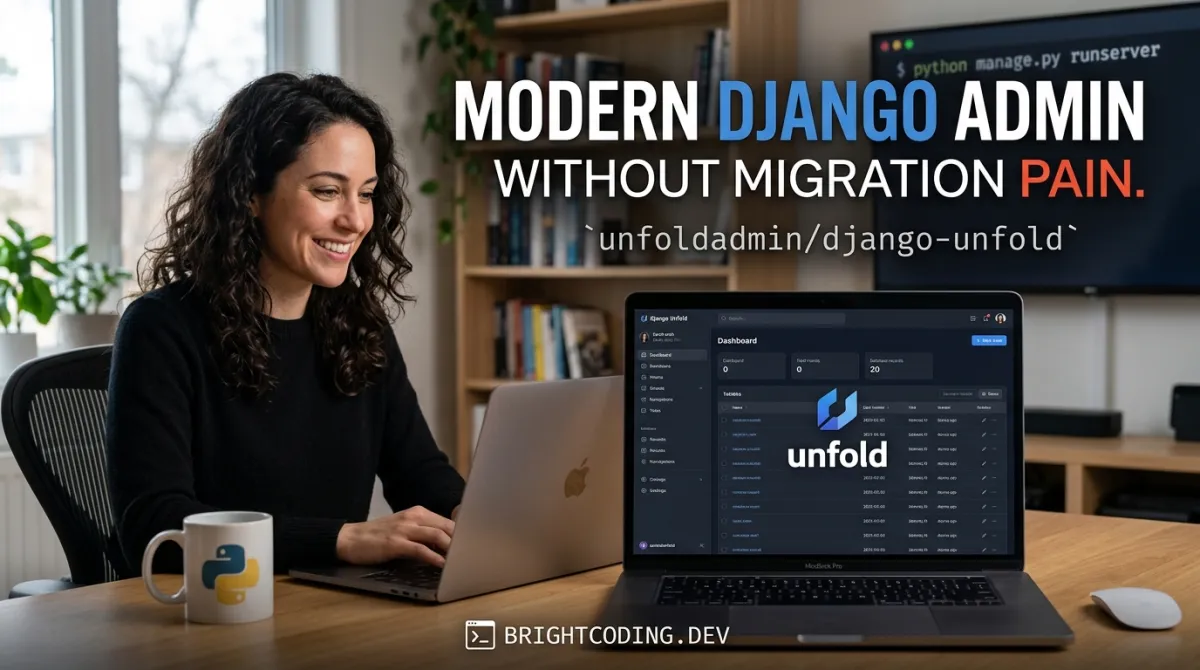
Django's built-in admin has been a workhorse since 2005, but its interface shows its age. Backend developers building internal tools and backoffice applications face a familiar dilemma: either accept the default admin's dated UX, or invest weeks rebuilding dashboards from scratch. The third option—migrating to a full admin replacement—often means ripping out existing ModelAdmin classes, custom actions, and third-party integrations that teams have refined over years.
django-unfold solves this directly. It wraps django.contrib.admin rather than replacing it, giving teams a modern Tailwind CSS↗ Bright Coding Blog interface without touching their underlying admin logic. With 3,570 GitHub stars, 358 forks, and active development (last commit July 16, 2026), it's positioned as a pragmatic upgrade path for production Django projects that need better UX without architectural upheaval.
What is unfoldadmin/django-unfold?
django-unfold is an open-source Python↗ Bright Coding Blog package maintained by unfoldadmin that enhances Django's native admin with a modern visual layer. Licensed under MIT, it sits squarely in the Django ecosystem tooling category alongside packages like django-grappelli and django-jazzmin, but with a distinct technical approach: zero migration required.
The project is built entirely on django.contrib.admin—not as a fork or rewrite, but as a styling and functionality overlay. This matters because it means existing ModelAdmin subclasses, custom admin actions, third-party packages that hook into admin hooks, and permission systems continue working unchanged. Teams can adopt it incrementally, model by model, or switch the entire admin over in minutes.
The interface uses Tailwind CSS for styling, Alpine.js for reactive components, HTMX for AJAX interactions, and Chart.js for data visualization. Material Symbols provide iconography, Inter serves as the typeface. This stack reflects modern frontend preferences without imposing a separate build pipeline on Django projects—Unfold handles its own asset compilation.
The project offers professional services (consulting, support, and a Studio tier for advanced dashboards), indicating sustained commercial backing. A Discord community and active CI/CD pipeline (GitHub Actions release workflow) suggest healthy ongoing maintenance.
Key Features
Visual Interface & Theming: The Tailwind-based UI replaces Django's default stylesheet with a contemporary design system. Teams can customize color schemes, backgrounds, border radius, and font colors through settings.py configuration without touching CSS files directly. Dark mode support is built in, not bolted on.
Navigation & Layout: Sidebar navigation supports icons, collapsible sections, and hierarchical organization. Model tabs and fieldset tabs allow grouping related content in change forms, reducing cognitive load on complex models. Inline tabs group related inlines under tab navigation rather than stacking them vertically.
Data Interaction: Advanced filters include custom dropdowns, autocomplete, numeric, datetime, and text field variants. The command palette enables quick search across models and custom data. An infinite paginator handles large datasets efficiently, while paginated inlines break large record sets into pages within change forms to prevent admin performance degradation.
Form Enhancements: Conditional fields show or hide dynamically based on other field values. A built-in WYSIWYG editor uses Trix. Array widget support covers django.contrib.postgres.fields.ArrayField. Changeform modes allow compressed field display. The crispy forms template pack integrates django-crispy-forms with Unfold's design system.
Workflow Features: Sortable inlines support drag-and-drop reordering. Datasets display custom changelists on change form detail pages. Nonrelated inlines display unrelated models within a change form—a pattern useful for cross-model dashboards. The environment label distinguishes staging from production visually.
Internationalization: A language switcher allows changing language directly from the admin area, removing a common friction point for multilingual teams.
Parallel Administration: Critically, Unfold supports running alongside the default Django admin. Teams can migrate gradually, or maintain both interfaces for different user groups.
Use Cases
Internal Tool Modernization: SaaS companies with 5+ year old Django codebases often have hundreds of ModelAdmin definitions. Rewriting these for a new admin framework is prohibitive. Unfold's incremental adoption lets teams modernize the interface for customer support, operations, and content teams without backend rewrites. The parallel admin feature means critical workflows can stay on default admin until fully validated.
Data-Heavy Backoffice Applications: E-commerce operations, logistics platforms, and fintech admin panels frequently manage models with dozens of fields and multiple related inlines. Fieldset tabs, inline tabs, and conditional fields prevent form overload. The infinite paginator and paginated inlines maintain performance when displaying thousands of related records—common in order management or transaction review interfaces.
Multi-Environment Operations: Teams running separate staging, demo, and production admin instances benefit from environment labels that prevent costly misclicks. Combined with dark mode support for long nighttime on-call sessions, these "quality of life" features reduce operational risk.
Rapid MVP Dashboards: Early-stage products needing admin interfaces for investors or early customers can deploy Unfold quickly via pip install, then customize theming to match brand colors. The dashboard tools and Chart.js integration support building summary pages without spinning up a separate analytics stack.
Third-Party Integration Heavy Workflows: Projects using django-guardian for object permissions, django-import-export for data migration, or django-simple-history for audit trails get pre-built Unfold styling for these packages. This eliminates the visual inconsistency that typically plagues admin replacements.
Installation & Setup
The README provides a three-step quickstart. Reproduce these exactly:
Step 1: Install the package
pip install django-unfold
This pulls the latest PyPI release. The package has no external dependencies beyond Django itself—all frontend assets are bundled.
Step 2: Modify INSTALLED_APPS in settings.py
INSTALLED_APPS = [
    "unfold",
    # Rest of the apps
]
The order matters: unfold must precede django.contrib.admin so its templates override the defaults. Do not remove django.contrib.admin—Unfold requires it.
Step 3: Use Unfold's ModelAdmin
from unfold.admin import ModelAdmin

@admin.register(MyModel)
class MyModelAdmin(ModelAdmin):
    pass
This minimal change applies Unfold's styling to MyModel's admin interface. Existing custom methods, list_display, search_fields, and action definitions remain functional.
Verification: After restarting your development server, navigate to /admin/. The login page and model listings should reflect Unfold's interface. If the default admin persists, check that unfold appears before django.contrib.admin in INSTALLED_APPS and that you've cleared template caches.
Real Code Examples
The README contains two explicit code examples. Both are reproduced below with contextual explanation.
Example 1: Basic ModelAdmin Registration
from unfold.admin import ModelAdmin

@admin.register(MyModel)
class MyModelAdmin(ModelAdmin):
    pass
This is the minimal viable integration. ModelAdmin from unfold.admin extends Django's base class, so all standard attributes—list_display, list_filter, search_fields, actions, inlines, fieldsets—work identically. The pass body indicates no custom configuration is required for basic styling. Teams with existing ModelAdmin subclasses can typically change their import and base class to migrate immediately.
Example 2: INSTALLED_APPS Configuration
INSTALLED_APPS = [
    "unfold",
    # Rest of the apps
]
This ordering leverages Django's template loader precedence. By placing unfold first, its admin/base_site.html and related templates override django.contrib.admin's defaults. The comment # Rest of the apps is literal from the README—your actual configuration will include django.contrib.admin, your project apps, and third-party packages in their existing order after unfold.
The README does not provide extended configuration examples for features like sidebar navigation, theming, or conditional fields. This reflects the current documentation scope rather than a limitation of the package itself. The full documentation and demo repository contain additional implementation patterns.
Advanced Usage & Best Practices
Gradual Migration Strategy: For production codebases, migrate one app at a time. Start with low-risk models (read-heavy, few custom actions) to validate Unfold's behavior with your specific third-party packages. The parallel admin feature lets you maintain /admin/ on Unfold while keeping /oldadmin/ on default Django admin during transition.
Theming Decisions: Configure colors in settings.py rather than overriding templates. This preserves upgrade compatibility—Unfold's template structure may evolve, but its settings API is committed to stability. Test dark mode explicitly; it affects contrast ratios for custom HTML in list_display or field help text.
Performance Monitoring: The infinite paginator reduces server load for large changelists, but verify it behaves correctly with your existing list_select_related and list_prefetch_related optimizations. Paginated inlines similarly require testing with your actual query patterns—N+1 risks persist if inlines lack prefetch_related configuration.
Third-Party Package Validation: While Unfold supports django-guardian, django-import-export, and others explicitly, test your specific versions. Integration guides are available at unfoldadmin.com/docs/integrations/—review these before upgrading either Unfold or the integrated package.
Comparison with Alternatives
| Feature | django-unfold | django-grappelli | django-jazzmin |
|---|---|---|---|
| Base approach | Extends django.contrib.admin |
Replaces admin templates | Replaces admin templates |
| Migration required | None | Template overrides | Template overrides |
| Frontend stack | Tailwind, Alpine.js, HTMX | Custom CSS/jQuery | Bootstrap 4/5 |
| Dark mode | Built-in | No | Yes |
| Parallel admin | Yes | No | No |
| Third-party integrations | 10+ documented | Limited | Limited |
| Active maintenance | Yes (2026 commits) | Minimal | Moderate |
django-grappelli, historically popular, uses a jQuery-based custom interface that feels dated compared to modern reactive patterns. django-jazzmin offers Bootstrap-based theming with broader familiarity but lacks Unfold's incremental adoption path and parallel admin capability. For teams prioritizing zero migration risk and modern frontend architecture, Unfold's technical approach is distinct.
Trade-offs exist: Unfold's Tailwind stack may feel foreign to Bootstrap-accustomed teams. Its newer ecosystem means fewer Stack Overflow answers compared to decade-old alternatives. The professional services model, while ensuring sustainability, also indicates some advanced features may trend toward paid tiers over time.
FAQ
Does django-unfold require database migrations? No. It operates entirely within Django's admin layer without model changes.
Can I run Unfold alongside Django's default admin? Yes. The parallel admin feature supports this explicitly.
What Django versions are supported? The README does not specify; check PyPI or documentation for compatibility matrix.
Is the MIT license permissive for commercial use? Yes. Standard MIT terms apply—attribution required, no usage restrictions.
Does it work with custom AdminSite subclasses?
The README implies standard integration; test custom AdminSite configurations explicitly.
How do I customize the sidebar navigation?
Configuration via settings.py is supported; exact syntax is in the full documentation.
Is there a performance overhead? The infinite paginator reduces server load for large datasets; no general overhead is documented.
Conclusion
django-unfold occupies a specific and valuable niche: teams that need modern admin UX without the migration tax of full framework replacements. Its 3,570-star traction, active 2026 development, and commercial backing through unfoldadmin suggest long-term viability.
The tool fits best for: Django projects with substantial existing admin customization, teams building internal tools where developer time outweighs visual polish investment, and organizations needing gradual modernization paths. It fits less well for: greenfield projects wanting entirely custom admin architectures, or teams deeply invested in Bootstrap ecosystems.
The zero-migration promise is the core differentiator—verify it holds for your specific third-party packages, but the technical approach is sound. Start with the demo site, review the formula demo repository, and evaluate against your actual admin complexity.
Explore the source, star the repository, and join the Discord community for implementation questions: https://github.com/unfoldadmin/django-unfold
Outils recommandés
Explore on the BrightCoding network
Hand-picked resources from our other sites.
the0: Why Top Quants Are Ditching Proprietary Engines
Discover the0, the open-source algorithmic trading engine supporting 7 languages with production-grade microservices architecture. Deploy trading bots via Docke...
GIN-SYSTEMS/vigil-tui: Real-Time Terminal Power Monitor for Linux & Windows
GIN-SYSTEMS/vigil-tui is a Python 3.11+ terminal dashboard for real-time CPU, GPU, and RAM power monitoring on Linux and Windows. Reads from hwmon, RAPL, and NV...
anombyte93/prd-taskmaster: Zero-Config PRD-to-Code Engine for Claude Code
anombyte93/prd-taskmaster is a pre-alpha, MIT-licensed Python engine for Claude Code that transforms one-line goals into graded PRDs, dependency-ordered task gr...
Continuez votre lecture

Why Alexandrie is the Ultimate Markdown Note-Taking App

Why CrossPaste is the Ultimate Game Changer for Clipboard Management

Why Chandra is the Ultimate OCR Tool for Handwriting and Tables

Stop Coding Alone: OPC-Skills Gives Your AI Agent Superpowers
Commentaires 0
Aucun commentaire pour l'instant. Soyez le premier à réagir !