Vexa-ai/vexa: Self-Hosted Meeting Bot & Transcription API
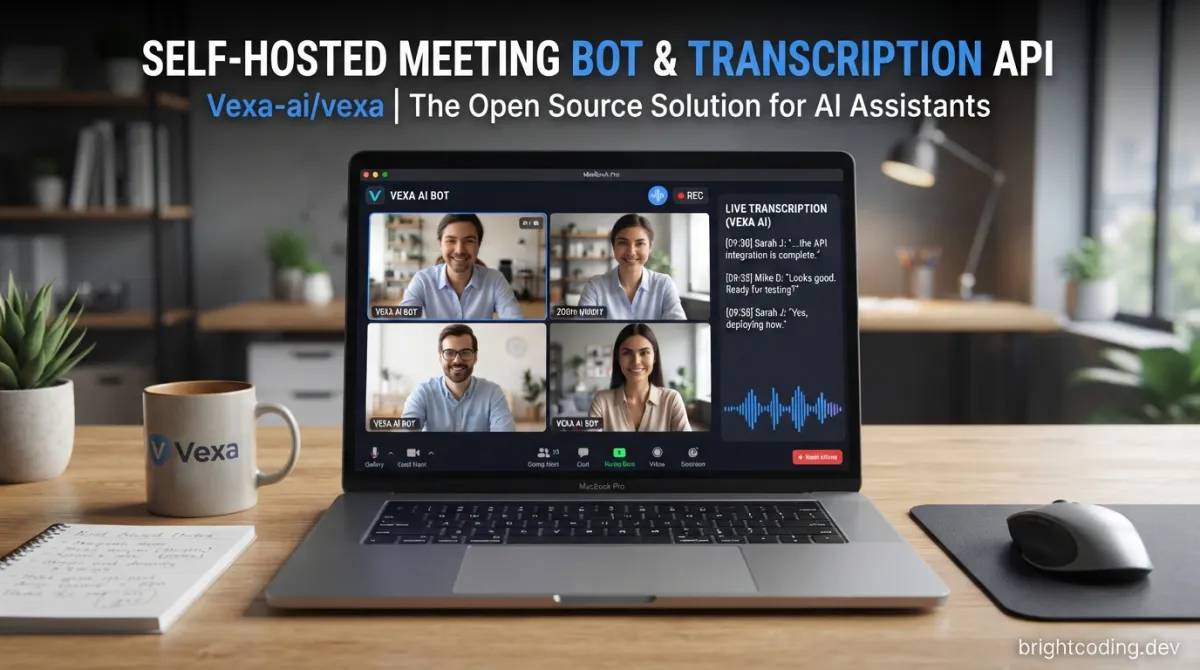
Vexa-ai/vexa: Self-Hosted Meeting Bot & Transcription API
Most meeting AI tools force a trade-off: send your conversations to someone else's cloud, or build the entire pipeline yourself. For teams in regulated industries, privacy-conscious startups, or developers who simply want ownership of their infrastructure, that trade-off is unacceptable. Vexa-ai/vexa offers a third path—an open-source, self-hosted meeting bot and transcription API that joins live calls, streams speaker-attributed transcripts in real time, and feeds sandboxed agents that build a Markdown↗ Smart Converter knowledge base your team actually owns.
What is Vexa-ai/vexa?
Vexa-ai/vexa is an Apache-2.0 licensed open-source project that provides a complete meeting capture and knowledge management stack. With 2,541 GitHub stars, 378 forks, and Python↗ Bright Coding Blog as its primary language, it sits at the intersection of real-time media processing, container orchestration, and agentic AI workflows. The project is actively maintained, with the last commit dated July 15, 2026.
At its core, Vexa is two domains sharing one runtime: Meetings (capture via bot fleet) and Agents (work the knowledge). A single API gateway routes to both. The runtime spawns every bot and every agent in its own sandboxed container—Docker↗ Bright Coding Blog by default, Kubernetes via Helm chart, or even bare process for environments without container sockets.
What distinguishes Vexa from the crowded "AI second brain" space is that it produces the transcripts other tools merely consume. Most document-RAG and note-taking tools start after a transcript exists. Vexa's genuinely hard engineering is the bot fleet that joins Google Meet, Microsoft Teams, Zoom, and Jitsi calls as a participant, handles real-time audio extraction, performs speaker attribution, and exposes the result through an API you host.
The knowledge layer compounds this capture into structured, interlinked Markdown entity pages—people, companies, projects, decisions—following the Open Knowledge Format (kg/ bundle). Agents (Claude Code, Codex, and others) read and write this repo like developers work a codebase. The design explicitly references Andrej Karpathy's LLM Wiki pattern: rather than rediscovering everything from scratch via RAG, have agents compile sources into structured knowledge that compounds over time.
Key Features
Multi-platform meeting bots. Vexa joins Google Meet, Microsoft Teams, Zoom, and Jitsi as a participant bot. This is not screen scraping or browser automation alone—the bot is in the meeting, with native platform integration for each. Speaker attribution works across all supported platforms.
Real-time transcript API. Transcripts stream live via polling endpoints (WebSocket multiplex is planned). Speaker-attributed, draft-then-confirmed text is available while the meeting is still in progress, not just as a post-hoc export.
Self-hosted, air-gap ready. The entire stack runs on your infrastructure. Docker Compose for single-host deployment, Kubernetes/OpenShift via Helm for scale. No mandatory cloud dependency. The transcription unit can be self-hosted on GPU hardware or swapped for a hosted token during evaluation.
Sandboxed agent runtime. Every agent dispatch gets its own isolated container: no egress except brokered tools, only granted workspaces visible in its filesystem. Sub-second starts, thousands in parallel. The same runtime proven by production bot fleets runs your agents.
Knowledge as files you own. Meetings compile into Markdown in a git repo—portable, diffable, greppable. This is not a proprietary database or locked export format. Your knowledge is code, with all that implies for versioning, collaboration, and auditability.
Terminal UI for AI-augmented meetings. A web workbench at :13000 provides send-a-bot, live transcript viewing, workspace chat, and collaborative editing—human and AI participants working the same files during a call.
Use Cases
Regulated enterprise meeting intelligence. Banks, healthcare organizations, and government agencies can deploy Vexa fully air-gapped on OpenShift with local LLMs. No conversation data transits a vendor cloud. The repo includes machine-readable architecture (architecture.calm.json), OpenSSF Security Insights manifest, and explicit license gating for security review.
Developer team knowledge management. Engineering teams can replace ad-hoc meeting notes with a structured, agent-maintained wiki. Post-meeting, an agent automatically compiles decisions, action items with owners, and project updates into interlinked Markdown. The next standup references the previous, not human memory.
Unattended operational routines. Cron-scheduled agents produce morning briefs from overnight activity, triage incoming email into proposed tasks (human approval before write), or generate reports after every meeting. These run without manual trigger once configured.
Real-time meeting copilot (partial, building). During live calls, agents with workspace context can answer "what did we promise them last time?" grounded in your actual meeting history. Full live-meeting copilot with streaming cards is on the roadmap; agent chat during live meetings is built and proven.
Standalone transcription service. Teams who only need capture can use the Meetings API independently—send bots, read transcript streams, store recordings in your own MinIO instance, and ignore the agent layer entirely.
Installation & Setup
Vexa targets Linux (Ubuntu 24.04) for production; macOS with Docker Desktop works for local evaluation. Everything runs in containers regardless.
Prerequisites: make, Docker Engine ≥ v26, and either a free transcription token from vexa.ai/account or a self-hosted GPU transcription unit for fully air-gapped operation.
Resource requirements: make all (full Docker Compose stack) needs at least 8 vCPUs and 16 GB RAM. For constrained hosts, make lite provides a single-container all-in-one image.
# Clone and build
git clone https://github.com/Vexa-ai/vexa.git && cd vexa
make all      # full Docker Compose stack — seeds .env, builds, prints API key + URLs
make bot      # build the meeting bot from source (required before a bot can join)
make all brings up these services on loopback:
| Service | Port | Role |
|---|---|---|
| gateway | :18056 |
Auth, scopes, routing |
| terminal | :13000 |
Web workbench |
| meeting-api | internal | Bots, transcripts, recordings |
| agent-api | internal | Agent dispatch, chat, routines, events |
| runtime | internal | Spawns bot + agent containers |
| admin-api, redis, postgres, minio | internal | Keys, bus/scheduler, metadata, object storage |
When complete, make all outputs:
  Terminal UI : http://localhost:13000     # the web workbench
  API gateway : http://localhost:18056     # the API
  API key     : vxa_…
The .env file controls runtime backend (docker default, k8s for Kubernetes), transcription endpoint, and model credentials. For production, expose the Terminal via a TLS reverse proxy.
Real Code Examples
The README provides two primary API interaction patterns. These examples use the exact endpoints and parameters documented.
Example 1: Send a bot and retrieve real-time transcript
export API_KEY=vxa_...
export API_BASE=http://localhost:18056

# Dispatch bot to a live meeting
curl -X POST "$API_BASE/bots" \
  -H "X-API-Key: $API_KEY" -H "Content-Type: application/json" \
  -d '{"platform":"google_meet","native_meeting_id":"abc-defg-hij","bot_name":"Vexa"}'

# Poll for transcript while meeting is live
curl -H "X-API-Key: $API_KEY" "$API_BASE/transcripts/google_meet/abc-defg-hij"
platform accepts google_meet, teams, zoom, or jitsi. The native_meeting_id is extracted from the join URL. The transcript endpoint returns speaker-attributed text; poll repeatedly for updates during the call.
Example 2: Chat with an agent over your workspace
# SSE-streamed response; message-delta frames carry text, commit frames mark recorded changes
curl -N -X POST "$API_BASE/agent/chat" \
  -H "X-API-Key: $API_KEY" -H "Content-Type: application/json" \
  -d '{"prompt":"What did we decide in my last meeting?"}'
The -N flag disables buffering so Server-Sent Events stream properly. The agent has your entire workspace—every captured meeting, email, and note—as context. Trusted chat can also record decisions as git commits.
Example 3: Create a scheduled morning brief routine
curl -X POST "$API_BASE/agent/routines" \
  -H "X-API-Key: $API_KEY" -H "Content-Type: application/json" \
  -d '{"name":"Morning brief","cron":"0 8 * * 1-5",
       "prompt":"Brief me from overnight activity — new meetings, decisions, follow-ups due. Write brief/today.md.",
       "run_now":true}'
This creates a cron-scheduled agent that runs unattended, committing its output directly to your workspace. The run_now: true executes immediately for verification.
Example 4: Safely triage incoming email (propose-only)
curl -X POST "$API_BASE/agent/events" \
  -H "X-API-Key: $API_KEY" -H "Content-Type: application/json" \
  -d '{"name":"email.received","source":{"uri":"mailbox://u_jane/INBOX/AB12CD"},
       "plan":{"prompt":"Triage this email into tasks; propose a record for each action item and a draft reply."}}'
Untrusted input runs propose-only: the agent suggests, a human approves, trusted code applies. Irreversible effects are always gated, even when triggered by external events.
Advanced Usage & Best Practices
Runtime backend selection. The RUNTIME_BACKEND environment variable controls workload isolation: docker (default, requires socket access), process (no Docker needed, reduced isolation), or k8s (Pod per dispatch, cluster-scheduled). Choose based on your security requirements and infrastructure. The Kubernetes backend is functional with per-mount workspace isolation; full multi-tenant hardening is tracked in the project's status page.
Transcription architecture. The STT service is intentionally separate from the control plane. For evaluation, use a hosted token. For production air-gap, deploy deploy/transcription (faster-whisper, OpenAI-compatible) on any CUDA-capable GPU and point .env at it. This separation lets you scale transcription independently and swap models.
Model credential boundaries. Personal deployments can reuse your existing Claude Pro/Max subscription—workers run the official claude CLI against your credential, which Anthropic's terms cover for personal use. Multi-user deployments must use API keys under Commercial Terms; the application enforces this resolution in Settings → Models. Understand this boundary before scaling beyond individual use.
Workspace design. Treat your kg/ bundle as a codebase: branch for experiments, review agent commits, revert when necessary. The git-based model means standard tools—diff, blame, CI—apply to knowledge management. [INTERNAL_LINK: git-ops-for-knowledge-management]
Comparison with Alternatives
| Capability | Vexa | Hosted APIs (e.g. Recall.ai) | DIY (Whisper + custom bot) |
|---|---|---|---|
| Self-hosted / own your data | ✅ | ❌ | ✅ |
| Real-time transcript API | ✅ | ✅ | 🟡 build it |
| Joins Meet + Teams + Zoom + Jitsi | ✅ | 🟡 varies | ❌ enormous effort |
| Speaker attribution | ✅ | ✅ | 🟡 build it |
| Knowledge as files you own | ✅ | ❌ | 🟡 build it |
| Agents over your workspace | ✅ | ❌ | ❌ |
| Open source | ✅ Apache-2.0 | ❌ | ✅ |
Vexa's unique position is the intersection: a permissively-licensed, self-hosted meeting-bot-API server with real-time multi-platform capture and agentic knowledge compounding. Hosted APIs own the infrastructure; DIY requires massive engineering for platform coverage. Vexa provides the complete stack. It complements rather than replaces document-RAG tools—feed them Vexa's clean, attributed transcripts.
FAQ
Does Vexa work without internet access? Yes, fully air-gapped deployment is supported. Self-host the transcription unit on GPU hardware; no external services required.
Which meeting platforms are supported? Google Meet, Microsoft Teams, Zoom, and Jitsi (including self-hosted Jitsi) are all supported for bot joining.
What license is Vexa released under? Apache License 2.0. No per-seat fees, no usage restrictions beyond the license terms.
Can I use Vexa just for transcription, ignoring the agent features? Yes, the Meetings API is a complete standalone product. Send bots, read transcripts, store recordings without enabling agent dispatch.
What are the minimum hardware requirements?
make all requires 8 vCPUs and 16 GB RAM. Use make lite for resource-constrained evaluation.
Is Kubernetes support production-ready?
The Kubernetes backend is available with lifecycle management and per-mount workspace isolation; a Helm chart is in deploy/helm. Check the project's status page for current multi-tenant hardening progress.
How do I report security vulnerabilities?
See SECURITY.md in the repository for responsible disclosure procedures.
Conclusion
Vexa-ai/vexa is a credible, engineering-heavy solution for teams who need meeting intelligence without surrendering their data. It is particularly well-suited to regulated industries requiring air-gapped deployment, engineering teams wanting knowledge that compounds in formats they control, and developers who prefer to own their infrastructure stack rather than rent access to it.
The project is not a lightweight wrapper around someone else's API—it is a full runtime, bot fleet, and agent execution layer, open-sourced under Apache-2.0 and actively developed. If you are evaluating meeting AI tools, the honest comparison is not "which cloud service" but whether you can accept the architectural constraints that cloud-only solutions impose.
Explore the repository, deploy with make all, and evaluate whether self-hosted meeting intelligence fits your organization's requirements: https://github.com/Vexa-ai/vexa
Outils recommandés
Explore on the BrightCoding network
Hand-picked resources from our other sites.
agentscope-ai/ReMe: File-Based Memory Layer for AI Agents
ReMe is a local-first memory management kit for AI agents that stores conversations and resources as editable Markdown files with frontmatter and wikilinks. Fea...
DataTalksClub/data-engineering-zoomcamp: Free 9-Week Pipeline Engineering Course
DataTalksClub/data-engineering-zoomcamp is a free, open-source 9-week data engineering course with 43,611 GitHub stars. Learn to build production pipelines with...
hluaguo/learn-faster-kit: AI Learning Coach for Claude Code
hluaguo/learn-faster-kit is an open-source Python tool that transforms Claude Code into an AI-powered learning coach using the FASTER framework: personalized sy...
Continuez votre lecture
The Ultimate Guide to Self-Hosted Workflow Automation Executors: Take Control of Your Automation Empire
AI Research Assistant: How Real-Time Web Scraping is Revolutionizing Knowledge Work in 2025

🎮 The Ultimate Guide to Open Source JavaScript Games: 100+ Free Games & Dev Tools You Can Use Today

Stop Coding Alone: OPC-Skills Gives Your AI Agent Superpowers
Commentaires 0
Aucun commentaire pour l'instant. Soyez le premier à réagir !