VSCode Dark Islands: Stop Staring at Boring IDEs
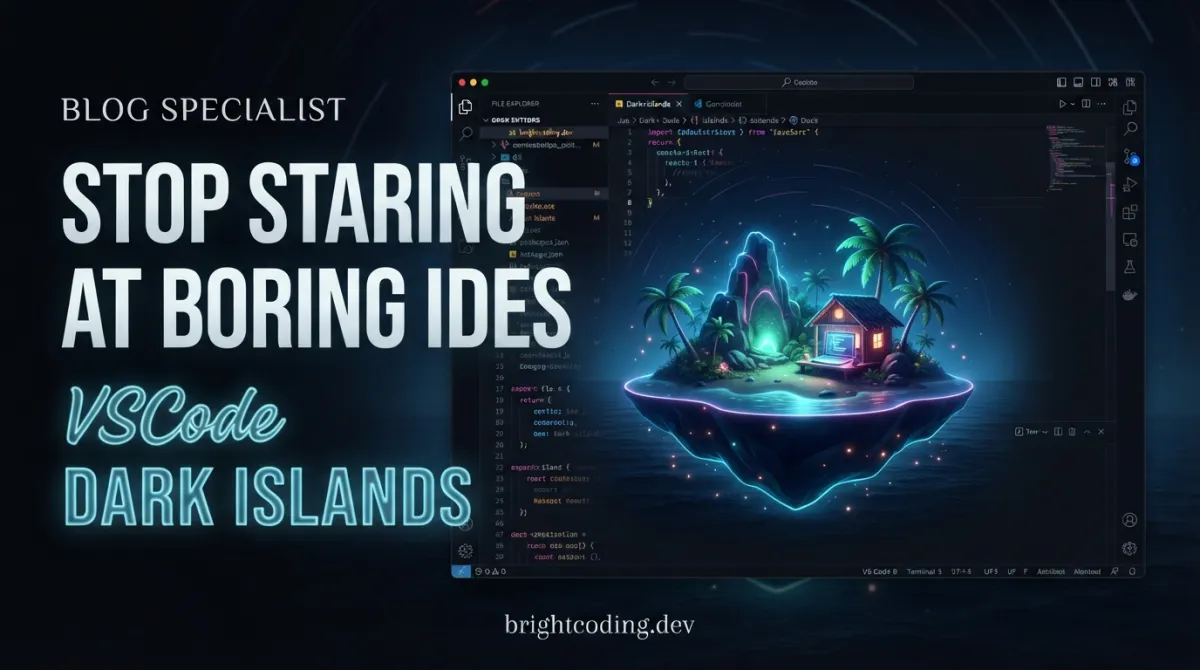
Your IDE doesn't have to look like a spreadsheet from 1995. Yet here you are, squinting at harsh rectangles, burning your retinas on blinding white borders, and pretending those jagged corners don't slowly drain your will to code. What if your editor could feel like a premium design tool—floating, breathing, alive?
Enter Dark Islands, the VSCode Dark Islands theme that's making developers abandon their stale setups in droves. Inspired by the sleek easemate IDE and JetBrains Islands theme, this isn't just another color swap. It's a complete visual overhaul with glass-effect floating panels, pill-shaped components, and smooth animations that turn your workspace into something you actually want to stare at for eight hours.
The secret? A deep dark canvas (#131217) where panels appear to hover in space, bordered by subtle directional lighting that mimics real glass. Rounded corners soften every edge. Your activity bar becomes a pill-shaped dock. Even your scrollbars get the luxury treatment. And the best part: installation takes under a minute with a single command.
Ready to stop coding in a visual prison? Let's dive into why Dark Islands is the VSCode theme that top developers are quietly switching to—and how you can join them before your teammates notice how much better your screen looks.
What Is VSCode Dark Islands?
Dark Islands is a meticulously crafted Visual Studio Code theme created by bwya77 that reimagines the entire IDE interface through the lens of modern glassmorphism design. Unlike conventional themes that merely swap syntax highlighting colors, Dark Islands fundamentally transforms how VSCode's UI components behave and appear—making panels float, corners curve, and interactions feel tactile.
The theme draws direct inspiration from two cutting-edge sources: the easemate IDE, a conceptual interface design making waves on social media↗ Bright Coding Blog for its revolutionary floating panel approach, and JetBrains' own Islands theme, which pioneered spatial depth in development environments. By combining these influences with VSCode's extensibility, bwya77 has created something genuinely unique in the open-source theme ecosystem.
What makes Dark Islands trending now is its surgical use of the Custom UI Style extension to inject CSS customizations directly into VSCode's workbench. This isn't theme.json trickery—it's full CSS injection that enables properties VSCode's native theming API simply doesn't expose. The result? Directional glass borders with simulated light sources, hover-reactive UI elements, and spacing variables that let you tune the entire layout like a design system.
The project has gained particular traction among frontend developers and designers who spend hours in their editors and crave visual environments that match the sophistication of the products they build. It's also attracted the Nix community with an official flake for reproducible, declarative installations.
Key Features That Separate Dark Islands from the Pack
Dark Islands isn't a theme you install and forget. It's a living interface with eight distinct visual systems working in concert:
Floating Glass Panels with Directional Lighting The signature effect. Every panel—sidebar, editor, terminal, notifications—sits atop a deep canvas with borders that simulate real glass. The top and left edges glow brighter (simulating a light source), while bottom and right edges fade subtly darker. This isn't gratuitous decoration; it creates genuine spatial depth that helps your brain parse interface hierarchy instantly.
Comprehensive Rounded Corner System
Four distinct border-radius variables control everything from massive 24px panel corners to 6px list items. The --islands-panel-radius (24px) shapes your primary workspaces, while --islands-widget-radius (14px) handles notifications and command palette. Even scrollbar thumbs become pill-shaped, eliminating every harsh rectangle from your field of view.
Reactive UI Elements The breadcrumb bar and status bar intelligently dim when not hovered, reducing visual noise during deep focus. Tab close buttons materialize only on hover—present when needed, invisible when not. Sidebar selections and scrollbars transition smoothly rather than snapping, making the entire interface feel physically responsive.
Premium Typography Stack The theme enforces a three-font system: IBM Plex Mono for code editing (exceptional legibility at small sizes), FiraCode Nerd Font Mono for terminal work (ligatures and glyph coverage), and Bear Sans UI for interface chrome (included in the repo). This separation of concerns means each context gets type optimized for its purpose.
Warm, Comprehensive Syntax Highlighting Beyond aesthetics, the theme delivers practical readability across JavaScript↗ Bright Coding Blog/TypeScript, Python↗ Bright Coding Blog, Go, Rust, HTML/CSS, JSON, YAML, and Markdown↗ Smart Converter. The warm tonal palette reduces blue-light strain during extended sessions while maintaining clear differentiation between token types.
Color-Matched Icon Glow When paired with the recommended Seti Folder icon theme, file icons receive subtle drop-shadow glows that harmonize with the surrounding interface colors—no more jarring, mismatched icon sets breaking your visual flow.
Where Dark Islands Transforms Your Workflow
Scenario 1: The Design-System Developer
You're building component libraries where pixel-perfect aesthetics matter. Dark Islands turns your IDE into an environment that mirrors the quality you're shipping. The glass panels and smooth transitions keep you in a "craft" mindset, while the warm syntax highlighting reduces fatigue during long theming sessions.
Scenario 2: The Multi-Monitor Command Center
With floating panels and generous spacing variables, Dark Islands excels on large displays where traditional VSCode's dense layout feels cramped. The --islands-panel-gap and --islands-panel-top variables let you create breathing room that makes multiple panels feel intentional rather than accidentally crowded.
Scenario 3: The Presentation-Ready Coder
Whether live-streaming, recording tutorials, or screen-sharing in meetings, Dark Islands makes your IDE visually compelling without gimmicks. The dimming status bar and hover-reactive elements create dynamic visuals that respond to your actions, keeping viewers engaged.
Scenario 4: The Focus-Driven Deep Worker
Paradoxically, a beautiful interface can improve focus. By eliminating visual harshness and providing satisfying micro-interactions (smooth scrollbar transitions, fading close buttons), Dark Islands reduces the subtle cognitive friction that flat, abrupt interfaces create. Your brain processes the UI as "handled" and redirects attention to your actual code.
Step-by-Step Installation & Setup Guide
Dark Islands requires two components: the color theme itself and CSS customizations via the Custom UI Style extension. The fastest path uses the provided bootstrap scripts.
One-Liner Install (Recommended)
macOS/Linux:
# Downloads and executes the install script automatically
curl -fsSL https://raw.githubusercontent.com/bwya77/vscode-dark-islands/main/bootstrap.sh | bash
Windows (PowerShell):
# Uses irm (Invoke-RestMethod) for secure download, then executes
irm https://raw.githubusercontent.com/bwya77/vscode-dark-islands/main/bootstrap.ps1 | iex
These scripts automatically:
- ✅ Install the Islands Dark theme extension
- ✅ Install the Custom UI Style extension (required for glass effects)
- ✅ Install Bear Sans UI fonts for interface elements
- ✅ Back up your existing
settings.jsontosettings.json.pre-islands-dark - ✅ Apply Islands Dark settings and enable Custom UI Style
- ✅ Reload VS Code: to activate
Critical Note: You must separately install IBM Plex Mono and FiraCode Nerd Font Mono—the script will remind you, but won't automate system font installation.
Manual Clone Install
For developers who prefer inspecting code before execution:
macOS/Linux:
git clone https://github.com/bwya77/vscode-dark-islands.git islands-dark
cd islands-dark
./install.sh  # Executes the same setup as bootstrap
Windows:
git clone https://github.com/bwya77/vscode-dark-islands.git islands-dark
cd islands-dark
.\install.ps1  # PowerShell execution
Nix Flake Install (For Declarative Environments)
If you use Nix, run pre-configured VS Code: or VSCodium with everything bundled:
# Ephemeral execution—nothing persisted to your system
nix run github:bwya77/vscode-dark-islands#vscode

# Or the FLOSS alternative
nix run github:bwya77/vscode-dark-islands#vscodium
For permanent integration, add to your flake.nix:
{
  inputs.islands-dark.url = "github:bwya77/vscode-dark-islands";

  outputs = { self, nixpkgs, islands-dark, ... }: {
    # Reference packages as:
    # islands-dark.packages.${pkgs.stdenv.hostPlatform.system}.vscode
  };
}
The Nix flake uniquely includes all fonts automatically—no manual font installation required.
Post-Installation: Handling the "Corrupt Installation" Warning
After Custom UI Style activates, VS Code: displays a corruption warning. This is expected and harmless—the extension modifies VS Code:'s core files to inject CSS. Click the gear icon on the warning and select Don't Show Again.
REAL Code Examples from the Repository
Let's examine the actual implementation that makes Dark Islands possible. These aren't theoretical—they're extracted directly from the repository's configuration and documentation.
Example 1: The Bootstrap Installation Script
The one-liner install leverages raw GitHub content delivery:
# macOS/Linux bootstrap: downloads script via HTTPS, pipes to bash execution
curl -fsSL https://raw.githubusercontent.com/bwya77/vscode-dark-islands/main/bootstrap.sh | bash
What's happening here? curl fetches the script with -f (fail on server errors), -s (silent, no progress meter), -S (show errors if they occur), and -L (follow redirects). The pipe to bash executes immediately. This pattern is common in modern CLI tooling (Homebrew, Rustup) but always inspect scripts before piping—the manual clone method exists for this reason.
The Windows equivalent uses PowerShell's more modern irm (Invoke-RestMethod) instead of the older curl alias:
# irm is PowerShell's native HTTP client; iex is Invoke-Expression
irm https://raw.githubusercontent.com/bwya77/vscode-dark-islands/main/bootstrap.ps1 | iex
Example 2: Manual Extension Installation (Cross-Platform)
For security-conscious developers or CI/CD pipelines, the manual path shows exactly what the scripts automate:
# Clone repository locally
git clone https://github.com/bwya77/vscode-dark-islands.git islands-dark
cd islands-dark

# Create VS Code:'s extension directory with proper version path
mkdir -p ~/.vscode/extensions/bwya77.islands-dark-1.0.0

# Copy only the essential theme files: manifest and theme definitions
cp package.json ~/.vscode/extensions/bwya77.islands-dark-1.0.0/
cp -r themes ~/.vscode/extensions/bwya77.islands-dark-1.0.0/
The Windows PowerShell variant handles path differences:
# Resolve user's VS Code: extensions directory via environment variable
$ext = "$env:USERPROFILE\.vscode\extensions\bwya77.islands-dark-1.0.0"

# Force-create directory (including parents if needed)
New-Item -ItemType Directory -Path $ext -Force

# Copy manifest and recursive theme directory
Copy-Item package.json $ext\
Copy-Item themes $ext\themes -Recurse
This reveals Dark Islands' architecture: a standard VS Code: extension structure (package.json + themes/ folder) with the magic happening elsewhere—in the CSS injection.
Example 3: The CSS Custom Properties System
The heart of Dark Islands is its CSS variable system, exposed through Custom UI Style's settings.json integration:
".monaco-workbench": {
    "--islands-panel-radius": "24px",
    "--islands-widget-radius": "14px",
    "--islands-input-radius": "12px",
    "--islands-item-radius": "6px",
    "--islands-panel-gap": "8px",
    "--islands-panel-top": "8px",
    "--islands-bg-canvas": "#121216",
    "--islands-bg-surface": "#181a1d",
    "background-color": "var(--islands-bg-canvas) !important"
}
Critical insight: The .monaco-workbench selector targets VS Code:'s root container. By defining CSS custom properties here, they cascade to all child elements that reference them. The !important on background-color overrides VS Code:'s default theming with our deep canvas color.
The variable naming convention reveals the design system:
--islands-*-radius: Four distinct corner scales for visual hierarchy--islands-panel-*: Spatial layout controls (gap, top margin)--islands-bg-*: Semantic color separation (canvas = deepest layer, surface = interactive elements)
Example 4: Nix Flake Integration
For reproducible development environments, the Nix flake demonstrates modern declarative configuration:
{
  # Pin the theme as a flake input for version locking
  inputs.islands-dark.url = "github:bwya77/vscode-dark-islands";

  outputs = { self, nixpkgs, islands-dark, ... }: {
    # Access packages via system-specific attribute path
    # islands-dark.packages.${pkgs.stdenv.hostPlatform.system}.vscode
    # islands-dark.packages.${pkgs.stdenv.hostPlatform.system}.vscodium
  };
}
Why this matters: Unlike the imperative install scripts, the Nix flake provides bit-for-bit reproducibility. Your entire team gets identical VS Code: builds with matching themes, fonts, and extensions—no "works on my machine" theming discrepancies.
Example 5: Clean Uninstallation
Dark Islands respects your system with a complete removal path:
# Restore from automatic backup, remove extension, unregister from VS Code:
curl -fsSL https://raw.githubusercontent.com/bwya77/vscode-dark-islands/main/uninstall.sh | bash
After script completion, you must manually disable Custom UI Style:
Command Palette → "Custom UI Style: Disable" → Reload
Command Palette → "Preferences: Color Theme" → Select new theme → Reload
This two-step process (script + manual disable) ensures no orphaned CSS injections remain in your VS Code: installation.
Advanced Usage & Best Practices
Tune Your Spatial Layout
The --islands-panel-gap and --islands-panel-top variables are your most powerful customization tools. Increase to 16px for ultra-breathable "gallery" layouts on large monitors. Reduce to 4px for laptop screens where every pixel counts. The default 8px balances both contexts.
Create Theme Variants
Since colors are CSS custom properties, you can override them without touching the theme files. Want a slightly warmer canvas? Modify --islands-bg-canvas to #16141a in your user settings. Prefer sharper aesthetics? Drop all radius values by 50%. These changes persist across theme updates.
Font Substitution Strategy If IBM Plex Mono or FiraCode aren't available, the theme degrades gracefully to system monospaced fonts. However, for optimal results, install at minimum: (1) a programming ligature font for the terminal, and (2) a humanist sans-serif for UI elements. The included Bear Sans UI handles the latter if installed.
Version Control Your Settings
The install script creates settings.json.pre-islands-dark—commit this to your dotfiles repository. If you synchronize settings across machines, include your modified Dark Islands configuration for consistent environments everywhere.
Handle Conflicts with Other UI Extensions
If you previously used Custom CSS and JS Loader (be5invis.vscode-custom-css), its injections may persist in workbench.html even after uninstallation. If you see visual glitches, a clean VS Code: reinstall ensures no conflicting CSS remains.
Comparison with Alternatives
| Feature | Dark Islands | Default Dark+ | Dracula | One Dark Pro | Catppuccin |
|---|---|---|---|---|---|
| Glass/floating panels | ✅ Native via CSS injection | ❌ Not possible | ❌ Not possible | ❌ Not possible | ❌ Not possible |
| Rounded corners | ✅ All UI elements | ❌ Sharp only | ❌ Sharp only | ❌ Sharp only | ❌ Sharp only |
| CSS customization system | ✅ Full variable control | ❌ Theme JSON only | ❌ Theme JSON only | ❌ Theme JSON only | ❌ Theme JSON only |
| Animated transitions | ✅ Hover fades, smooth scroll | ❌ Instant snaps | ❌ Instant snaps | ❌ Instant snaps | ❌ Instant snaps |
| Nix flake support | ✅ Official | ❌ No | ❌ No | ❌ No | ❌ Community |
| One-command install | ✅ Bootstrap scripts | N/A (built-in) | Extension marketplace | Extension marketplace | Extension marketplace |
| Uninstall/restore | ✅ Automated backup | N/A | Manual | Manual | Manual |
| Font enforcement | ✅ Three-font system | System default | System default | Optional | Optional |
The verdict: Dark Islands occupies a unique position. It's not competing with color themes—it's competing with the assumption that your IDE's shape is fixed. If you want colors only, established themes suffice. If you want spatial transformation, Dark Islands is currently the most sophisticated open-source option for VS Code:.
Frequently Asked Questions
Q: Is modifying VS Code:'s core files with Custom UI Style safe? A: The extension injects CSS without altering JavaScript functionality. The "corrupt installation" warning is a standard VS Code: integrity check, not an actual corruption. The uninstall script and backup system provide clean recovery paths.
Q: Will this break when VS Code: updates? A: Custom UI Style persists across updates, though major VS Code: version changes may require re-enabling the extension. The Dark Islands maintainers actively track VS Code: releases for compatibility.
Q: Can I use this with VS Code: alternatives like Cursor or Windsurf? A: These forks generally inherit VS Code:'s extension system. Custom UI Style may work, but isn't officially supported. Test in a secondary profile first.
Q: Does the glass effect impact performance? A: The CSS effects are GPU-composited in modern Chromium (VS Code:'s Electron base). No measurable performance impact has been reported on hardware from 2018 onward.
Q: Can I mix Dark Islands' CSS with another color theme? A: Technically yes—the CSS variables are independent of the color theme JSON. However, the visual design is calibrated for Dark Islands' specific palette. Mismatched colors may produce jarring results.
Q: Is there a light variant? A: Currently no. The glass effect and directional lighting are designed for dark environments. A light variant would require fundamentally different shadow and border treatments.
Q: How do I report issues or request features? A: Open an issue on the GitHub repository. The maintainer is responsive to community feedback and accepts pull requests for new language syntax highlighting support.
Conclusion: Your IDE Should Inspire You
We've accepted ugly development environments for too long. VSCode Dark Islands proves that productivity and beauty aren't opposing forces—they're multipliers. When your tools feel crafted, your work follows suit.
The Dark Islands theme delivers something genuinely rare: a visual transformation that goes deeper than surface paint. Through surgical CSS injection, thoughtful variable architecture, and obsessive attention to micro-interactions, it turns VS Code: from a utilitarian text editor into a spatial, tactile workspace.
The installation is trivial—one command, sixty seconds, immediate transformation. The uninstall is clean and reversible. The customization depth means it grows with your preferences rather than fighting them.
Stop tolerating flat, harsh, rectangular interfaces that drain your energy. Your code deserves a better stage. Your eyes deserve better treatment. Your daily workflow deserves moments of genuine visual pleasure.
Install Dark Islands now and experience what happens when an IDE stops being invisible infrastructure and starts being a tool you're proud to use. Your future self—staring at a floating glass panel bathed in warm syntax highlighting at 2 AM—will thank you.
Found this breakdown valuable? Star the Dark Islands repository, share your setup screenshots, and tag fellow developers still suffering through stock themes. The revolution is one curl command away.
Outils recommandés
Tags
Explore on the BrightCoding network
Hand-picked resources from our other sites.
Cut LLM API Costs by 80%: The RTK CLI Proxy Secret
RTK is a Rust CLI proxy that reduces LLM token consumption by 60-90% on common dev commands. Single binary, zero dependencies, sub-10ms overhead. Install via Ho...
100+ AI Agent Skills Exposed: Why Devs Are Ditching Manual MCP Setup
Discover awesome-agent-skills-mcp: a zero-config MCP server unlocking 100+ curated AI agent skills from Anthropic, Vercel, Trail of Bits & more. Install in seco...
Stop Guessing Your Claude API Costs: This Menu Bar App Exposes the Truth
ClaudeUsageTracker is a native macOS menu bar app that monitors Claude Code API costs in real-time with LiteLLM integration, per-project breakdowns, and accurat...
Continuez votre lecture

Why Alexandrie is the Ultimate Markdown Note-Taking App

Why CrossPaste is the Ultimate Game Changer for Clipboard Management

Why Chandra is the Ultimate OCR Tool for Handwriting and Tables

Stop Coding Alone: OPC-Skills Gives Your AI Agent Superpowers
Commentaires 0
Aucun commentaire pour l'instant. Soyez le premier à réagir !