xemle/home-gallery: Self-Hosted AI Photo Gallery for Privacy-First Developers
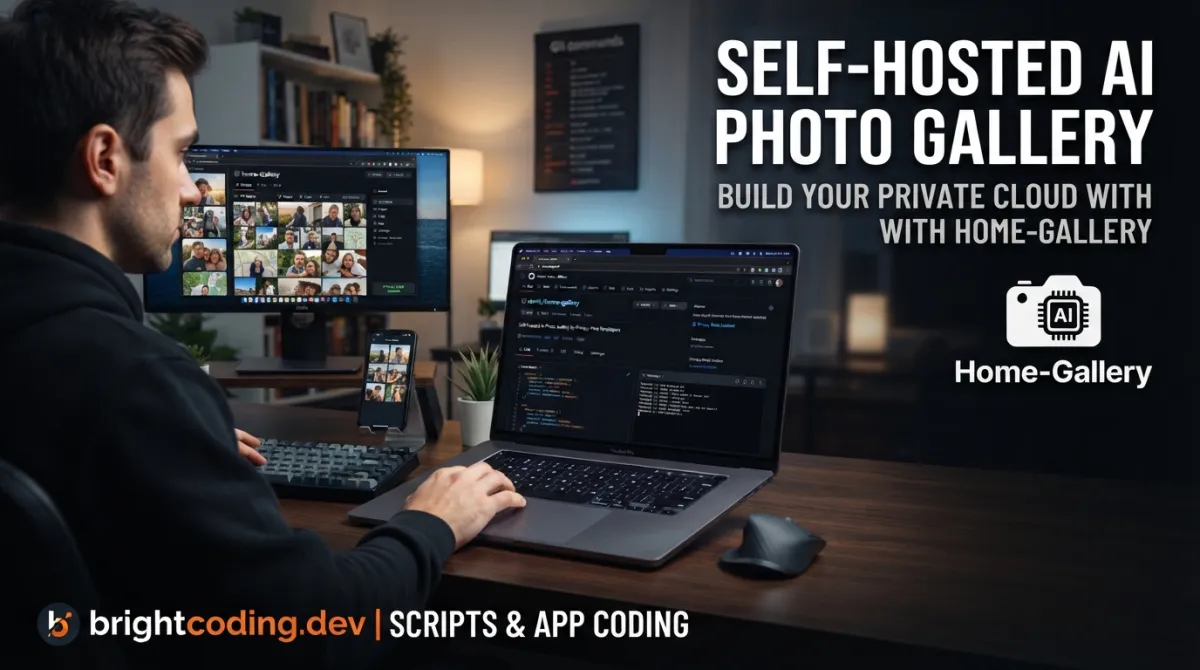
xemle/home-gallery: Self-Hosted AI Photo Gallery for Privacy-First Developers
Developers and privacy-conscious users face a persistent problem: cloud photo services harvest personal data, impose subscription fees, and often deliver sluggish mobile experiences. Meanwhile, self-hosted alternatives frequently lack modern features like AI-powered discovery or struggle with large media libraries. The self-hosted photo gallery space demands a solution that balances complete data control with genuinely usable technology—not another compromise between privacy and convenience.
xemle/home-gallery addresses this directly. It's an open-source, MIT-licensed web gallery designed to run on your own hardware, featuring AI-powered image and face discovery, mobile-optimized browsing, and support for massive personal archives. With 1,169 GitHub stars and active maintenance through June 2026, it represents a mature, developer-friendly approach to personal media management without cloud dependency.
What is xemle/home-gallery?
xemle/home-gallery is a self-hosted open-source web gallery built primarily in JavaScript↗ Bright Coding Blog (Node.js) for browsing personal photos and videos. Created and maintained by Sebastian Felis (@xemle) as a personal project, it targets technically capable users who manage their own infrastructure and prioritize data sovereignty.
The project sits at the intersection of several active developer trends: the movement away from cloud services for personal data, the maturation of on-device and self-hosted AI/ML capabilities, and the demand for Progressive Web App (PWA) experiences that match native mobile performance. Unlike commercial solutions, it explicitly serves single-user scenarios where all indexed files are accessible to the gallery owner.
Key architectural decisions reflect its target audience. The gallery loads its complete "database" as compressed JSON into the browser—approximately 12 MB compressed for 100,000 media files—enabling fast client-side querying without repeated server roundtrips. A user has reportedly scaled this to 400,000 media files successfully. Media identification uses content hashing rather than filenames, so renaming doesn't trigger reprocessing, and duplicate files are handled automatically.
The project is explicitly described as a "private pet/spare time project without any warranty," which sets honest expectations about support structure. Funding comes through Patreon and PayPal donations rather than corporate backing, reinforcing its indie, community-supported nature.
Key Features
AI-Powered Discovery: The standout capability is reverse image lookup—find visually similar photos without manual tagging. Feed it one sunset image, and the gallery surfaces others from your archive. Face detection and face-based search extend this to people recognition, all without sending originals to third parties (preview images go to a configurable API; local deployment is supported).
Expressive Query Language: Boolean operations (and, or, not) enable precise filtering across tags, metadata, and discovered attributes—far beyond typical folder-based browsing.
Mobile-First Performance: Virtual scrolling delivers an endless photo stream without pagination delays. PWA support provides app-like installation on phones without store dependencies.
Flexible Media Handling: Read-only and offline source support means original files aren't touched after initial processing. External drives can be indexed, disconnected, and the gallery continues functioning on generated previews. Video transcoding ensures cross-device compatibility.
Static Export & Chromecast: Generate fully static gallery sites (like the demo gallery) for hosting without runtime dependencies. Stream directly to Chromecast-enabled TVs.
Metadata Portability: XMP sidecar export preserves your organizational work in a standard format, avoiding vendor lock-in. GEO coordinates reverse-lookup to addresses via OpenStreetMap's Nominatim service (coordinates only transmitted).
Platform Coverage: Prebuilt binaries for Linux, macOS, and Windows, plus Docker↗ Bright Coding Blog images. Explicitly tested and functional on Raspberry Pi and other ARM SoCs.
Use Cases
Personal NAS Media Hub: Deploy on your home NAS or server to browse multi-terabyte photo archives from any device. The offline-source feature means you can index external backup drives, store them safely, and continue browsing their contents indefinitely.
Privacy-Respecting Family Archive: Replace Google Photos or iCloud for sensitive personal media. All AI processing can run locally; no facial recognition data or image thumbnails leave your network if you self-host the API component.
Field Photography Workflow: Travel photographers can index SD cards to a lightweight laptop instance, tag and cull images using the query language, then export organized selections via static site generation for client review—no cloud upload required.
Long-Term Digital Preservation: The content-based deduplication and XMP export make this suitable for archivists managing inherited digital estates. Duplicate scans across multiple drives are automatically reconciled; metadata survives format migrations.
Low-Power Home Server: Raspberry Pi deployment enables always-on galleries without significant electricity cost. The public API fallback allows AI features even on underpowered hardware, with an upgrade path to local inference as needs grow.
Installation & Setup
HomeGallery offers two primary installation paths: standalone binaries or Docker. Both require minimal dependencies.
Binary Installation (Linux)
# Download the latest Linux binary
curl -sL https://dl.home-gallery.org/dist/latest/home-gallery-latest-linux-x64 -o gallery
chmod 755 gallery

# Initialize configuration with your media source
./gallery init --source ~/Pictures

# Start the web server
./gallery run server
After starting the server, open http://localhost:3000 in your browser. The ./gallery -h command provides CLI reference.
Configuration fine-tuning happens in gallery.config.yml in your working directory. See the install documentation for platform-specific binaries (macOS, Windows) and advanced options.
Docker Installation
# Create data directory
mkdir -p data

# Define convenient alias for repeated use
alias gallery="docker run -ti --rm \
  -v $(pwd)/data:/data \
  -v $HOME/Pictures:/data/Pictures \
  -u $(id -u):$(id -g) \
  -p 3000:3000 xemle/home-gallery"

# Initialize and start
gallery init --source /data/Pictures
gallery run server
The Docker configuration persists in ./data/config/gallery.config.yml. For Docker Compose setups, consult the install documentation.
Custom Build (Development)
For customized environments or contribution:
# Clone repository
git clone https://github.com/xemle/home-gallery.git
cd home-gallery

# Install dependencies and build
npm install
npm run build
Requirements: Node.js 20 LTS (or 18), Perl on Linux. Some environments may need make, g++, and python↗ Bright Coding Blog for native module compilation.
Real Code Examples
The README provides two primary setup patterns. Here's the binary installation with explanatory context:
# Download and make executable
curl -sL https://dl.home-gallery.org/dist/latest/home-gallery-latest-linux-x64 -o gallery
chmod 755 gallery

# Create config pointing to your media
./gallery init --source ~/Pictures

# Launch server on default port 3000
./gallery run server
This three-step process reflects the tool's design philosophy: minimal ceremony, immediate utility. The init command generates gallery.config.yml for subsequent customization—source directories, processing options, API endpoints. The run server command starts both the web interface and background indexing.
The Docker equivalent demonstrates volume mapping conventions:
mkdir -p data
alias gallery="docker run -ti --rm \
  -v $(pwd)/data:/data \
  -v $HOME/Pictures:/data/Pictures \
  -u $(id -u):$(id -g) \
  -p 3000:3000 xemle/home-gallery"
gallery init --source /data/Pictures
gallery run server
Key details here: the data volume persists configuration and generated previews between container restarts; the Pictures bind-mount provides read access to originals; -u $(id -u):$(id -g) ensures file permissions match your host user rather than running as root inside the container.
For development and testing, the project uses pnpm workspaces with filter capabilities:
# Build only specific packages
npx pnpm -r --filter './*/{export-static,database}' build

# Run targeted unit tests
npx pnpm -r --filter './*/{query,events}' test
This monorepo structure separates concerns—database handles indexing, export-static generates standalone sites, query implements the search language—allowing precise development iteration without full rebuilds.
Advanced Usage & Best Practices
API Self-Hosting: The default configuration sends preview images to api.home-gallery.org for AI features. For complete privacy, deploy the API locally following the API server documentation. This requires more resources but eliminates all external data transmission.
Storage Planning: The "database" loads entirely in-browser. For 100,000 items, budget ~12 MB compressed JSON transfer per session. Server-side storage for previews and metadata scales with library size—plan accordingly for your NAS or VPS capacity.
Offline Source Strategy: Index external drives once, verify preview generation completed, then disconnect. The gallery continues functioning. Reconnect periodically to index new files; the fast change detection handles additions, removals, and moves efficiently.
Static Export for Distribution: Use export-static to generate standalone sites for sharing subsets—event galleries, portfolio selections—without exposing your live instance. These export to any static host or CDN.
Query Language Investment: The boolean query syntax (tag:vacation and year:2023 not tag:work) rewards learning. Combined with AI-discovered attributes (similar images, faces), it becomes significantly faster than manual folder navigation for large archives.
Comparison with Alternatives
| Feature | xemle/home-gallery | PhotoPrism | Immich |
|---|---|---|---|
| License | MIT | AGPL-3.0 | MIT |
| Primary language | JavaScript/Node.js | Go | TypeScript |
| AI face recognition | ✅ (configurable API) | ✅ (on-device) | ✅ |
| Similar image search | ✅ | ✅ | ✅ |
| Mobile PWA | ✅ | ✅ | ✅ |
| Static site export | ✅ | ❌ | ❌ |
| Multi-user support | ❌ (explicitly single-user) | ✅ | ✅ |
| Hardware requirements | Very low (Raspberry Pi OK) | Moderate | Moderate |
| Active maintenance | ✅ (solo maintainer) | ✅ (team) | ✅ (team) |
PhotoPrism offers more enterprise features and multi-user support but carries AGPL licensing implications and higher resource requirements. Immich provides a polished multi-user experience with active community growth but lacks static export capabilities. xemle/home-gallery wins for minimal-resource deployments, single-user privacy absolutism, and the unique static export feature—at the cost of collaborative features and the risks inherent to solo-maintainer projects.
FAQ
Does xemle/home-gallery work without internet access? Yes, after initial download. AI features require either the public API or a locally hosted API instance; geo lookups need Nominatim or can be disabled.
How many photos can it handle? Tested to 400,000 media files. The browser loads ~12 MB compressed JSON for 100,000 items.
Is there a mobile app? It installs as a PWA from your browser—no app store required. Native apps are not provided.
Can multiple family members use one instance? Not designed for this. It's explicitly single-user; all files are served to whoever accesses the instance.
What happens if the maintainer stops development? The MIT license permits continued use and fork. Static export provides migration path. It's a acknowledged risk of solo-maintained projects.
Does it modify my original photos? Never. Sources are read-only; all work happens on generated previews and sidecar metadata.
Can I run AI processing entirely offline? Yes, by self-hosting the API server. See API documentation.
Conclusion
xemle/home-gallery occupies a specific, well-defined niche: single-user, privacy-first, self-hosted photo management with genuine AI capabilities and minimal resource requirements. It's not a Google Photos replacement for families or teams, nor does it pretend to be. For developers, privacy advocates, and technically capable individuals who want complete data control without sacrificing modern discovery features, it delivers substantial value.
The trade-offs are clear: solo maintainer, no warranty, single-user design. The compensations are equally clear: MIT license, static export, Raspberry Pi support, content-based deduplication, and a query language that scales with archive size.
If your photos live on a NAS, your privacy concerns exclude cloud services, and you want AI-assisted discovery without subscription fees or data harvesting, xemle/home-gallery warrants serious evaluation. Start with the demo gallery, review the documentation, and explore the source at https://github.com/xemle/home-gallery.
For broader context on self-hosted media infrastructure, see our coverage of [INTERNAL_LINK: self-hosted AI tools for developers].
Outils recommandés
Explore on the BrightCoding network
Hand-picked resources from our other sites.
Stop Managing Issues Like It's 2019: Beads UI Is Here
Discover Beads UI, the zero-setup local interface for collaborating on issues with AI coding agents. Built for speed, keyboard-driven, and designed for the Bead...
benchflow-ai/skillsbench: Gym-Style Benchmarking for AI Agent Skills
SkillsBench is an open-source benchmark for evaluating AI agent skill composition through gym-style task environments. It features native task.md packages, orac...
dwainscheeren/dwains-lovelace-dashboard: Auto-Generating Home Assistant UI
dwainscheeren/dwains-lovelace-dashboard is an auto-generating Home Assistant dashboard for desktop, tablet, and mobile. DD3 source is now available with v3.9.3,...
Continuez votre lecture
The Ultimate Guide to Self-Hosted Workflow Automation Executors: Take Control of Your Automation Empire

AI Research Assistant: How Real-Time Web Scraping is Revolutionizing Knowledge Work in 2025

🎮 The Ultimate Guide to Open Source JavaScript Games: 100+ Free Games & Dev Tools You Can Use Today

Stop Coding Alone: OPC-Skills Gives Your AI Agent Superpowers
Commentaires 0
Aucun commentaire pour l'instant. Soyez le premier à réagir !