Your MacBook Has a Secret Sensor (And This Repo Exposes It)
Your MacBook Has a Secret Sensor (And This Repo Exposes It)
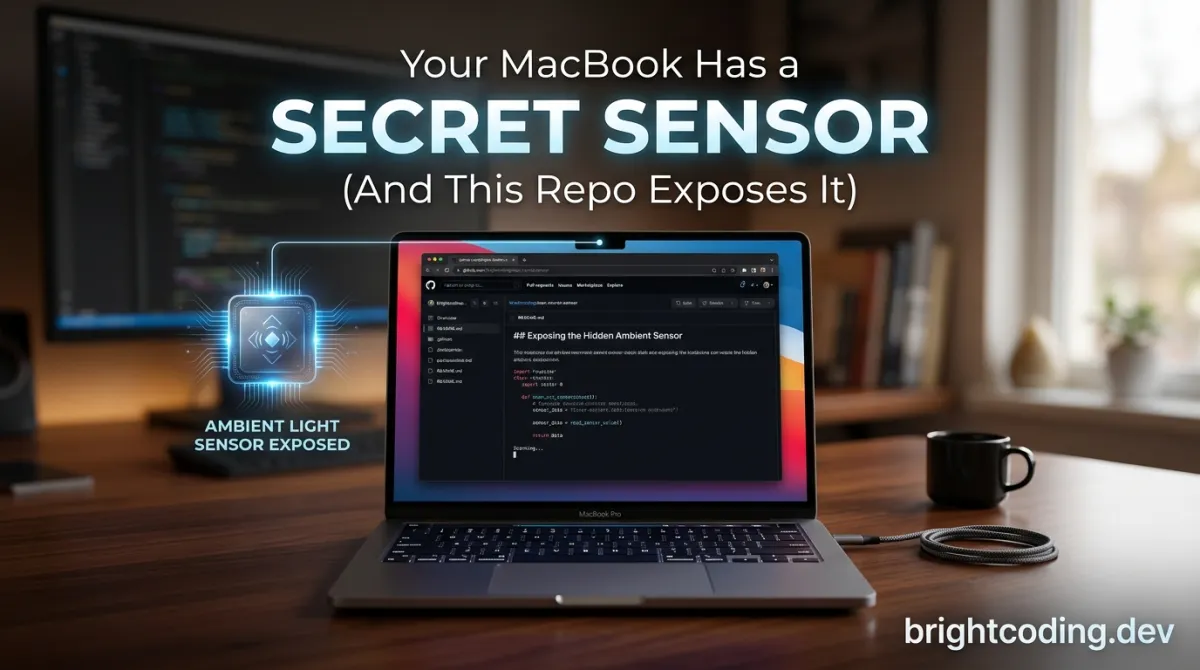
What if I told you that your MacBook Pro is silently tracking every tilt, tap, and tremor—and Apple never told you how to access it?
For years, iPhone developers have played with accelerometers and gyroscopes, building everything from fitness trackers to augmented reality games. Meanwhile, Mac developers sat on the sidelines, convinced their machines were "just" computers with keyboards and trackpads. Dead wrong. Buried deep inside every Apple Silicon MacBook Pro lies a fully functional MEMS IMU—a combined accelerometer and gyroscope—managed by the mysterious Sensor Processing Unit (SPU). Apple never documented it. There is no public API. No CoreMotion for macOS. No friendly Swift framework waving you in.
Until now.
Enter olvvier/apple-silicon-accelerometer—a rebellious, brilliantly engineered open-source project that reverse-engineers the undocumented IOKit HID interface and hands you raw, real-time motion data at ~800 Hz. We're talking about reading 3-axis acceleration, angular velocity, lid angle, even ambient light sensors, all through a clean Python↗ Bright Coding Blog API. This isn't a hack in the pejorative sense. This is surgical precision: opening the AppleSPUHIDDevice, registering asynchronous callbacks, parsing 22-byte HID reports, and fusing the data with a Mahony AHRS quaternion filter.
If you're a developer, maker, or curious tinkerer who loves peeling back the curtain on Apple's silicon secrets, this repository is your golden ticket. And the best part? The ecosystem exploding around it—apps that turn typing force into mechanical keyboard sounds, slap-detection utilities that make your Mac yell back, even experimental heartbeat detection through ballistocardiography. Yes, really. Your MacBook can feel your pulse.
Stick around. We're going deep.
What is apple-silicon-accelerometer?
The apple-silicon-accelerometer repository is an open-source Python project created by Oliver Bourbonnais that exposes the hidden inertial measurement unit (IMU) inside Apple Silicon MacBook Pros. We're talking M2, M3, M4, and presumably M5 chips—though the project has only been physically tested on a MacBook Pro M3 Pro running macOS 15.6.1 with Python 3.14.
Here's the kicker: Apple has never publicly acknowledged this sensor exists. There's no developer documentation, no WWDC session, no header file you can casually import. The MEMS chip—believed to be a Bosch BMI286 based on hardware teardowns—is wired directly into the Sensor Processing Unit (SPU), a dedicated subsystem that handles motion, ambient light, lid angle, and other environmental sensing. The SPU presents itself through IOKit as AppleSPUHIDDevice, living on vendor usage page 0xFF00.
The project's core innovation is bypassing Apple's intentional obscurity. Instead of begging for APIs that don't exist, it goes straight to the metal: using IOHIDDeviceCreate to open the raw HID device, then IOHIDDeviceRegisterInputReportCallback to receive asynchronous data streams. The result? A Python package called macimu that you can pip install and start using in minutes—assuming you have sudo privileges, since IOKit HID device access requires root.
Why is this trending now? Three forces converged: the Apple Silicon transition made these sensors ubiquitous in MacBooks, the maker/DIY community's hunger for hardware access reached a fever pitch, and Oliver's clean API design lowered the barrier from "kernel hacker" to "Python developer with curiosity." The repository has already spawned an ecosystem of creative applications—proof that when you unlock hidden hardware, developers will build things you never imagined.
Key Features That Make This Insane
Let's break down what makes this project technically remarkable—not just "it works," but how it works and what you get.
Raw Hardware Access at ~800 Hz Native Sample Rate
The IMU streams 22-byte HID reports containing X/Y/Z acceleration and gyroscope data as 32-bit little-endian integers. The project decodes these at byte offsets 6, 10, and 14, dividing by 65536 to convert to physical units (g for acceleration, deg/s for gyroscope). The native hardware runs at approximately 800 Hz, though the default Python callback decimates this to ~100 Hz for practicality. Want the full firehose? Set decimation=1.
Zero-Dependency Signal Processing
The macimu.filters module includes a complete suite of biquad Butterworth filters—low-pass, high-pass, bandpass, zero-phase filtfilt variants—all implemented without NumPy, SciPy, or any external dependencies. This is deliberate: the project prioritizes portability and minimal friction. You also get Kalman-filter-based gravity removal, rolling RMS, median filtering, and peak detection for impact sensing.
Hardware-Timestamped Samples
Every sample carries a precise timestamp from the HID report itself—mach_absolute_time, not a Python-side clock. This matters enormously for sensor fusion, motion reconstruction, and any application where timing precision affects accuracy.
Mahony AHRS Orientation Fusion
Enable orientation=True and the library automatically fuses accelerometer and gyroscope data through a Mahony quaternion filter, outputting roll, pitch, yaw angles plus raw quaternion components. No math required on your end. This is the same class of algorithm used in drone flight controllers.
Ambient Light and Lid Angle Sensors Beyond the IMU, the same IOKit interface exposes lid angle (in degrees) and ambient light sensor readings with four spectral channels. Your MacBook literally knows how open its screen is and what the lighting conditions are.
Mock Mode and Record/Replay
Develop without root using IMU.mock() for synthetic sinusoidal data, or record real sessions to CSV and replay them later. This transforms hardware-dependent development into something testable in CI pipelines.
Live Demo Dashboard
The motion_live.py demo terminal application shows real-time vibration detection, orientation gauges, experimental heartbeat detection via ballistocardiography (BCG), lid angle, ambient light, and even keyboard backlight pulsing through the bundled KBPulse driver.
Use Cases: What Developers Are Actually Building
Theory is cheap. Let's look at four concrete scenarios where this hidden sensor transforms from novelty to utility.
1. Haptic Typing Feedback (Haptyk) The Haptyk macOS app uses accelerometer data to detect typing force and synthesize realistic mechanical keyboard sounds. No external hardware. No Bluetooth gadgets. Your MacBook's own chassis vibrations become the input signal. This is accessibility-adjacent—users who miss tactile feedback on butterfly or Magic Keyboards get auditory satisfaction instead.
2. Physical Gesture Control (Knock, SlapMac, taigrr/spank) Knock turns taps on your MacBook into instant actions. SlapMac and taigrr/spank go further: slap your laptop, it talks back. These applications use peak detection on accelerometer data to recognize distinct physical gestures, then trigger automations, notifications, or just playful audio responses. It's the closest macOS gets to "force touch" the entire chassis.
3. Hardware Monitoring and Automation (pirate/mac-hardware-toys) The mac-hardware-toys project integrates accelerometer data with programmatic control of keyboard brightness, display brightness, fan speed, microphone, and speaker. Imagine a MacBook that automatically dims its screen when you close the lid slightly, or ramps fans when it detects vibration patterns associated with overheating.
4. Experimental Biometrics (Heartbeat Detection) The project's BCG demo is genuinely wild. Place your wrists near the trackpad, wait 10-20 seconds for signal stabilization, and the accelerometer picks up mechanical vibrations from your heartbeat transmitted through your arms into the chassis. A 0.8-3 Hz bandpass filter isolates the cardiac signal, and autocorrelation estimates BPM. It's explicitly labeled experimental and not for medical use—but as a proof of concept for what this sensor can detect? Stunning.
Step-by-Step Installation & Setup Guide
Ready to tap into your MacBook's secret senses? Here's the complete walkthrough.
Prerequisites
- Apple Silicon MacBook Pro (M2/M3/M4/M5). Confirmed working on M3 Pro. Known incompatible: Intel Macs, M1 MacBook Pro (2020), Mac Studio M4 Max.
- macOS with IOKit HID support (tested on 15.6.1)
- Python 3.14 or compatible version
- Root access (
sudo)—non-negotiable for HID device access
Method 1: Quick Clone and Demo
# Clone the repository
git clone https://github.com/olvvier/apple-silicon-accelerometer
cd apple-silicon-accelerometer

# Create and activate virtual environment
python3 -m venv .venv && source .venv/bin/activate

# Install with demo dependencies
pip install -e .[demo]

# Run the live motion dashboard (requires sudo!)
sudo .venv/bin/python3 motion_live.py
Method 2: Install Published Package (Beta API)
# Standard install
pip install macimu

# If you encounter Homebrew's externally-managed-environment error
python3 -m venv .venv && source .venv/bin/activate && pip install macimu
Method 3: Using uv (Fast Alternative)
If you have uv or uvx installed:
sudo uvx git+https://github.com/olvvier/apple-silicon-accelerometer.git
Verify Sensor Availability (No Root Needed)
Before escalating privileges, confirm your hardware is compatible:
# Command-line verification
ioreg -l -w0 | grep -A5 AppleSPUHIDDevice
Or in Python:
from macimu import IMU
print(IMU.available())   # True on MacBook Pro M2+
Keyboard Flash Setup (Optional)
The demo includes KBPulse for keyboard backlight reactivity. The prebuilt Apple Silicon binary lives at KBPulse/bin/KBPulse. Override if needed:
sudo python3 motion_live.py --no-kbpulse           # Disable
sudo python3 motion_live.py --kbpulse-bin /path    # Custom binary
Critical Note: Future macOS updates may break this undocumented interface. The repository explicitly warns: "use at your own risk."
REAL Code Examples from the Repository
Let's examine actual code from the project, with detailed explanations of what's happening under the hood.
Example 1: Basic Accelerometer and Gyroscope Reading
from macimu import IMU

if __name__ == '__main__':
    # Context manager ensures clean startup/shutdown of IOKit resources
    with IMU() as imu:
        # Pull latest single sample from ring buffer (non-blocking)
        accel = imu.latest_accel()       # Sample(x, y, z) in g
        gyro = imu.latest_gyro()         # Sample(x, y, z) in deg/s

        # Read all new samples accumulated since last call
        for s in imu.read_accel():
            print(s.x, s.y, s.z)
            # Values are floats: ~1.0g for stationary Z-axis (gravity)
            # X and Y should be near 0.0 when laptop is level
This is your "hello world." The IMU class encapsulates the entire IOKit lifecycle: opening AppleSPUHIDDevice, registering the input report callback, and maintaining a shared-memory ring buffer between the C callback and Python consumer. latest_accel() peeks at the most recent sample without consuming it, while read_accel() drains the buffer—critical distinction for applications that need every frame versus those that just want current state. The ~1g at rest note is important: this is static acceleration from Earth's gravity, not a bug.
Example 2: Real-Time Orientation with Sensor Fusion
from macimu import IMU

if __name__ == '__main__':
    # orientation=True enables background Mahony AHRS quaternion filter
    with IMU(orientation=True) as imu:
        o = imu.orientation()
        # Roll and pitch are reliable; yaw drifts without magnetometer
        print(f"{o.roll:.1f}° {o.pitch:.1f}° {o.yaw:.1f}°")

        # Raw quaternion for 3D graphics, VR, or custom fusion
        print(o.qw, o.qx, o.qy, o.qz)
Here's where it gets sophisticated. The Mahony filter fuses accelerometer (gravity reference) and gyroscope (rotation rate) to estimate orientation. The quaternion representation avoids gimbal lock and interpolates smoothly for graphics. Note the comment about yaw drift: without a magnetometer for absolute heading reference, the Z-axis rotation estimate accumulates error over time. This is a fundamental limitation of 6-DOF IMUs, not a bug in the implementation.
Example 3: Hardware-Timestamped Streaming with Callbacks
import time
from macimu import IMU

def on_sample(s):
    # s is a Sample object with .x, .y, .z attributes
    print(s.x, s.y, s.z)

if __name__ == '__main__':
    with IMU() as imu:
        # Register callback on background thread; returns stop function
        stop = imu.on_accel(on_sample)

        # Main thread free for UI, networking, or other work
        time.sleep(10)

        # Clean unregister to prevent memory leaks
        stop()
The callback API is architecturally significant. IOKit callbacks run on a dedicated thread; the project bridges this to Python using a ring buffer and background consumer thread. This decouples the high-frequency hardware interface from Python's GIL constraints. The stop() function handle enables clean teardown—critical for long-running applications and avoiding resource leaks in IOKit.
Example 4: Signal Processing Pipeline
from macimu import IMU
from macimu.filters import magnitude, remove_gravity, high_pass, low_pass, peak_detect

if __name__ == '__main__':
    with IMU() as imu:
        samples = imu.read_accel()

        # Euclidean magnitude: sqrt(x² + y² + z²)
        m = magnitude(samples[0].x, samples[0].y, samples[0].z)

        # Kalman filter isolates dynamic acceleration from gravity
        dynamic = remove_gravity(samples)

        # 2nd-order Butterworth low-pass at 5 Hz cutoff, 100 Hz rate
        # -12 dB/octave rolloff per 2nd order
        smooth = low_pass(samples, 5.0, 100.0)

        # 4th-order Butterworth high-pass: -24 dB/octave, removes drift
        taps = high_pass(samples, 10.0, 100.0, order=4)

        # Detect impacts for gesture recognition
        mags = [magnitude(s.x, s.y, s.z) for s in samples]
        hits = peak_detect(mags, threshold=1.2)
This example showcases the zero-dependency filter suite. The Butterworth implementations use biquad cascades—computationally efficient, numerically stable second-order sections. remove_gravity() uses a Kalman filter with tunable process noise (Q) and measurement noise (R) parameters; the default values work for typical human motion. The peak_detect with threshold=1.2 (in g units) will trigger on sharp impacts but ignore gentle movement—exactly what slap-detection apps use.
Example 5: Record, Replay, and Mock for Testing
from macimu import IMU

if __name__ == '__main__':
    # === RECORD ===
    with IMU() as imu:
        imu.record_to("session.csv")
        time.sleep(10)  # Capture 10 seconds of real motion

    # === REPLAY (no root needed!) ===
    imu = IMU.from_recording("session.csv")
    for s in imu.stream_accel_timed():
        print(s)  # TimedSample with hardware timestamps preserved

# === MOCK (development without hardware) ===
from macimu import IMU

imu = IMU.mock(duration=10.0, rate=100)  # Synthetic sinusoidal data
for s in imu.stream_accel():
    print(s)
The record/replay system is a game-changer for reproducible development. CSV format ensures interoperability; hardware timestamps are preserved for timing-accurate replay. IMU.mock() generates synthetic data with configurable noise—essential for unit testing applications that depend on IMU input without requiring physical hardware or sudo privileges.
Advanced Usage & Best Practices
Optimize Your Sample Rate
The default decimation=8 yields ~100 Hz, sufficient for most human interaction. For high-frequency vibration analysis or precise motion reconstruction, use IMU(decimation=1) for ~800 Hz native rate, or IMU(sample_rate=200) for explicit rate requests. Higher rates increase CPU load and buffer pressure—profile your specific application.
Filter Selection Strategy
- Use
remove_gravity()orGravityKalmanfor orientation-independent dynamic acceleration - Apply
low_pass()beforehigh_pass()for bandpass to avoid numerical issues filtfilt_low_passgives zero-phase response (no lag) but requires complete data—offline analysis onlymedian_filter()before derivative operations prevents spike-induced artifacts
Root Privilege Management Since sudo is mandatory, design your architecture to isolate privileged IMU access. Run a minimal root daemon that streams data over localhost socket, keeping your main application unprivileged. This follows principle of least privilege and simplifies deployment.
Handle SensorNotFound Gracefully
from macimu import IMU, SensorNotFound

try:
    with IMU() as imu:
        pass
except SensorNotFound:
    # Fall back to mock mode for development
    imu = IMU.mock(duration=60.0, rate=100)
except PermissionError:
    # Prompt user to re-run with sudo
    print("This application requires root privileges for IOKit HID access.")
Monitor Effective Sample Rate
Check imu.effective_sample_rate after collection starts. If it deviates significantly from target, your processing loop may be starving the consumer thread.
Comparison with Alternatives
| Feature | apple-silicon-accelerometer | External USB IMU | iPhone CoreMotion | Mac Built-in (None) |
|---|---|---|---|---|
| Hardware Cost | $0 (uses built-in sensor) | $20-200 | $0 (if you own one) | N/A |
| Setup Complexity | pip install + sudo |
USB drivers, calibration | Xcode, device pairing | N/A |
| Sample Rate | ~800 Hz native | Varies (typically 100-1000 Hz) | 100 Hz (typical) | N/A |
| macOS Integration | Native IOKit | Third-party drivers | Requires bridge app | N/A |
| No External Hardware | ✅ Yes | ❌ No | ❌ Requires separate device | N/A |
| Signal Processing | Built-in Butterworth/Kalman | Usually manual | CoreMotion fusion only | N/A |
| Record/Replay | Built-in CSV | Varies | Limited | N/A |
| Ambient Light/Lid Angle | ✅ Yes | ❌ No | ❌ No | N/A |
| Future-Proof | ⚠️ Undocumented, may break | Vendor-supported | Apple-supported | N/A |
Why choose this project? It's the only solution that uses hardware you already own, integrates natively with macOS, and provides a complete signal processing toolkit. The trade-off is Apple's undocumented interface—acceptable for research, prototyping, and personal projects, but risky for commercial products dependent on long-term stability.
FAQ
Q: Is this safe? Will it void my warranty? A: The project reads data through standard IOKit APIs—no kernel patching or hardware modification. However, it's undocumented functionality that Apple could change or restrict. The repository explicitly states "use at your own risk" and "not for medical use."
Q: Why does it require sudo? A: IOKit HID device access for vendor-specific usage pages requires root privileges in macOS. This is a security boundary Apple enforces to prevent arbitrary applications from accessing potentially sensitive sensors.
Q: Will this work on my M1 MacBook Air? A: Probably not. The M1 MacBook Pro (2020) is explicitly listed as incompatible, and Mac Studio M4 Max doesn't work either. The sensor appears in MacBook Pro models from M2 onward, though only M3 Pro has been rigorously tested.
Q: Can I use this for commercial applications? A: The MIT license permits commercial use. However, the undocumented interface creates maintenance risk. Consider this for prototypes, research, and vertical applications where you control the macOS version.
Q: How accurate is the orientation data? A: Roll and pitch are typically accurate to ±2° with proper calibration. Yaw drifts without magnetometer assistance—expect several degrees per minute of accumulated error. For AR/VR applications, supplement with visual odometry.
Q: What's the difference between read_accel() and stream_accel()?
A: read_accel() returns all samples since last call (non-blocking, may be empty). stream_accel() is a blocking generator that yields samples as they arrive—better for real-time pipelines.
Q: Can I access this from Swift or Objective-C? A: The core IOKit HID code is in C, callable from any language. The Python package wraps this with ctypes. Native Swift bindings would require reimplementing the wrapper layer.
Conclusion
The apple-silicon-accelerometer project is a masterclass in what's possible when determined developers refuse to accept "no public API" as final. It transforms your MacBook Pro from a passive computing appliance into a sensor-rich platform for motion sensing, gesture recognition, vibration analysis, and experimental biometrics—all with nothing more than pip install macimu and a willingness to type sudo.
Is it a hack? Technically, yes—it exploits undocumented hardware. But it's a clean hack: no kernel extensions, no binary patching, no warranty-voiding modifications. Just precise reverse engineering and elegant API design. The ecosystem already building around it—typing sound synthesis, slap-responsive apps, heartbeat detection—proves that hidden hardware, once liberated, inspires creativity that Apple's product managers never anticipated.
My take? Clone it. Play with it. Build something weird. The sensor is already in your machine, silently measuring every movement. Why let that data go to waste?
👉 Star the repository on GitHub and start exploring your MacBook's secret senses today.
Explore on the BrightCoding network
Hand-picked resources from our other sites.
Stop Wiring Combinators by Hand! Factompiler Does It for You
Factompiler compiles readable code into Factorio circuit blueprints. Write signals, memory, and entity logic in a clean language, run factompile, and paste opti...
Stop Rewriting Code! Fine-Tune LLMs on Mac with mlx-tune
Fine-tune LLMs, vision, audio & OCR models natively on Apple Silicon with mlx-tune's Unsloth-compatible API. Write once on Mac, deploy unchanged to CUDA cluster...
Stop Struggling With Math Animations! Use Manim Instead
Discover ManimCommunity/manim, the Python animation engine behind 3Blue1Brown's viral math videos. Learn installation, real code examples, and why this fork bea...
Continuez votre lecture
Why Alexandrie is the Ultimate Markdown Note-Taking App

Why CrossPaste is the Ultimate Game Changer for Clipboard Management

Why Chandra is the Ultimate OCR Tool for Handwriting and Tables

Stop Coding Alone: OPC-Skills Gives Your AI Agent Superpowers
Commentaires 0
Aucun commentaire pour l'instant. Soyez le premier à réagir !