Stop Wrestling with Vendor Firmware! Use Lienol/openwrt Instead
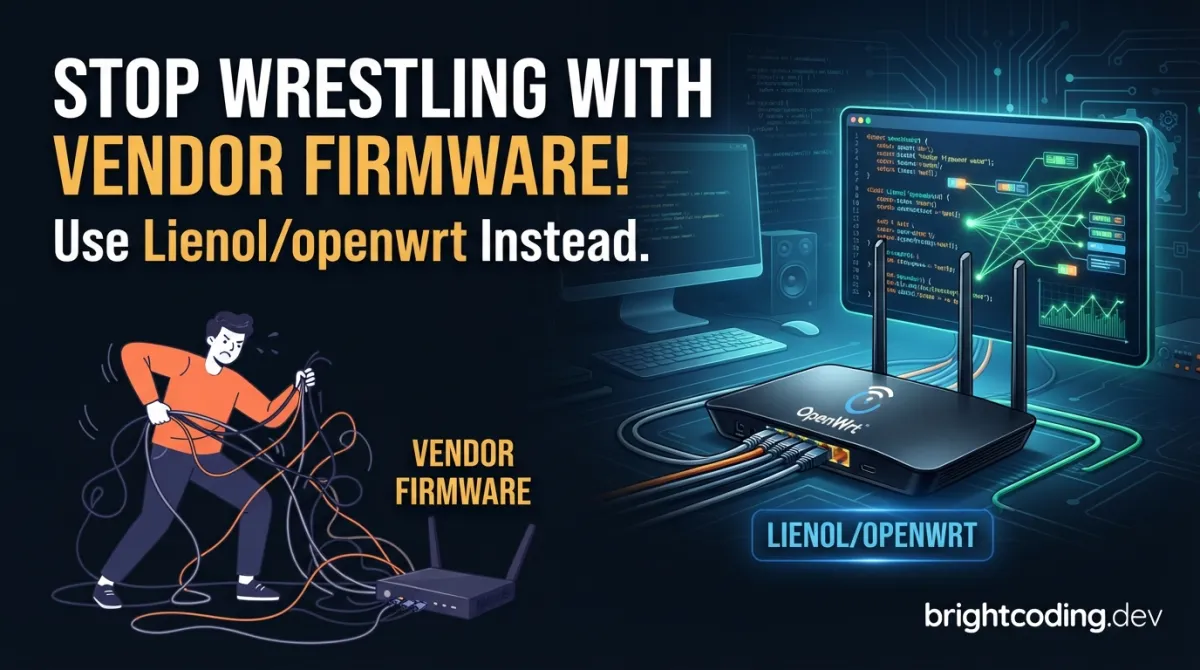
Your router is lying to you. That "smart" home gateway? It's a prison disguised as convenience. Every day, millions of developers and power users wrestle with locked-down vendor firmware—crippled features, abandoned security patches, and zero control over the hardware they own. You've felt that frustration. The helpless rage when your ISP's router won't let you configure VLANs properly. The sinking realization that your IoT device's Linux kernel hasn't been updated since 2019. What if I told you there's a way to break free—a modified OpenWrt source that's been quietly transforming how elite embedded developers build firmware?
Enter Lienol/openwrt: a refined, battle-tested fork of the legendary OpenWrt project. This isn't just another GitHub repository collecting digital dust. It's a fully writable Linux operating system for embedded devices that hands you the keys to your hardware kingdom. No more begging vendors for features. No more accepting security holes as "standard." With Lienol's modifications, you get enhanced stability, curated package selections, and a build system that actually respects your time. Ready to discover what your devices are truly capable of?
What is Lienol/openwrt?
Lienol/openwrt is a modified fork of the OpenWrt Project—a Linux operating system specifically engineered for embedded devices. Created by the developer known as Lienol, this repository takes the already-powerful OpenWrt foundation and enhances it with additional optimizations, stability improvements, and carefully selected defaults that streamline the firmware development process.
The OpenWrt Project itself revolutionized embedded Linux by rejecting the traditional model of static, monolithic firmware. Instead of a single frozen image, OpenWrt provides a fully writable filesystem with package management through opkg. This architectural decision fundamentally separates it from every vendor-locked alternative on the market. Lienol's fork preserves this core philosophy while adding layers of refinement that make it particularly attractive for serious developers and production deployments.
Why is Lienol openwrt trending now? Three forces are converging. First, the explosion of IoT devices has created massive demand for customizable, secure firmware that vendors simply cannot provide at scale. Second, supply chain security concerns have pushed organizations toward open-source firmware they can audit and control. Third, Lienol's fork has gained recognition in Chinese and international developer communities for its reliability on popular router platforms like those from Xiaomi, Phicomm, and other widely-available hardware.
Unlike the stock OpenWrt release, Lienol's modifications often include:
- Pre-integrated proprietary drivers for better wireless performance on common chipsets
- Streamlined build configurations that reduce time-to-first-boot
- Curated feed selections that eliminate broken or unmaintained packages
- Enhanced LuCI interface customizations for more intuitive management
The repository sits at the intersection of embedded systems development, network infrastructure, and open-source hardware liberation. For developers, it represents the framework to build applications without constructing entire firmware ecosystems from scratch. For users, it delivers the holy grail: full customization to deploy devices in ways their manufacturers never imagined.
Key Features That Separate Lienol/openwrt from the Pack
What makes this fork worth your attention? Let's dissect the technical advantages that keep experienced developers coming back to Lienol openwrt.
Fully Writable Root Filesystem with Journaling
Most vendor firmware uses read-only squashfs images with overlay hacks. Lienol/openwrt maintains OpenWrt's proper writable ext4 root with overlayfs, but with enhanced filesystem recovery tools. When your configuration experiments go sideways, you have actual recovery mechanisms—not a factory reset as your only escape hatch.
Sophisticated Package Management via opkg
The opkg package manager isn't just apt-for-routers. It's designed for resource-constrained environments with:
- Dependency resolution that handles complex package trees
- Signature verification for supply chain security
- Repository pinning for stable production deployments
- Minimal footprint—typical installations start under 8MB
Cross-Compilation Toolchain Generation
Here's where Lienol openwrt shines for developers. The build system doesn't just compile firmware—it generates a complete cross-compilation toolchain tailored to your target architecture. Building for MIPS on your x86 workstation? The toolchain handles ABI compatibility, floating-point emulation, and endianness conversion automatically.
Kernel Configuration Freedom
Vendor kernels are typically stripped-down, ancient, and unchangeable. Lienol's fork exposes the full Linux kernel configuration through make kernel_menuconfig. Need BPF support for advanced networking? Custom netfilter modules? Real-time patches? They're all within reach.
Modular Web Interface (LuCI)
The LuCI web interface isn't mandatory bloat—it's a modular system you can strip to bones or extend with custom applications. Lienol's modifications often include responsive theme improvements and additional diagnostic pages that stock OpenWrt lacks.
Proprietary Driver Integration
The pragmatic reality of embedded wireless: open-source drivers often underperform. Lienol's fork strategically integrates proprietary wireless drivers where licensing permits, delivering actual 802.11ac/ax performance instead of theoretical capability.
Real-World Use Cases Where Lienol/openwrt Dominates
Theory is cheap. Let's examine where Lienol openwrt transforms from interesting project to indispensable tool.
Enterprise WiFi Infrastructure on a Budget
A 500-employee office needs managed WiFi. Commercial solutions cost $15,000+. With Lienol/openwrt on compatible hardware, you deploy:
- 802.1X/RADIUS authentication with per-user VLAN assignment
- Captive portals with bandwidth quotas
- Mesh networking for seamless roaming
- Centralized logging to your SIEM
Total hardware cost: under $2,000. The firmware cost? Zero. The customization freedom? Priceless.
Secure IoT Gateway for Industrial Sensors
Manufacturing floors generate data that shouldn't touch cloud APIs directly. Build a Lienol/openwrt gateway that:
- Aggregates Modbus/OPC-UA sensor data locally
- Runs MQTT brokers with TLS mutual authentication
- Implements network segmentation isolating IoT devices from corporate LAN
- Performs edge preprocessing reducing bandwidth 90%
The writable filesystem means you can install Python↗ Bright Coding Blog, Node-RED, or custom C applications without rebuilding firmware.
Privacy-First Home Network with Advanced Routing
Mass surveillance capitalism meets its match. Deploy Lienol/openwrt to:
- Route all traffic through WireGuard/Shadowsocks tunnels
- Implement DNS-over-HTTPS with custom blocklists
- Shape traffic with SQM (Smart Queue Management) eliminating bufferbloat
- Create isolated guest networks with bandwidth caps
Your ISP's router can't do this. Off-the-shelf "privacy routers" charge premiums for features that are free here.
Custom Hardware Bring-Up and Prototyping
Developing a new embedded product? Lienol/openwrt accelerates bring-up:
- Rapid kernel iteration without full BSP rebuilds
- Package-based application deployment for beta testing
- Standardized build system your team already knows
- Massive hardware compatibility reducing platform risk
One startup I advised cut their firmware development timeline from 14 months to 4 by leveraging OpenWrt's infrastructure instead of building custom Yocto layers.
Step-by-Step Installation & Setup Guide
Ready to build? Here's your complete path from zero to flashing Lienol openwrt firmware.
Prerequisites
You'll need a build host running GNU/Linux, BSD, or macOS. Critical requirement: case-sensitive filesystem. Cygwin is explicitly unsupported—don't waste your time.
Install these base tools (package names vary by distribution):
# Debian/Ubuntu example
sudo apt update
sudo apt install -y \
    binutils bzip2 diff find flex gawk gcc-6+ getopt grep install \
    libc-dev libz-dev make4.1+ perl python3.7+ rsync subversion \
    unzip which git
For your specific distribution, consult the Build System Setup documentation.
Clone and Initialize Lienol/openwrt
# Clone the repository
git clone https://github.com/Lienol/openwrt.git
cd openwrt

# Update all package feeds to latest definitions
# This parses feeds.conf/feeds.conf.default and fetches remote repositories
./scripts/feeds update -a

# Install symlinks for all obtained packages into package/feeds/
# This makes packages available for selection in menuconfig
./scripts/feeds install -a
Configure Your Build
# Launch interactive configuration
# Navigate with arrow keys, select with Enter, search with /
make menuconfig
In menuconfig, you'll configure three critical areas:
- Target System: Your device architecture (e.g., MediaTek Ralink MIPS, Qualcomm Atheros ARM)
- Target Profile: Specific device model (critical for correct flash layout)
- Package Selection: Base system plus your applications
Build Your Firmware
# Start the build process
# First run downloads toolchain sources and builds cross-compiler
# Subsequent runs are much faster
make -j$(nproc)
The build process:
- Downloads and patches Linux kernel sources
- Builds the cross-compilation toolchain (if not cached)
- Compiles the kernel for your target architecture
- Cross-compiles all selected packages
- Assembles root filesystem and generates flashable images
Pro tip: For first builds, use make -j1 V=s to see detailed output and catch errors early. Parallel builds are faster but harder to debug.
Locate and Flash Your Image
Built images appear in bin/targets/<architecture>/<subtarget>/. You'll typically see:
*-factory.bin: For initial flash from vendor firmware*-sysupgrade.bin: For upgrading existing OpenWrt installations
Flash using your device's recovery method—usually TFTP, web interface, or serial console. The OpenWrt Firmware Selector can help identify correct images for supported devices.
REAL Code Examples from Lienol/openwrt
Let's examine actual code and commands from the repository, with detailed explanations of what each accomplishes.
Example 1: Feed Update and Package Installation
#!/bin/bash
# This is the standard initialization sequence for any OpenWrt build environment
# Including Lienol's modified fork

# Step 1: Update all package feeds
# The -a flag means "all feeds" defined in feeds.conf.default
# This downloads the latest package definitions from remote repositories
# Including packages, LuCI, routing, and video feeds
./scripts/feeds update -a

# Step 2: Install all feed packages
# This creates symbolic links from feeds/ into package/feeds/
# Making packages visible to the build system's dependency resolver
# Without this step, menuconfig won't show feed packages
./scripts/feeds install -a
Why this matters: The feed system is OpenWrt's secret weapon for modularity. Instead of monolithic releases, you compose firmware from hundreds of independently maintained packages. Lienol's fork maintains compatibility with standard OpenWrt feeds while potentially adding optimized variants in custom feeds.
Example 2: The Four-Command Build Workflow
# Complete build workflow from fresh clone to firmware image

# 1. Populate package feeds (run after clone or when feeds change)
./scripts/feeds update -a
./scripts/feeds install -a

# 2. Interactive configuration - this is where you define YOUR firmware
# Select target architecture, device profile, kernel options, packages
make menuconfig

# 3. Build everything - this is where the magic happens
# Downloads sources, builds toolchain, cross-compiles kernel + packages
# The cross-compile prefix will be something like mipsel-openwrt-linux-musl-
make

# 4. (Optional) Build specific package without full rebuild
make package/<name>/compile V=s
The technical depth: make menuconfig generates .config in Kconfig format—the same configuration system used by the Linux kernel. When you run make, the build system:
- Parses
.configto determine target triple (architecture-vendor-os-abi) - Downloads prebuilt toolchain or builds from
toolchain/sources - Sets
ARCH,CROSS_COMPILE, andPATHenvironment variables - Invokes the kernel build with your selected configuration
- Uses
opkgmetadata to resolve package dependencies - Generates final images with proper headers for your bootloader
Example 3: Requirements Specification for Build Host
binutils bzip2 diff find flex gawk gcc-6+ getopt grep install libc-dev libz-dev
make4.1+ perl python3.7+ rsync subversion unzip which
Decoding the dependency chain:
| Tool | Purpose in Build System |
|---|---|
binutils |
Provides ar, objdump, strip for object file manipulation |
flex |
Lexical analyzer generator for parser tools (dnsmasq, etc.) |
gawk |
GNU awk for complex text processing in build scripts |
gcc-6+ |
Host compiler for building the cross-compiler itself |
python3.7+ |
Modern Python for build scripts and package metadata |
rsync |
Efficient source tree synchronization for incremental builds |
subversion |
Some legacy packages still use SVN repositories |
Version specificity matters: make4.1+ is required for .ONESHELL and grouped targets. python3.7+ ensures compatibility with modern cryptography modules used in package signing. These aren't arbitrary constraints—they prevent subtle build failures that waste hours of debugging.
Example 4: Understanding the Filesystem Architecture
While not explicit code, understanding OpenWrt's filesystem design is crucial for effective use:
# Typical runtime filesystem layout on a running Lienol/openwrt device
/
├── bin/          # Essential user binaries (busybox, ash, opkg)
├── dev/          # Device nodes (populated by procd hotplug)
├── etc/          # Configuration (uci-based, commit to apply)
├── lib/          # Shared libraries and kernel modules
├── overlay/      # Upper layer of overlayfs—YOUR modifications live here
├── proc/         # Kernel process information
├── rom/          # Read-only squashfs root—base system, reset-safe
├── root/         # Root user home
├── sbin/         # Essential system binaries
├── sys/          # Kernel system information
├── tmp/          # Temporary files (RAM-backed, lost on reboot)
├── usr/          # User utilities and data
├── var/          # Variable data (symlinked to /tmp for flash wear)
└── www/          # LuCI web interface files
Critical insight: The overlay/ directory is your persistence mechanism. When you modify /etc/config/network, the change writes to overlay/etc/config/network. The original in rom/etc/config/network remains untouched. This means factory reset is simply deleting overlay—a robust recovery model impossible with traditional Linux distributions.
Advanced Usage & Best Practices
You've built firmware. Now let's optimize your Lienol openwrt workflow.
Incremental Development with quilt
For kernel or package patching, use quilt integration:
# Enter package build directory with patch management
make package/kernel/linux/{clean,prepare} V=s QUILT=1
cd build_dir/target-*/linux-*/linux-*/
quilt push -a        # Apply existing patches
quilt new my-fix.patch
quilt edit drivers/net/ethernet/my-driver.c
quilt refresh
cd -
make package/kernel/linux/update V=s
This preserves your patches across clean rebuilds—essential for maintaining custom modifications.
Image Builder for Rapid Iteration
Don't rebuild from source for every package tweak:
# After initial build, use Image Builder for faster image generation
make image PROFILE=<device> PACKAGES="pkg1 pkg2 -pkg3"
The Image Builder repackages rootfs in minutes instead of hours.
Configuration Version Control
# Extract human-readable configuration
defconfig > my-device.config

# Version control this file, not .config directly
# It records only non-default selections, making diffs meaningful
git add my-device.config
Security Hardening Checklist
- Disable telnet, enable dropbear with key-only auth
- Configure
fw3/fw4with default-deny policies - Enable automatic updates for critical packages
- Use
ucitrackto validate configuration before commit
Comparison with Alternatives
| Feature | Lienol/openwrt | Stock OpenWrt | Vendor Firmware | DD-WRT | pfSense/OPNsense |
|---|---|---|---|---|---|
| Source Availability | Full GPL | Full GPL | Proprietary blobs | Partial | Full BSD/GPL |
| Package Management | opkg (2000+ packages) | opkg | None or limited | Limited | pkg/opnsense-pkg |
| Build System | Full cross-compile | Full cross-compile | N/A | N/A | Ports/packages |
| Wireless Performance | Enhanced drivers | Open-source only | Often good | Moderate | N/A (x86 focus) |
| Flash Size Required | 4MB minimum, 8MB+ recommended | Same | Varies | 8MB+ | 1GB+ |
| Target Hardware | Embedded routers, ARM/MIPS | Same | Specific devices | Broadcom focus | x86/ARM servers |
| Community Support | Active Chinese + international | Massive global | Vendor-dependent | Declining | Strong |
| Configuration Method | UCI + LuCI + raw files | Same | Web only | Web only | Web + CLI |
| Container Support | procd-ujail, Docker↗ Bright Coding Blog (some) | Same | None | None | Full Docker |
Why Lienol/openwrt wins: It occupies the sweet spot between stock OpenWrt's purity and practical performance needs. Unlike vendor firmware, you're free. Unlike DD-WRT, you're on maintained, current code. Unlike pfSense, you run on $20 routers, not dedicated x86 boxes.
FAQ
Q: Is Lienol/openwrt officially supported by the OpenWrt project? A: No—it's an independent fork. However, it tracks upstream closely and maintains compatibility with standard OpenWrt feeds and packages. Many modifications eventually influence upstream discussions.
Q: Can I migrate from stock OpenWrt to Lienol/openwrt without reconfiguration?
A: Backup your /etc/config/ directory first. While UCI configurations are largely compatible, always test on non-production hardware. Some package names or default settings may differ.
Q: What devices work best with this fork? A: Popular MediaTek (MT7621, MT7620) and Qualcomm Atheros platforms see the most optimization. Check the OpenWrt Hardware Database for baseline compatibility, then verify Lienol-specific threads in community forums.
Q: How do I update packages after flashing?
A: Use opkg update && opkg upgrade <package> for individual packages, or flash a new sysupgrade image for kernel/base system updates. The writable overlay preserves your configuration across updates.
Q: Is this suitable for commercial products? A: Absolutely—with caveats. The GPL-2.0 license requires source distribution for distributed products. Many companies successfully build commercial offerings on OpenWrt; consult legal counsel for compliance strategy.
Q: Why not just use the official OpenWrt release? A: If you need bleeding-edge kernel versions or strict open-source purity, stock OpenWrt may suit you better. Lienol's fork prioritizes stability and practical wireless performance, often at the cost of slightly older kernels.
Q: How do I contribute or report issues? A: The repository accepts issues and pull requests via GitHub. For upstream OpenWrt bugs, use the official bug tracker. Chinese-language support is particularly strong in Lienol's community channels.
Conclusion
The war for embedded device freedom isn't won with outrage—it's won with better tools. Lienol/openwrt represents a pragmatic, powerful path to firmware sovereignty: the flexibility of open source, the performance of optimized drivers, and the community of developers who refuse to accept locked-down hardware as inevitable.
I've watched too many brilliant engineers waste weekends fighting vendor SDKs, wrestling with undocumented build systems, or accepting security vulnerabilities as "the cost of doing business." It doesn't have to be this way. The code is there. The documentation exists. The community builds.
Your router, your gateway, your IoT edge device—it can run software you control, understand, and modify. That transformation starts with a single git clone.
Ready to liberate your embedded hardware? Head to https://github.com/Lienol/openwrt, clone the repository, run those four build commands, and join the ranks of developers who stopped asking permission from their firmware. The future of embedded Linux is open, writable, and waiting for your configuration. What will you build?
Sunshine!
Explore on the BrightCoding network
Hand-picked resources from our other sites.
wg-obfuscator: Disguise Your VPN Traffic to Evade Censorship
Master wg-obfuscator to disguise WireGuard traffic and bypass DPI censorship. This comprehensive guide covers installation, real code examples, advanced configu...
Lan Mouse: The Rust-Powered KVM Revolution
Discover Lan Mouse - the blazingly fast Rust-powered tool that shares mouse and keyboard across computers via LAN. This open-source alternative to Synergy offer...
Stop Locking Yourself Into Vendor Firmware! Use OpenWrt Instead
Discover how OpenWrt liberates embedded devices from vendor lock-in with fully customizable Linux firmware, complete package management, and production-grade bu...
Continuez votre lecture
Stop Locking Yourself Into Vendor Firmware! Use OpenWrt Instead
Stop Wasting Money on IoT Modules! TTGO-LoRa32-V2.1 Does It All
$96 DIY Guided Rocket: The MANPADS Prototype Exposed

Stop Coding Alone: OPC-Skills Gives Your AI Agent Superpowers
Commentaires 0
Aucun commentaire pour l'instant. Soyez le premier à réagir !